1. Introduction
The Oral-B PRO 600 CrossAction electric toothbrush is designed to provide a superior clean compared to a regular manual toothbrush. Its 3D cleaning action combines oscillations, rotations, and pulsations to remove up to 100% more plaque. This manual provides essential information for the proper setup, operation, and maintenance of your device.
2. What's Included
Your Oral-B PRO 600 package contains the following components:
- 1 Rechargeable Electric Toothbrush Handle
- 1 CrossAction Brush Head
- 1 Toothbrush Charger
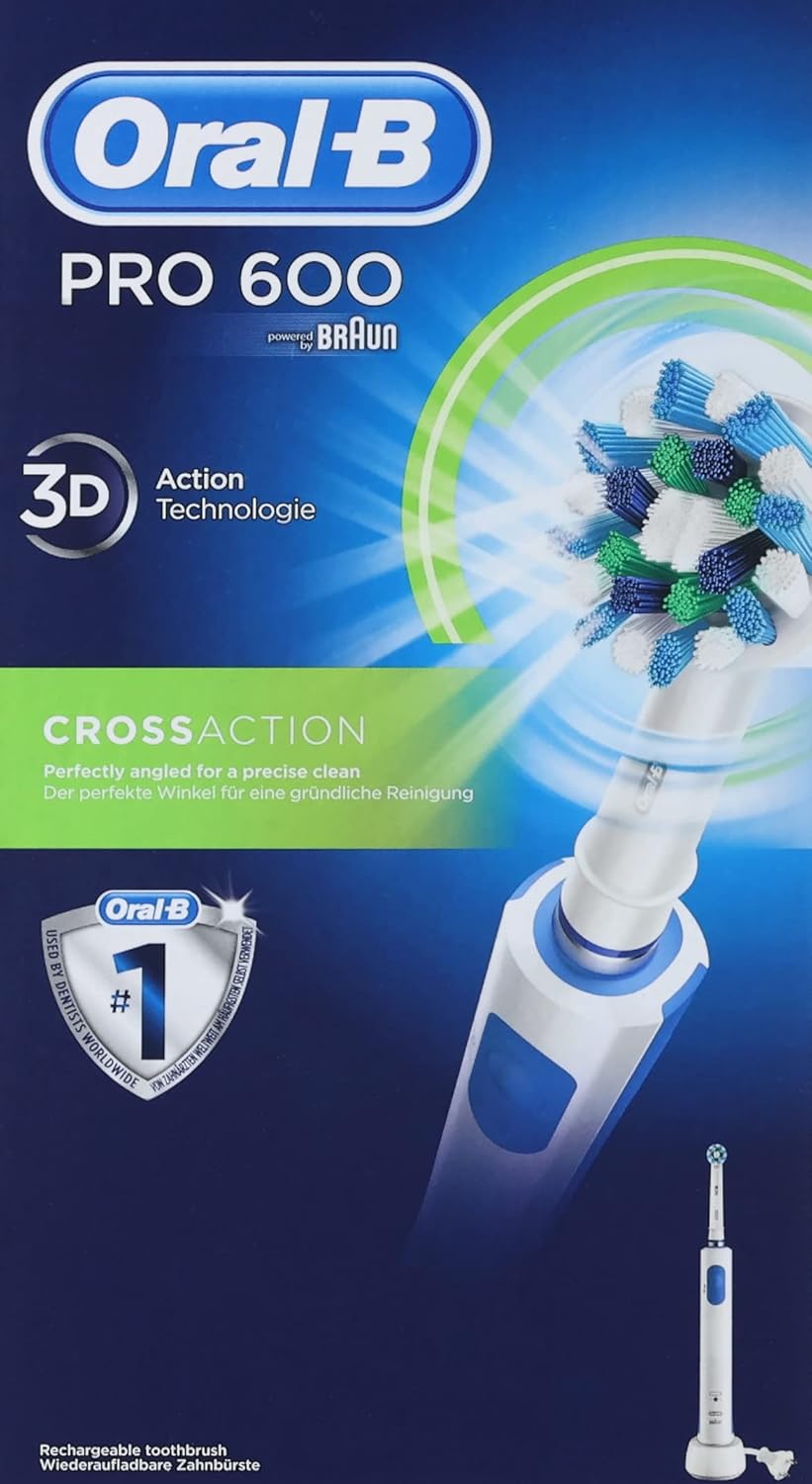
Image: The Oral-B PRO 600 electric toothbrush handle, a CrossAction brush head, and the charging base.
3. Setup
3.1 Initial Charging
Before first use, charge the toothbrush for at least 24 hours to ensure full battery capacity. Place the toothbrush handle on the charging unit. The charging indicator light will illuminate.

Image: The Oral-B PRO 600 electric toothbrush handle placed on its charging base, ready for charging.
3.2 Attaching the Brush Head
Align the brush head with the shaft of the toothbrush handle and push it down until it clicks into place. Ensure it is securely fastened.

Image: A close-up view of the Oral-B CrossAction brush head securely attached to the electric toothbrush handle.
4. Operating Instructions
4.1 Brushing Procedure
- Remove the packaging.
- Charge the toothbrush.
- Wet the brush head.
- Apply toothpaste to the brush head.
- Place the brush head onto the handle.
- Wet your teeth and the brush head.
- Turn on the toothbrush.
- Follow the integrated timer for a 2-minute brushing session, ensuring all areas of the mouth are reached.
- Turn off the toothbrush.
- Rinse your mouth and the brush head.
4.2 Brushing Modes
The Oral-B PRO 600 features one brushing mode:
- Daily Clean Mode: Provides a comprehensive everyday clean.

Image: An illustration highlighting the 'Daily Clean' mode, which is the primary cleaning mode for the Oral-B PRO 600.
4.3 Integrated Timer
The toothbrush includes an integrated 2-minute timer to help you brush for the dentist-recommended duration. The timer signals after two minutes of brushing.

Image: A magnified view of the Oral-B round brush head, illustrating its bristle design for effective cleaning.
5. Maintenance
5.1 Cleaning
After each use, rinse the brush head thoroughly under running water with the handle switched on. Turn off the handle and remove the brush head. Clean both parts separately under running water. Wipe the handle with a damp cloth. Do not immerse the charger in water.
5.2 Brush Head Replacement
Replace the brush head every 3 months, or sooner if the bristles are splayed or worn, to maintain optimal cleaning performance.
6. Safety Warnings
Please read all safety information before using this product.
- Choking Hazard: Keep out of reach of children under 3 years of age.
- Do not use for purposes other than oral hygiene.
- Supervise children under 12 years of age during product use.
- Do not modify or repair the product. This may cause fire, electric shock, or injury. Consult your dealer for repairs.
- Do not use if the product is damaged in any way (handle, brush head, charger).
- If the product is dropped, the brush head should be replaced before the next use even if no visible damage is apparent.
7. Specifications
| Product Name | Oral-B PRO 600 CrossAction Electric Toothbrush |
| Model Number | 80265117 |
| Brand | Oral-B |
| Dimensions (L x W x H) | 7.1 x 12.5 x 23.5 cm |
| Weight | 350 grams |
| Power Source | Rechargeable battery |
| Battery Type | 1 Lithium-polymer (included) |
| Country of Origin | Germany |
| Special Feature | Rechargeable |
| Brush Head Firmness | Soft |
8. Troubleshooting
If your Oral-B PRO 600 electric toothbrush is not functioning as expected, please consider the following common issues:
- Toothbrush not turning on: Ensure the battery is charged. Place the handle on the charger for at least 30 minutes.
- Reduced brushing power: The battery may be low. Recharge the toothbrush. If the issue persists after a full charge, the battery may need servicing.
- Brush head not rotating/pulsating: Ensure the brush head is correctly attached. If it is, and the handle is charged, the unit may require professional inspection.
- Charger not working: Check the power outlet. Ensure the charger is clean and free of debris.
For persistent issues, please contact Oral-B customer support.
9. Warranty and Support
This product is covered by Oral-B's standard warranty. Please refer to the warranty card included in your product packaging for specific terms and conditions, including warranty duration and claim procedures. For customer support, spare parts, or additional information, please visit the official Oral-B website or contact their customer service line.
Note: The manufacturer offers a satisfaction guarantee. You may test this product risk-free for 30 days and receive a full refund if not 100% satisfied. Details are available on the product packaging.


