
1. Introduction
Thank you for purchasing the APM 571046 Bluetooth 2.1 Portable Speaker. This device is designed to provide high-quality audio wirelessly via Bluetooth or through a wired 3.5mm jack connection. It features an integrated microphone for hands-free calling and a compact design for portability. Please read this manual carefully before using the product to ensure proper operation and to maximize its lifespan.
2. Safety Information
- Do not expose the speaker to extreme temperatures, direct sunlight, or high humidity.
- Avoid dropping or subjecting the speaker to strong impacts.
- Do not disassemble or attempt to repair the speaker yourself. This will void the warranty.
- Keep the speaker away from water and other liquids.
- Use only the provided charging cable or a certified equivalent.
- Dispose of the battery and speaker according to local regulations.
3. Package Contents
- APM 571046 Bluetooth 2.1 Portable Speaker
- Mini USB Charging Cable
- 3.5mm Audio Jack Cable
- User Manual (this document)
4. Product Overview
The APM 571046 speaker features a compact design with intuitive controls for easy operation.
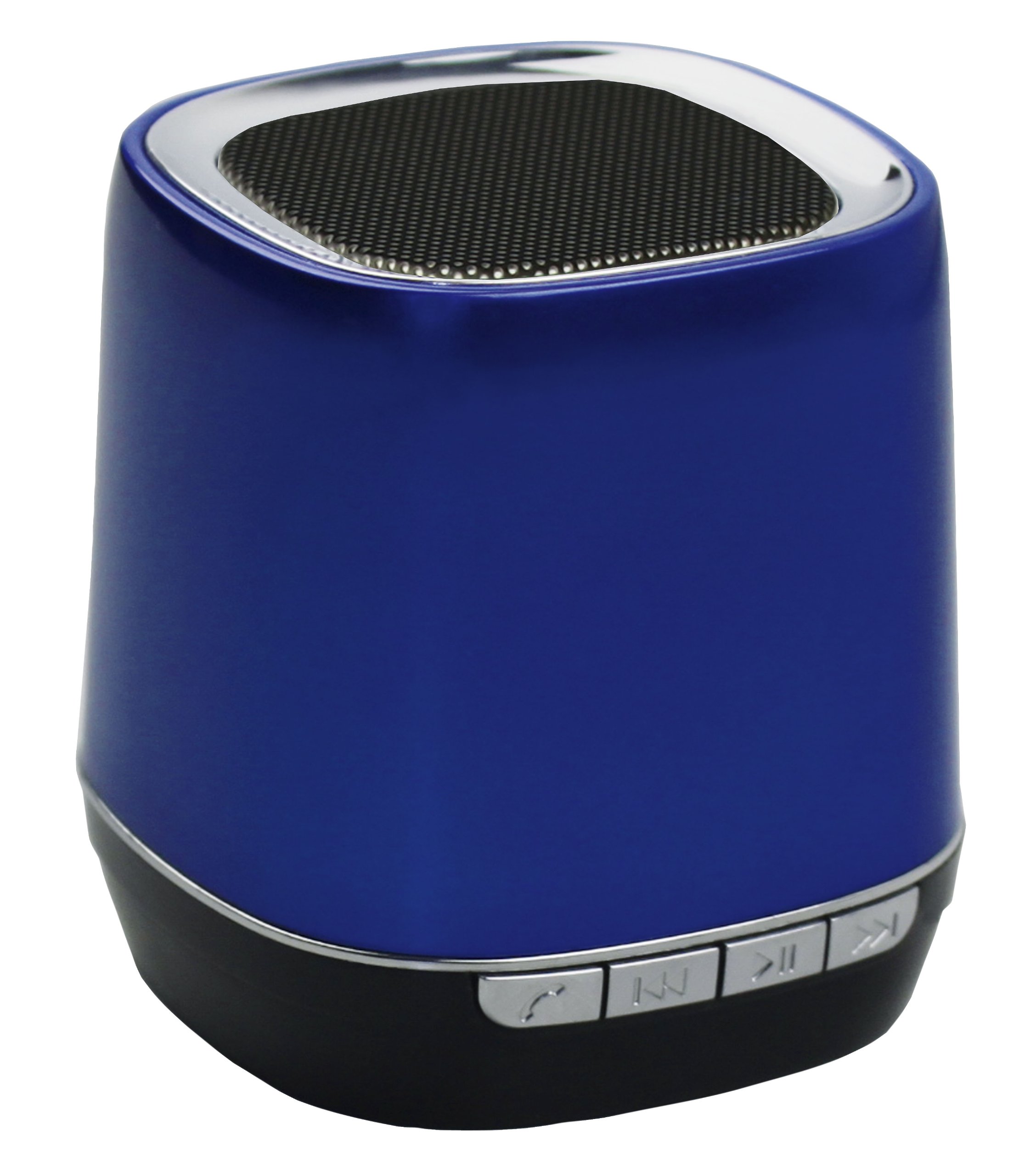
Image: Front view of the APM 571046 Bluetooth 2.1 Portable Speaker. The speaker is blue and shows the main grille and control panel.
Controls and Ports:
- Power Button: Turns the speaker on or off.
- Play/Pause Button: Controls music playback and answers/ends calls.
- Previous/Next Buttons: Navigates between tracks.
- Microphone: Integrated for hands-free communication.
- Mini USB Port: For charging the speaker.
- 3.5mm Audio Jack Input: For wired audio connection.
5. Setup
5.1 Charging the Speaker
- Connect the Mini USB charging cable to the speaker's Mini USB port.
- Connect the other end of the cable to a USB power adapter (not included) or a computer's USB port.
- The charging indicator light will illuminate.
- A full charge takes approximately 2 hours. The indicator light will change or turn off once charging is complete.
The speaker has a built-in 300 mA Lithium battery, providing up to 5 hours of autonomy on a full charge.
5.2 Powering On/Off
- To power on: Press and hold the Power button until the indicator light turns on.
- To power off: Press and hold the Power button until the indicator light turns off.
6. Operating
6.1 Bluetooth Pairing
The speaker supports Bluetooth 2.1 + EDR for wireless connection with compatible devices.
- Ensure the speaker is powered on and within 10 meters (33 feet) of your Bluetooth device.
- The speaker will automatically enter pairing mode, indicated by a flashing LED light.
- On your Bluetooth device (smartphone, tablet, PC), enable Bluetooth and search for available devices.
- Select "APM 571046" from the list of found devices.
- Once paired, the LED indicator on the speaker will stop flashing and remain solid. You can now play audio wirelessly.
6.2 Wired Connection (3.5mm Audio Jack)
For devices without Bluetooth or when a wired connection is preferred:
- Connect one end of the provided 3.5mm audio jack cable to the speaker's 3.5mm input port.
- Connect the other end of the cable to the audio output jack of your device (e.g., PC, MP3 player).
- The speaker will automatically switch to AUX mode.
6.3 Music Control
- Play/Pause: Press the Play/Pause button once to play or pause music.
- Next Track: Press the Next button once to skip to the next song.
- Previous Track: Press the Previous button once to go to the beginning of the current song or the previous song.
6.4 Hands-Free Calling
When connected via Bluetooth to a smartphone, the integrated microphone allows for hands-free calls.
- Answer Call: Press the Play/Pause button once when an incoming call rings.
- End Call: Press the Play/Pause button once during a call to hang up.
- Reject Call: Press and hold the Play/Pause button for 2 seconds when an incoming call rings.
7. Maintenance
- Clean the speaker with a soft, dry cloth. Do not use abrasive cleaners or solvents.
- Store the speaker in a cool, dry place when not in use.
- To prolong battery life, avoid fully discharging the battery frequently and recharge it regularly.
8. Troubleshooting
No Power:
- Ensure the speaker is charged. Connect it to a power source using the Mini USB cable.
- Press and hold the Power button for a few seconds to ensure it's properly turned on.
No Sound:
- Check the volume level on both the speaker and your connected device.
- If using Bluetooth, ensure the speaker is correctly paired and connected to your device.
- If using the 3.5mm jack, ensure the cable is fully inserted into both the speaker and the audio source.
- Try restarting both the speaker and the connected device.
Bluetooth Pairing Issues:
- Ensure the speaker is in pairing mode (flashing LED).
- Make sure Bluetooth is enabled on your device and it's searching for new devices.
- Move the speaker closer to your device (within 10 meters).
- Turn off and on the Bluetooth function on your device.
- If previously paired, try forgetting the device from your Bluetooth settings and re-pairing.
9. Specifications
| Model Number | 571046 |
| Brand | APM |
| Connectivity Technology | Bluetooth 2.1 + EDR, 3.5mm Audio Jack |
| Wireless Range | Up to 10 meters (33 feet) |
| Output Power | 3 W |
| Battery Type | 300 mA Lithium Ion |
| Battery Autonomy | Up to 5 hours |
| Charging Time | Approximately 2 hours (via Mini USB) |
| Integrated Microphone | Yes |
| Dimensions (L x W x H) | 12.5 x 7 x 18.5 cm |
| Weight | 142 g |
| Color | Blue |
10. Warranty Information
This APM 571046 Bluetooth 2.1 Portable Speaker comes with a 1-year manufacturer's warranty from the date of purchase. This warranty covers manufacturing defects under normal use. It does not cover damage caused by misuse, accidents, unauthorized modifications, or normal wear and tear. Please retain your proof of purchase for warranty claims.
11. Support
For further assistance, technical support, or warranty inquiries, please contact your retailer or visit the official APM website for contact information.
