
Introduction
This manual provides detailed instructions for the setup, operation, and maintenance of your TCL 55FS4610R 55-Inch 1080p 120Hz Smart LED TV. This television integrates the Roku OS, offering a personalized home screen and access to a wide array of streaming channels. It features a 1080p high-definition display, built-in Wi-Fi, and multiple connectivity options for a comprehensive entertainment experience.

Front view of the TCL 55FS4610R Smart LED TV showcasing the Roku operating system interface.
What's in the Box
Verify that all items are present in the packaging before proceeding with the setup.
- TCL 55FS4610R 55-Inch Smart LED TV
- Remote Control
- Power Cord
- 2 x AAA Batteries
- Quick Start Guide (this document)
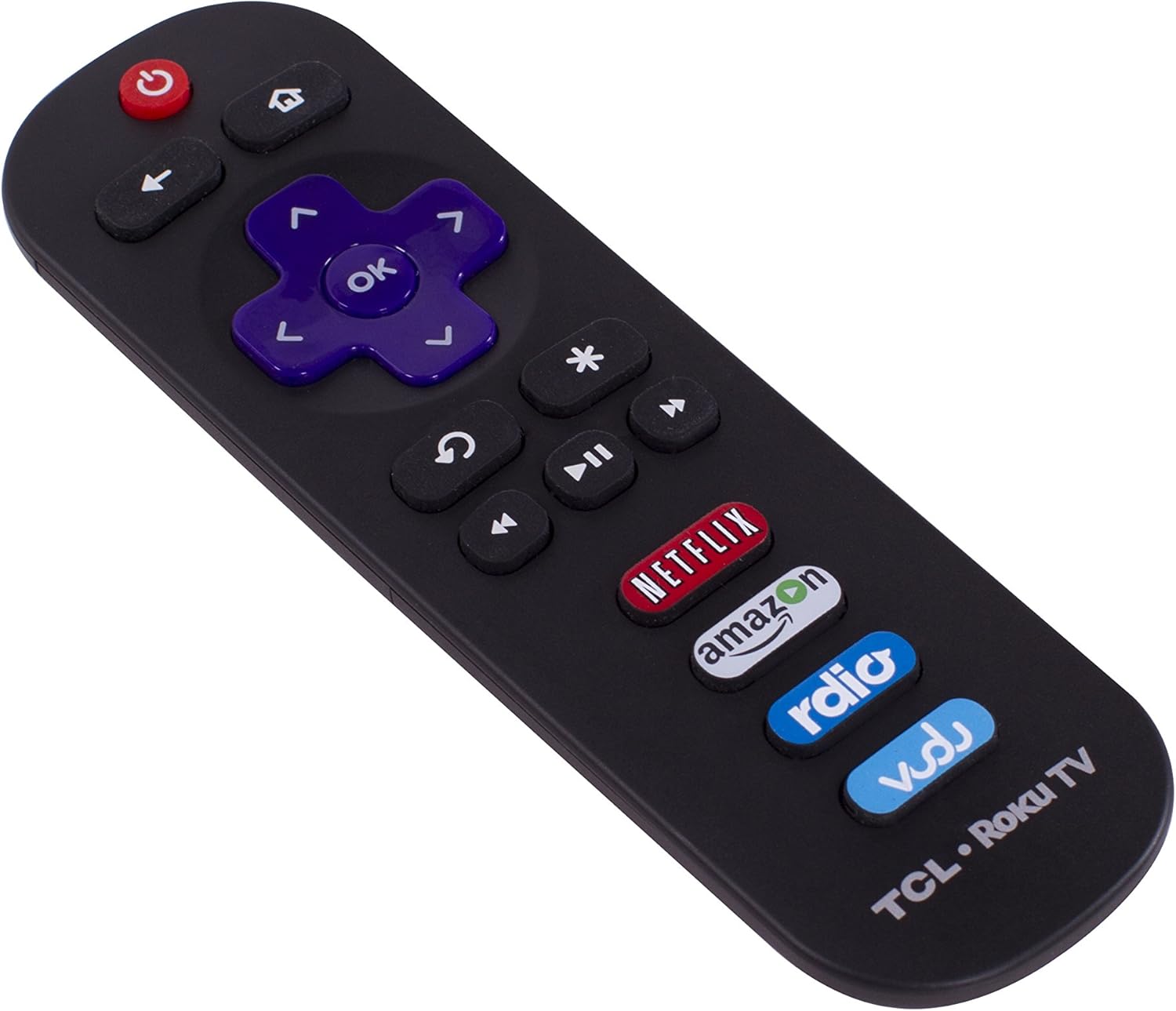
The included remote control for your TCL Roku TV.
Setup
1. Unpacking and Placement
Carefully remove the TV from its packaging. Place the TV on a stable, flat surface or mount it securely to a wall using a compatible VESA mount (sold separately). Ensure adequate ventilation around the TV.

Side profile of the TV, illustrating its slim design and stand attachment point.
2. Connecting Power
Connect the power cord to the TV's power input and then plug the other end into a wall outlet. The TV will enter standby mode.
3. Initial Setup Wizard
Upon first power-on, the TV will guide you through an initial setup process. This includes selecting your language, connecting to your home Wi-Fi network, and activating your Roku account. Follow the on-screen prompts to complete the setup.
Operating the TV
Remote Control Functions
The included remote control provides intuitive navigation. Use the directional pad to move through menus and the 'OK' button to select. Dedicated buttons allow quick access to popular streaming services like Netflix, Amazon, Rdio, and Vudu.
Power On/Off
Press the Power button on the remote control to turn the TV on or off.
Input Selection
From the home screen, select the desired input tile (e.g., Cable, Blu-ray, Game) to switch between connected devices. You can also customize the names of your inputs for easier identification.
Smart TV Features (Roku OS)
Your TCL Smart LED TV is powered by the Roku OS, providing a seamless streaming experience.
Personalized Home Screen
The home screen displays all your entertainment options in one place, including live TV inputs, streaming channels, and connected devices. You can customize the order of these tiles to prioritize your favorites.
Streaming Channels
Access over 1,500 streaming channels, offering a vast selection of movies, TV shows, music, news, and more. New channels are regularly added to the Roku Channel Store.
Roku Search
Utilize the powerful Roku Search feature to find content across top streaming channels. Search by title, actor, or director to quickly locate movies and TV shows.
Roku Mobile App & Casting
Download the free Roku mobile app for iOS and Android devices to control your TV from your smartphone or tablet. The app also allows you to cast personal media, such as photos, videos, and music, directly from your mobile device to the TV screen.
Official video demonstrating the features and user interface of the TCL Roku TV.
Connectivity
Your TV offers various ports for connecting external devices.
- HDMI Ports (3): Connect high-definition devices such as Blu-ray players, game consoles, and cable/satellite boxes. One HDMI port supports Audio Return Channel (ARC).
- USB Port (1): Connect USB storage devices to view photos, play music, or watch videos.
- Antenna/Cable In: Connect an antenna for over-the-air broadcasts or a cable TV connection.
- Composite Video Input (1): Connect older devices using RCA cables.
- Audio Output (Optical/Headphone): Connect external audio systems or headphones.
- Built-in Wi-Fi: For wireless network connectivity to access streaming services and updates.

Detailed view of the TV's back panel, highlighting the various input and output ports.
Maintenance
Cleaning the Screen
Gently wipe the screen with a soft, dry, lint-free cloth. For stubborn marks, lightly dampen the cloth with water or a screen-cleaning solution specifically designed for TVs. Avoid using harsh chemicals or abrasive materials.
Cleaning the Cabinet
Wipe the TV cabinet with a soft, dry cloth. Do not use liquid cleaners or sprays directly on the TV.
Troubleshooting
If you encounter issues with your TV, refer to the following common solutions:
- No Power: Ensure the power cord is securely connected to both the TV and the wall outlet. Check if the outlet is functioning by plugging in another device.
- No Picture/Sound: Verify that the correct input source is selected. Check all cable connections between the TV and external devices.
- Poor Picture Quality: Adjust picture settings (brightness, contrast, sharpness) in the TV menu. Ensure your input source is providing a high-quality signal.
- Network Connection Issues: Restart your router and modem. Re-enter your Wi-Fi password in the TV's network settings. Ensure the TV is within range of your Wi-Fi signal.
- Remote Not Responding: Replace the batteries in the remote control. Ensure there are no obstructions between the remote and the TV's IR sensor.
For further assistance, please contact TCL Support.
Specifications
| Screen Size | 55 Inches |
| Brand | TCL |
| Display Technology | LED |
| Resolution | 1080p |
| Refresh Rate | 60 Hz (Note: Product title indicates 120Hz, but detailed specifications list 60Hz) |
| Connectivity Technology | Wi-Fi |
| Product Dimensions (D x W x H) | 9.1"D x 48.9"W x 28.3"H |
| Item Weight | 43.6 Pounds |
| Total Number of HDMI Ports | 3 |
| Total USB Ports | 1 |
| Operating System | Roku OS |
| Model Name | TCL Roku TV |
| Model Number | 55FS4610R |
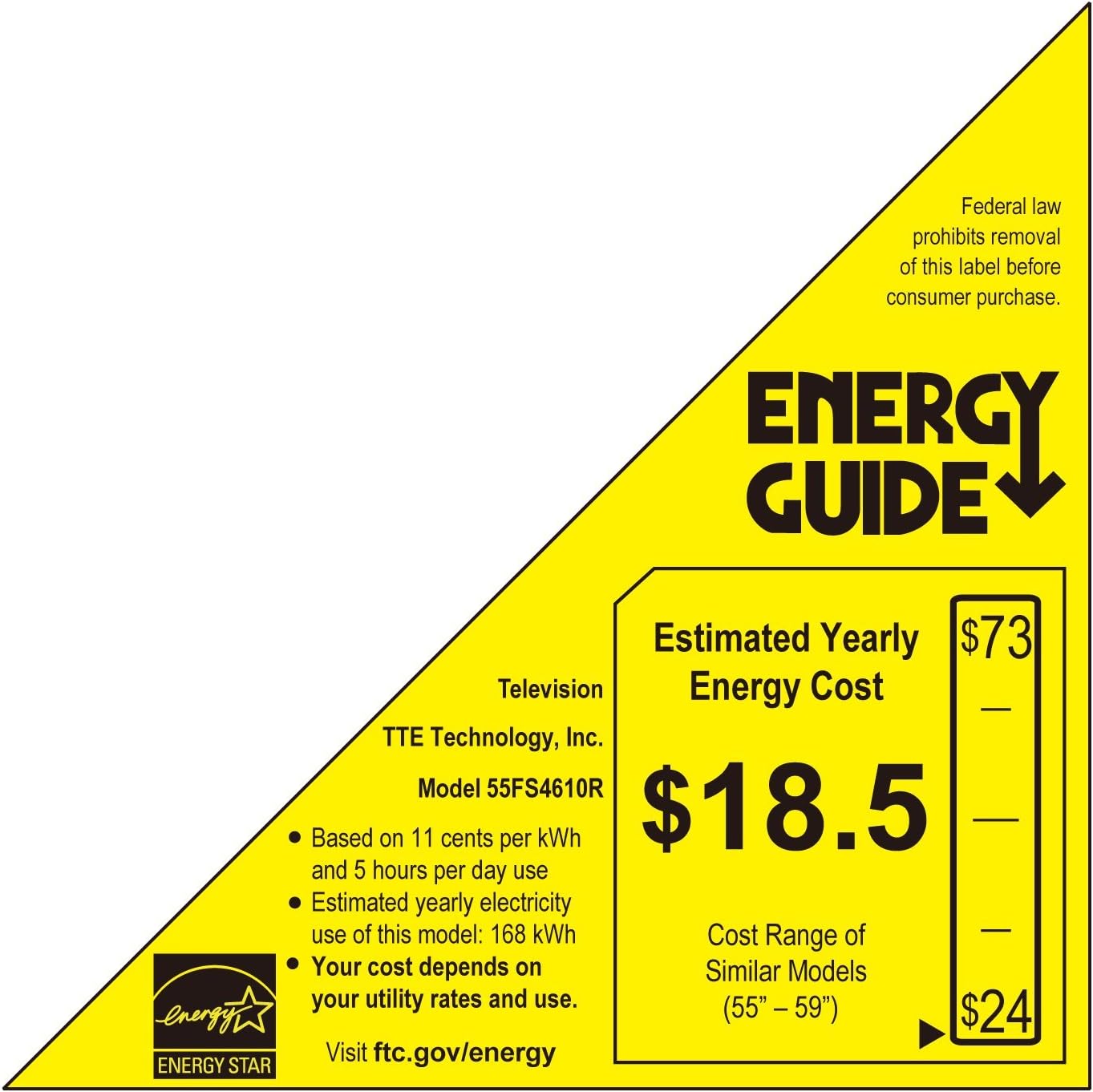
Energy Guide label providing estimated yearly energy cost for the TCL 55FS4610R.
Warranty and Support
Warranty Information
Your TCL 55FS4610R TV comes with a 1-year warranty covering parts and labor from the date of purchase.
Customer Support
For additional troubleshooting or issue resolution, please contact TCL Support at 877-300-8837.


