
1. Important Safety Information
Before operating the BH Fitness BH 6441 T100 treadmill, please read and understand all instructions in this manual. Retain this manual for future reference. Always consult with a doctor before beginning any exercise program, especially if you have pre-existing health conditions.
- Ensure the treadmill is placed on a flat, stable surface with adequate clearance around it.
- Keep children and pets away from the treadmill during operation.
- Always use the safety key during operation. In case of an emergency, the safety key will stop the treadmill.
- Wear appropriate athletic footwear.
- Do not operate the treadmill if it is damaged or malfunctioning.
- Disconnect power before cleaning or performing maintenance.
2. Product Overview
The BH Fitness BH 6441 T100 is a motorized treadmill designed for home use, featuring a 1.25 HP motor (2.5 HPP peak) and a 5-inch blue backlit LCD monitor.
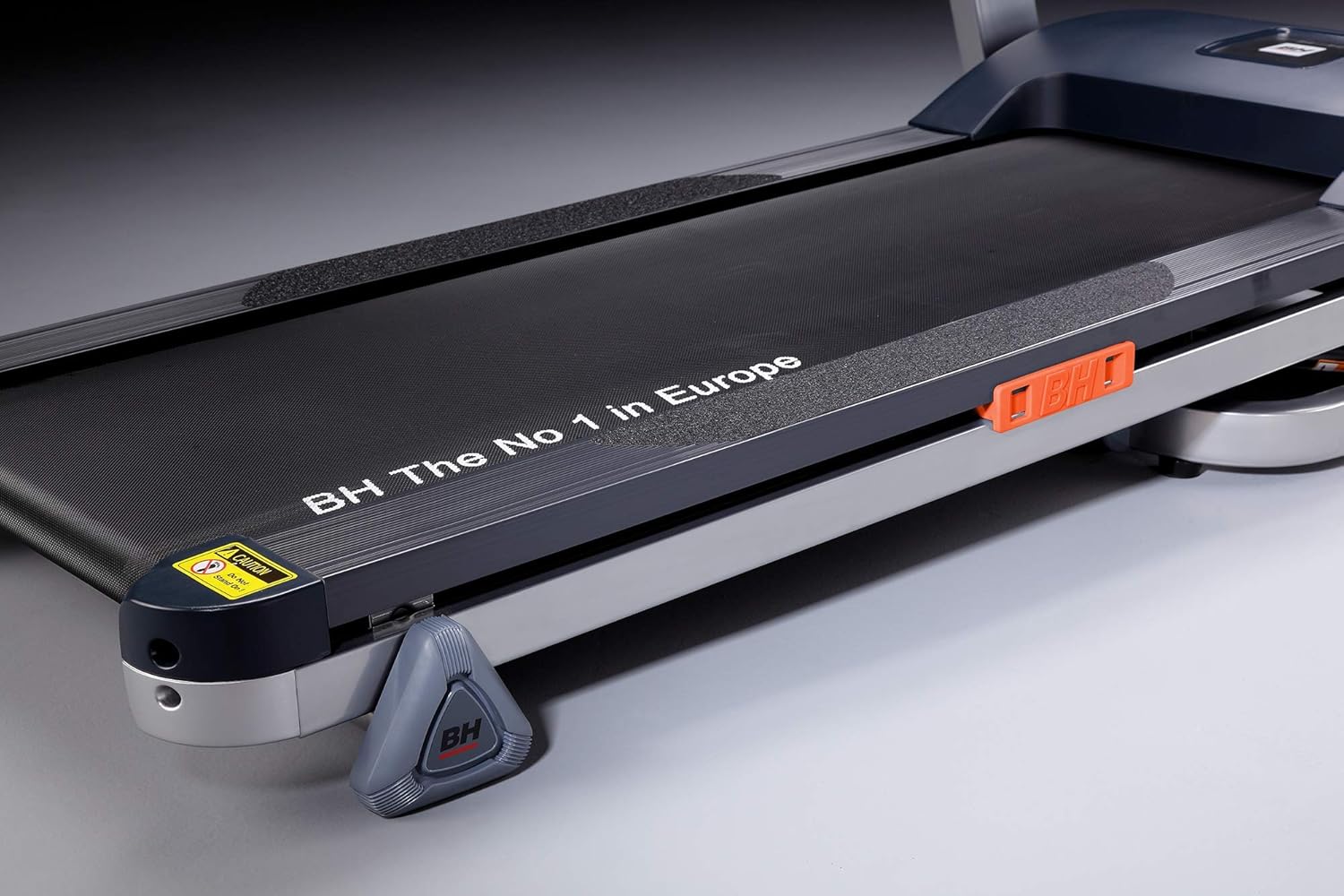
Image 2.1: View of the treadmill's running deck, highlighting the brand slogan and safety features.

Image 2.2: Close-up of the treadmill's handlebar, showing integrated control buttons for speed or incline adjustments.

Image 2.3: Side view of the treadmill's upright support, displaying the 'T100' model designation.

Image 2.4: The BH 6441 T100 treadmill shown in its folded position, demonstrating its space-saving design.
3. Setup and Assembly
The BH Fitness BH 6441 T100 treadmill is designed for minimal assembly. It is recommended to have two people for unpacking and initial placement due to its weight (65 kg).
3.1 Unpacking
- Carefully remove the treadmill from its packaging.
- Inspect all components for any damage. Contact customer support immediately if any damage is found.
- Ensure all included components are present: Treadmill unit, Monitor, Power cord, User Manual (this document), Safety Key.
3.2 Placement
- Place the treadmill on a firm, level surface.
- Allow at least 2 meters (6.5 feet) of clear space behind the treadmill and 0.5 meters (1.5 feet) on each side.
- Ensure the power cord can reach a grounded electrical outlet without being stretched. Use a proper stabilizer as recommended.
3.3 Unfolding (if applicable)
If your treadmill is in a folded position for storage, carefully lower the running deck until it locks into place. Refer to the diagram below for guidance.
Image 3.1: The treadmill in its folded state, illustrating its compact storage capability. To unfold, release the locking mechanism and gently lower the deck.
4. Operating Instructions
4.1 Powering On
- Plug the power cord into a grounded electrical outlet.
- Locate the main power switch (usually near the front base of the treadmill) and turn it to the 'ON' position.
- Attach the safety key clip to your clothing and place the magnetic end of the safety key into its designated slot on the console. The LCD monitor should illuminate.
4.2 Using the Console
The 5-inch blue backlit LCD monitor displays key metrics such as speed and distance. Use the console buttons to control your workout.
- START/STOP: Press to begin or end a workout.
- SPEED +/-: Adjust the running belt speed (1 to 12 km/hr).
- PROGRAM: Select from pre-set workout programs (if available).
- MODE: Toggle between different display modes (e.g., time, distance, calories).
4.3 Starting a Workout
- Stand on the side rails of the treadmill.
- Press the START button. The belt will begin to move at a low speed after a short countdown.
- Carefully step onto the moving belt.
- Adjust the speed using the SPEED +/- buttons to your desired intensity.
4.4 Stopping a Workout
- Press the STOP button. The belt will gradually slow down and stop.
- Alternatively, pull the safety key from the console for an immediate emergency stop.
5. Maintenance
Regular maintenance ensures the longevity and safe operation of your treadmill.
5.1 Cleaning
- Disconnect the power cord before cleaning.
- Wipe down the console and exterior surfaces with a damp cloth. Avoid abrasive cleaners.
- Periodically vacuum underneath the treadmill to prevent dust buildup.
5.2 Belt Lubrication
The running belt requires periodic lubrication to reduce friction and extend its lifespan. Refer to your treadmill's specific lubrication schedule (typically every few months depending on usage).
5.3 Belt Tension and Alignment
If the running belt slips or drifts to one side, it may need adjustment. Consult the detailed instructions in the full manual or contact customer support for guidance on adjusting belt tension and alignment.
6. Troubleshooting
| Problem | Possible Cause | Solution |
|---|---|---|
| Treadmill does not power on. | Power cord not plugged in, main switch off, safety key not in place, circuit breaker tripped. | Check power connection, ensure main switch is ON, insert safety key, reset circuit breaker. |
| Running belt slips. | Belt tension too loose, belt worn out. | Adjust belt tension (refer to full manual), contact support for belt replacement. |
| Unusual noise during operation. | Loose components, motor issue, belt friction. | Inspect for loose parts, lubricate belt if needed, contact support if noise persists. |
| Console display is blank or erratic. | Loose cable connection, power issue. | Check all cable connections to the monitor, ensure stable power supply. |
7. Specifications
| Feature | Detail |
|---|---|
| Model Number | BH 6441 T100 |
| Motor | 1.25 HP / 2.5 HPP (Horsepower Peak) |
| Speed Range | 1 ~ 12 km/hr |
| Running Surface | 126.5 x 42 cm |
| Monitor | 5" blue backlit LCD |
| Display Metrics | Distance |
| Item Weight | 65 Kilograms |
| Material | Alloy Steel, Rubber |
| Color | Black and grey |
| Special Feature | Portable |
| Power Source | Corded Electric |
| Assembly Required | No |
8. Warranty and Support
8.1 Warranty Information
- Frame: Lifetime warranty
- Motor: 2 Years warranty
- Spares and Labor: 1 Year warranty
- Note: Use of a proper stabilizer is recommended to maintain warranty validity.

Image 8.1: Visual representation of warranty details including lifetime frame warranty and contact information for support.
8.2 Customer Support
For any queries, technical assistance, or warranty claims, please contact BH Fitness customer support.
- Support Number: 81-4422-4422
- Operating Hours: 10 AM to 6 PM, Monday to Saturday
- Free Installation: Available across all locations.


