
1. Introduction
This instruction manual provides essential information for the proper installation, operation, and maintenance of your Dayton Audio ND91-8 3.5-inch Aluminum Cone Full-Range Neo Driver. Please read this manual thoroughly before proceeding with installation or use to ensure optimal performance and longevity of the product.
2. Product Features
The Dayton Audio ND91-8 driver is engineered for balanced performance, offering low distortion and an extended frequency range. Key features include:
- Low distortion, full-range performance from 65 Hz to 17 kHz.
- Durable rubber-edged black anodized aluminum alloy cone.
- Large excursion capability: 5.1 mm Xmax, 25 mm peak.
- Self-shielded Neo-Balanced motor structure with a copper alloy shorting ring.
- 1-inch 4-layer underhung voice coil with a polyimide former.
- Rated for 30 watts RMS power handling.

This image displays the Dayton Audio ND91-8 full-range driver, showcasing its aluminum cone, rubber surround, and the rear magnet structure with positive and negative terminals clearly visible for wiring.
3. Specifications
| Specification | Value |
|---|---|
| Brand | Dayton Audio |
| Model Name | ND91-8 |
| Item Model Number | PS-SFR046 |
| Material | Aluminum (Cone) |
| Speaker Size | 3.5 Inches |
| Impedance | 8 Ohm |
| RMS Power Handling | 30 Watts |
| Frequency Response | 65 Hz to 17 kHz |
| Xmax (Linear Excursion) | 5.1 mm |
| Peak Excursion | 25 mm |
| Voice Coil Diameter | 1 Inch |
| Mounting Type | Flush Mount |
| Item Weight | 11.2 ounces (0.7 Pounds) |
| Color | Black |
| Water Resistance Level | Not Water Resistant |
| UPC | 844632090455 |
4. Setup and Installation
Proper installation is crucial for the performance and safety of your driver. Follow these general guidelines:
- Enclosure Design: The ND91-8 is designed for various applications, including full-range point-source speaker enclosures, line arrays, and micro monitors. Ensure your enclosure design is acoustically appropriate for a 3.5-inch full-range driver to achieve desired frequency response and bass extension.
- Mounting: The driver features a square frame with mounting holes for flush mounting. Use appropriate screws and ensure a secure, airtight seal between the driver frame and the enclosure baffle. Avoid overtightening screws, which can warp the frame.
- Wiring: Connect the positive (+) terminal of the driver to the positive output of your amplifier and the negative (-) terminal of the driver to the negative output of your amplifier. Ensure correct polarity for all drivers in a multi-driver system to prevent phase cancellation. Use appropriate gauge speaker wire for your application.

A view of the rear of the ND91-8 driver, highlighting the robust magnet assembly and the clearly marked positive (+) and negative (-) speaker terminals for proper connection.

This image provides a direct front view of the ND91-8 driver's black anodized aluminum cone and rubber surround, indicating its robust construction.
5. Operating Instructions
Once installed, the Dayton Audio ND91-8 driver operates as part of your audio system. Consider the following for optimal performance:
- Power Handling: The driver has an RMS power handling of 30 watts. Avoid exceeding this rating to prevent damage. While the driver can handle peak excursions, continuous operation above its RMS rating can lead to overheating and failure.
- Break-in Period: Like many new drivers, the ND91-8 may benefit from a break-in period. Play music at moderate volumes for several hours to allow the suspension components to loosen and achieve their full performance potential.
- Amplifier Matching: Use an amplifier that can provide clean power within the driver's impedance (8 Ohm) and power handling specifications. An underpowered or overdriven amplifier can cause distortion and potentially damage the driver.

A detailed close-up of the driver's internal components, showing the voice coil winding and the yellow polyimide former, which are critical for sound reproduction.
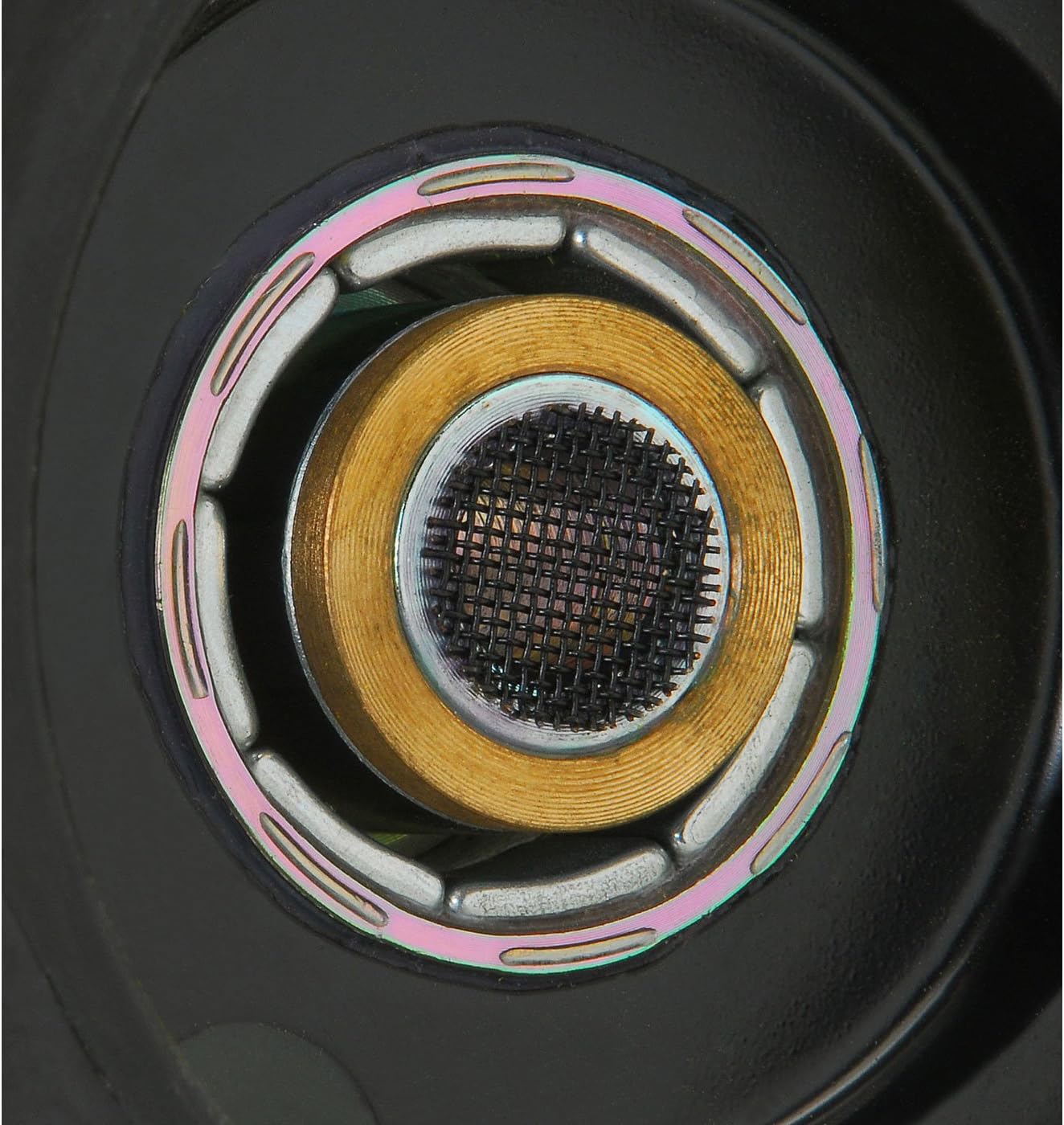
This image offers an intricate view into the driver's motor structure from the front, revealing the central pole piece and the mesh covering, part of the Neo-Balanced design.
6. Maintenance
The Dayton Audio ND91-8 driver requires minimal maintenance. Follow these guidelines to ensure its longevity:
- Cleaning: Use a soft, dry cloth to gently wipe the cone and frame. Avoid using harsh chemicals or abrasive materials, which can damage the cone or surround.
- Environmental Conditions: Store and operate the driver in a stable environment, away from extreme temperatures, high humidity, and direct sunlight.
- Physical Protection: Protect the cone and surround from physical damage. Avoid touching the cone surface directly.
7. Troubleshooting
If you encounter issues with your Dayton Audio ND91-8 driver, consider the following common troubleshooting steps:
- No Sound:
- Check all wiring connections from the amplifier to the driver for proper polarity and secure contact.
- Verify the amplifier is powered on and functioning correctly.
- Ensure the audio source is active and sending a signal.
- Distorted Sound:
- Reduce the volume level on your amplifier and audio source. Overdriving the driver can cause distortion.
- Inspect the driver cone and surround for any visible damage or obstructions.
- Check for loose connections or frayed speaker wires.
- Intermittent Sound:
- Examine all wiring for loose connections or shorts.
- Ensure the amplifier is not overheating or going into protection mode.
If these steps do not resolve the issue, contact Dayton Audio customer support for further assistance.
8. Warranty and Support
The Dayton Audio ND91-8 driver comes with a limited warranty. For specific warranty terms and conditions, please refer to the documentation provided at the time of purchase or contact Dayton Audio directly.
In general, a 30-day refund/replacement policy may apply from the date of purchase. This warranty typically covers manufacturing defects but does not cover damage resulting from improper installation, misuse, abuse, or unauthorized modifications.
For technical support, warranty claims, or additional product information, please visit the official Dayton Audio website or contact their customer service department.