
Introduction
The Garmin PT10 Dog Device is designed to work seamlessly with both the Garmin PRO 70 and PRO 550 handheld training systems. This device allows for the expansion of your training setup, enabling control of multiple dogs from a single handheld unit. It features a 1-mile range, remote-operated LED beacon lights for visibility in low-light conditions, and an integrated BarkLimiter for bark correction.
What's in the Box
- PT10 Dog Device
- 3/4” Blue Collar Strap
- AC Adapter
- Charging Clip
- Contact Point Set with Wrench (includes long and short contact points)
- Manual
Setup
1. Charging the Device
Before initial use, fully charge the PT10 Dog Device. Connect the charging clip to the device and plug the AC adapter into a standard wall outlet. A full charge typically takes approximately one hour and provides up to 60 hours of battery life. It is recommended to charge the device once a week or every few days with regular use.
2. Attaching the Collar Strap
Thread the provided 3/4-inch blue collar strap through the slots on the PT10 Dog Device. Ensure the strap is securely fastened through the buckle.
3. Installing Contact Points
Select the appropriate length of stainless steel contact points based on your dog's coat length. Use the included wrench to securely attach the contact points to the device. Ensure they are snug but do not overtighten. The contact points are designed for reliable performance in wet conditions and comfort.
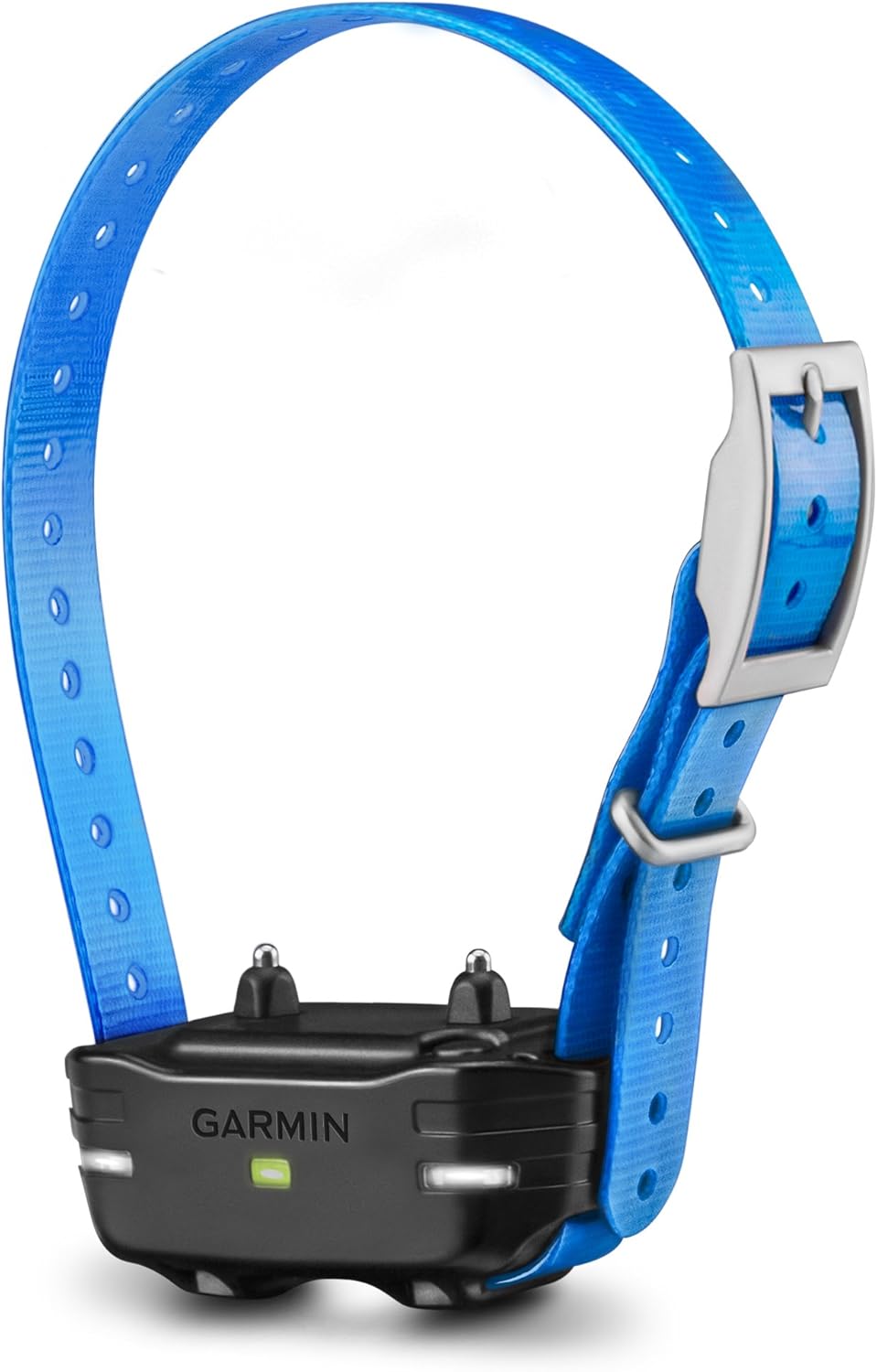
Image: Front view of the Garmin PT10 Dog Device with the blue collar strap attached. The device is black with a green indicator light and two contact points visible.
4. Pairing with a Handheld Device
The PT10 Dog Device must be paired with a compatible Garmin PRO 70 or PRO 550 handheld unit. Refer to your handheld device's manual for specific pairing instructions. The pairing process is typically straightforward and takes less than a minute.
Operating the Device
1. General Operation
Once paired, the PT10 Dog Device receives commands wirelessly from your PRO 70 or PRO 550 handheld. The device operates on a 27MHz radio frequency, providing a reliable range of up to 1 mile.
2. Training Modes
The handheld unit allows you to deliver various training stimuli through the PT10 device, including:
- Tone: An audible beep for attention or recall.
- Vibration: A tactile stimulus.
- Stimulation: Adjustable levels (1-9) of static correction.
Always start with the lowest effective stimulation level. Ensure proper contact point placement for consistent results.
3. LED Beacon Lights
The PT10 device features remote-operated LED beacon lights. These lights can be activated from your handheld unit to improve visibility of your dog in low-light conditions or at night.

Image: Side view of the Garmin PT10 Dog Device, showing the sleek profile and the blue collar strap.
4. BarkLimiter Function
The PT10 Dog Device includes a built-in BarkLimiter with advanced bark correction technology. This feature can be activated directly on the dog device to help reduce excessive barking, contributing to a quieter environment.
Maintenance
1. Cleaning
The PT10 Dog Device is designed to be waterproof and durable. Regularly clean the device and collar strap with a damp cloth to remove dirt and debris. Ensure the contact points are free of buildup to maintain effective operation.
2. Battery Care
To prolong battery life, avoid fully discharging the device frequently. Charge the device as needed, typically every few days or once a week depending on usage. Store the device in a cool, dry place when not in use.
3. Contact Point Inspection
Periodically inspect the contact points for wear or damage. Replace them if necessary to ensure proper skin contact and effective stimulation.
Troubleshooting
1. Device Not Responding to Handheld
- Ensure the device is charged.
- Verify the device is properly paired with the handheld. Re-pair if necessary.
- Check for obstructions or excessive distance between the handheld and the dog device.
2. Inconsistent Stimulation/Correction
- Contact Point Placement: Ensure the contact points are making proper contact with the dog's skin. The collar should be snug enough that the contact points do not move freely, but not so tight as to cause discomfort.
- Coat Length: If your dog has a thick coat, ensure you are using the longer contact points.
- Collar Position: The collar should be positioned high on the dog's neck, directly behind the ears, for optimal contact. If the collar slips down, contact may be lost.
- Battery Level: A low battery can affect performance. Ensure the device is fully charged.
3. BarkLimiter Not Functioning
- Ensure the BarkLimiter feature is activated on the device.
- Verify proper fit and contact point placement as described above.

Image: Top view of the collar buckle and a bottom view of the Garmin PT10 Dog Device, showing the charging port and internal components.
Specifications
| Model Number | 010-01209-10 |
| Product Dimensions | 1.7 x 3.1 x 1.7 inches |
| Item Weight | 3.36 ounces |
| Batteries | 1 Lithium Ion battery required |
| Collar Compatibility | 0.75 Inch (1.9 cm) |
| Range/Frequency | 1 mile range with 27MHz radio frequency |
| Special Features | LED Beacon Lights, Built-in BarkLimiter |
| Connectivity | Wireless |
| Color | Blue Collar |
| Material | Stainless Steel (contact points) |
| Manufacturer | Garmin |
Warranty and Support
For information regarding product warranty, please refer to the warranty documentation included with your purchase or visit the official Garmin website. For technical support, troubleshooting assistance, or service inquiries, please contact Garmin customer support directly.
You can find more information and support resources on the Garmin Store on Amazon.