
1. Product Overview
The Gewa 275140 Economy Cover is designed to provide essential protection for your keyboard. Crafted from durable black nylon, this cover acts as a dust barrier, safeguarding your instrument's keys and internal components from dust, dirt, and minor spills. Its simple design ensures ease of use and effective protection.
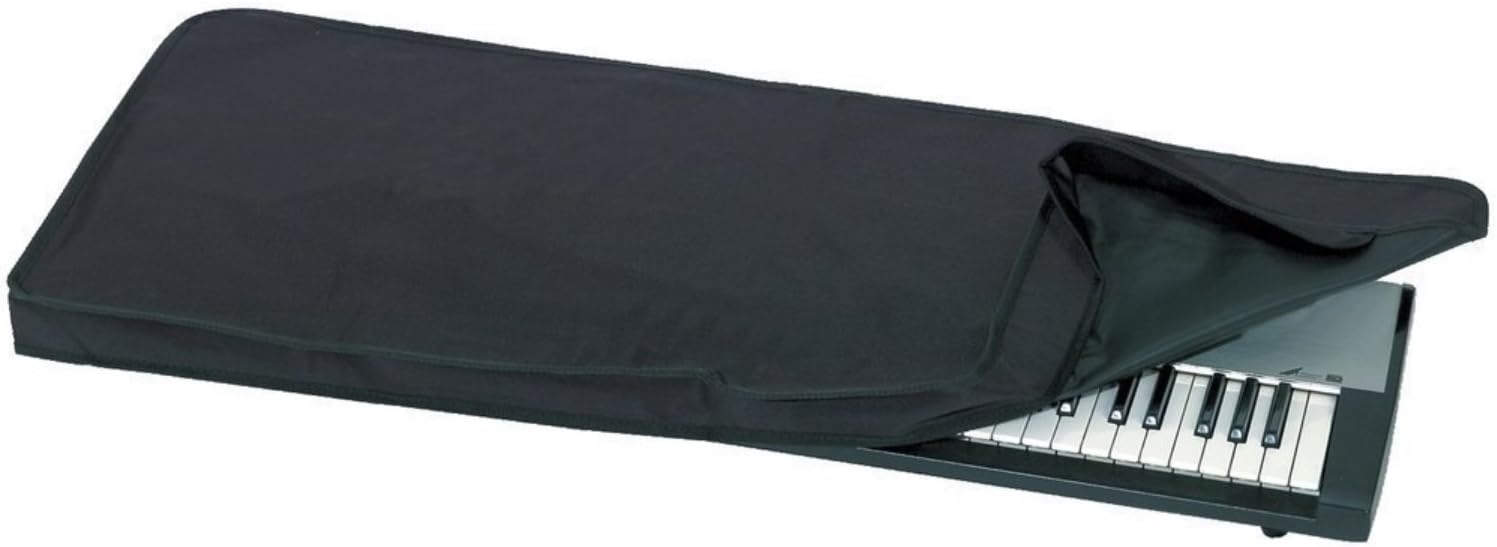
This image displays the Gewa 275140 Economy Cover, a black nylon dust cover, partially draped over a keyboard. The cover is designed to protect the keys from dust and debris.
2. Setup and Installation
Setting up the Gewa 275140 Economy Cover is straightforward. Follow these steps to properly install the cover on your keyboard:
- Ensure Keyboard is Off: Before placing the cover, ensure your keyboard is powered off and disconnected from any power sources to prevent accidental damage.
- Clear the Area: Remove any objects or accessories from the top surface of your keyboard that might obstruct the cover.
- Position the Cover: Gently unfold the Gewa Economy Cover. Align one end of the cover with one end of your keyboard.
- Drape Over Keyboard: Carefully drape the cover over the entire length of your keyboard, ensuring that all keys and the top surface are fully covered. The strap edging helps maintain its shape and fit.
- Adjust for Fit: Smooth out any wrinkles and adjust the cover to ensure it sits snugly and completely protects the keyboard from dust.
3. Operating Instructions
The Gewa 275140 Economy Cover is designed for simple operation:
- To Cover: When your keyboard is not in use, simply place the cover over the instrument as described in the 'Setup and Installation' section. Ensure it covers all exposed keys and surfaces to prevent dust accumulation.
- To Uncover: When you are ready to use your keyboard, gently lift the cover from one end and remove it completely. Fold the cover neatly for storage to prolong its lifespan.
4. Maintenance and Care
Proper care will extend the life of your Gewa 275140 Economy Cover:
- Cleaning: The nylon material can be cleaned with a soft, damp cloth. For stubborn dirt, a mild soap solution can be used. Avoid harsh chemicals or abrasive cleaners, as these may damage the fabric.
- Drying: Allow the cover to air dry completely before folding or placing it back on the keyboard. Do not tumble dry or expose to direct heat.
- Storage: When not in use, store the cover in a clean, dry place away from direct sunlight to prevent material degradation.
5. Troubleshooting
While the Gewa Economy Cover is a simple accessory, here are some common considerations:
- Cover Does Not Fit: Ensure you have the correct size cover for your keyboard model. Refer to the specifications section for dimensions. If the cover is too small, it may not provide adequate protection.
- Dust Still Accumulates: Verify that the cover is fully draped over the keyboard, leaving no gaps for dust to enter. Ensure the keyboard is placed in an environment with minimal air circulation if possible.
6. Specifications
| Attribute | Detail |
|---|---|
| Model Number | 275140 |
| Material | Black Nylon |
| Item Weight | 99.8 g |
| Product Dimensions | 108 x 45.01 x 5.99 cm |
| Key Features | Strap edging, Dust cover for keys |
7. Warranty and Support
Information regarding product warranty and customer support for the Gewa 275140 Economy Cover is not available in the provided product data. Please refer to the original point of purchase or the official Gewa Music website for details on warranty coverage and support options.
For general inquiries or assistance, you may visit the Gewa Music official website.