
1. Introduction
This manual provides instructions for the safe and efficient use of your Philips BT100B/37 Wireless Mini Portable Bluetooth Speaker. Please read these instructions carefully before using the product and retain them for future reference.
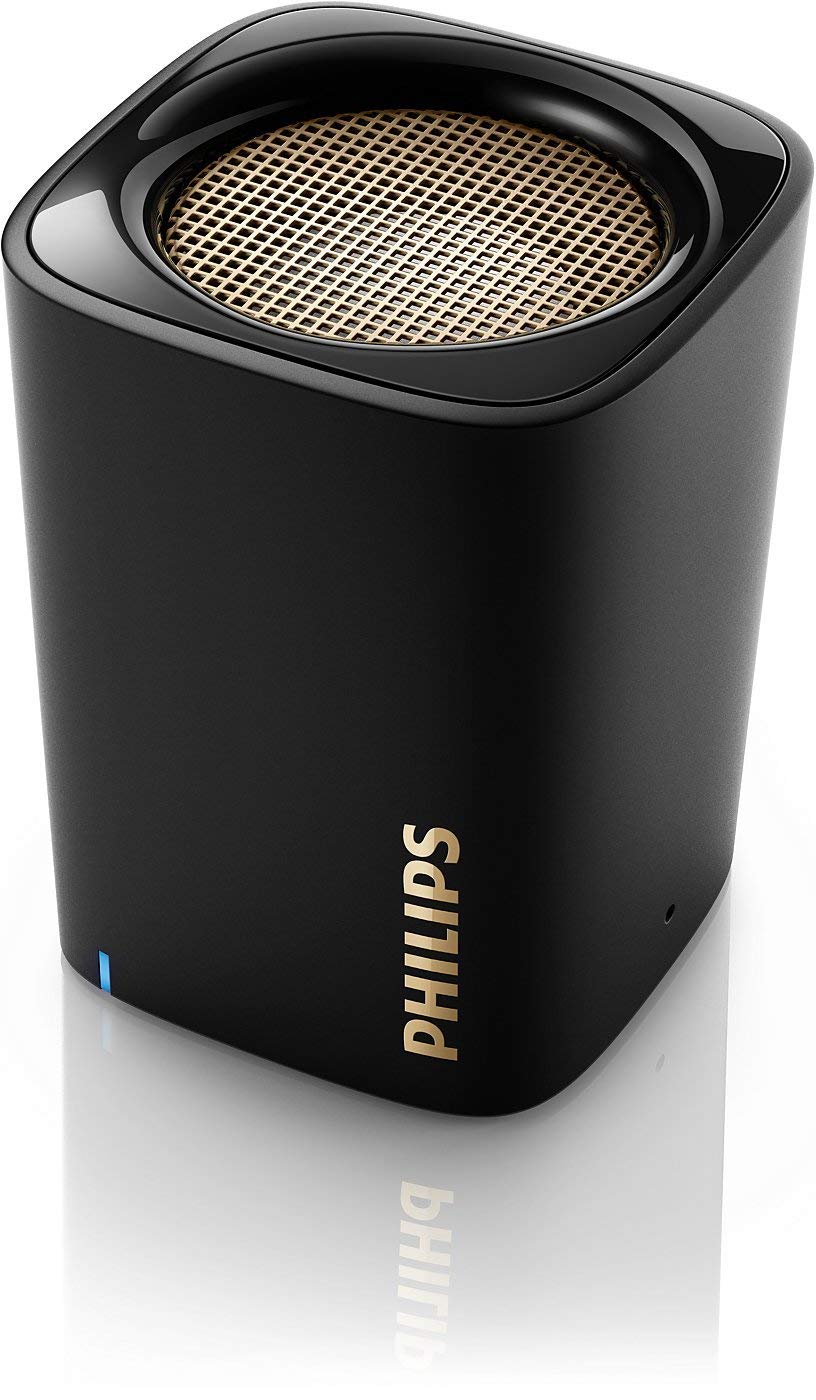
Image: The Philips BT100B/37 Wireless Mini Portable Bluetooth Speaker, a compact black device designed for audio playback.
2. What's in the Box
Verify that your package contains the following items:
- Philips BT100B/37 Wireless Mini Portable Bluetooth Speaker
- USB Charging Cable
- Audio Cable (AUX)
- User Manual (this document)
3. Product Overview
Familiarize yourself with the components of your speaker.
3.1 Front View

Image: Front view of the Philips BT100B/37 speaker, displaying the Philips logo and a blue LED indicator light.
- Philips Logo: Brand identification.
- LED Indicator: Shows power status, charging status, and Bluetooth pairing status.
3.2 Rear View and Connections

Image: Rear panel of the Philips BT100B/37 speaker, featuring the DC IN port (5V=0.5A), a slide switch for OFF/AUX mode, and an AUX audio input port.
- DC IN (5V=0.5A): Micro USB port for charging the speaker.
- OFF/AUX Switch: Slide switch to power off the speaker or select AUX input mode.
- AUX: 3.5mm audio input jack for connecting external audio devices.
- Microphone: Integrated for hands-free calls.
4. Setup
4.1 Charging the Speaker
- Connect the small end of the USB charging cable to the DC IN port on the back of the speaker.
- Connect the large end of the USB charging cable to a USB power adapter (not included) or a computer's USB port.
- The LED indicator will illuminate during charging and turn off when fully charged. A full charge typically takes approximately 2-3 hours.
Note: For optimal battery life, fully charge the speaker before first use.
4.2 Powering On/Off
- To power on, slide the OFF/AUX switch to the right (away from OFF). The LED indicator will flash blue.
- To power off, slide the OFF/AUX switch to the OFF position.
4.3 Bluetooth Pairing
- Ensure the speaker is powered on and the LED indicator is flashing blue, indicating it is in pairing mode.
- On your Bluetooth-enabled device (e.g., smartphone, tablet), enable Bluetooth and search for available devices.
- Select "Philips BT100" from the list of devices.
- Once paired, the LED indicator will glow solid blue, and you may hear an audible confirmation.
Note: The speaker will automatically attempt to reconnect to the last paired device when powered on.
4.4 Connecting via AUX Input
- Slide the OFF/AUX switch to the AUX position.
- Connect one end of the 3.5mm audio cable to the AUX port on the speaker.
- Connect the other end of the audio cable to the headphone jack or audio output of your external device.
- Audio will now play through the speaker from your connected device.
5. Operating Instructions
5.1 Playing Audio
- Once connected via Bluetooth or AUX, start playing audio from your source device.
- Control playback (play/pause, skip tracks) directly from your connected device.
5.2 Volume Control
Adjust the volume directly from your connected Bluetooth device or the audio source when using AUX input.
5.3 Hands-Free Calling (Bluetooth Mode)
- When a call comes in while connected via Bluetooth, the music will pause.
- Answer or end calls using your connected phone. The speaker's built-in microphone will be used for communication.

Image: A person relaxing outdoors on grass, using a smartphone while the Philips BT100B/37 speaker plays music nearby, demonstrating portable use.
6. Maintenance
6.1 Cleaning
- Wipe the speaker with a soft, dry cloth.
- Do not use abrasive cleaners, alcohol, benzene, or other chemical solvents, as these may damage the casing.
6.2 Storage
- Store the speaker in a cool, dry place away from direct sunlight and extreme temperatures.
- If storing for an extended period, charge the battery periodically to maintain its health.
7. Troubleshooting
If you encounter issues, refer to the following common problems and solutions:
| Problem | Solution |
|---|---|
| Speaker does not power on. | Ensure the battery is charged. Connect the speaker to a power source using the USB cable. |
| Cannot pair via Bluetooth. |
|
| No sound. |
|
| Sound distortion. | Reduce the volume on your source device or the speaker. Ensure the audio source is not overdriven. |
8. Specifications
Key technical specifications for the Philips BT100B/37 speaker:
| Feature | Detail |
|---|---|
| Brand | Philips |
| Model Name | BT100B/37 |
| Connectivity Technology | Bluetooth |
| Wireless Technology | BluetoothWireless |
| Connectivity Protocol | Bluetooth |
| Speaker Maximum Output Power | 2 Watts |
| Speaker Type | Outdoor (Note: Not waterproof) |
| Additional Features | Built-In Microphone |
| Controller Type | Battery Powered |
| Color | Black |
| Battery Average Life | 8 Hours |
| Is Waterproof | FALSE |
| Speaker Size | 2.5 Inches |
| Item Weight | 0.38 Pounds |
| Power Source | AC (via USB charging) |
| Number of Batteries | 1 Lithium Ion (included) |
| UPC | 609585242548 |
9. Warranty & Support
For warranty information and customer support, please refer to the warranty card included with your product or visit the official Philips support website. Keep your purchase receipt as proof of purchase.
Online Support: www.philips.com/support