
1. Introduction
This manual provides essential information for the safe and effective use of your Sony Alpha a6100 APS-C Mirrorless Interchangeable-Lens Camera with the included 16-50mm lens. Please read this manual thoroughly before operating the camera and retain it for future reference.
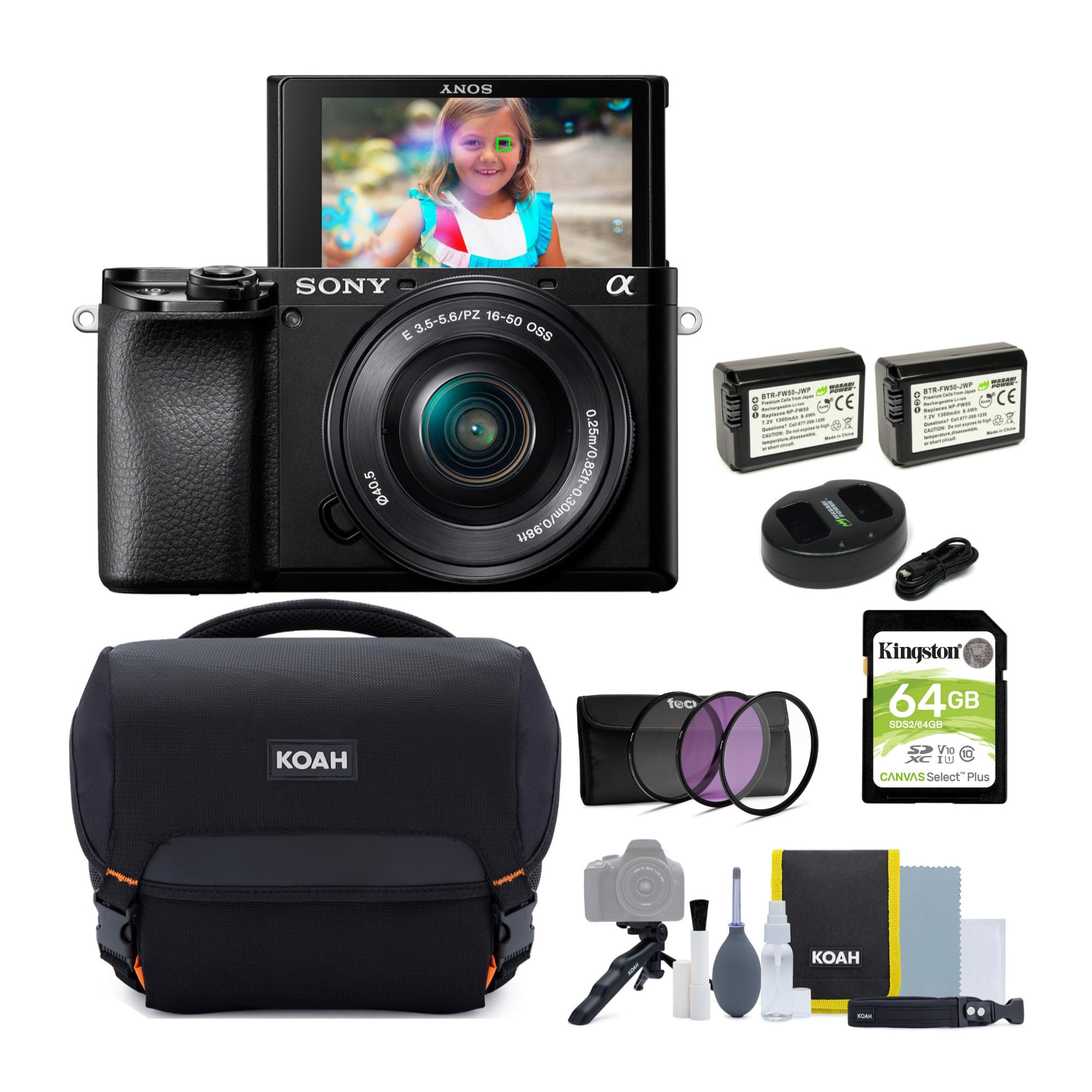
Figure 1.1: Sony Alpha a6100 Mirrorless Camera with 16-50mm Lens.
2. Included Components
Verify that all the following items are included in your package:
- Sony Alpha a6100 APS-C Mirrorless Interchangeable-Lens Camera Body
- Sony E PZ 16-50mm F3.5-5.6 OSS Lens
- Camera System Gadget Bag
- Accessory & Cleaning Kit
- 40.5mm 3-Piece UV, CPL, FLD Lens Filter Kit
- NP-FW50 Rechargeable Battery (2-Pack)
- Dual Charger Kit for NP-FW50 Batteries
- 64GB SDHC Memory Card
- HDMI Cable
- Tripod
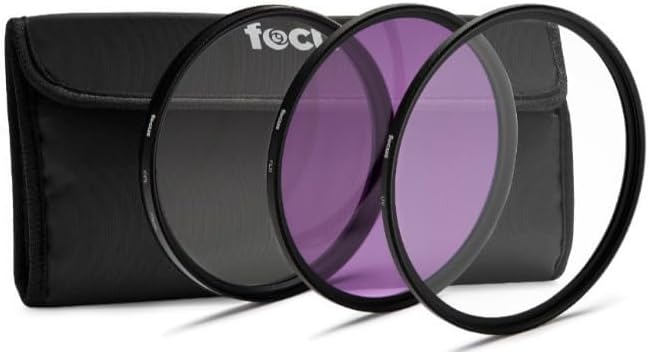
Figure 2.1: Gadget Bag and Cleaning Kit.

Figure 2.2: 40.5mm Lens Filter Kit.

Figure 2.3: Rechargeable Batteries and Dual Charger.

Figure 2.4: 64GB SDHC Memory Card.
3. Setup
3.1 Battery Charging and Installation
- Insert the NP-FW50 batteries into the dual charger.
- Connect the charger to a power source using the provided cable. The charging indicator will illuminate.
- Once fully charged, remove the batteries from the charger.
- Open the battery cover on the bottom of the camera.
- Insert a charged battery into the battery compartment, ensuring correct orientation.
- Close the battery cover securely.
3.2 Memory Card Insertion
- Locate the memory card slot cover on the side of the camera.
- Open the cover.
- Insert the 64GB SDHC memory card with the label facing the front of the camera until it clicks into place.
- Close the memory card slot cover.
3.3 Lens Attachment
- Remove the body cap from the camera and the rear lens cap from the 16-50mm lens.
- Align the white index mark on the lens with the white index mark on the camera body.
- Mount the lens by rotating it clockwise until it locks into place.
3.4 Filter Attachment
The included 40.5mm filter kit (UV, CPL, FLD) can be attached to the front of the 16-50mm lens. Ensure the lens is clean before attaching filters.
- Carefully screw the desired filter onto the 40.5mm filter thread at the front of the lens until it is snug. Do not overtighten.
4. Operating the Camera
4.1 Powering On/Off
To power on the camera, slide the ON/OFF switch located around the shutter button. To power off, slide the switch back to the OFF position.
4.2 Basic Shooting Modes
The mode dial on the top of the camera allows selection of various shooting modes, including Program Auto, Aperture Priority, Shutter Priority, Manual Exposure, and Scene Selection. Refer to the on-screen guide for detailed descriptions of each mode.
4.3 Autofocus System
The Alpha a6100 features Sony’s 4D FOCUS system, utilizing 179 autofocus points with both contrast detection and phase detection technologies for fast and accurate focusing. You can select various AF modes and areas through the camera's menu system.
4.4 Continuous Shooting
The camera supports continuous shooting at up to 11 frames per second (fps). For silent continuous shooting, the camera can achieve up to 8 fps with AF/AE tracking enabled.
4.5 Video Recording
The Alpha a6100 is capable of high-resolution 4K movie recording, capturing video with significant detail. It also supports Full HD 1080p video recording at various frame rates, including 120fps for slow-motion effects. Videos are recorded in MP4 format.
4.6 Wi-Fi and NFC Connectivity
The camera includes Wi-Fi and NFC (Near Field Communication) capabilities for wireless transfer of images and remote control via a compatible smartphone or tablet. Consult the camera's menu for setup instructions for these features.

Figure 4.1: Camera side view with connectivity ports.
5. Maintenance
5.1 Cleaning the Camera Body and Lens
- Use a soft, dry cloth to clean the camera body. For stubborn dirt, slightly dampen the cloth with water.
- For the lens, use a lens brush to remove dust, then gently wipe with a microfiber lens cloth. Avoid touching the lens surface with your fingers.
- Never use organic solvents such as alcohol or thinner to clean the camera or lens.
5.2 Battery Care
- Store batteries in a cool, dry place when not in use.
- Avoid fully discharging batteries frequently to prolong their lifespan.
- If the camera will not be used for an extended period, remove the battery.
5.3 Storage
When storing the camera for long periods, place it in a dry, well-ventilated area, ideally with a desiccant to prevent mold and mildew.
6. Troubleshooting
6.1 Short Battery Life
- Ensure batteries are fully charged before use.
- Carry spare charged batteries, especially for extended shooting sessions.
- Reduce screen brightness or disable Wi-Fi/NFC when not needed to conserve power.
6.2 Camera Overheating During Video Recording
- If recording long videos, tilt the LCD screen out from the camera body to improve heat dissipation.
- Consider using an external power source or a hand grip that moves the battery away from the camera body to reduce internal heat buildup.
- Allow the camera to cool down if a warning message appears. The camera has built-in protection to prevent damage from overheating.
7. Specifications
| Feature | Specification |
|---|---|
| Model Name | Sony Alpha a6100 (ILCE-6000L/B) |
| Sensor Type | APS-C Exmor CMOS |
| Photo Sensor Resolution | 24.2 MP Effective |
| Lens Mount | Sony E-Mount |
| Included Lens | 16-50mm F3.5-5.6 OSS Standard Zoom |
| ISO Range | 100 - 32,000 (Expandable up to 51,200) |
| Autofocus System | 4D FOCUS (179 Phase-Detection, Contrast-Detection) |
| Continuous Shooting | Up to 11 FPS (8 FPS Silent) |
| Video Resolution | 4K, Full HD 1080p (up to 120fps) |
| Connectivity | Wi-Fi, NFC, HDMI (Type D Micro), Micro-USB |
| Viewfinder | Electronic OLED |
| Screen | Tilting LCD |
| Storage Media | SD, SDHC, SDXC (UHS-I compatible) |
| Item Weight | 3.6 Pounds (with lens and battery) |
8. Warranty and Support
For information regarding warranty coverage, technical support, or service, please refer to the warranty card included with your product or visit the official Sony support website. Keep your proof of purchase for warranty claims.