1. Introduction
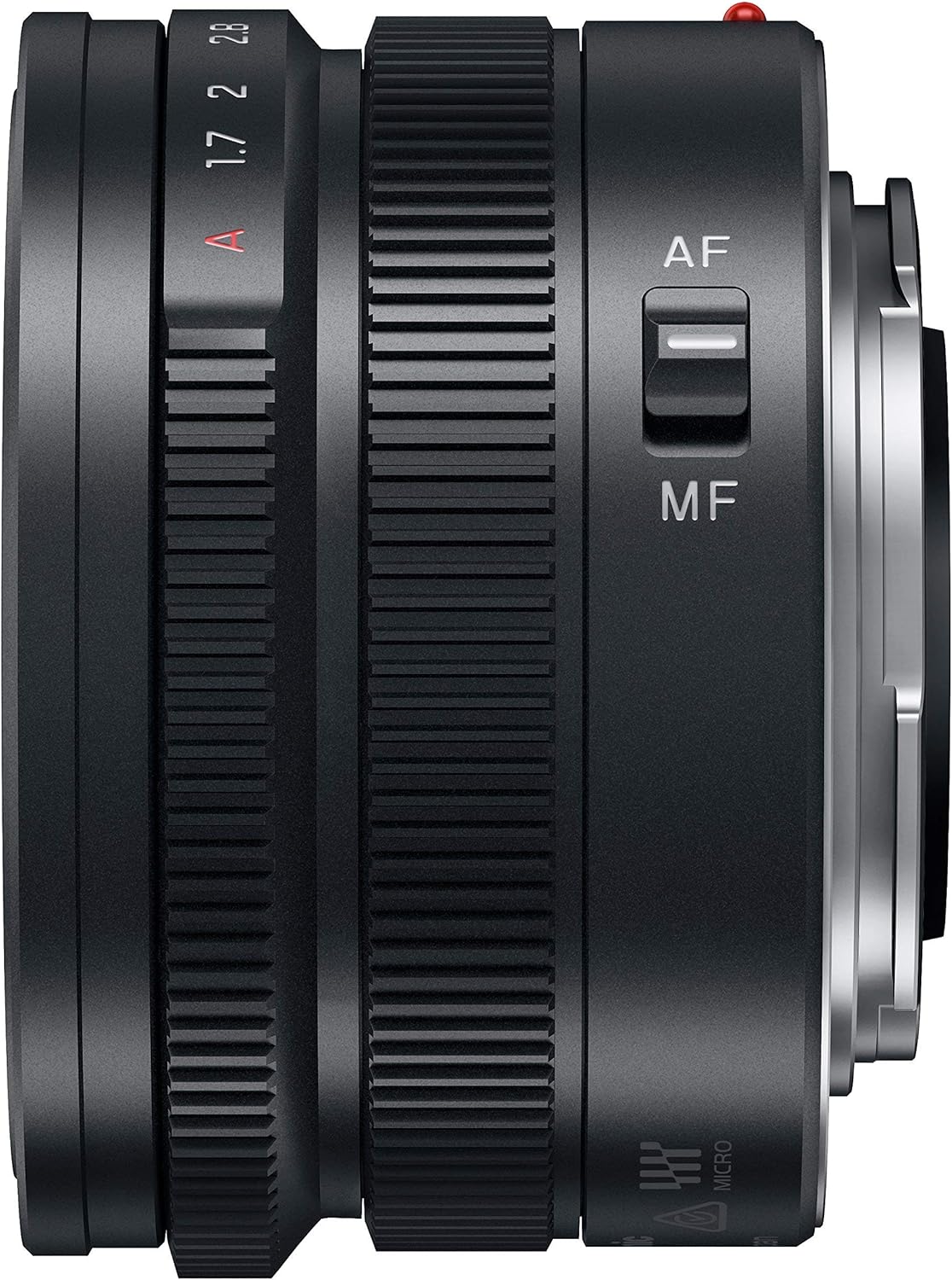
This manual provides essential information for the safe and effective use of your Panasonic Leica DG SUMMILUX 15mm F1.7 ASPH. lens. This F1.7 "SUMMILUX" single focus lens is designed to capture high-resolution images with beautiful bokeh. Its compact and lightweight design enhances portability, making it suitable for various photographic applications. The lens features an aperture ring and an AF/MF switch for intuitive and comfortable operation, complemented by a high-quality metal exterior finish.
2. Product Features
- F1.7 "SUMMILUX" single focal lens for high resolution and bokeh.
- Compatible with compact Micro Four Thirds camera bodies.
- Compact and lightweight design for superior portability.
- Equipped with an aperture ring for intuitive control.
- Features an AF/MF (Autofocus/Manual Focus) switch for versatile operation.
- High-quality metal exterior finish.
3. Package Contents
Verify that all the following items are included in your package:
- Panasonic Leica DG SUMMILUX 15mm F1.7 ASPH. Lens (H-X015-K)
- Front Lens Cap
- Rear Lens Cap
- Lens Hood
- Lens Pouch
- Instruction Manual / Documentation
4. Setup
4.1 Attaching the Lens
- Remove the rear lens cap from the lens and the body cap from your camera.
- Align the red dot on the lens barrel with the red dot on your camera's lens mount.
- Gently insert the lens into the camera mount and rotate it clockwise until it clicks into place. Do not force the lens.
4.2 Removing the Lens
- Ensure the camera is powered off.
- Press and hold the lens release button on your camera body.
- Rotate the lens counter-clockwise until it detaches from the camera body.
- Attach the front and rear lens caps to protect the lens elements.
5. Operating the Lens
5.1 Autofocus (AF) / Manual Focus (MF) Switch
The lens features a switch to select between autofocus and manual focus modes:
- AF (Autofocus): The camera automatically adjusts the focus. This is suitable for most shooting situations.
- MF (Manual Focus): Allows you to manually adjust the focus by rotating the focus ring on the lens. Use this for precise control over focus, especially in challenging lighting conditions or for creative effects.
Ensure the camera's focus mode setting also matches the lens's setting for optimal performance.
5.2 Aperture Ring
The aperture ring on the lens allows for direct control over the lens's aperture (f-stop). Rotating the ring changes the aperture value, affecting the depth of field and the amount of light entering the camera. The available aperture range is from F1.7 (widest) to F16 (narrowest). For automatic aperture control, set the ring to the 'A' position.
6. Maintenance and Care
- Cleaning the Lens: Use a soft, lint-free cloth or a lens brush to remove dust. For smudges, use a specialized lens cleaning solution and a microfiber cloth. Avoid touching the lens elements directly with your fingers.
- Cleaning the Lens Body: Wipe the lens body with a dry, soft cloth. Do not use organic solvents like thinner or benzene.
- Storage: When not in use, always attach the front and rear lens caps. Store the lens in its pouch in a cool, dry, and well-ventilated place, away from direct sunlight and high humidity. Avoid storing it with mothballs or chemicals that may cause corrosion.
- Temperature: Avoid exposing the lens to extreme temperatures. Rapid changes in temperature can cause condensation.
7. Troubleshooting
If you encounter issues with your lens, consider the following general troubleshooting steps:
- Lens not recognized by camera: Ensure the lens is securely attached to the camera body. Clean the electrical contacts on both the lens and camera with a dry, clean cloth.
- Autofocus not working: Check if the AF/MF switch on the lens is set to AF. Verify the camera's focus mode settings. Ensure there is sufficient light and contrast for the autofocus system to operate effectively.
- Image quality issues (e.g., blurry images): Check if the lens elements are clean. Ensure the focus is correctly set (either by AF or MF). Verify camera settings such as shutter speed and ISO.
For persistent issues, consult your camera's instruction manual or contact Panasonic customer support.
8. Specifications
| Feature | Detail |
|---|---|
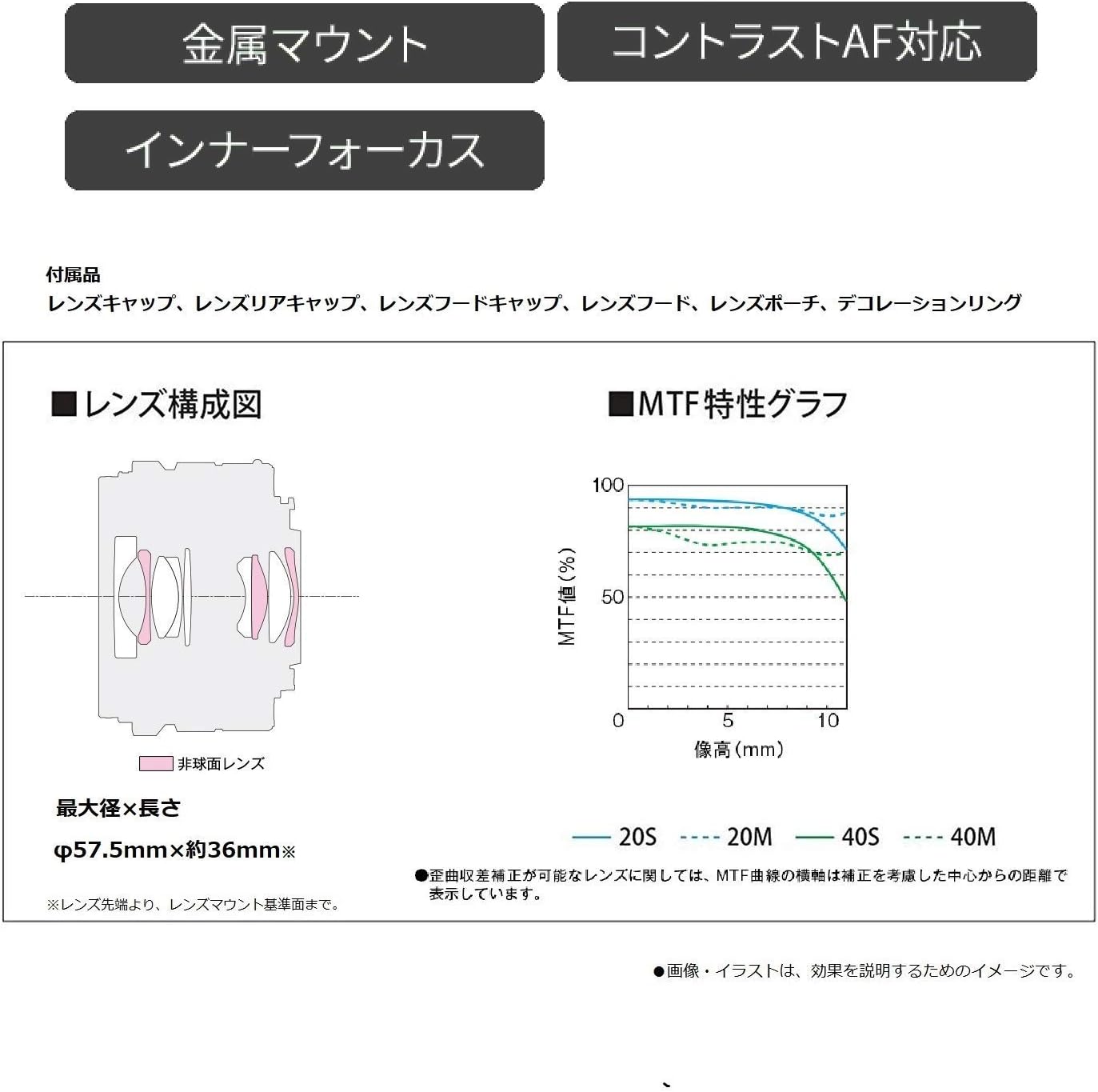
| Product Dimensions | 1.42 x 2.26 x 2.26 inches |
| Item Weight | 4.1 ounces |
| Item Model Number | H-X015-K |
| Brand | Panasonic |
| Lens Type | 9 sheets in 7 groups |
| Compatible Mountings | Micro Four Thirds |
| Camera Lens Description | Monofocal Lens |
| Maximum Focal Length | 15 Millimeters |
| Date First Available | March 26, 2014 |
| Manufacturer | Panasonic |
9. Warranty and Support
This product is manufactured by Panasonic. For warranty information, please refer to the documentation included with your lens. Please note that international versions of products may have different warranty terms or may not be covered by local warranties. For technical support, service, or further inquiries, please visit the official Panasonic support website or contact their customer service department in your region.
10. Product Visuals