1. Introduction
This manual provides essential information for the safe and effective use of your T Power 24V AC/DC Adapter. This adapter is designed to provide reliable power to compatible Miko Shiatsu and UComfy foot massagers. Please read these instructions thoroughly before use and retain them for future reference.
2. Safety Information
To ensure safe operation and prevent damage, observe the following safety precautions:
- Indoor Use Only: This adapter is designed for indoor use. Do not expose it to water, moisture, or high humidity.
- Proper Voltage: Ensure the wall outlet voltage matches the adapter's input voltage (AC 100V - 240V).
- Avoid Overloading: Do not connect devices that exceed the adapter's output specifications (24V DC).
- Handle with Care: Avoid dropping or subjecting the adapter to strong impacts. Do not open or attempt to repair the adapter.
- Unplug When Not in Use: Disconnect the adapter from the power outlet when not in use for extended periods.
- Ventilation: Ensure adequate ventilation around the adapter to prevent overheating.

Image: T Power adapter highlighting superior safety features such as over-current, over-temperature, over-voltage, and short circuit protection.
3. Package Contents
The package includes:
- 1 x T Power 24V AC/DC Adapter

Image: The T Power 24V AC/DC adapter shown with its detachable power cord, ready for assembly.
4. Setup Instructions
Follow these steps to set up your T Power adapter:
- Connect the AC Power Cord: Insert the AC power cord into the adapter's input port.
- Connect to Device: Plug the adapter's output connector into the power input port of your compatible Miko or UComfy foot massager.
- Plug into Outlet: Insert the AC power cord's plug into a standard wall electrical outlet.
The adapter is now ready to power your device.
Video: A demonstration of the T Power 24V AC adapter, showing its components and how to connect them. This video provides a visual guide to the setup process.
5. Operating Instructions
Once the adapter is correctly connected and plugged into a power source, your foot massager should be ready for operation. Refer to your foot massager's specific instruction manual for detailed operating procedures.
- Ensure the adapter is securely connected to both the power outlet and your device.
- Power on your foot massager using its dedicated power button.
- Always unplug the adapter from the wall outlet when the device is not in use or during electrical storms.
6. Compatibility
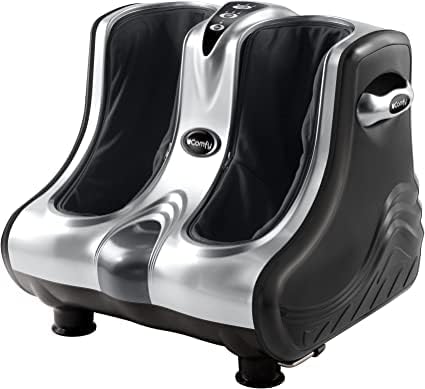
This T Power 24V AC/DC Adapter is compatible with a range of Miko Shiatsu and UComfy foot massager models. Please verify your device's model number against the list below to ensure compatibility:
- Miko Shiatsu Foot Massagers: MMF-01C, MMF-O1C, MMF01C, MK-02-02-SILVER, MK0202SILVER, RF-670, RF-670-CHARCOAL, RF-670-SILVER, MAS2, MAS II 2, MMF-03SB, AST-300H, AST-300A.
- UComfy Foot Massagers: YH-3318G, YH3318G, 9209, 8072, 8954, QL-2000.
- Other Compatible Models: YOISHO XH2400-2000, XH24002000, jinmoqiang-018, Innov IVP2400-2000, 1VP2400-2000, IVP2400200, 1VP2400-2010, IVP2400-2010, L201205, MPS060-024020Z, MP1409, ASW0081-2420002W, ASW00R1-2420002W, Innov IVP2400-2500, 4A201201.


7. Maintenance
Proper care extends the life of your adapter:
- Cleaning: Wipe the adapter with a dry, soft cloth. Do not use liquid cleaners or solvents.
- Storage: Store the adapter in a cool, dry place away from direct sunlight and extreme temperatures.
- Cable Care: Avoid sharp bends or kinks in the power cord. Do not place heavy objects on the cord.
- Inspection: Periodically inspect the adapter and cord for any signs of damage, such as frayed wires or cracks. Discontinue use if damage is found.
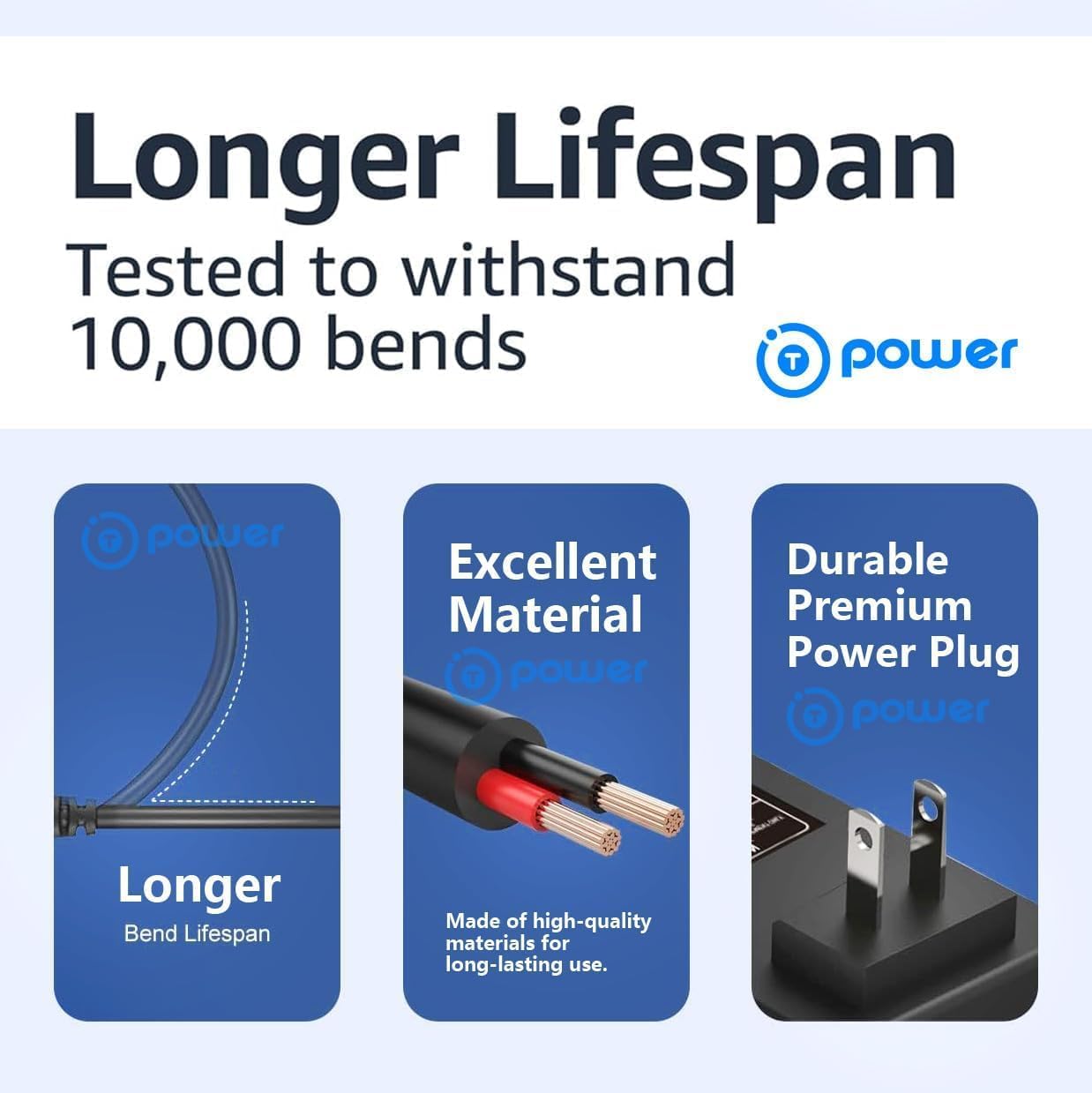
Image: A close-up showing the durability of the T Power adapter's cable, designed to withstand repeated bending.
8. Troubleshooting
If you encounter issues with your T Power adapter, try the following:
- Device Not Powering On:
- Ensure all connections are secure between the adapter, power cord, and device.
- Verify the wall outlet is functional by testing it with another appliance.
- Check the adapter and power cord for visible damage. If damaged, discontinue use.
- Adapter Overheating:
- Unplug the adapter immediately and allow it to cool down.
- Ensure the adapter is in a well-ventilated area and not covered.
- Confirm the connected device is compatible and not drawing excessive power.
If problems persist, contact customer support.
9. Specifications
| Feature | Specification |
|---|---|
| Input Voltage | AC 100V - 240V |
| Output Voltage | 24V DC |
| Amperage | 3 Amps |
| Wattage | 2500 watts (Note: This wattage seems unusually high for a 24V 3A adapter, typically 72W. Please verify with product labeling.) |
| Connector Type | 2-Pin |
| Product Dimensions | 4.5 x 2 x 1.25 inches |
| Item Weight | 4 ounces |
| Manufacturer | T POWER (manufactured against IV-SC CE/RoHS certified) |
10. Warranty and Support
T POWER is committed to providing quality products and customer satisfaction.
- 1-Year Limited Manufacturer Warranty: This product is covered by a 1-year limited manufacturer warranty, addressing quality-related issues. Easy exchange for replacement is available.
- 30-Day Return Policy: You may return your undamaged product and packaging within 30 days of purchase for a full refund.
- Technical Support: If you have questions, need assistance, or if the adapter does not fit your device, please contact T POWER customer support for help.