
Introduction
The KICKER BassStation Powered Subwoofer Enclosure combines a subwoofer, enclosure, and amplifier into a single, specifically designed unit for optimal bass performance in your vehicle. This manual provides essential information for the proper installation, operation, and maintenance of your 11PT250 BassStation.
The unit features a quick-connect Molex power, signal, and remote turn-on harness/plug for simple setup or removal. It also includes a remote bass control, adjustable low-pass crossover, subsonic filter, variable +6dB bass boost, phase canceling switch for maximum bass output, and two automatic turn-on options. High- and low-level inputs ensure integration with nearly any factory or aftermarket head unit.
Product Overview

Figure 1: Front view of the KICKER 11PT250 BassStation 10-inch powered subwoofer enclosure. This image shows the subwoofer cone and protective grille.

Figure 2: Rear view of the KICKER 11PT250 BassStation, highlighting the control panel and various connection ports. This panel includes inputs for power, ground, remote, high-level, and low-level audio, along with controls for gain, LPF, phase, and bass boost.
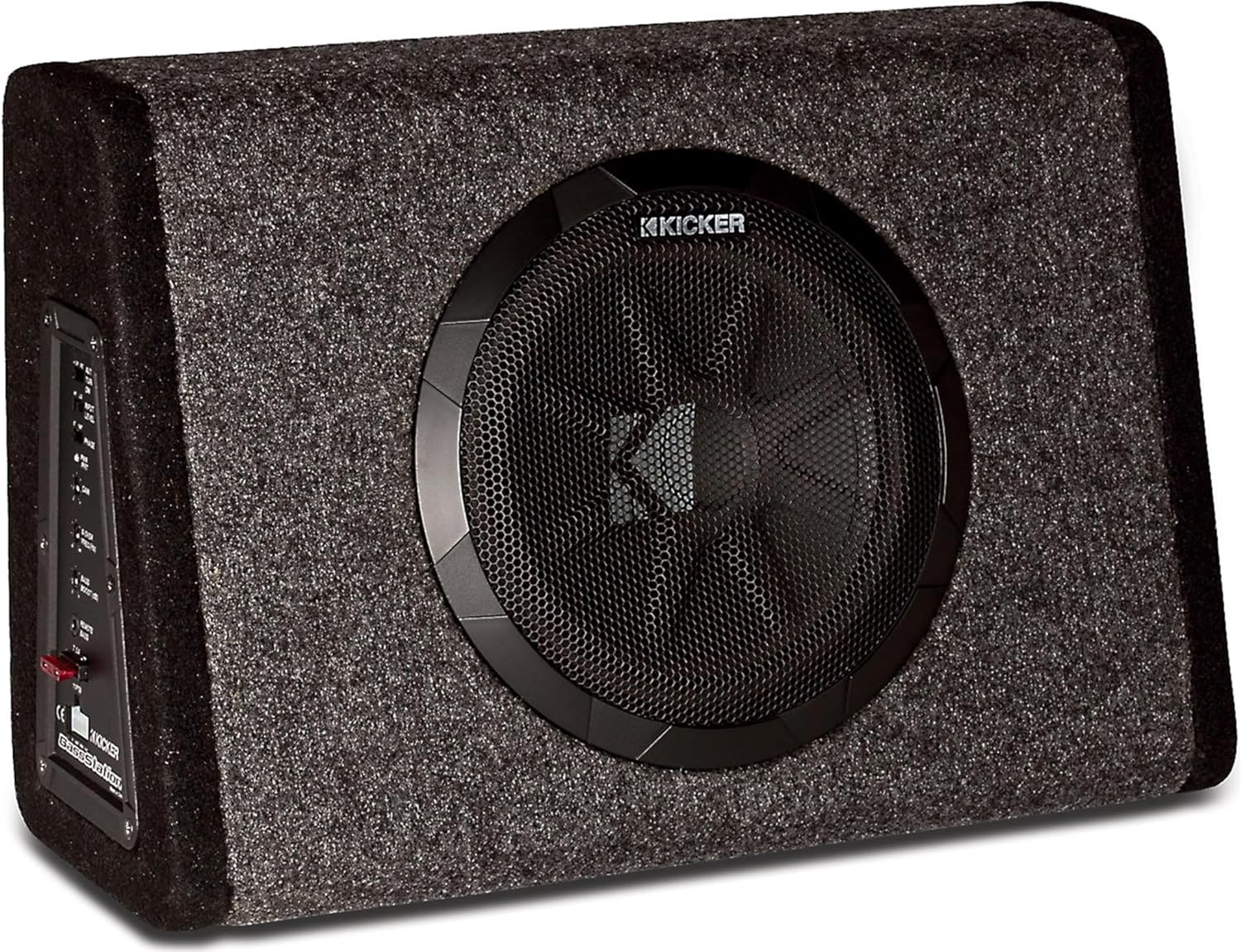
Figure 3: Angled view of the KICKER 11PT250 BassStation, providing a perspective of both the subwoofer and the side-mounted control panel.

Figure 4: Detailed close-up of the KICKER 11PT250 BassStation control panel, showing all adjustable settings and input/output connections clearly labeled for user reference.
Setup and Installation
Proper installation is crucial for optimal performance and safety. The KICKER 11PT250 BassStation is designed for easy integration into most vehicle audio systems.
Wiring Connections
- Power (RED wire): Connect to a constant +12V power source from your vehicle's battery. Ensure an in-line fuse is installed close to the battery.
- Ground (BLACK wire): Connect to a clean, solid metal chassis ground point in the vehicle.
- Remote Turn-On (BLUE wire): Connect to the remote turn-on output of your head unit. The BassStation also offers two automatic turn-on options for convenience.
- Audio Input: Use either the high-level inputs (speaker wire connections) or low-level inputs (RCA connections) from your head unit.
Mounting
Secure the enclosure in your desired location using the provided mounting hardware. This prevents the unit from shifting during vehicle operation. The design allows for placement in various locations, including under seats or in the trunk, without occupying excessive space.
Video 1: An overview of the Kicker Bass Station 10-inch Powered Sub Enclosure, demonstrating its features and compact design. This video provides visual guidance on the product's physical attributes and potential placement.
Video 2: A product demonstration video showcasing the Kicker BassStation. This video illustrates the product in use and highlights its performance capabilities.
Operating Instructions
Once installed, adjust the settings on the control panel (Figure 4) to fine-tune the BassStation to your preferences and vehicle acoustics.
- Gain Control: Adjusts the input sensitivity to match the output of your head unit. Start with the gain at minimum and slowly increase until desired volume is achieved without distortion.
- Low-Pass Crossover (LPF): Sets the upper frequency limit for the subwoofer. Typically set between 50Hz and 120Hz to blend with your main speakers.
- Bass Boost: Provides an adjustable boost to bass frequencies, usually around +6dB. Use sparingly to avoid distortion.
- Phase Switch: Allows you to adjust the phase of the subwoofer output (0° or 180°) to ensure it blends seamlessly with your main speakers. Experiment with both settings to find the best sound.
- Subsonic Filter: Filters out extremely low frequencies that the subwoofer cannot reproduce effectively, protecting it from damage and improving sound quality.
- Automatic Turn-On: Select between DC offset or audio signal detection for automatic power on/off with your head unit.
Specifications
| Feature | Specification |
|---|---|
| Model Name | 11PT250 |
| Woofer Diameter | 10 Inches |
| Speaker Type | Subwoofer |
| Speaker Maximum Output Power | 200 Watts |
| Recommended Amplifier Power (RMS) | 100 Watts |
| Rated Impedance | 4 Ohms |
| Frequency Response | 30 Hz - 500 Hz |
| Sensitivity (1W, 1m) | 90.8 dB |
| Input Voltage | 14.4 Volts |
| Product Dimensions (D x W x H) | 18" x 8" x 14" |
| Item Weight | 10 Pounds |
| Material | Metal, Plastic |
| Control Method | Remote |
Maintenance
To ensure the longevity and optimal performance of your KICKER 11PT250 BassStation, follow these general maintenance guidelines:
- Cleaning: Regularly wipe the exterior of the enclosure with a soft, dry cloth. Avoid using harsh chemicals or abrasive cleaners.
- Connections: Periodically check all wiring connections (power, ground, remote, and audio inputs) to ensure they are secure and free from corrosion. Loose connections can lead to poor performance or damage.
- Ventilation: Ensure the amplifier's heat sink (if visible) is free from obstructions to allow for proper cooling. Overheating can reduce performance and lifespan.
- Environmental Factors: Protect the unit from extreme temperatures, moisture, and direct sunlight. While designed for vehicle use, excessive exposure can cause damage.
Troubleshooting
If you experience issues with your BassStation, refer to the following common troubleshooting steps:
- No Power: Check the power and ground connections. Verify the in-line fuse near the battery is intact. Ensure the remote turn-on wire is properly connected and receiving a signal.
- No Sound: Confirm all audio input connections (RCA or high-level) are secure. Check the gain setting and ensure it's not set too low. Verify the head unit is sending an audio signal.
- Distorted Sound: Reduce the gain setting. Check for proper LPF and bass boost adjustments. Ensure the input signal from the head unit is not distorted.
- Subwoofer Cuts Out: This could indicate overheating or a protection mode activation. Check for proper ventilation around the amplifier. Ensure the impedance is correct for the amplifier.
- Weak Bass: Adjust the gain, bass boost, and LPF settings. Check the phase switch (0° vs. 180°) for optimal blending with other speakers. Ensure the enclosure is securely mounted.
For further assistance, please contact KICKER technical support.
Warranty and Support
The KICKER 11PT250 BassStation is manufactured by Kicker and comes with a Limited Warranty. Please refer to the warranty documentation included with your product for specific terms and conditions.
For technical support, service, or warranty claims, please contact KICKER directly. Contact information can typically be found on the manufacturer's website or in the product packaging.


