
1. Introduction
The Garmin Airmar P79 is an 8-pin, 600 W in-hull transducer designed for marine depth and temperature sensing. It operates at dual frequencies of 50 kHz and 200 kHz, providing depth readings from 800 to 1,200 feet. Its unique design allows for installation inside the hull, eliminating the need for drilling through the boat's bottom. This manual provides essential information for the proper installation, operation, and maintenance of your Airmar P79 transducer.
2. Setup and Installation
Proper installation is crucial for optimal performance of your Airmar P79 transducer. This transducer is designed for in-hull mounting, which means it transmits and receives signals through the boat's hull, provided the hull is solid fiberglass and free of air bubbles or core materials in the installation area.
2.1 Choosing an Installation Location
- Select a location where the hull is solid fiberglass, without any coring, wood, or foam.
- The chosen spot should be as flat as possible to ensure good contact with the transducer's base.
- Avoid areas with turbulence, such as near the keel, strakes, or propeller. The ideal location is typically forward of the engines and propellers, and aft of any through-hull fittings.
- Ensure easy access for maintenance and cable routing.
2.2 Mounting the Transducer
The P79 transducer comes with an adjustable deadrise angle feature, allowing it to compensate for hull angles from 0 to 22 degrees.
- Prepare the Surface: Clean the chosen hull area thoroughly, removing any dirt, grease, or paint. Sand the area lightly to ensure good adhesion.
- Apply Adhesive: Apply a generous amount of marine-grade adhesive (e.g., 3M Marine 5200) to the base of the transducer's mounting cup. Press the cup firmly onto the prepared hull surface, ensuring no air bubbles are trapped underneath. Allow the adhesive to cure completely as per the manufacturer's instructions.
- Fill with Fluid: Once the mounting cup is securely attached and cured, fill it with a non-toxic, propylene glycol-based RV antifreeze. This fluid acts as a coupling agent, allowing the sound waves to pass efficiently through the hull. Ensure no air bubbles are present in the fluid.
- Insert Transducer: Carefully insert the P79 transducer into the fluid-filled mounting cup. Ensure it is seated correctly and the plastic tabs engage to hold it in place. Verify that the transducer is fully submerged in the fluid.
- Cable Routing: Route the transducer cable to your compatible Garmin fish finder or chartplotter, ensuring it is secured and protected from damage. If your display unit requires a 6-pin connection, an 8-pin to 6-pin adapter cable (sold separately) will be necessary.
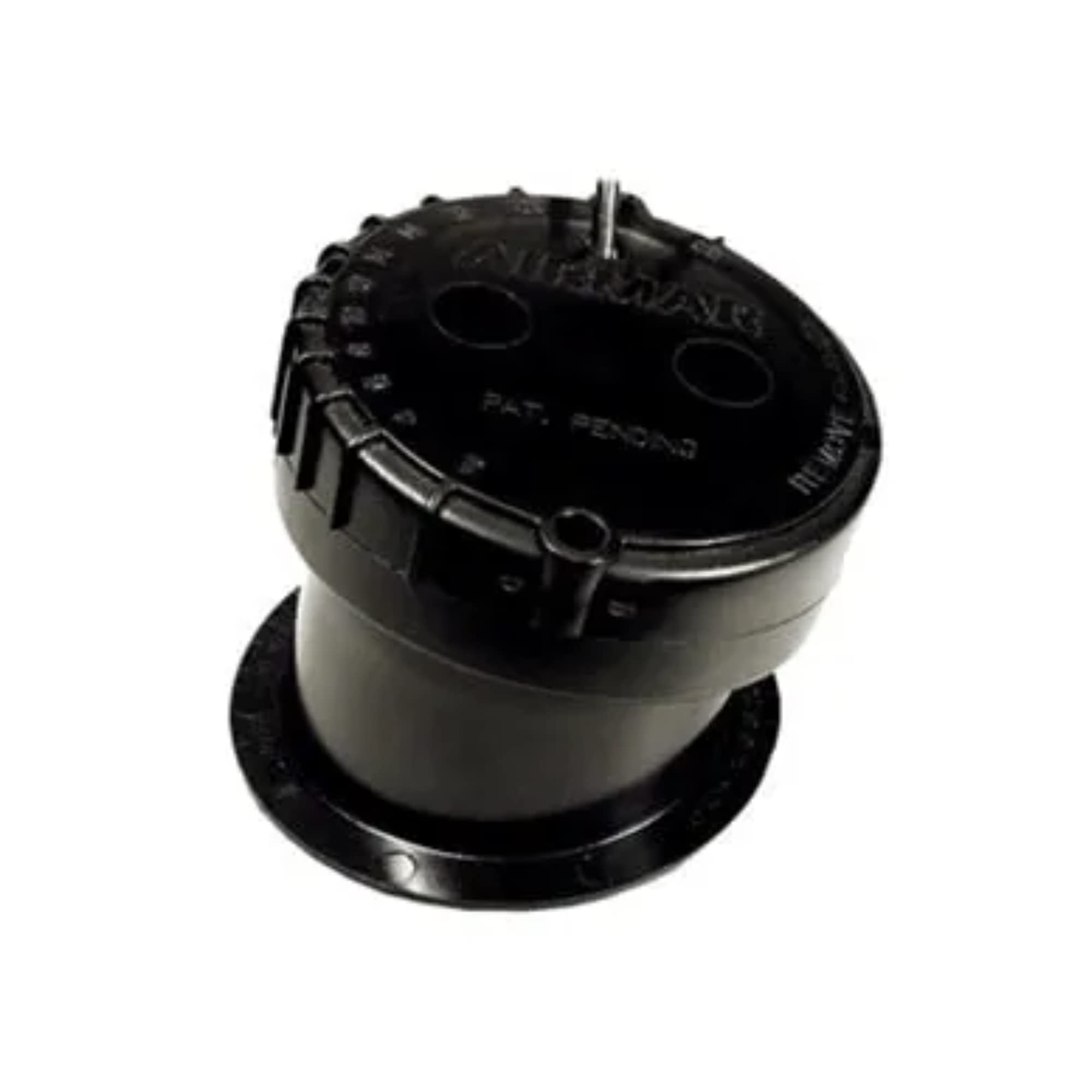
Figure 1: Garmin Airmar P79 In-Hull Transducer. This image shows the black, cylindrical transducer unit with its adjustable base, designed for internal boat hull mounting.
3. Operating Instructions
Once installed, the Airmar P79 transducer operates automatically with your compatible Garmin marine display unit. Ensure your display unit is powered on and configured to recognize the connected transducer.
3.1 Sonar Operation
- The transducer supports dual-frequency operation: 50 kHz for deeper water penetration and wider beam coverage (45 degrees), and 200 kHz for higher resolution and detail in shallower water (12 degrees beam width).
- Your display unit will typically allow you to select the operating frequency or use both simultaneously in a split-screen view.
- Adjust gain, range, and other sonar settings on your display unit for optimal performance based on water depth and conditions.
3.2 Depth and Temperature Readings
The P79 provides accurate depth readings within its specified range of 800 to 1,200 feet, depending on hull material and water conditions. It also provides water temperature data to your display unit.
4. Maintenance
Regular maintenance ensures the longevity and performance of your Airmar P79 transducer.
- Fluid Level Check: Periodically inspect the fluid level inside the mounting cup. Ensure the transducer element remains fully submerged. Top up with propylene glycol-based RV antifreeze if necessary.
- Cleanliness: Keep the inside of the mounting cup and the transducer's face clean from debris or sediment that might accumulate in the fluid.
- Cable Inspection: Check the transducer cable for any signs of wear, cuts, or corrosion, especially at connection points. Ensure all connections are secure.
- Mounting Security: Verify that the transducer is securely seated in its cup and that the cup remains firmly adhered to the hull.
5. Troubleshooting
If you experience issues with your Airmar P79 transducer, refer to the following common problems and solutions:
| Problem | Possible Cause | Solution |
|---|---|---|
| No Depth Reading / Intermittent Readings | Air bubbles in fluid; low fluid level; loose connection; transducer not seated properly; hull interference. | Check fluid level and remove air bubbles. Ensure transducer is fully submerged and securely seated. Verify cable connections. Confirm hull area is solid fiberglass. |
| Poor Sonar Performance / Weak Returns | Air bubbles; incorrect gain settings; electrical interference; transducer not aligned with deadrise. | Ensure no air bubbles in fluid. Adjust gain settings on your display unit. Check for sources of electrical noise. Verify transducer is correctly angled for hull deadrise. |
| Transducer Pops Out of Mount | Improper seating; worn plastic tabs on transducer or cup. | Ensure transducer is pushed down firmly until tabs click into place. If issue persists, inspect tabs for damage; replacement of the cup or transducer may be necessary. |
6. Specifications
- Model: Airmar P79
- Part Number: 010-10327-20
- Frequency: 50/200 kHz
- Power: 600 W RMS
- Beamwidth: 50 kHz: 45 degrees; 200 kHz: 12 degrees
- Maximum Depth: 800-1,200 ft (244-366 m)
- Deadrise Angle: 0 to 22 degrees (adjustable)
- Mounting Style: In-Hull
- Cable Length: (Standard cable length not specified in provided data, typically 30ft/9m)
- Connector: 8-pin Garmin
- Item Weight: 1.2 Pounds (approx. 0.54 kg)
- Dimensions (LxWxH): Approximately 8 x 6 x 4 inches (20.3 x 15.2 x 10.2 cm)
7. Warranty and Support
For warranty information, technical support, or service inquiries regarding your Garmin Airmar P79 transducer, please refer to the official Garmin website or contact Garmin customer support directly. Keep your proof of purchase for warranty claims.
Garmin Support: www.garmin.com/support