
Introduction
Thank you for choosing the SENCOR SKS 4004VT Kitchen Scales. This manual provides essential information for the safe and efficient operation, maintenance, and troubleshooting of your new kitchen scale. Please read these instructions thoroughly before first use and keep them for future reference.
The SENCOR SKS 4004VT is a digital kitchen scale designed for precise measurement of ingredients up to 5 kg, featuring a practical removable bowl and an easy-to-read LCD display.
Product Overview
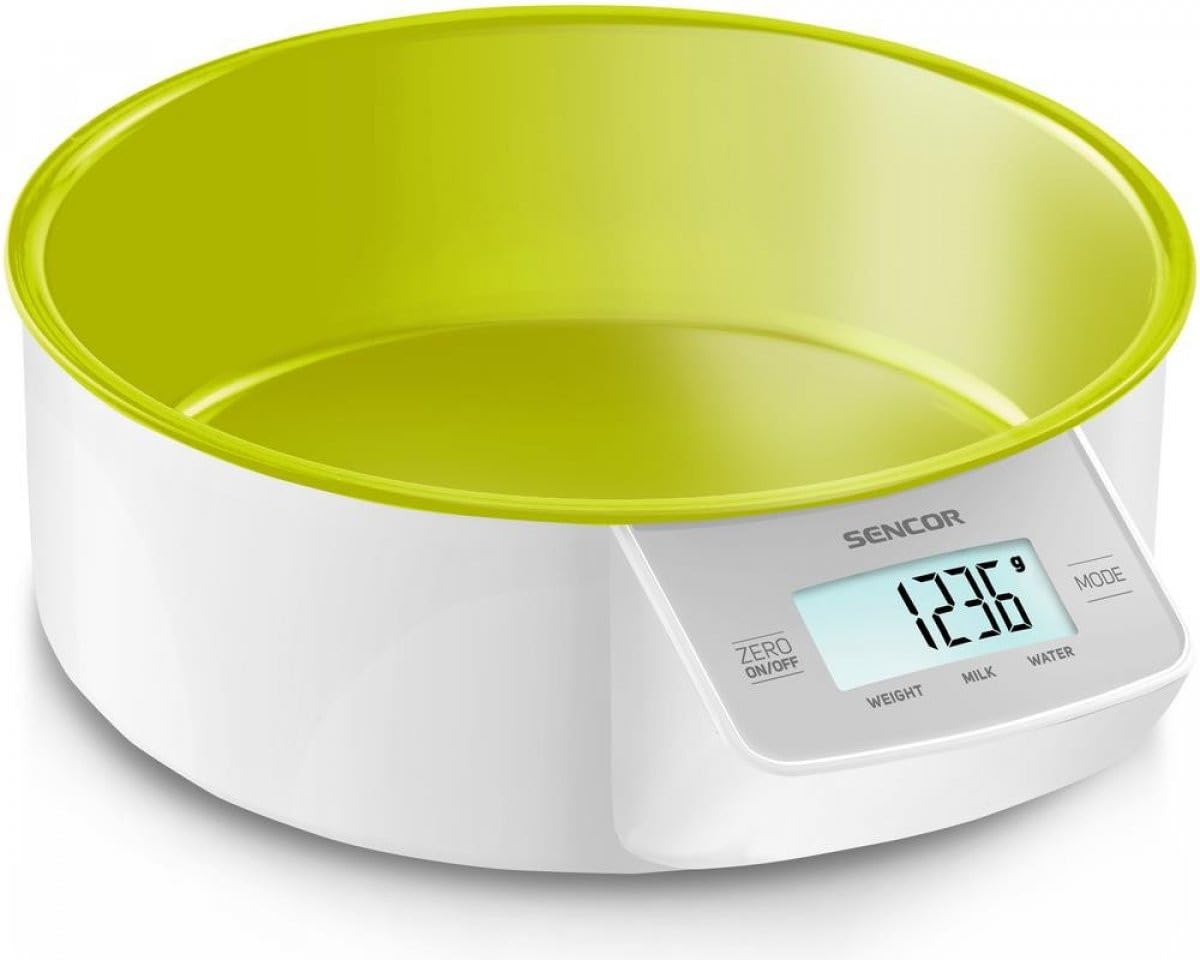
Figure 1: SENCOR SKS 4004VT Kitchen Scales with its removable purple weighing bowl.
The SENCOR SKS 4004VT Kitchen Scales are designed for accuracy and ease of use in your kitchen. Key components include:
- Weighing Platform: The surface where items are placed for measurement.
- Removable Bowl: A practical 1000 ml bowl for weighing loose or liquid ingredients.
- LCD Display: Large (40 x 18 mm) with contrasting backlight for clear readings (digit height 13 mm).
- Control Buttons: Typically for Power ON/OFF, Tare function, and Unit selection.
- Battery Compartment: Located on the underside for AAA batteries.
Setup
- Unpacking: Carefully remove the kitchen scales and all accessories from the packaging. Retain the packaging for future storage or transport.
- Battery Installation:
- Open the battery compartment cover on the underside of the scale.
- Insert the required AAA batteries (included) according to the polarity indicators (+/-) inside the compartment.
- Close the battery compartment cover securely.
- Placement: Place the scale on a firm, flat, and stable surface to ensure accurate measurements. Avoid placing it on soft, uneven, or vibrating surfaces.
- Bowl Placement: Place the removable weighing bowl onto the weighing platform before turning the scale on, or after turning it on and using the Tare function.
Operating Instructions
Turning On/Off
- To Turn On: Press the ON/OFF button. The display will show "8888" then "0 g" (or the last used unit).
- To Turn Off: Press and hold the ON/OFF button for a few seconds, or the scale will automatically turn off after a period of inactivity to conserve battery life.
Unit Selection
While the scale is on, press the UNIT button (if available, or the ON/OFF button might cycle units) to switch between available weighing units (e.g., grams (g), pounds (lb), ounces (oz), milliliters (ml)). The selected unit will be displayed on the LCD.
Weighing Procedure
- Ensure the scale is on and displaying "0 g" (or your desired unit).
- Place the item(s) to be weighed directly onto the weighing platform or into the removable bowl.
- The weight will be displayed on the LCD. Wait for the reading to stabilize before noting the measurement.
Tare Function (Zeroing)
The Tare function allows you to subtract the weight of a container or to weigh multiple ingredients consecutively in the same bowl.
- Place an empty container (e.g., the removable bowl) on the weighing platform. The display will show its weight.
- Press the TARE button (or sometimes the ON/OFF button). The display will reset to "0 g".
- Add the ingredient(s) you wish to weigh into the container. The display will show only the net weight of the added ingredients.
- Repeat the Tare function for each additional ingredient if weighing multiple items sequentially.
Overload Indication
If the display shows "EEEE" or "O-Ld", it indicates that the maximum weighing capacity (5 kg) has been exceeded. Remove items immediately to prevent damage to the scale.
Low Battery Indication
When the battery power is low, the display may show "Lo" or a battery icon. Replace the batteries promptly to ensure accurate readings.
Maintenance and Care
- Cleaning:
- Wipe the scale body with a soft, damp cloth. Do not immerse the scale in water or use abrasive cleaners.
- The removable bowl can be washed with warm soapy water or placed in a dishwasher. Ensure it is completely dry before re-placing it on the scale.
- Storage: Store the scale in a clean, dry place at room temperature. Avoid extreme temperatures or high humidity.
- Battery Replacement: When the low battery indicator appears, replace all AAA batteries with new ones. Do not mix old and new batteries.
- Handling: Handle the scale with care. Avoid dropping it or subjecting it to strong impacts, as this can affect its accuracy.
Troubleshooting
| Problem | Possible Cause | Solution |
|---|---|---|
| Scale does not turn on. | Dead or incorrectly installed batteries. | Check battery polarity. Replace batteries with new AAA batteries. |
| Inaccurate readings. | Uneven surface; scale overloaded; dirty sensors; air currents. | Place on a flat, stable surface. Do not exceed 5 kg. Clean the scale. Avoid drafts. |
| Display shows "EEEE" or "O-Ld". | Scale is overloaded. | Remove items immediately. Do not exceed 5 kg capacity. |
| Display shows "Lo" or battery icon. | Low battery power. | Replace all AAA batteries. |
| Display does not show "0 g" when empty. | Scale not properly zeroed; residual weight. | Press the TARE button to zero the scale. Ensure nothing is on the platform. |
Specifications
| Model Number | SKS 4004VT |
| Brand | SENCOR |
| Weighing Capacity | Up to 5 kg (5000 g) |
| Readout Accuracy | 1 g |
| Display Type | LCD with contrasting backlight |
| Display Dimensions | 40 x 18 mm (Digit height: 13 mm) |
| Removable Bowl Volume | 1000 ml |
| Power Source | AAA batteries (included) |
| Product Dimensions | 22.5 x 18.8 x 7.29 cm |
| Item Weight | 481 g |
| Material | Stainless Steel (weighing platform), Plastic (bowl) |
| Special Features | Lightweight, Portable, Smart, Tare function |
Warranty and Support
SENCOR products are manufactured to high-quality standards and are warranted against defects in materials and workmanship for a specified period from the date of purchase. Please refer to the warranty card included with your product or visit the official SENCOR website for detailed warranty terms and conditions specific to your region.
For technical support, service, or inquiries regarding your SENCOR SKS 4004VT Kitchen Scales, please contact SENCOR customer service. Contact information can typically be found on the SENCOR official website or on the product packaging.
When contacting support, please have your model number (SKS 4004VT) and proof of purchase readily available.

