
1. Introduction
The ICOM OPC-499 is a headset adapter designed to connect standard aviation headsets to compatible ICOM handheld transceivers. This adapter facilitates clear audio communication and microphone input, enhancing the functionality of your ICOM radio in various operational environments.
This manual provides instructions for the proper setup, operation, and maintenance of your OPC-499 headset adapter.
2. Product Overview
The OPC-499 adapter provides the necessary interface for connecting a standard aviation headset to your ICOM handheld radio. It typically features two jacks for headset connection (one for audio, one for microphone) and a single connector for the radio.
2.1 Compatible ICOM Handheld Radios
- ICOM IC-A6
- ICOM IC-A14
- ICOM IC-A14S
- ICOM IC-A24
- ICOM IC-A22
- ICOM IC-A3
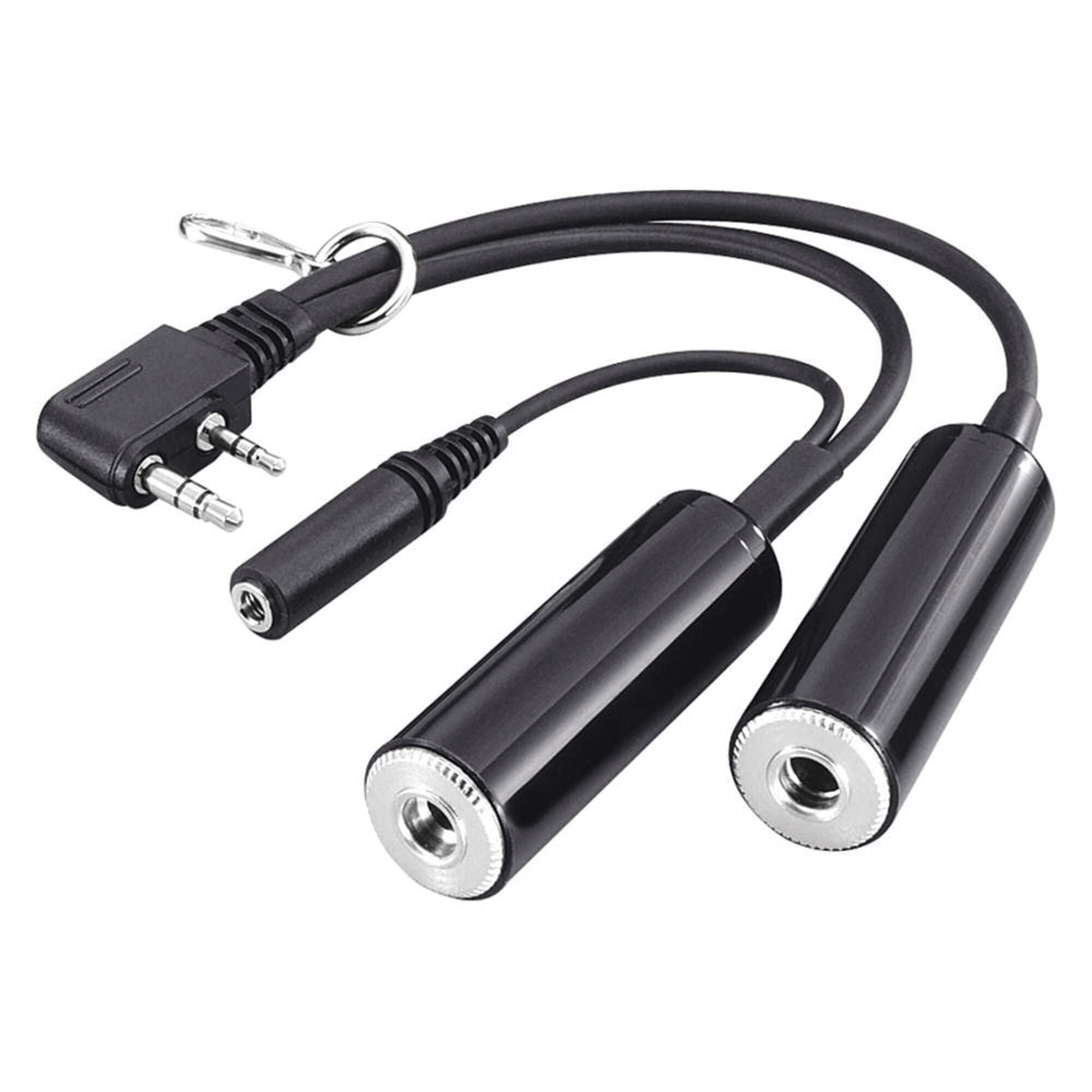
Figure 1: ICOM OPC-499 Headset Adapter. This image shows the adapter with its two headset input jacks and the single connector for the ICOM handheld radio.
3. Setup and Installation
- Identify Connectors: The OPC-499 adapter has two input jacks for your aviation headset (typically a larger jack for headphones and a smaller jack for the microphone) and one output connector designed to plug into your compatible ICOM handheld radio.
- Connect Headset: Insert the headphone plug from your aviation headset into the larger jack on the OPC-499 adapter. Insert the microphone plug from your aviation headset into the smaller jack on the OPC-499 adapter. Ensure both connections are secure.
- Connect to Radio: Carefully align the adapter's output connector with the accessory port on your ICOM handheld radio (e.g., IC-A6, IC-A14, IC-A24). Push firmly until the connector is fully seated. Do not force the connection.
- Power On Radio: Once the adapter and headset are connected, power on your ICOM handheld radio.
Note: Always ensure your radio is powered off before connecting or disconnecting accessories to prevent potential damage.
4. Operating Instructions
After successful setup, the OPC-499 adapter allows you to use your aviation headset for both listening and transmitting with your ICOM handheld radio.
- Receiving Audio: Audio from the radio will be routed directly to your headset's headphones. Adjust the volume on your ICOM radio as needed.
- Transmitting: To transmit, use the Push-To-Talk (PTT) button on your aviation headset or the PTT button on your ICOM radio, depending on your headset's configuration. Speak clearly into your headset microphone.
- Sidetone: Some aviation headsets provide sidetone (hearing your own voice in the headset during transmission). This function is dependent on your headset, not the OPC-499 adapter.
5. Maintenance
The ICOM OPC-499 headset adapter requires minimal maintenance to ensure long-term performance.
- Cleaning: Use a soft, dry cloth to wipe the adapter's exterior. Avoid using harsh chemicals, solvents, or abrasive cleaners.
- Storage: Store the adapter in a clean, dry environment away from extreme temperatures and direct sunlight when not in use.
- Inspecting Connections: Periodically inspect the connectors for any signs of wear, corrosion, or damage. Ensure pins are straight and clean.
- Avoid Stress: Do not pull on the cable to disconnect the adapter. Always grasp the connector housing. Avoid bending or twisting the cable excessively.
6. Troubleshooting
| Problem | Possible Cause | Solution |
|---|---|---|
| No audio in headset |
|
|
| Cannot transmit |
|
|
| Distorted audio or static |
|
|
7. Specifications
| Feature | Detail |
|---|---|
| Model Number | OPC-499 (Item Model Number: 8541748058) |
| Brand | ICOM |
| Compatible Devices | Aviation Headsets, ICOM Handheld Radios (IC-A6, IC-A14, IC-A14S, IC-A24, IC-A22, IC-A3) |
| Number of Ports | 2 (for headset audio and microphone) |
| Color | Black |
| Item Weight | 4.8 ounces (approximately 136 grams) |
| Manufacturer | FRR (as listed in product specifications) |
8. Warranty and Support
For specific warranty information regarding your ICOM OPC-499 headset adapter, please refer to the documentation included with your purchase or visit the official ICOM website. Warranty terms and conditions may vary by region and retailer.
For technical support, service, or inquiries about compatible accessories, please contact ICOM customer service or an authorized ICOM dealer. Contact information can typically be found on the official ICOM website.


