
1. Introduction
The Dorman 909-100 Wheel Cap is engineered to provide a direct fit, matching the appearance and function of the original cap on specified vehicles. Constructed from quality materials, this wheel cap ensures reliable performance and a long service life, restoring the aesthetic and protective functionality of your vehicle's wheels.
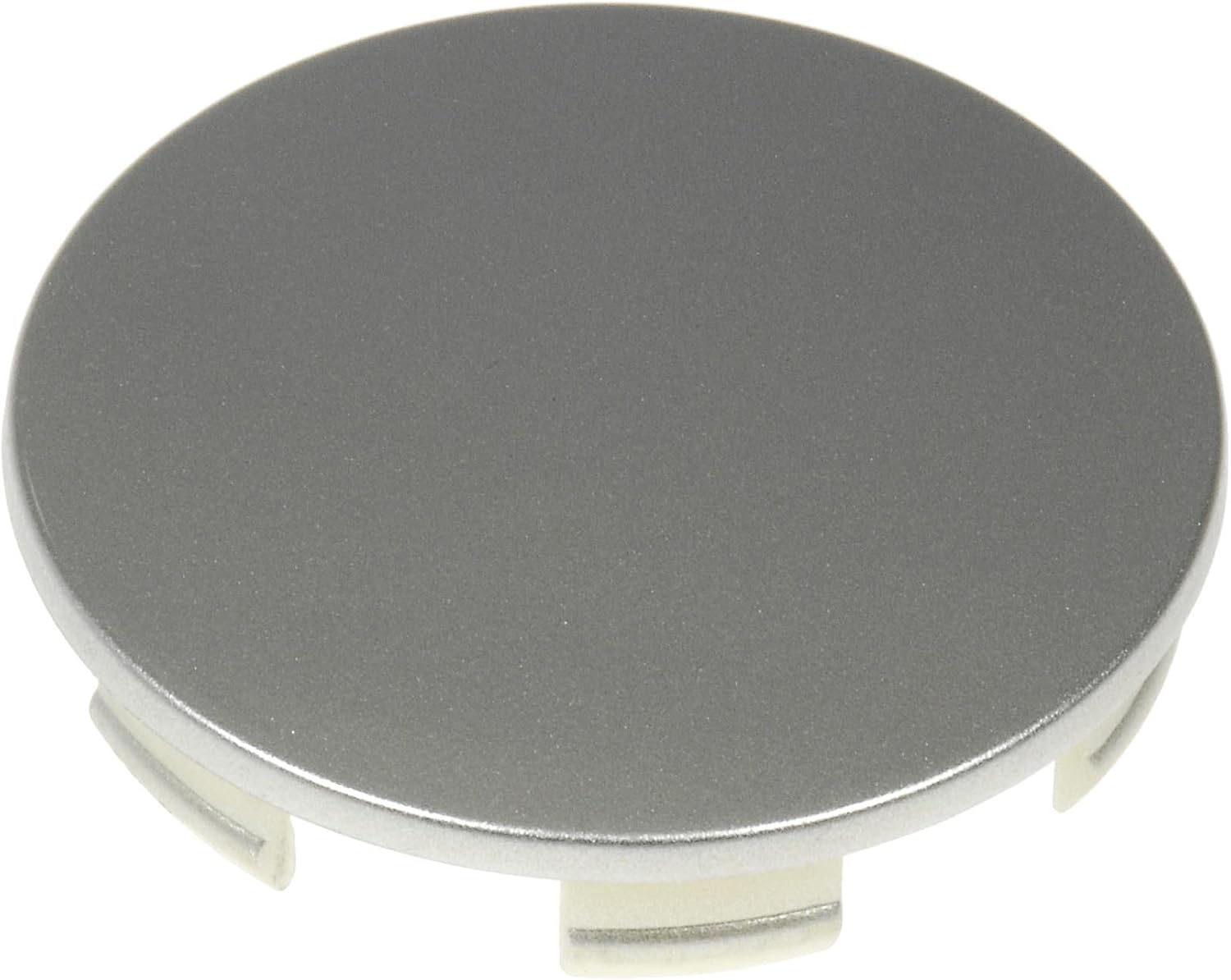
A silver/metallic gray Dorman 909-100 Wheel Cap, designed for direct replacement on compatible Acura and Honda models.
2. Compatibility
This wheel cap is compatible with the following Acura and Honda models. Please verify your vehicle's make, model, and trim level to ensure exact fitment.
- Acura CL: 2003
- Acura MDX: 2004, 2005, 2006
- Acura RSX: 2002, 2003, 2004, 2005, 2006
- Acura TL: 2004, 2005, 2006, 2007, 2008
- Acura TSX: 2004, 2005, 2006, 2007, 2008
- Honda Accord Crosstour: 2010, 2011
- Honda Accord: 2003, 2004, 2005, 2006, 2007, 2008, 2009, 2010
- Honda Civic: 2004, 2005, 2006, 2007, 2008, 2009, 2010, 2011, 2012
- Honda Crosstour: 2012
- Honda CR-V: 2002, 2003, 2004, 2005, 2006, 2007, 2008, 2009, 2010, 2011, 2012
- Honda Element: 2003, 2004, 2005
- Honda Odyssey: 2011, 2012
- Honda Pilot: 2006, 2007
- Honda Ridgeline: 2007
3. Package Contents
Your Dorman 909-100 Wheel Cap package includes:
- 1 x Dorman 909-100 Wheel Cap
4. Safety Information
Always prioritize safety when working on your vehicle. Ensure the vehicle is parked on a level surface with the parking brake engaged. If lifting the vehicle, use appropriate jack stands for support. Wear safety glasses and gloves to protect yourself from potential hazards. Refer to your vehicle's service manual for specific safety precautions related to wheel and tire work.
5. Installation (Setup)
Tools Required:
- No special tools are typically required for bolt-on wheel cap installation.
- A soft cloth or plastic pry tool (optional, for removing old cap if necessary).
Installation Steps:
- Prepare the Wheel: Ensure the wheel is clean and free of dirt or debris where the wheel cap will be installed.
- Remove Old Wheel Cap (if applicable): If replacing an existing cap, carefully pry it off using a soft cloth or plastic pry tool to avoid scratching the wheel.
- Align the New Wheel Cap: Position the Dorman 909-100 Wheel Cap over the center of the wheel, aligning any tabs or clips with the corresponding slots on the wheel hub.
- Secure the Wheel Cap: Apply even pressure around the perimeter of the cap until it snaps securely into place. For bolt-on types, ensure all bolts are tightened according to manufacturer specifications (if applicable, though this model is typically a snap-in/press-fit).
- Verify Installation: Gently tug on the installed wheel cap to ensure it is firmly seated and does not wobble.
6. Maintenance
To maintain the appearance and longevity of your Dorman 909-100 Wheel Cap:
- Regularly clean the wheel cap with mild automotive soap and water.
- Avoid using harsh chemicals or abrasive cleaners that could damage the finish.
- Inspect the cap periodically for any signs of damage, looseness, or discoloration.
7. Troubleshooting
| Issue | Possible Cause | Solution |
|---|---|---|
| Wheel cap is loose or falls off | Improper installation, damaged retention clips, incorrect part for vehicle. | Re-install ensuring firm seating. Inspect clips for damage; replace cap if clips are broken. Verify part compatibility. |
| Difficulty installing cap | Misalignment, debris in hub, incorrect part. | Ensure proper alignment. Clean hub area thoroughly. Double-check part compatibility. |
| Cap finish is fading or peeling | Exposure to harsh elements, abrasive cleaning. | Use mild cleaners. Consider replacement for aesthetic reasons. |
8. Specifications
| Feature | Detail |
|---|---|
| Brand | Dorman |
| Model Number | 909-100 |
| Size | 2.75 inches |
| Color | Silver/Metallic Gray |
| Exterior Finish | Machined |
| Installation Type | Bolt-On (typically press-fit/snap-in for this type of cap) |
| Item Weight | 1.44 ounces |
| Product Dimensions | 5.3 x 5.67 x 4.13 inches |
9. Warranty & Support
Dorman products are backed by a commitment to quality and durability. For specific warranty details or technical assistance, please refer to the official Dorman website or contact Dorman customer support. Our team of product experts is available to assist with any questions regarding fitment, installation, or performance.