
1. Introduction
This manual provides detailed instructions for the Mackie SRM450 12-inch powered loudspeaker. The SRM450 is designed for professional audio applications, featuring a 1000W system, an integrated 2-channel mixer, application-specific speaker modes, and an automatic feedback destroyer. This document covers essential information for setup, operation, maintenance, troubleshooting, and technical specifications to ensure optimal performance and longevity of your device.
2. Safety Information
Please read and understand all safety instructions before operating the Mackie SRM450 loudspeaker. Retain this manual for future reference.
- Power Source: Connect the unit only to the type of power supply indicated on the unit.
- Ventilation: Ensure proper ventilation. Do not block any ventilation openings.
- Water and Moisture: Do not expose this apparatus to rain or moisture. Do not use near water.
- Heat: Do not install near any heat sources such as radiators, heat registers, stoves, or other apparatus that produce heat.
- Servicing: Do not attempt to service this product yourself. Refer all servicing to qualified service personnel.
- Cables: Protect power cords from being walked on or pinched, particularly at plugs, convenience receptacles, and the point where they exit from the apparatus.
- Mounting: When mounting the loudspeaker, ensure it is securely placed on a stable surface or properly mounted using appropriate hardware.
3. Package Contents
Verify that all items are present in the package:
- Mackie SRM450 12-Inch Powered Loudspeaker
- Power Cable
- Quick Start Guide (not included in this manual)
The loudspeaker includes an integrated 2-channel mixer with dual Mackie Wide-Z inputs and stereo RCA inputs, along with a built-in handle for portability.
4. Product Features
The Mackie SRM450 loudspeaker incorporates several key features for enhanced performance and usability:
- 1000W System Power: Delivers high-volume output with custom transducers.
- High-Definition Audio Processing: Provides professional sound clarity.
- One-Button Speaker Mode Selection: Offers application-specific voicing for PA, DJ, monitor, and soloist use.
- Automatic Feedback Destroyer: Eliminates feedback with a single button.
- Integrated 2-Channel Mixer: Features dual Mackie Wide-Z inputs for versatile connectivity.
5. Setup
Follow these steps to set up your Mackie SRM450 loudspeaker:
- Placement: Position the loudspeaker on a stable, flat surface or mount it on a pole using the integrated pole mount. Ensure adequate space for ventilation. The loudspeaker can also be used as a floor monitor.
- Power Connection: Connect the provided power cable to the AC inlet on the rear panel of the loudspeaker and then to a grounded electrical outlet.
- Input Connections: Connect your audio sources (e.g., microphone, mixer, instrument) to the input jacks on the rear panel. The SRM450 features two XLR/TRS combo jacks (Wide-Z inputs) and stereo RCA inputs.
- Initial Settings: Before powering on, ensure all volume controls on the loudspeaker and connected devices are set to their minimum levels.

Image 5.1: Front view of the Mackie SRM450 12-inch powered loudspeaker, showcasing the speaker grille and horn.

Image 5.2: Rear panel of the Mackie SRM450 loudspeaker, detailing the input jacks, mixer controls, and power connection.
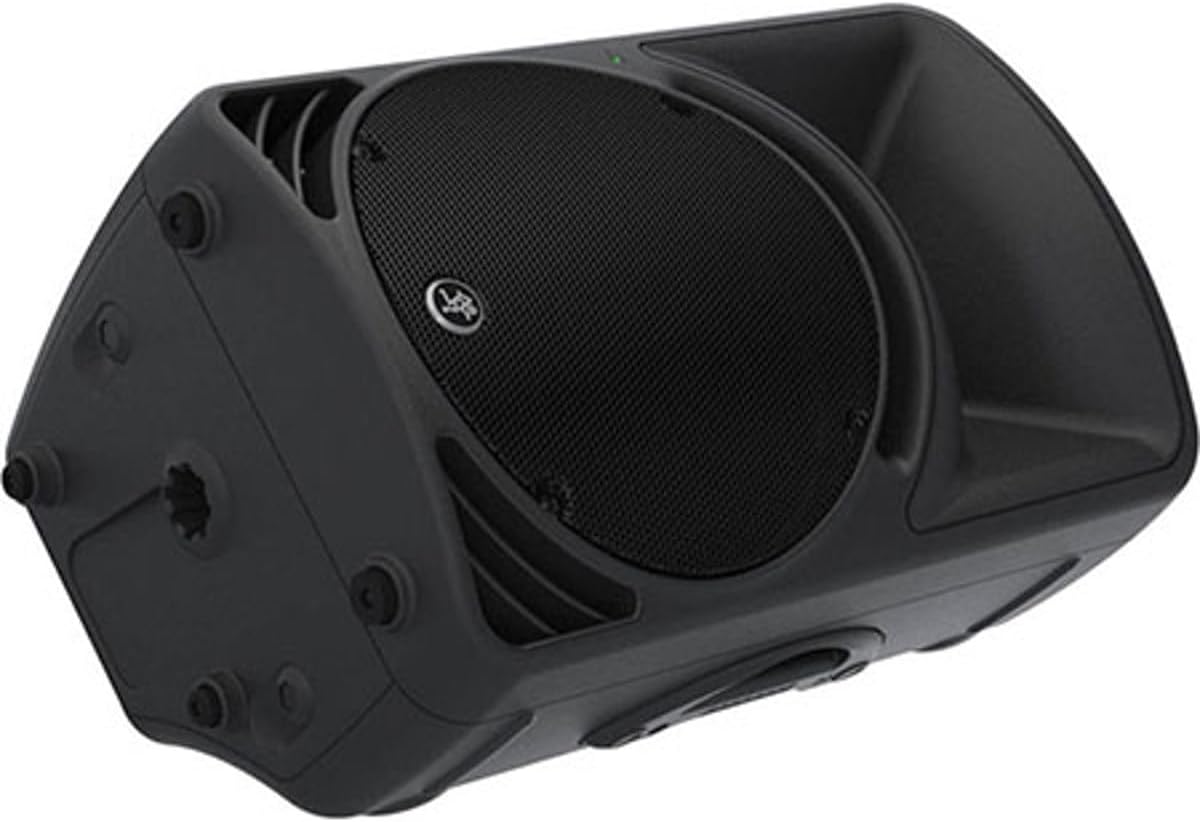
Image 5.3: The Mackie SRM450 loudspeaker shown in a horizontal orientation, suitable for use as a floor monitor.
6. Operating Instructions
6.1 Powering On/Off
Locate the power switch on the rear panel. Flip the switch to the 'ON' position to power on the loudspeaker. The power LED on the front will illuminate. To power off, flip the switch to the 'OFF' position.
6.2 Integrated 2-Channel Mixer
The SRM450 features a built-in 2-channel mixer for combining multiple audio sources.
- Wide-Z Inputs (Channels 1 & 2): These XLR/TRS combo jacks accept a wide range of input levels, from microphones to line-level instruments. Adjust the gain for each channel using the dedicated knobs.
- RCA Inputs: Use these inputs for connecting consumer audio devices such as media players or laptops.
- Main Volume: The main volume knob controls the overall output level of the loudspeaker.
6.3 Speaker Modes
The SRM450 offers application-specific speaker modes to optimize its sound for different uses. Select the desired mode using the dedicated button on the rear panel:
- PA: Optimized for general public address and full-range music playback.
- DJ: Enhanced bass response and crisp highs, suitable for DJ applications.
- Monitor: Tailored for stage monitoring, reducing low-frequency rumble and enhancing vocal clarity.
- Soloist: Optimized for solo performers, often with a focus on vocal and acoustic instrument clarity.
6.4 Automatic Feedback Destroyer
To activate the automatic feedback destroyer, press the dedicated button on the rear panel. The system will analyze the audio and automatically identify and eliminate problematic frequencies that cause feedback.
7. Maintenance
Proper maintenance ensures the longevity and optimal performance of your SRM450 loudspeaker.
- Cleaning: Use a dry, soft cloth to clean the exterior of the loudspeaker. Do not use liquid cleaners or solvents.
- Ventilation: Regularly check that ventilation openings are clear of dust and debris.
- Storage: When not in use for extended periods, store the loudspeaker in a dry, temperate environment, protected from dust and extreme temperatures.
- Inspection: Periodically inspect all cables and connections for signs of wear or damage.
8. Troubleshooting
If you encounter issues with your SRM450 loudspeaker, refer to the following common problems and solutions:
| Problem | Possible Cause | Solution |
|---|---|---|
| No power | Power cable disconnected; Power outlet faulty; Power switch off | Check power cable connection; Test outlet with another device; Ensure power switch is ON |
| No sound output | Input cables disconnected; Volume knobs too low; Incorrect input selected; Source device issue | Verify all audio connections; Increase main and channel volume; Check source device output |
| Distorted sound | Input level too high; Speaker mode mismatch; Damaged cable | Reduce input gain; Select appropriate speaker mode; Replace faulty cables |
| Feedback (howling) | Microphone too close to speaker; High gain settings | Activate Feedback Destroyer; Reposition microphone; Reduce microphone gain |
9. Specifications
Detailed technical specifications for the Mackie SRM450 loudspeaker:
- Model Name: SRM450
- Speaker Type: Powered Cabinet / Loudspeaker
- Speaker Size: 12 Inches (Subwoofer Diameter)
- Output Wattage: 1000 Watts (Peak)
- Frequency Response: Up to 20 KHz
- Connectivity Technology: RCA, XLR/TRS Combo
- Audio Output Mode: Stereo
- Input Voltage: 45 Volts (Operating)
- Mounting Type: Freestanding, Pole Mountable
- Color: Black
- Product Dimensions: 17"D x 17.5"W x 43"H
- Item Weight: 29 Pounds
- Manufacturer: Loud Technologies, Inc.
- Item Model Number: 2059685-00
- UPC: 663961044249, 663961044225

Image 9.1: Diagram illustrating the dimensions of the Mackie SRM450 loudspeaker: 17 inches deep, 17.5 inches wide, and 43 inches high.
10. Warranty Information
The Mackie SRM450 loudspeaker is covered by a limited warranty provided by the manufacturer, Loud Technologies, Inc. Specific terms and conditions of the warranty, including duration and coverage details, are typically provided with the product documentation or can be found on the official Mackie website. Please retain your proof of purchase for any warranty claims.
11. Support
For further assistance, technical support, or to access additional resources, please visit the official Mackie website. You may find FAQs, software updates, and contact information for customer service.
Mackie Official Website: www.mackie.com