
Sharp LC-32LE551U
Sharp LC-32LE551U 32-Inch LED TV Instruction Manual
Model: LC-32LE551U
Introduction
This manual provides essential information for the safe and efficient operation of your Sharp LC-32LE551U 32-Inch 1080p 60Hz LED TV. Please read these instructions thoroughly before using the television and retain them for future reference.
The Sharp AQUOS LC-32LE551U is designed to deliver a high-quality viewing experience with its 1080p Full HD resolution and 60Hz refresh rate. It features an advanced AQUOS panel structure for clear picture, vibrant color, and detailed imagery.
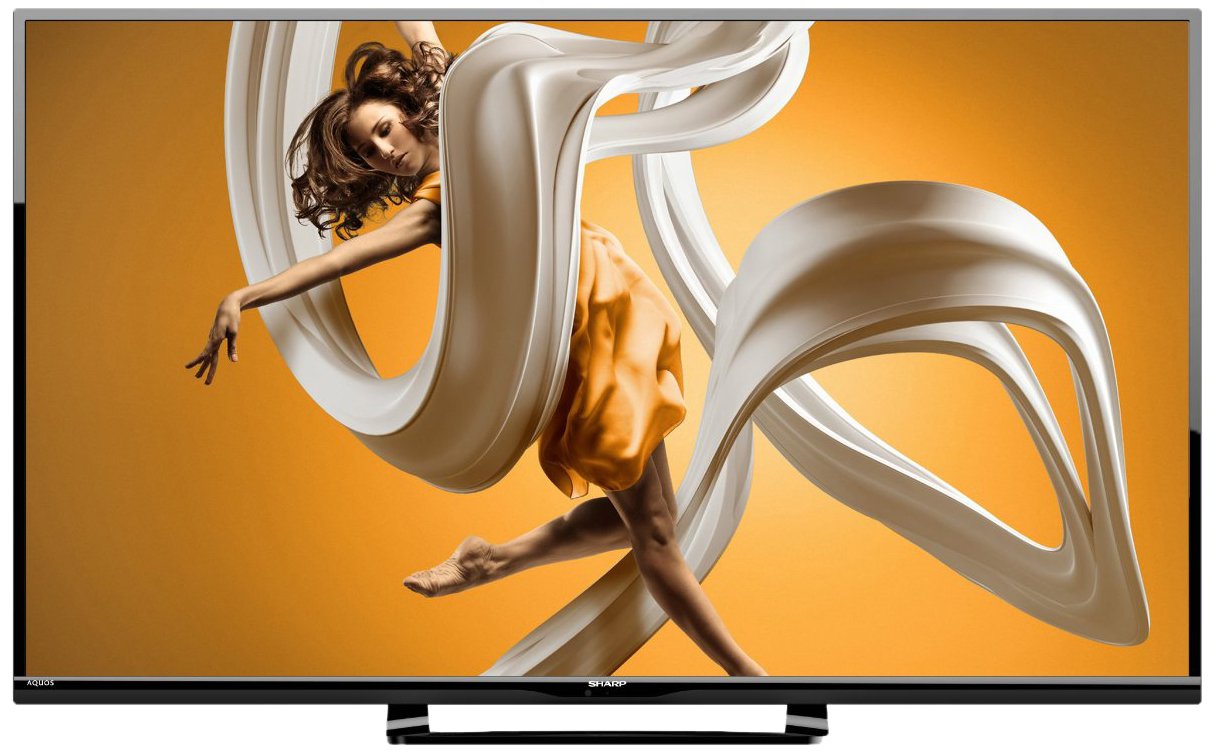
Figure 1: Front view of the Sharp LC-32LE551U 32-inch LED TV, showcasing its slim bezel and stand.
What's in the Box
Verify that all items are present in the packaging before proceeding with setup.
- Sharp LC-32LE551U 32-Inch LED TV
- Remote Control
- TV Stand components (base and neck)
- Power Cord
- User Manual (this document)
- 2 AA batteries (for remote control)
Setup
1. Attaching the Stand
To attach the stand to your television:
- Carefully place the TV screen-down on a soft, clean surface to prevent scratches.
- Align the stand neck with the mounting holes on the back of the TV.
- Secure the stand neck to the TV using the provided screws.
- Attach the stand base to the stand neck, ensuring it is firmly connected.
- Carefully lift the TV to its upright position on a stable, level surface.

Figure 2: Side profile of the Sharp LC-32LE551U, illustrating its slim design suitable for stand placement or wall mounting.
2. Connecting External Devices
The TV features various input ports for connecting external devices such as Blu-ray players, game consoles, and cable/satellite boxes.
- HDMI Ports (x2): For high-definition digital audio and video. Supports HDMI 1.4a with HDCP.
- USB Port (x1): For connecting USB storage devices to play media files.
- Component Input (x1): For analog high-definition video (YPbPr) and stereo audio.
- Composite-Video Input (x1): For standard-definition analog video and stereo audio.
- Antenna/Cable Input: For connecting an antenna or cable TV signal.

Figure 3: Side view of the Sharp LC-32LE551U, highlighting the accessible input ports including HDMI and USB.
3. Powering On the TV
- Connect the power cord to the TV's power input and then to a wall outlet.
- Insert the two AA batteries into the remote control, observing polarity.
- Press the POWER button on the remote control or on the TV itself.
- Follow the on-screen instructions for initial setup, including language selection and channel scanning.
Operating the TV
1. Remote Control Functions
The remote control allows you to access all TV functions. Familiarize yourself with the button layout:
- POWER: Turns the TV on or off.
- INPUT: Selects the input source (HDMI1, HDMI2, Component, Composite, TV).
- MENU: Accesses the main menu for picture, sound, and system settings.
- VOLUME +/-: Adjusts the volume level.
- CHANNEL +/-: Changes TV channels.
- NAVIGATION BUTTONS (Up/Down/Left/Right/OK): Navigates through menus and confirms selections.
- EXIT: Exits the current menu or on-screen display.
2. Selecting an Input Source
To switch between connected devices:
- Press the INPUT button on the remote control.
- Use the Up/Down navigation buttons to highlight the desired input source.
- Press the OK button to confirm your selection.
3. Adjusting Picture and Sound Settings
Access the TV's menu to customize your viewing and listening experience:
- Press the MENU button on the remote.
- Navigate to Picture or Sound settings using the navigation buttons.
- Select options such as Brightness, Contrast, Color, Sharpness, Backlight, Sound Mode, Bass, Treble, etc.
- Adjust settings using the Left/Right buttons.
- Press EXIT to close the menu.
Maintenance
Proper care and maintenance will extend the life of your television.
1. Cleaning the Screen
- Always unplug the TV before cleaning.
- Use a soft, lint-free cloth (e.g., microfiber) to gently wipe the screen.
- For stubborn marks, lightly dampen the cloth with water or a specialized screen cleaner. Never spray liquid directly onto the screen.
- Avoid using abrasive cleaners, solvents, or alcohol-based solutions, as these can damage the screen surface.
2. Cleaning the Cabinet
- Wipe the TV cabinet and stand with a soft, dry cloth.
- Do not use any liquid cleaners on the cabinet.
3. General Care
- Ensure adequate ventilation around the TV to prevent overheating.
- Avoid placing the TV in direct sunlight or near heat sources.
- Protect the TV from moisture and dust.
- When moving the TV, always lift it from the bottom and avoid putting pressure on the screen.
Troubleshooting
Before contacting customer support, please refer to the following common issues and solutions.
| Problem | Possible Cause / Solution |
|---|---|
| No power |
|
| No picture, but sound is present |
|
| No sound, but picture is present |
|
| Remote control not working |
|
| Poor picture quality (blurry, distorted) |
|
Specifications
Detailed technical specifications for the Sharp LC-32LE551U LED TV.
| Feature | Detail |
|---|---|
| Model Number | LC-32LE551U |
| Screen Size | 32 Inches |
| Display Technology | LED |
| Resolution | 1080p Full HD (1920 x 1080) |
| Refresh Rate | 60 Hz |
| Aspect Ratio | 16:9 |
| Dynamic Contrast Ratio | 4,000,000:1 |
| Response Time | 2 Milliseconds |
| HDMI Ports | 2 (HDMI 1.4a with HDCP, CEC & ARC) |
| USB Ports | 1 (USB 2.0) |
| Component Input | 1 |
| Composite-Video Input | 1 |
| Audio Output | 20W total speaker power output, Dolby/MTS decoders |
| Tuner Type | ATSC |
| Mounting Type | Table Mount (VESA compatible for wall mounting, hardware sold separately) |
| Product Dimensions (W x H x D) | 28.4" x 18.5" x 5.5" (with stand) |
| Item Weight | 10.36 Pounds |
| Power Consumption | 120 Volts, 20 Watts (Estimated Yearly Energy Cost: $7.4) |
| Energy Certification | Energy Star 6.0 compliant |
| Included Components | Remote Control, Stand, TV |
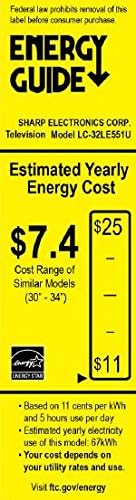

Figure 4: Energy Guide label (left) showing estimated yearly energy cost and a diagram (right) illustrating the dimensions of the Sharp LC-32LE551U TV.
Warranty and Support
Warranty Information
The Sharp LC-32LE551U LED TV comes with a 1-year limited warranty from the date of purchase. This warranty covers manufacturing defects in materials and workmanship under normal use. It does not cover damage caused by misuse, accidents, unauthorized modifications, or external causes.
For full terms and conditions of the warranty, please refer to the warranty card included with your product or visit the official Sharp website.
Customer Support
If you encounter issues that cannot be resolved using the troubleshooting guide, or if you require further assistance, please contact Sharp customer support.
- Online Support: Visit the official Sharp support website for FAQs, software updates, and contact options.
- Telephone Support: Refer to your product registration card or the Sharp website for regional customer service telephone numbers.
- When contacting support, please have your TV's model number (LC-32LE551U) and serial number ready.
Ask a question about this manual
Ask about setup, troubleshooting, compatibility, parts, safety, or missing instructions. Manuals+ will review the question and use this page’s manual context to help answer it.