Introduction
This manual provides essential instructions for the safe and efficient operation of your AIRCARE Digital Whole-House Pedestal-Style Evaporative Humidifier, Model EP9 800. Please read all instructions carefully before use and retain this manual for future reference.
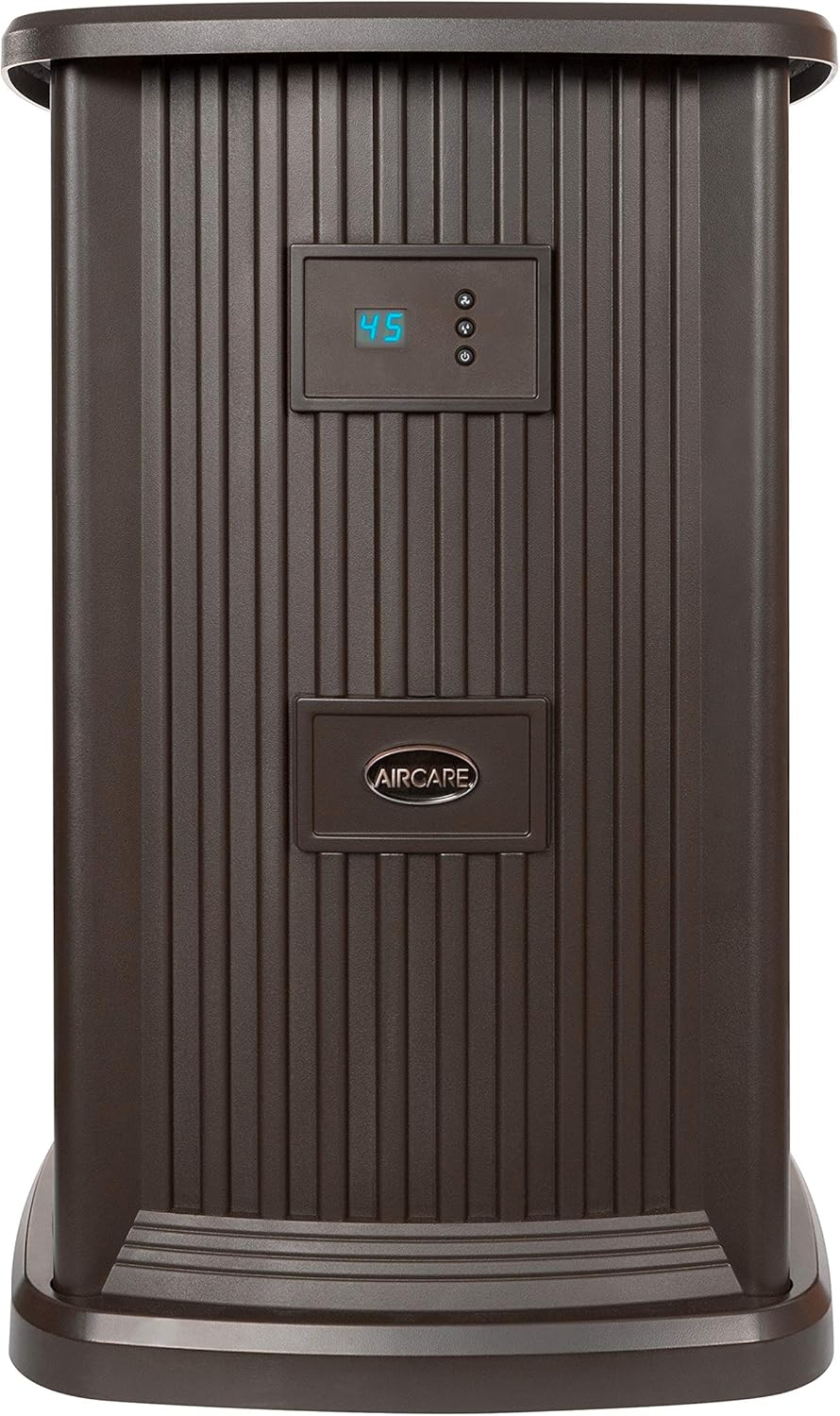
Figure 1: Front view of the AIRCARE EP9 800 Pedestal Humidifier.
1. Setup
1.1 Unboxing and Component Check
Carefully remove all components from the packaging. Ensure all included items are present:
- Humidifier Unit
- One 1043 Super Wick
- Owner's Manual (this document)
- One Funnel
- One Float
- Four Casters
1.2 Caster Installation
Attach the four casters to the bottom of the humidifier unit. These wheels allow for easy movement of the unit.
1.3 Initial Water Fill
Before first use, fill the water reservoir. The unit features a convenient front-fill door. Use the provided funnel to pour water into the reservoir until it reaches the maximum fill line. The unit holds approximately 3.5 gallons of water.

Figure 2: Filling the humidifier's water reservoir through the front access door.
Ensure the unit is plugged into a standard electrical outlet. A small internal light will illuminate, making the maximum fill line visible during the filling process.
2. Operating Instructions
2.1 Control Panel Overview
The control panel is located on the front of the unit and features a digital display and three buttons:
- Power Button: Turns the unit ON or OFF.
- Humidity Control Button: Adjusts the desired humidity level (from 25% to 65%).
- Fan Speed Button: Selects one of nine fan speeds.

Figure 3: Digital control panel with humidity display and control buttons.
2.2 Setting Desired Humidity
Press the Humidity Control Button to cycle through desired humidity levels. The digital display will show the selected percentage. The unit will automatically maintain this level, shutting off when reached and restarting when humidity drops.
2.3 Adjusting Fan Speed
Press the Fan Speed Button to select your preferred fan speed from 1 (lowest) to 9 (highest). Higher fan speeds will humidify the area faster but may produce more noise.
2.4 Automatic Shut-Off
The humidifier is equipped with an automatic shut-off feature. It will turn off when the desired humidity level is achieved or when the water reservoir is empty. The display may show "F" or "CF" to indicate a need for refilling or filter change.
2.5 Coverage Area
This pedestal-style humidifier is designed for whole-house humidification, covering areas up to 2,400 square feet.
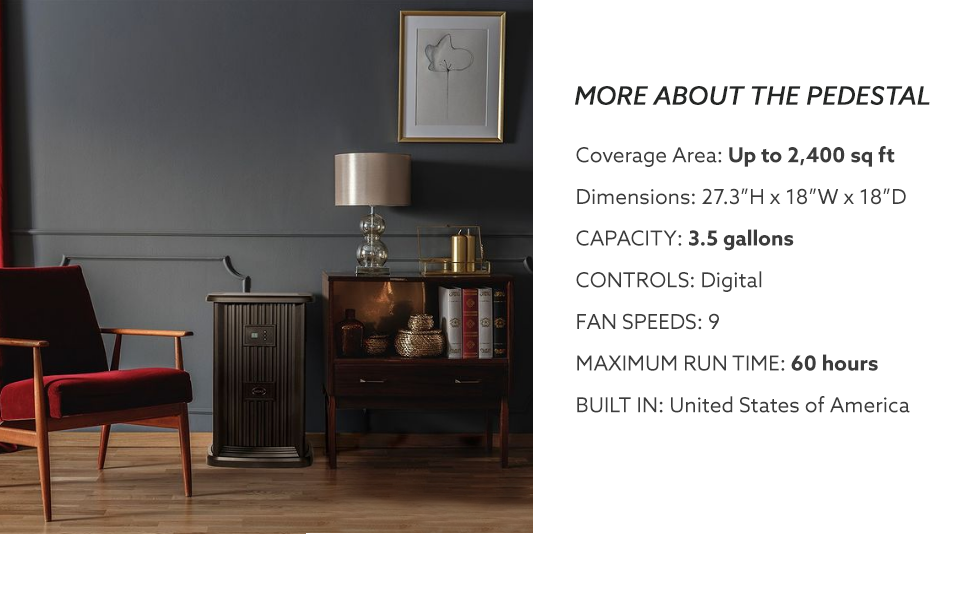
Figure 4: Visual representation of the humidifier's whole-house coverage.
2.6 Official Product Video: Quick Start Guide
Video 1: An official AIRCARE quick start guide for the EP9 Pedestal Humidifier, demonstrating basic setup and operation.
3. Maintenance
3.1 Filter Replacement (1043 Super Wick)
The humidifier uses a 1043 Super Wick filter. The digital display will indicate when the filter needs to be checked or replaced (e.g., "CF"). Regular filter replacement is crucial for optimal performance and air quality.
3.2 Cleaning the Water Reservoir
Periodically clean the water reservoir to prevent mineral buildup and maintain hygiene. The design allows for easy access to the reservoir for cleaning. It is recommended to use a humidifier bacterial treatment (e.g., Essick Air Humidifier Bacteriostatic Treatment) to keep the water clean and prevent mold or mildew growth.
Video 2: A user demonstrating the ease of refilling and maintaining the AIRCARE Humidifier, including adding bacterial treatment.
3.3 General Care
Wipe down the exterior of the unit with a soft, damp cloth as needed. Ensure the air vents are free from dust and obstructions for efficient operation.
4. Troubleshooting
- Unit is noisy at higher fan speeds: This is normal for evaporative humidifiers. If noise is a concern, operate the unit at lower fan speeds (1-3).
- Humidity reading on display seems inaccurate: The built-in humidistat measures humidity directly around the unit. Actual humidity levels in other parts of the room may vary. It is common for the unit's reading to be slightly higher than a separate hygrometer placed further away. Adjust your desired humidity setting accordingly.
- Unit does not turn on or stops unexpectedly: Check if the power cord is securely plugged in. Ensure the water reservoir is filled and the filter is correctly installed. The automatic shut-off feature activates when desired humidity is reached or water is low.
- "F" or "FI" displayed: This indicates the unit needs to be refilled with water.
- "CF" displayed: This indicates the filter needs to be checked or replaced.
5. Specifications
| Brand | AIRCARE |
| Model Name | EP9 800 |
| Operation Mode | Evaporative |
| Special Feature | Humidistat |
| Color | Espresso |
| Floor Area Coverage | Up to 2400 Square Feet |
| Product Dimensions | 18"D x 18"W x 27.25"H |
| Item Weight | 27 Pounds |
| Included Components | One 1043 Super Wick; Owner's Manual; One Funnel; One Float; Four Casters |
| Fan Speeds | 9 |
| Water Capacity | 3.5 Gallons (approximate) |
| Maximum Run Time | Up to 60 hours |

Figure 5: Product dimensions of the AIRCARE EP9 800 Humidifier.
6. Warranty & Support
For warranty information, please refer to the documentation included with your product packaging. For technical support, troubleshooting assistance, or to purchase replacement parts and accessories, please contact AIRCARE customer service or visit their official website. Protection plans may also be available for extended coverage.