
Introduction
This manual provides instructions for the setup, operation, and maintenance of your Reizen Talking Atomic Alarm Clock. This device is designed to provide accurate time and date announcements with a clear female voice, making it a valuable aid for individuals with low vision. It automatically synchronizes with the US Atomic Clock signal and adjusts for Daylight Saving Time.
Product Overview
Familiarize yourself with the components of your Reizen Talking Atomic Alarm Clock.
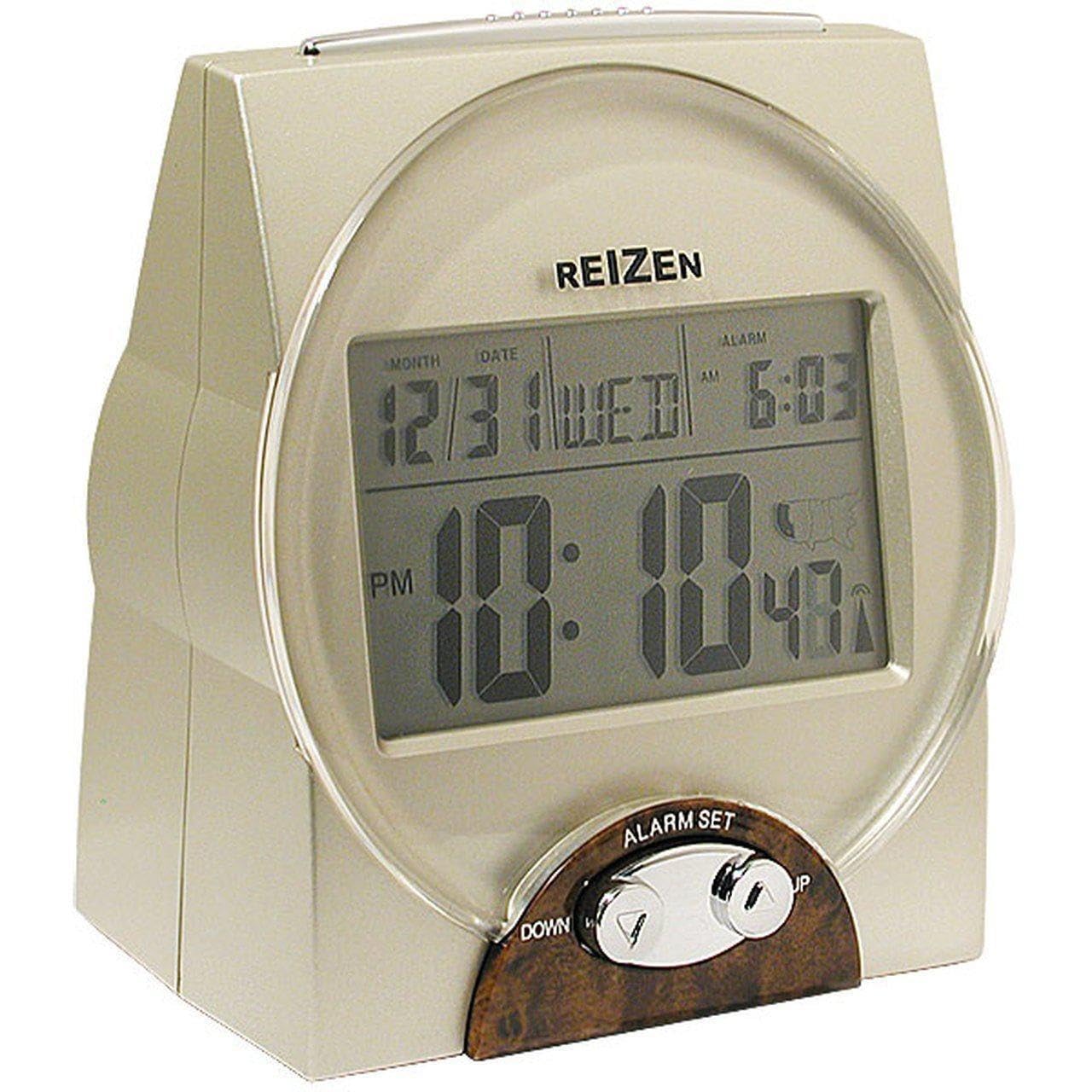
Image: Front view of the Reizen Talking Atomic Alarm Clock. The clock is beige with a large, easy-to-read digital display showing the time, date, and day of the week. Control buttons are visible on the front and top surfaces.
- Digital Display: Shows month, date, day-of-week, and time.
- Control Buttons: Located on the front and top for setting time, alarm, and other functions.
- Speaker: For voice announcements.
- Battery Compartment: Located on the back (uses 2 AA batteries, not included).
Setup
- Install Batteries:
Open the battery compartment on the back of the clock. Insert 2 AA batteries, ensuring correct polarity (+/-). Close the compartment. The clock will announce a self-introductory message upon battery installation.
- Initial Time Synchronization:
After battery installation, the clock will automatically attempt to receive the atomic time signal from the US Atomic Clock in Colorado. This process may take several minutes to several hours, depending on your location and environmental conditions. Place the clock near a window for better reception.
- Set Time Zone:
The clock supports 8 time zones: Pacific, Mountain, Central, Eastern, Alaska, Hawaii, Atlantic, and Universal Coordinated Time. To set your time zone, press the designated button (refer to the button layout diagram, if available, or experiment with buttons labeled "Zone" or "Time Set"). The friendly voice will guide you through the time zone selection.
Operating Instructions
Announcing Time and Date
- Current Time Announcement: Press the large button on the top of the clock once to hear the current time announced.
- Date Announcement: Press the same button twice in quick succession to hear the current date announced.
Setting the Alarm
- Locate the "Alarm Set" button (or similar).
- Press and hold the "Alarm Set" button until the clock announces "Set Alarm Time."
- Use the "Hour" and "Minute" buttons (or similar) to adjust the alarm time. The clock will announce the time as you adjust it.
- Press the "Alarm Set" button again to confirm and exit alarm setting mode.
- To activate or deactivate the alarm, locate the "Alarm On/Off" switch or button. The clock will confirm the alarm status.
The alarm sound is an extra-long 5-minute beep tone followed by the current time announcement.
Snooze Function
When the alarm sounds, press the large button on the top of the clock to activate the 5-minute snooze function. The alarm will sound again after 5 minutes.
Hourly Time Announcement
The clock can be set to announce the time hourly between 8 AM and 10 PM. Refer to the clock's specific buttons (e.g., "Hourly Announce" or "Mode") to enable or disable this feature. The voice will confirm your selection.
Volume Adjustment
A high/low volume switch is located on the clock, typically on the side or back. Adjust this switch to your preferred announcement volume.
Maintenance
- Battery Replacement: When the "Battery Low" reminder is announced, replace both AA batteries promptly to ensure continued accurate operation.
- Cleaning: Wipe the clock with a soft, dry cloth. Do not use liquid cleaners or abrasive materials.
Troubleshooting
| Problem | Solution |
|---|---|
| Clock does not set time automatically. |
|
| Voice announcement is unclear or distorted. |
|
| Hourly announcement occurs outside 8 AM - 10 PM. |
|
Specifications
- Model: 23887
- Power Source: 2 AA batteries (not included)
- Display Type: Digital LCD (1 3/4 x 3 inches)
- Dimensions (H x L x W): 5.125 inches x 4.25 inches x 2.75 inches (130.18 mm x 107.95 mm x 69.85 mm)
- Time Zones Supported: Pacific, Mountain, Central, Eastern, Alaska, Hawaii, Atlantic, Universal Coordinated Time
- Alarm: Yes, with 5-minute snooze
- Hourly Announcement: Optional, 8 AM to 10 PM
- Automatic Adjustments: Daylight Saving Time
- Material: Acrylonitrile Butadiene Styrene
Warranty and Support
For warranty information or technical support, please refer to the documentation included with your purchase or contact Reizen customer service directly. Contact details are typically available on the manufacturer's website or product packaging.
Note: Statements regarding dietary supplements have not been evaluated by the FDA and are not intended to diagnose, treat, cure, or prevent any disease or health condition. This product is an alarm clock.