
Introduction
Welcome to the user manual for your Camelion BC-1012-4H21AR Intelligent Fast Charger. This device is designed to efficiently charge Ni-MH AA and AAA rechargeable batteries, providing a reliable power source for your electronic devices. Please read this manual carefully before using the charger to ensure safe and optimal performance.
Important Safety Instructions
To prevent injury or damage to the charger and batteries, always follow these safety precautions:
- This charger is designed for indoor use only. Do not expose it to rain or moisture.
- Only charge Ni-MH (Nickel-Metal Hydride) rechargeable batteries. Do not attempt to charge alkaline, carbon-zinc, or any other battery types, as this may lead to explosion, rupture, or leakage.
- Do not disassemble, modify, or attempt to repair the charger. Refer all servicing to qualified personnel.
- Keep the charger away from direct sunlight, heat sources, and flammable materials.
- Ensure proper ventilation during charging. Do not cover the charger.
- Do not short-circuit the battery terminals.
- Remove batteries from the charger once fully charged to prevent overcharging, although the intelligent charging system is designed to minimize this risk.
- Keep out of reach of children.
Package Contents
Please check the package for the following items:
- 1 x Camelion BC-1012-4H21AR Intelligent Fast Charger
- 1 x User Manual (this document)
Product Features
The Camelion BC-1012-4H21AR charger offers the following key features:
- Charges AA and AAA size Ni-MH rechargeable batteries.
- Intelligent charging system for optimal battery life and safety.
- Individual charging channels for flexible battery charging (e.g., 1 to 4 batteries).
- Battery charge level indicator for monitoring charging status.
- Automatic charge termination to prevent overcharging.
Setup
Follow these steps to set up your charger:
- Unpack the Camelion BC-1012-4H21AR charger from its packaging.
- Place the charger on a flat, stable, and well-ventilated surface.
- Connect the charger's power plug into a standard AC power outlet. The charger is now ready for use.
Operating Instructions
To charge your Ni-MH batteries:
- Insert Batteries: Carefully insert AA or AAA Ni-MH rechargeable batteries into the charging slots. Ensure the positive (+) and negative (-) terminals of the batteries match the polarity markings inside the charger slots. The charger can accommodate 1 to 4 batteries simultaneously.
- Monitor Charging: The charger features a battery charge level indicator. This indicator will illuminate to show the charging status of each battery. The specific indication (e.g., color change, segment fill) will signify charging in progress and full charge. Refer to the charger's display for detailed status.
- Charging Time: Charging time varies depending on the battery capacity and its current charge level. For example, four 2100 mAh AA Ni-MH batteries may take approximately 8-12 hours to fully charge.
- Remove Batteries: Once the indicator shows that batteries are fully charged, carefully remove them from the charger.
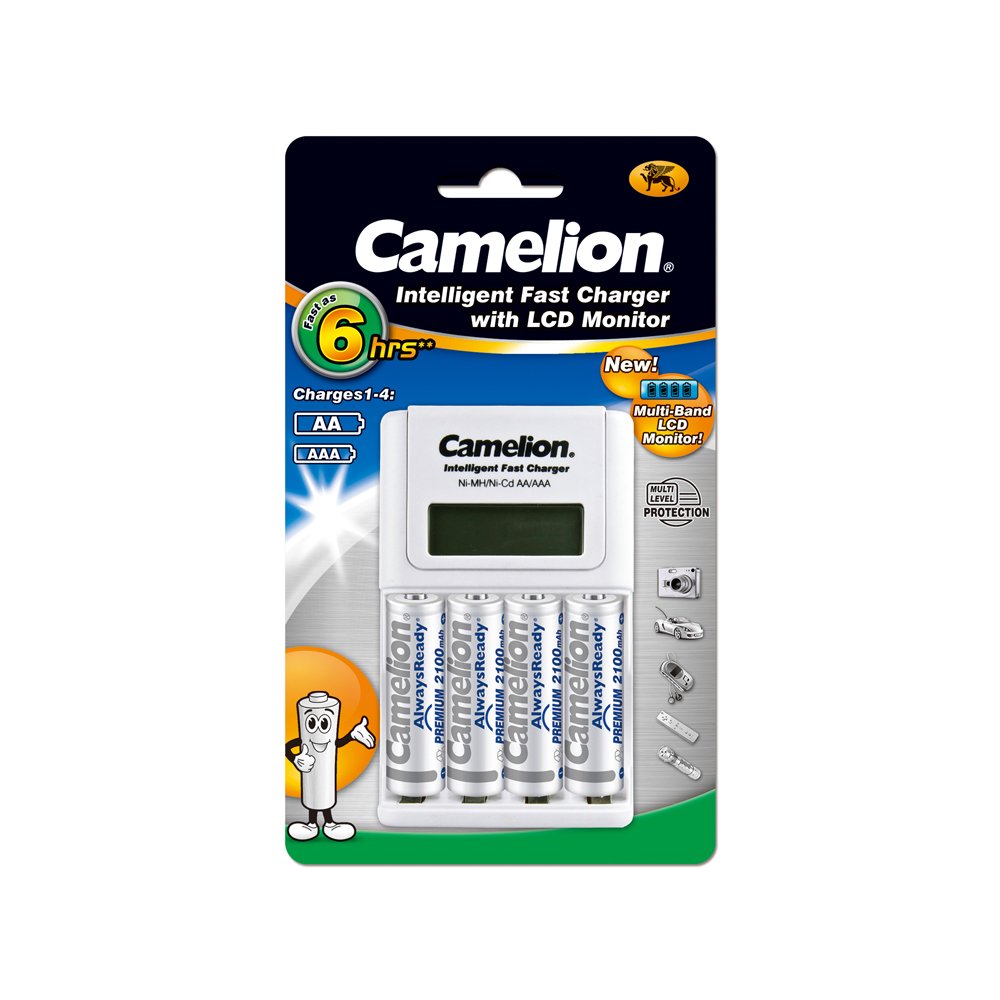
Image: The Camelion BC-1012-4H21AR Intelligent Fast Charger with AA and AAA batteries inserted into its charging slots, demonstrating proper battery placement for charging.
Maintenance
Proper maintenance ensures the longevity of your charger:
- Cleaning: Disconnect the charger from the power outlet before cleaning. Use a soft, dry cloth to wipe the exterior of the charger. Do not use liquid cleaners or solvents.
- Storage: When not in use, store the charger in a cool, dry place, away from direct sunlight and extreme temperatures. Remove batteries from the charger before storage.
Troubleshooting
If you encounter issues with your charger, refer to the table below:
| Problem | Possible Cause | Solution |
|---|---|---|
| Batteries not charging / Indicator not lighting up. | Charger not plugged in; Incorrect battery insertion; Non-rechargeable batteries; Faulty battery. | Ensure charger is securely plugged in; Re-insert batteries with correct polarity; Use only Ni-MH rechargeable batteries; Try charging a different battery to isolate the issue. |
| Charging takes too long. | High capacity batteries; Batteries deeply discharged; Charger operating in a very cold environment. | High capacity batteries naturally require longer charging times; Ensure batteries are not completely drained before charging; Charge in a room temperature environment. |
| Charger or batteries become warm during charging. | Normal operation; Overcharging (less likely with intelligent charger). | A slight warmth is normal. If excessively hot, discontinue use and check for proper ventilation and battery type. |
Specifications
Technical specifications for the Camelion BC-1012-4H21AR Intelligent Fast Charger:
| Feature | Detail |
|---|---|
| Brand | Camelion |
| Model Number | BC-1012-4H21AR |
| Compatible Battery Types | Ni-MH (Nickel-Metal Hydride) |
| Compatible Battery Sizes | AA, AAA |
| Output Voltage | 1.2 Volts (per battery) |
| Typical Battery Capacity (AA) | Up to 2100 mAh (and higher) |
| Item Weight | 0.6 Pounds (approximately 272 grams) |
| Color | Multicolour |
Warranty and Support
For warranty information or technical support, please refer to the documentation provided with your purchase or contact Camelion customer service through their official website or authorized retailers. Keep your proof of purchase for any warranty claims.