1. Introduction
The Sony Gold Wireless Stereo Headset is designed to enhance your gaming experience on PlayStation 4, PlayStation 3, and compatible devices. It delivers immersive 7.1 virtual surround sound and features a hidden noise-cancelling microphone for clear communication. This manual provides essential information for setting up, operating, and maintaining your headset.
2. What's in the Box
- Sony Gold Wireless Stereo Headset
- USB Wireless Adapter
- Micro USB Charging Cable
- 3.5mm Audio Cable
- Carrying Pouch
- Instruction Manual (Quick Start Guide)
3. Product Features
The Gold Wireless Stereo Headset offers a range of features designed for comfort and high-quality audio:
- 7.1 Virtual Surround Sound: Experience rich, detailed audio that brings games to life.
- Hidden Noise-Cancelling Microphone: Ensures clear voice chat with friends and teammates.
- Comfortable Design: Lightweight construction with cushioned earcups for extended gaming sessions.
- Wireless Connectivity: Connects wirelessly to your PlayStation 4, PlayStation 3, and home computer via the included USB wireless adapter.
- Wired Connectivity: Use the included 3.5mm audio cable to connect to your PS Vita system or other mobile devices.
- Headset Companion App: Download custom audio modes created by game developers for optimized sound in your favorite games.
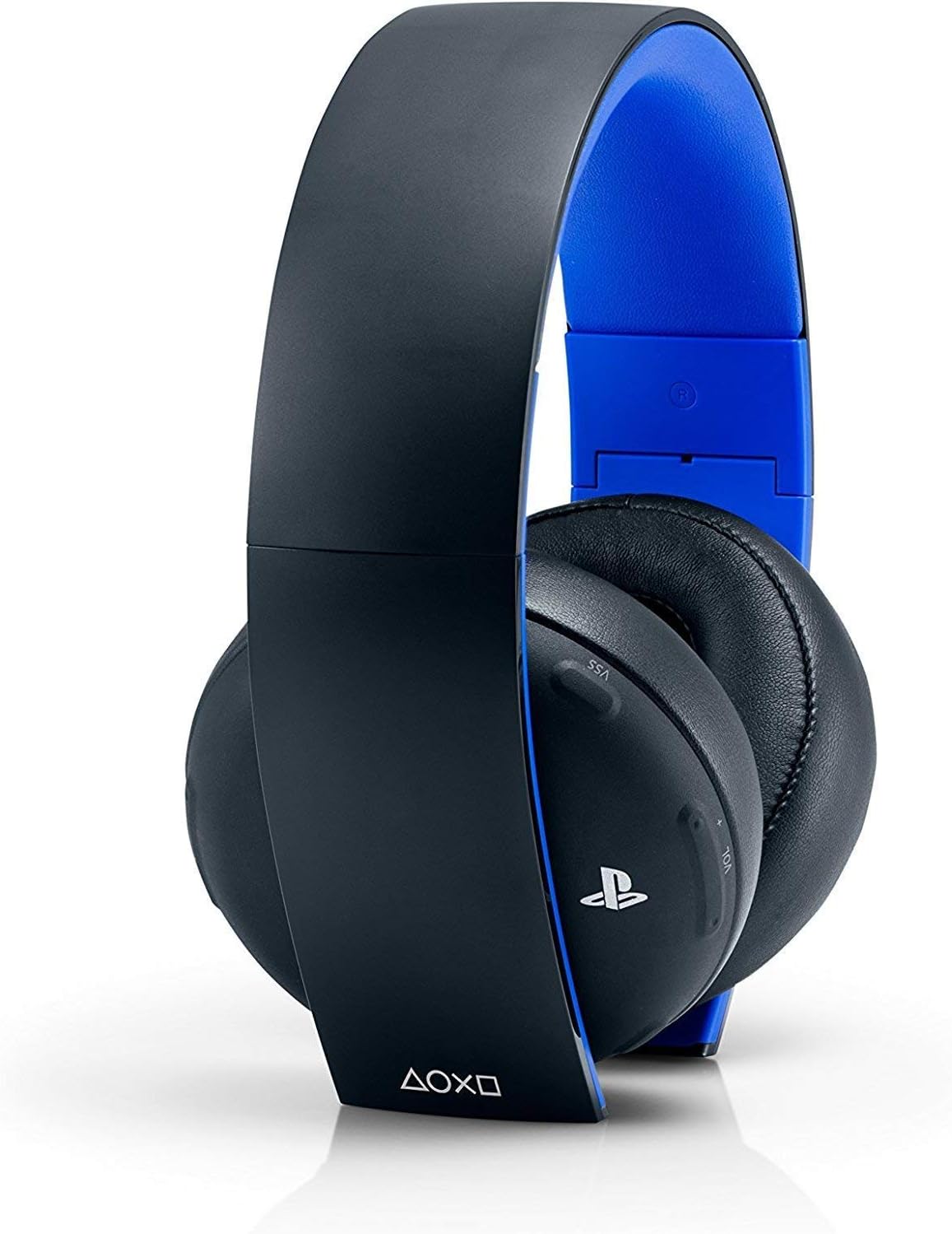
Figure 1: Sony Gold Wireless Stereo Headset in Jet Black. The headset features a black exterior with blue accents on the inner headband and earcups.
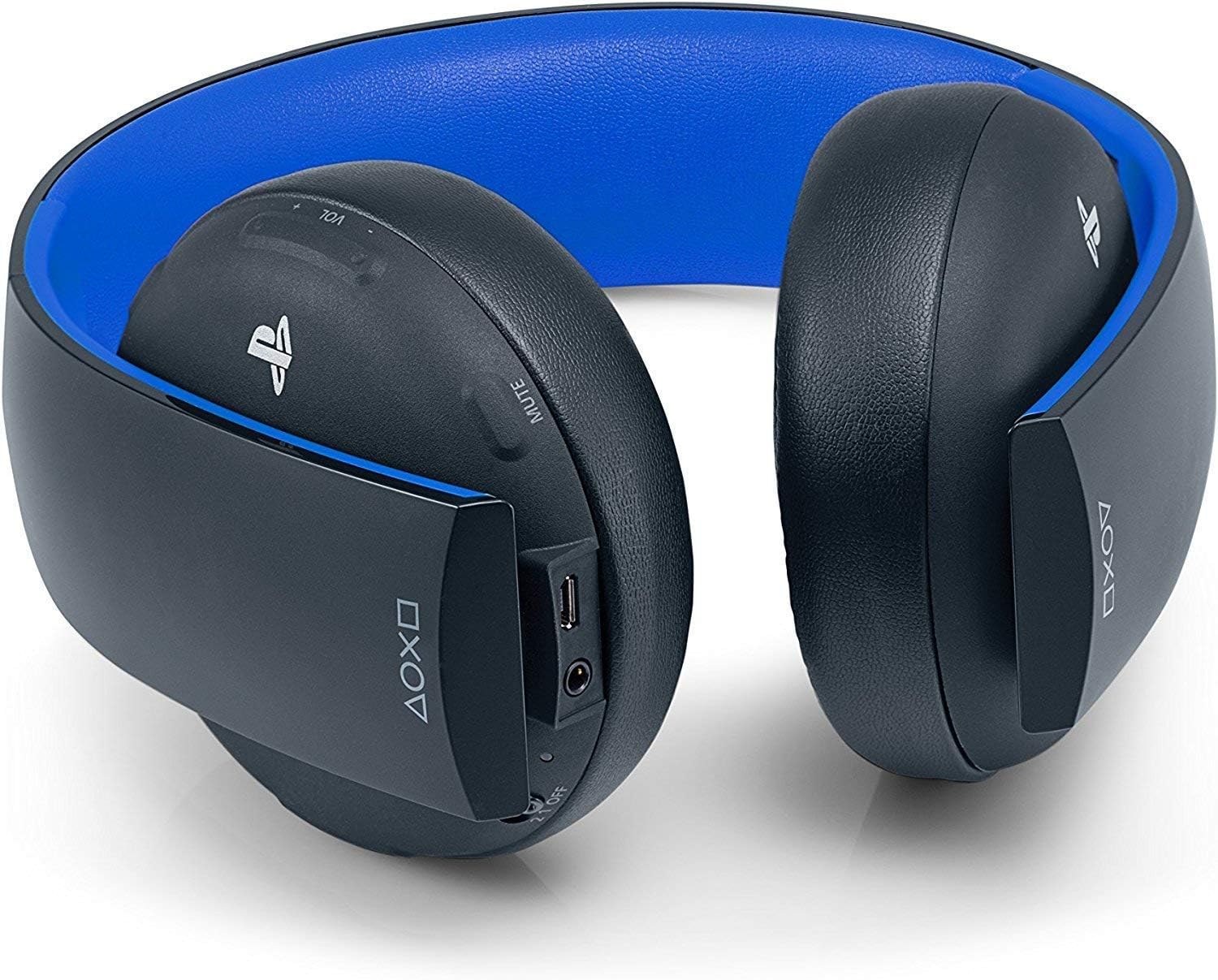
Figure 2: Close-up view of the controls located on the left earcup, including volume, mute, and sound/chat balance buttons.
4. Setup
4.1 Initial Charging
Before first use, fully charge the headset. Connect the micro USB charging cable to the headset's micro USB port and the other end to a USB port on your PlayStation console or a USB power adapter.
4.2 Wireless Connection (PS4/PS3/PC)
- Insert the USB wireless adapter into an available USB port on your PlayStation 4, PlayStation 3, or PC.
- Slide the power switch on the headset to position '1' (standard mode) or '2' (custom profile mode).
- The headset will automatically connect to the USB wireless adapter. A blue indicator light on the headset will confirm connection.
4.3 Wired Connection (PS Vita/Mobile Devices)
- Connect one end of the 3.5mm audio cable to the headset's 3.5mm jack.
- Connect the other end of the 3.5mm audio cable to the headphone jack of your PS Vita system or mobile device.
- The headset functions passively in wired mode, meaning it does not require battery power.
4.4 Headset Companion App
To customize audio settings and download game-specific sound modes:
- Download the 'Headset Companion App' from the PlayStation Store on your PS4 or PS3.
- Connect your headset to your PlayStation console using the micro USB charging cable.
- Launch the app and select your desired audio profile or create a custom one. Upload the profile to your headset.
5. Operating Instructions
5.1 Power On/Off and Modes
- Slide the power switch to OFF to turn off the headset.
- Slide to 1 for standard audio mode.
- Slide to 2 for the custom audio profile (default is bass boost, customizable via the app).
5.2 Volume Control
Use the VOL +/- rocker switch on the left earcup to adjust the overall volume.
5.3 Microphone Mute
Press the MUTE button on the left earcup to toggle the microphone on or off.
5.4 Sound/Chat Balance
Use the SOUND/CHAT rocker switch to adjust the balance between game audio and chat audio. Move towards 'SOUND' to prioritize game audio, or towards 'CHAT' to prioritize chat audio.
5.5 Virtual Surround Sound (VSS)
Press the VSS button on the left earcup to toggle 7.1 Virtual Surround Sound on or off. VSS is enabled by default.
Video 1: Overview of the Sony Gold Wireless Stereo Headset, demonstrating its features and controls. This video highlights the physical aspects and basic functionality of the headset.
6. Maintenance
6.1 Cleaning
- Wipe the headset with a soft, dry cloth.
- Avoid using harsh chemicals or abrasive cleaners.
- Gently clean the earpads to prevent material degradation.
6.2 Storage
When not in use, fold the headset and store it in the included carrying pouch to protect it from dust and damage.

Figure 3: The Sony Gold Wireless Stereo Headset shown in its folded configuration, ready for storage or transport. The earcups pivot inwards to reduce the headset's footprint.
Video 2: Demonstration of folding the PlayStation Gold Wireless Headset and storing it in the provided carrying pouch. This illustrates the headset's portability and ease of storage.
7. Troubleshooting
7.1 No Sound/Microphone Not Working
- Ensure the headset is powered on and charged.
- Verify the USB wireless adapter is securely plugged into the console/PC.
- Check the volume levels on the headset and your device.
- Ensure the microphone is not muted.
- For wired connections, ensure the 3.5mm audio cable is fully inserted into both the headset and the device.
7.2 Connection Issues
- If the headset loses connection, try turning it off and on again.
- Ensure there are no obstructions between the headset and the USB wireless adapter.
- Move closer to the console/PC to improve signal strength.
7.3 Earpad Wear
Over time, earpads may show signs of wear. Replacement earpads can often be purchased from authorized retailers or online.
8. Specifications
- Model Name: Gold Wireless Stereo Headset
- Model Number: 10029
- Connectivity Technology: Wireless (USB Wireless Adapter), Wired (3.5mm Jack)
- Wireless Communication Technology: Bluetooth (Version 4.0)
- Bluetooth Range: 10 Meters
- Headphones Jack: 3.5 mm Jack
- Noise Control: Active Noise Cancellation
- Battery Life: Approximately 8 Hours
- Material: Plastic
- Item Weight: Approximately 2 pounds (packaging weight)
- Product Dimensions: 7.01 x 1.89 x 7.56 inches
- Manufacturer: Sony Computer Entertainment
- UPC: 711719100294
9. Warranty and Support
For warranty information and customer support, please refer to the documentation included with your product or visit the official Sony PlayStation support website. Keep your proof of purchase for warranty claims.