
1. Introduction
Thank you for choosing the Rexel Mercury REM820 Micro Cut Shredder. This document provides essential information for the safe and efficient use of your new shredder. Please read these instructions carefully before operating the device and retain them for future reference. The Rexel Mercury REM820 is designed for secure destruction of confidential documents, offering a P-5 security level by shredding paper into tiny 2x15mm micro-cut particles.
2. Safety Instructions
To prevent injury or damage to the shredder, always follow these safety guidelines:
- Keep fingers, loose clothing, jewelry, and hair away from the paper entry slot.
- Do not allow children or pets near the shredder. This device is not a toy.
- Always unplug the shredder before moving, cleaning, or emptying the waste bin.
- Do not use aerosol products near the shredder, as this may cause a fire hazard.
- Do not shred items other than those specified in this manual (paper, staples, paper clips, credit cards, CDs).
- Ensure the shredder is placed on a stable, level surface.
- Do not operate the shredder if the power cord is damaged.
- Avoid overloading the shredder beyond its specified sheet capacity to prevent jams and motor damage.
3. Package Contents
Verify that all items are present in the package:
- 1x Rexel Mercury REM820 Micro Cut Shredder unit
- 1x 21-liter waste bin
- Instruction Manual (this document)
4. Product Overview
Familiarize yourself with the main components of your Rexel Mercury REM820 shredder.
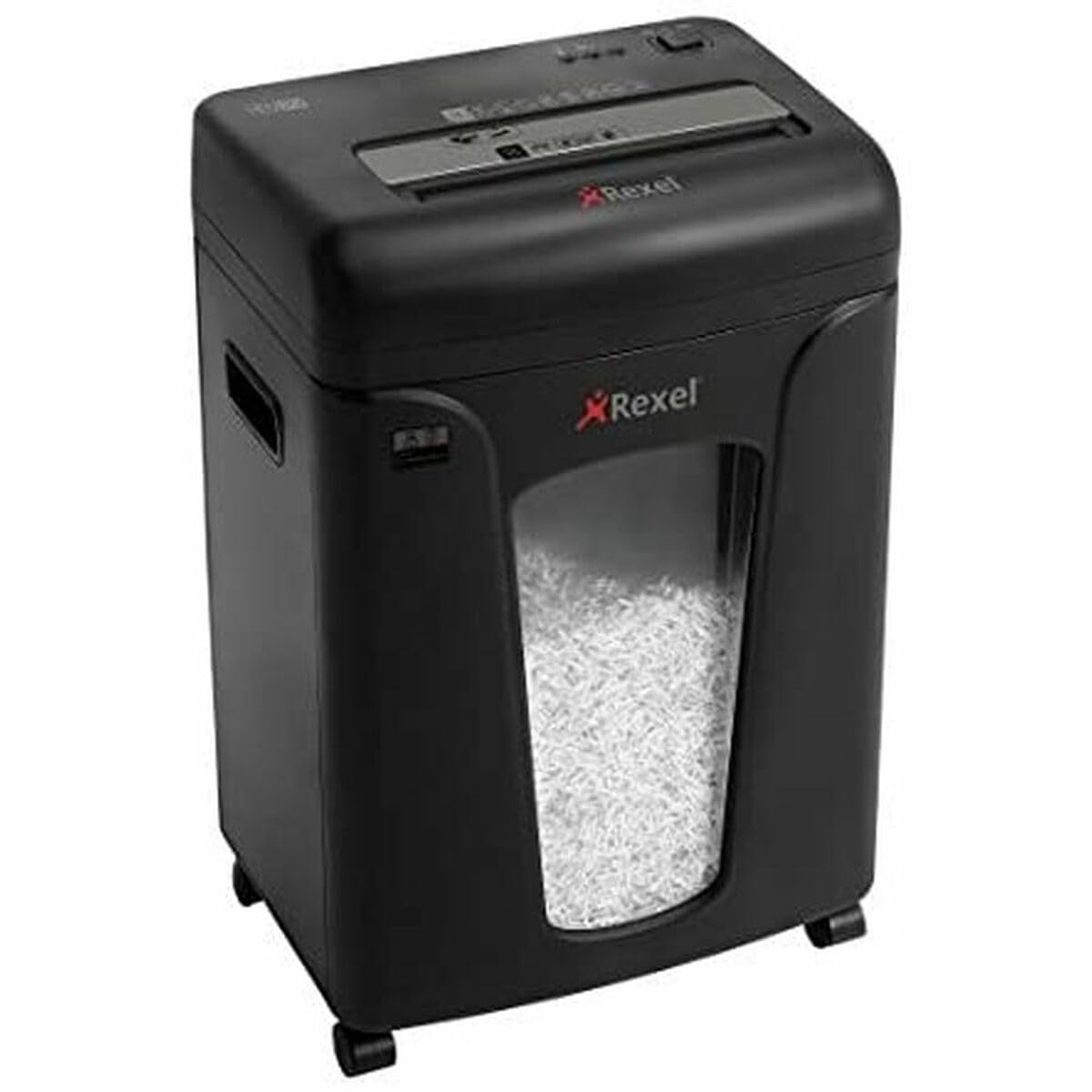
Figure 4.1: Front view of the Rexel Mercury REM820 Micro Cut Shredder. This image shows the main shredder unit with its paper entry slot at the top and the transparent window of the waste bin below, allowing visibility of shredded contents.
- Paper Entry Slot: For inserting paper, staples, and paper clips.
- CD/Credit Card Slot: A dedicated slot for shredding CDs and credit cards.
- Control Panel: Includes power switch (On/Off/Reverse) and anti-jam indicator lights.
- Waste Bin: 21-liter capacity, designed for easy front-opening removal and emptying.
- Anti-Jam Sensor: Detects paper overload and indicates potential jams.
5. Setup
Follow these steps to set up your shredder for first use:
- Unpack: Carefully remove the shredder from its packaging. Retain packaging for future transport or storage.
- Placement: Place the shredder on a firm, level surface near a standard electrical outlet. Ensure there is adequate space around the unit for ventilation and waste bin removal.
- Insert Waste Bin: Ensure the 21-liter waste bin is correctly inserted into the shredder cabinet. The shredder will not operate if the bin is not properly seated.
- Connect Power: Plug the power cord into a suitable 230-250V AC outlet.

Figure 5.1: The Rexel Mercury REM820 shredder positioned in a home office environment, demonstrating its compact size and suitability for personal or small office use.
6. Operating Instructions
Operating the Rexel Mercury REM820 is straightforward:
- Power On: Locate the power switch on the control panel and set it to the 'ON' position. The shredder is now ready for use.
- Shredding Paper: Insert up to 8 sheets of A4 paper (70gsm) into the paper entry slot. The shredder will automatically start and stop once the paper has passed through. The anti-jam technology features a sensor that illuminates red if too much paper is inserted, indicating a potential jam, and green when the load is acceptable.
- Shredding CDs/Credit Cards: For CDs and credit cards, use the dedicated slot. Insert one item at a time.
- Continuous Operation: The shredder is designed for 10 minutes of continuous operation, followed by a 45-minute cool-down period to prevent overheating. Allow the unit to cool down if it stops operating due to thermal overload.
- Power Off: When finished, set the power switch to the 'OFF' position. For extended periods of non-use, unplug the shredder from the power outlet.

Figure 6.1: The Rexel Mercury REM820 shredder integrated into a modern office workspace, highlighting its professional appearance and functionality for administrative tasks.
7. Maintenance
Regular maintenance ensures optimal performance and extends the life of your shredder:
- Emptying the Waste Bin: The 21-liter waste bin should be emptied regularly to prevent paper jams and ensure continuous operation. The front-opening design allows for easy and clean removal.
- Cleaning: Unplug the shredder before cleaning. Use a soft, dry cloth to wipe the exterior. Do not use abrasive cleaners or solvents. Keep the paper entry slot and sensors free from dust and debris.
- Blade Lubrication: To maintain shredding performance and prolong blade life, regularly lubricate the shredder blades with shredder oil. Follow the instructions provided with your shredder oil. The REM820 features self-cleaning blades for prolonged life and optimized performance.
8. Troubleshooting
Refer to this section for common issues and their solutions:
| Problem | Possible Cause | Solution |
|---|---|---|
| Shredder does not turn on. | Not plugged in, power switch off, waste bin not properly inserted, or thermal overload. | Check power connection, ensure switch is 'ON', re-insert waste bin correctly, or allow 45 minutes for cool-down if overheated. |
| Paper jam. | Too many sheets inserted, or paper not inserted straight. | Press the 'Reverse' button to clear the jam. Reduce the number of sheets for future shredding. The anti-jam indicator will signal overload. |
| Shredder stops during operation. | Thermal overload (after 10 minutes continuous use), or waste bin full. | Allow the shredder to cool down for 45 minutes. Empty the waste bin. |
| Unusual noise during shredding. | Blades require lubrication, or foreign object in blades. | Lubricate blades with shredder oil. Unplug and carefully inspect for foreign objects. |
9. Specifications
Detailed technical specifications for the Rexel Mercury REM820 Micro Cut Shredder:
- Model: Rexel Mercury REM820 (2104010EU)
- Cut Type: Micro Cut
- Particle Size: 2 x 15 mm
- Security Level: P-5 (DIN 66399)
- Sheet Capacity: 8 sheets (A4, 70gsm)
- Waste Bin Capacity: 21 Liters
- Shreds: Paper, staples, paper clips, credit cards, CDs
- Continuous Run Time: 10 minutes
- Cool-down Time: 45 minutes
- Noise Level: 58 Decibels
- Dimensions (HxLxP): 54 x 38.9 x 27.5 cm
- Weight: 10.6 kg
- Voltage: 230-250V
- Special Features: Anti-jam technology, full bin sensor, portable, self-cleaning blades
10. Warranty and Support
Your Rexel Mercury REM820 Micro Cut Shredder comes with a comprehensive warranty:
- Machine Warranty: 2 years from the date of purchase.
- Blade Warranty: 7 years from the date of purchase.
- Spare Parts Availability: Spare parts are available for 7 years.
For technical support, warranty claims, or further assistance, please refer to the contact information provided on the Rexel official website or your local retailer's support channels. Please have your model number (2104010EU) and proof of purchase ready when contacting support.