
Introduction
This manual provides essential information for the proper use and care of your Cable Matters 5Gbps Long USB 3.0 Male to Male Cable. This high-speed cable is designed for reliable data transfer and connecting various USB peripherals, offering superior performance and durability.
Product Features
- High-Speed Data Transfer: Supports USB 3.0 with data transfer rates up to 5 Gbps, which is 10 times faster than USB 2.0. Ideal for connecting devices like USB switches and KVM switches.
- Universal Compatibility: Connects computers with a USB 3.0 Type A port (backward compatible with USB 2.0) to a variety of USB peripherals such as printers, scanners, and keyboards.
- Durable and Flexible Design: Constructed with premium materials, featuring molded strain-relief connectors for enhanced durability and long-lasting performance. Grip treads on connectors ensure easy plugging and unplugging.
- Superior Signal Performance: Features gold-plated connectors, bare copper conductors, and foil & braid shielding to ensure error-free data transmission and fast charging speed.
- Note on Compatibility: This Male to Male USB 3 cable is designed for connecting peripherals to a computer or laptop. It does not support connecting two computers directly.
Setup and Installation
The Cable Matters USB 3.0 Male to Male cable is designed for simple plug-and-play installation. Follow these steps to connect your devices:
- Identify the USB-A ports on your host device (e.g., computer, laptop, USB hub) and the peripheral device you wish to connect (e.g., external hard drive, KVM switch, printer).
- Insert one end of the Cable Matters USB 3.0 Male to Male cable into an available USB-A port on your host device.
- Insert the other end of the cable into the USB-A port on your peripheral device.
- Ensure both connections are secure. The cable is designed with grip treads for easy and firm insertion.
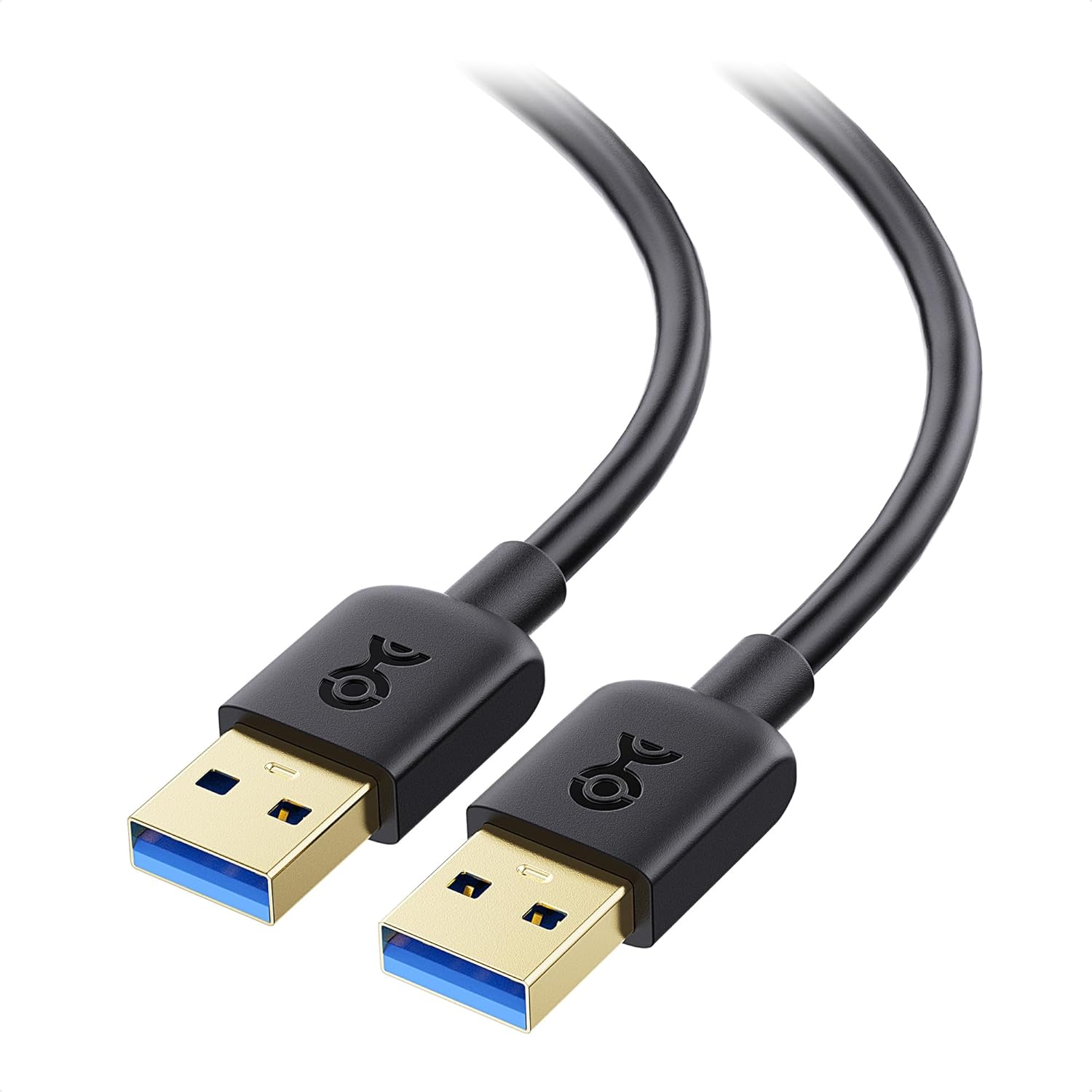
The Cable Matters USB 3.0 Male to Male cable.
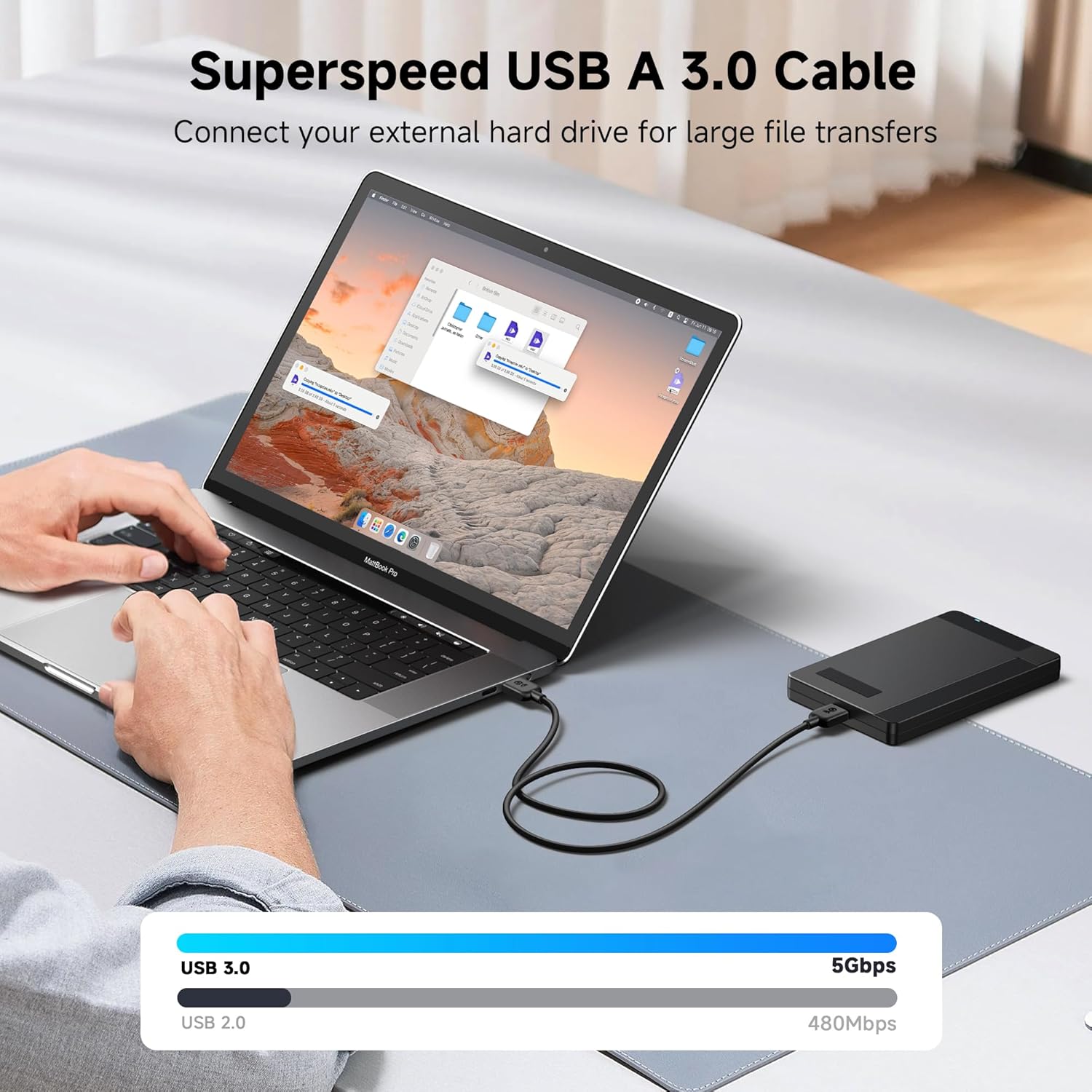
Connecting an external hard drive to a laptop using the USB 3.0 cable for high-speed data transfer.

Examples of versatile use cases, including connecting to a printer, in-car entertainment system, and a MIDI controller.
Operating Instructions
Once connected, the Cable Matters USB 3.0 Male to Male cable facilitates high-speed data communication between your host device and peripheral. No additional drivers are typically required for standard operation.
- Data Transfer: For transferring files, ensure both connected devices support USB 3.0 for optimal 5Gbps speeds. The cable is backward compatible with USB 2.0, operating at lower speeds if one or both devices are USB 2.0.
- Peripheral Connectivity: Use the cable to extend or connect various USB-A peripherals such as KVM switches, webcams, video capture cards, printers, scanners, and external hard drives to your computer or USB hub.

Diagram illustrating universal compatibility with various devices.

A person using a laptop connected to a cooling pad via the USB cable, demonstrating seamless connectivity.
Maintenance and Care
To ensure the longevity and optimal performance of your Cable Matters USB 3.0 cable, follow these maintenance guidelines:
- Storage: Store the cable in a cool, dry place away from direct sunlight and extreme temperatures. Avoid tightly coiling the cable, especially around sharp corners, to prevent internal damage.
- Handling: Always grasp the connector ends when plugging or unplugging the cable. Avoid pulling on the cable itself, as this can strain the internal wires and connections.
- Cleaning: If necessary, gently wipe the cable and connectors with a soft, dry, lint-free cloth. Do not use liquid cleaners or abrasive materials.
- Protection: Protect the connectors from dust and debris when not in use. Avoid bending the cable excessively, especially near the connectors, to preserve the molded strain relief.

Close-up images highlighting the durable construction of the cable, including its PVC jacket, molded strain relief, and gold-plated connectors.
Troubleshooting
If you encounter issues with your Cable Matters USB 3.0 cable, consider the following troubleshooting steps:
- No Connection/Device Not Recognized:
- Ensure both ends of the cable are fully and securely plugged into their respective ports.
- Try connecting the cable to a different USB port on your host device.
- Test the cable with a different compatible device to determine if the issue is with the cable or the connected devices.
- Restart your computer or host device.
- Slow Data Transfer Speed:
- Verify that both the host device and the peripheral device support USB 3.0. If either device is USB 2.0, the transfer speed will be limited to USB 2.0 speeds (480 Mbps).
- Ensure you are using a USB 3.0 port on your host device (often identified by a blue internal tab or a SS symbol).
- Disconnect other high-bandwidth USB devices from your computer to reduce potential interference.
- Intermittent Connection:
- Check for any physical damage to the cable or connectors.
- Ensure the cable is not bent or kinked sharply, especially near the connectors.
- Clean any dust or debris from the USB ports on your devices and the cable connectors.
Specifications
| Feature | Detail |
|---|---|
| Brand | Cable Matters |
| Model Number | 200006-BLACK-10-E |
| Product Dimensions | 7 x 5.4 x 1 inches; 4 ounces |
| Cable Type | USB |
| Connector Type | USB Type A 3.0 (Male to Male) |
| Data Transfer Rate | Up to 5 Gbps (USB 3.0) |
| Compatible Devices | Laptops, Desktops, USB Hubs, KVM Switches, External Hard Drives, Printers, Scanners, etc. |
| Special Feature | Fast Charging (for compatible devices) |
| Date First Available | January 10, 2014 |
Warranty and Support
Cable Matters products are designed for reliability and performance. For specific warranty information and customer support, please refer to the official Cable Matters website or contact their customer service directly. Keep your purchase receipt for warranty claims.
For further assistance, visit the official Cable Matters store: Cable Matters Store on Amazon


