
1. Introduction
The J-Tech Digital SPDIF TOSLINK Digital Optical Audio 4x2 Matrix is designed to distribute digital optical audio signals from up to four input sources to two output devices. This matrix allows for flexible audio routing, enabling either output to select any of the four inputs independently. It supports various digital audio formats, providing a versatile solution for home audio systems.

Figure 1: J-Tech Digital SPDIF TOSLINK Digital Optical Audio 4x2 Matrix
2. Product Features
- 4 Inputs / 2 Outputs: Connects up to four optical audio sources to two optical audio output devices.
- True Matrix Functionality: Each of the two outputs can independently select any of the four input sources.
- Digital Audio Format Support: Compatible with PCM, DTS, and Dolby Digital 5.1 audio formats.
- Extended Output: Supports 5.1 channel audio output up to 130 feet (40 meters) using standard optical cables.
- Compact Design: Small form factor for easy integration into any audio setup.
- Remote Control: Includes an infrared (IR) remote control for convenient switching between inputs and outputs.
3. Package Contents
Verify that all items listed below are included in your package:
- 1x J-Tech Digital SPDIF/TOSLINK Digital Optical Audio 4x2 Matrix
- 1x DC 5V/0.5A Power Adapter
- 1x IR Remote Control
- 1x User Manual
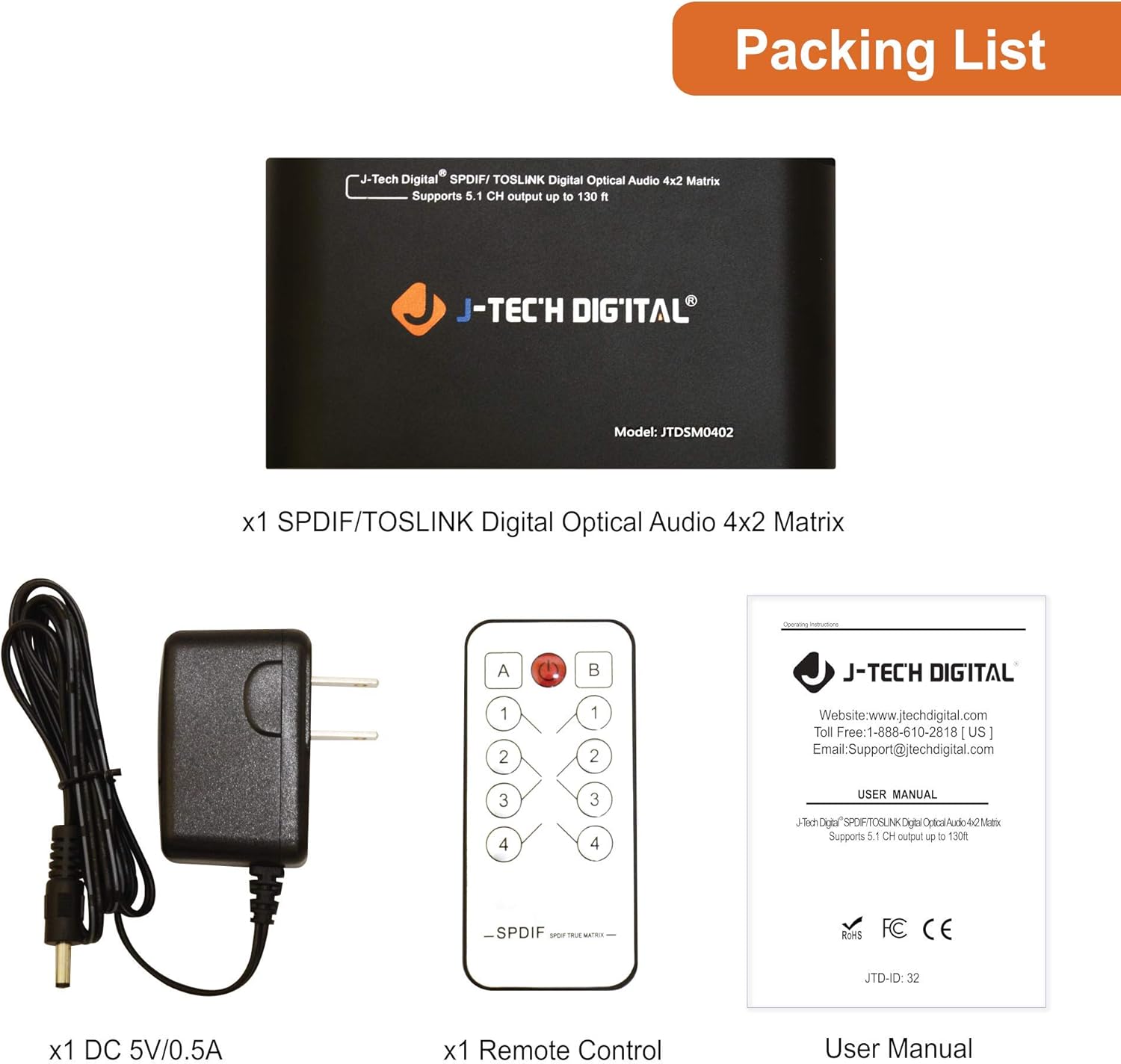
Figure 2: Package Contents
4. Product Overview
4.1 Front Panel
- DC 5V Power Input: Connect the provided 5V DC power adapter here.
- OUT-B: Optical audio output B.
- OUT-A: Optical audio output A.
- INPUT 1-4: Optical audio input ports for connecting source devices.
4.2 Rear Panel
- Channel B Input Indicator (1-4): LEDs illuminate to show which input is selected for Output B.
- Channel A Input Indicator (1-4): LEDs illuminate to show which input is selected for Output A.
- IR Remote Sensor: Receives signals from the infrared remote control.
- Power LED: Indicates the device's power status.
- Power Switch: Toggles the device power on/off.
- Switch Buttons (A/B): Manually select inputs for Output A and Output B.

Figure 3: Front and Rear Panel Interface
4.3 Dimensions
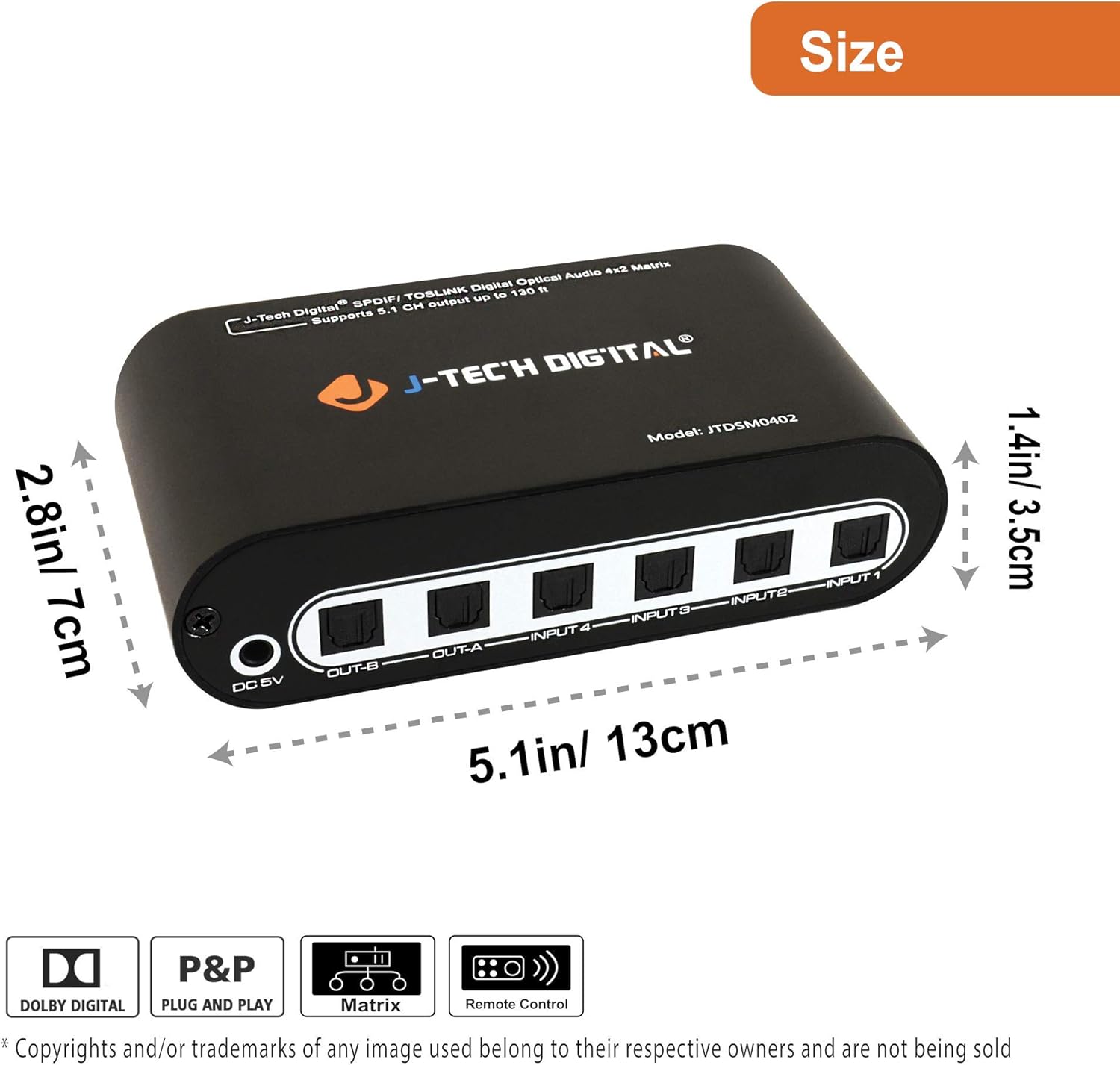
Figure 4: Product Dimensions (5.1in/13cm length, 2.8in/7cm width, 1.4in/3.5cm height)
5. Setup Instructions
Follow these steps to set up your J-Tech Digital Optical Audio Matrix:
- Connect Audio Sources: Use TOSLINK optical cables to connect your digital audio source devices (e.g., Blu-ray player, gaming console, TV) to the INPUT 1-4 ports on the front panel of the matrix.
- Connect Audio Outputs: Use TOSLINK optical cables to connect your audio receiving devices (e.g., soundbar, AV receiver, headphones) to the OUT-A and OUT-B ports on the front panel.
- Connect Power: Plug the provided 5V DC power adapter into the DC 5V port on the front panel, then plug the adapter into a power outlet.
- Power On: Flip the Power Switch on the rear panel to the 'On' position. The Power LED will illuminate.
- Select Inputs: Use the remote control or the switch buttons on the rear panel to select the desired input source for each output (A and B). The corresponding input indicator LEDs will light up.

Figure 5: Application Diagram
6. Operating Instructions
The J-Tech Digital Optical Audio Matrix can be operated using either the included IR remote control or the manual buttons on the device.
6.1 Using the Remote Control
- Power Button: Turns the matrix on or off.
- A/B Buttons: Selects the output channel (A or B) to control.
- 1-4 Buttons: Selects the input source (1, 2, 3, or 4) for the currently selected output channel.
Point the remote control directly at the IR Remote Sensor on the rear panel of the matrix for optimal performance.
6.2 Manual Operation
- Power Switch: Located on the rear panel, this switch controls the main power to the device.
- Switch Buttons (A/B): Press the 'A' button to cycle through inputs 1-4 for Output A. Press the 'B' button to cycle through inputs 1-4 for Output B.
7. Troubleshooting
If you encounter issues with your J-Tech Digital Optical Audio Matrix, refer to the following common problems and solutions:
- No Audio Output:
- Ensure the matrix is powered on and the Power LED is lit.
- Verify that all optical cables are securely connected to both the source devices and the matrix, and from the matrix to the output devices.
- Check that the correct input source is selected for the active output channel (A or B).
- Confirm that your source device is outputting digital optical audio and that your receiving device is set to the correct optical input.
- Ensure the audio format (PCM, DTS, Dolby Digital 5.1) is supported by both the source and receiving devices.
- Remote Control Not Working:
- Check the battery in the remote control and replace if necessary.
- Ensure there are no obstructions between the remote control and the IR Remote Sensor on the matrix.
- Confirm you are within the effective range and angle of the remote control.
- Intermittent Audio:
- Inspect optical cables for damage or kinks. Replace if necessary.
- Ensure all connections are firm.
- Test with different optical cables to rule out cable issues.
8. Specifications
| Feature | Description |
|---|---|
| Product Dimensions | 8.1 x 5.7 x 2.2 inches |
| Item Weight | 13.6 ounces |
| Model Number | JTDAT5CH |
| Color | Black |
| Connector Type | Optical |
| Brand | J-Tech Digital |
| Compatible Devices | Gaming Console, Laptop, Television |
| Cable Type | Fiber Optic |
9. Maintenance
To ensure the longevity and optimal performance of your J-Tech Digital Optical Audio Matrix, follow these maintenance guidelines:
- Cleaning: Use a soft, dry cloth to clean the exterior of the device. Avoid using abrasive cleaners or solvents.
- Cable Care: Handle optical cables with care. Avoid bending them sharply or placing heavy objects on them, as this can damage the fiber optic core.
- Environment: Place the device in a well-ventilated area, away from direct sunlight, heat sources, and moisture.
- Power: Disconnect the power adapter if the device will not be used for an extended period.
10. Warranty and Support
J-Tech Digital products are designed for reliability and performance. For warranty information, technical support, or service inquiries, please refer to the contact details provided in your product packaging or visit the official J-Tech Digital website.
Please retain your proof of purchase for warranty claims.