
Introduction
This manual provides comprehensive instructions for the Sony HDRAS100V/W Video Camera. Learn how to set up, operate, maintain, and troubleshoot your device to capture high-quality action footage. The camera features advanced Steady Shot image stabilization, built-in Wi-Fi for remote viewing and control, and a splash-proof body, supporting XAVC S HD recording and high frame rates in 120/240p.
What's in the Box
- Sony HDRAS100V/W Video Camera
- Live View Remote Control
- Rechargeable Battery (1 Lithium Ion battery included)
- Micro USB Cable
- Various Mounting Options (e.g., flat adhesive mount, curved adhesive mount)
- User Manual
Key Features
- Advanced Image Stabilization: Adjusts to vibration for smoother footage.
- Splash-Proof Body: Designed for use in various conditions without an additional case.
- Wi-Fi & NFC Connectivity: View and control via smartphone or Live View Remote.
- XAVC S HD Recording: High-quality video capture.
- High Frame Rates: 120/240p for slow-motion effects.
- Built-in GPS: Geo-tag your adventures.
- Stereo Microphones: For clear audio recording.
- 170-Degree Wide Angle Lens: Capture expansive scenes.
- 13.5 Megapixel Still Images: High-resolution photo capabilities.
- HDMI Output: Easily connect to an HDTV for playback.
Setup
1. Charging the Battery
Before first use, fully charge the included Lithium Ion battery using the Micro USB cable and a compatible USB power adapter (not included). The charging indicator will turn off when charging is complete.
2. Inserting a Memory Card
Open the battery/memory card cover. Insert a compatible Memory Stick or Micro SD card into the slot until it clicks into place. Ensure the card is inserted correctly to avoid damage.
3. Attaching Mounts
Select the appropriate mount for your activity. The camera features a built-in tripod mount for standard tripods. For adhesive mounts, ensure the surface is clean and dry before applying. Press firmly for secure attachment.
4. Pairing with Live View Remote
Turn on both the camera and the Live View Remote. Follow the on-screen instructions on the remote to pair it with your camera via Wi-Fi. This allows you to see what the camera is recording and control its functions remotely.
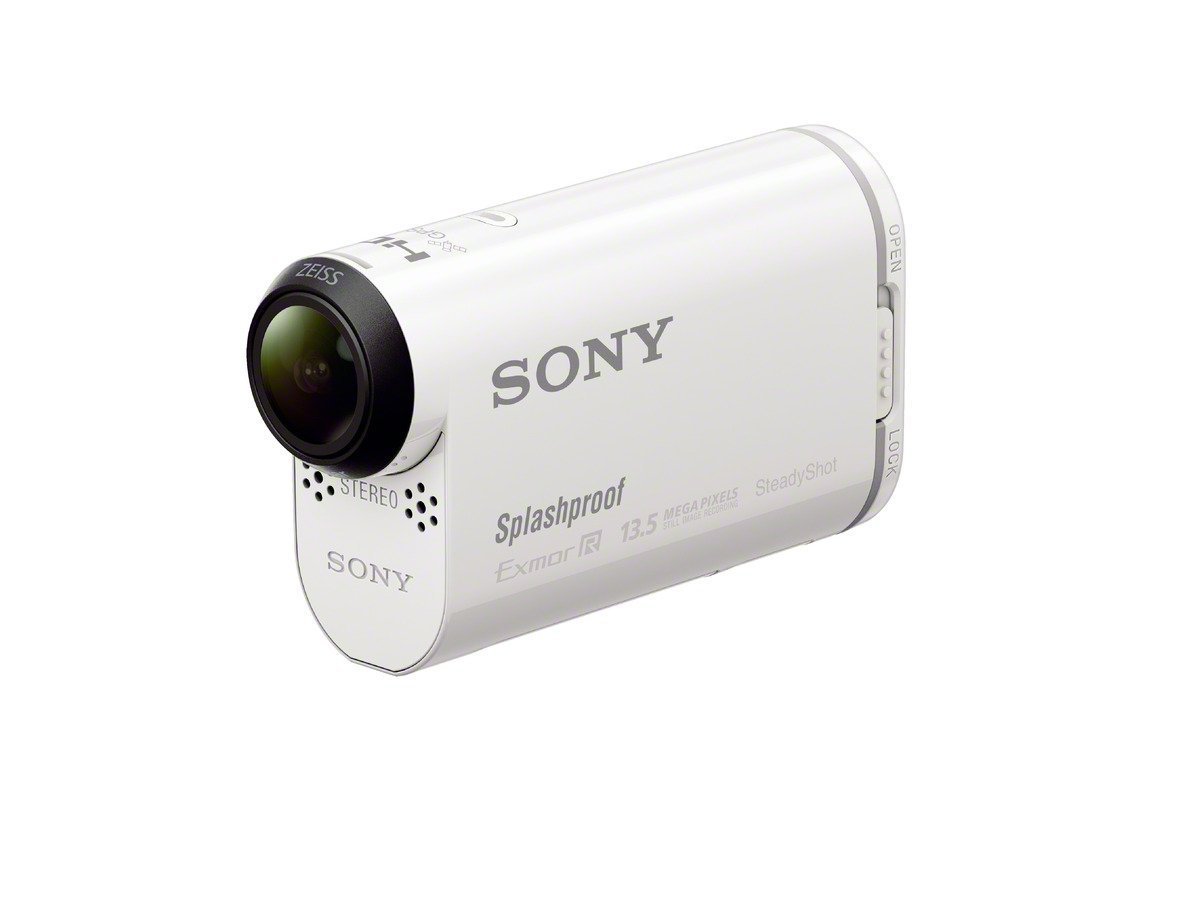
Figure 1: Sony HDRAS100V/W Video Camera, main view.
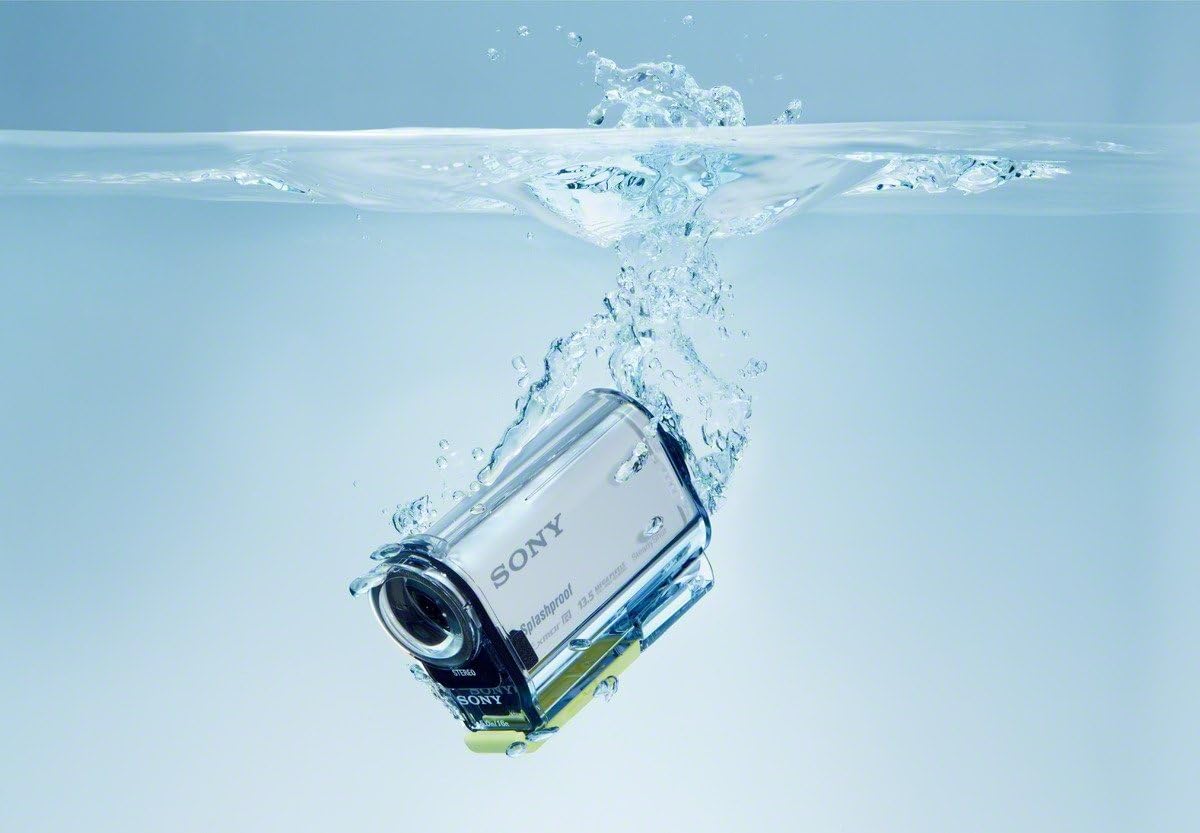
Figure 2: Side view of the Sony HDRAS100V/W Camera, highlighting splash-proof design and SteadyShot feature.
Operating Instructions
1. Recording Video
Press the REC button to start recording. Press it again to stop. Use the Live View Remote or a connected smartphone app to monitor your recording and adjust settings.
2. Taking Photos
Switch the camera to photo mode (if available, or use a dedicated button/menu option). Press the shutter button to capture still images.
3. Live Streaming
The HDRAS100V/W supports live streaming via Ustream. Connect your camera to a smartphone's mobile hotspot or a Wi-Fi router. Access the live streaming function through the camera's menu or a dedicated app. Share your live footage with friends and followers.
Video 1: Demonstrates the live streaming capabilities of the Sony Action Cam, showing how users can share their footage in real-time via Ustream.
4. Using the Live View Remote
The Live View Remote allows you to control the camera and view live footage from a distance. Wear it on your wrist for convenient access during activities. It provides options for recording, playback, and adjusting camera settings without directly touching the camera.
Video 2: An Amazon Gadgets overview of the Sony HDR-AS100VR POV Action Video Camera, highlighting the Live View Remote and its features.
5. Playback and Transfer
Connect the camera to a computer using the USB cable to transfer files. Alternatively, use the HDMI output to view your recordings on an HDTV. The PlayMemories Mobile app can also be used for wireless transfer to a smartphone or tablet.
Video 3: A testament to the Sony Action Cam's capabilities, showcasing various action shots and features.
Maintenance
1. Cleaning the Camera
Wipe the camera body with a soft, dry cloth. For the lens, use a lens cleaning cloth and solution. Avoid harsh chemicals or abrasive materials. Ensure all covers and ports are securely closed when cleaning or using in wet conditions.
2. Battery Care
Store batteries in a cool, dry place. Do not expose them to extreme temperatures. If the camera will not be used for an extended period, remove the battery. Battery life can be affected by continuous Wi-Fi usage and high recording settings.
3. Waterproof Housing
While the camera is splash-proof, for underwater use beyond splashing, ensure it is placed inside its dedicated waterproof housing (if included or purchased separately). Always check the housing for damage and ensure seals are clean and properly seated before submerging.

Figure 3: Sony Action Cam in a waterproof housing, demonstrating its capability for use in wet environments.
Troubleshooting
Camera Not Turning On
- Ensure the battery is fully charged.
- Check if the battery is inserted correctly.
- Try removing and reinserting the battery.
Recording Issues
- Verify that a compatible memory card is inserted and has sufficient free space.
- Check the recording settings (e.g., resolution, frame rate) to ensure they are appropriate for your memory card's speed.
- If the camera gets excessively hot during prolonged recording, it may temporarily stop to protect internal components. Allow it to cool down.
Wi-Fi/Remote Connectivity Problems
- Ensure both the camera and remote are within range and fully charged.
- Re-attempt the pairing process.
- Check for any interference from other wireless devices.
Poor Battery Life
- Continuous Wi-Fi usage, high-resolution recording, and cold temperatures can significantly reduce battery life.
- Consider carrying spare batteries for extended use.
- Ensure the battery is fully charged before each use.
Specifications
| Feature | Detail |
|---|---|
| Brand | Sony |
| Model Number | HDRAS100V/W |
| Photo Sensor Technology | CMOS |
| Video Capture Resolution | 1080p |
| Flash Memory Type | Memory Stick |
| Video Capture Format | MP4 |
| Supported Audio Format | AAC, Dolby Digital/AC-3 |
| Connectivity Technology | HDMI, NFC, Wi-Fi |
| Color | White |
| Water Resistance Level | Water Resistant (Splash-proof) |
| Image Stabilization | Advanced Image Stabilization |
| Item Weight | 16 ounces |
| Operating System Compatibility | Android, Apple iOS |
| Lens Type | Zoom |
| Focus Type | Auto Focus |
| Viewing Angle | 80 Degrees |
| Effective Still Resolution | 13.5 MP |
| Shooting Modes | Time Lapse |
| Image Aspect Ratio | 16:9 |
| Supported Image Format | JPEG |
| Exposure Control Type | Automatic |
Warranty and Support
Warranty Information
This product is covered by a 90-day Limited Hardware Warranty. Please refer to the provided link for full details regarding terms and conditions.
Customer Support
For further assistance, technical support, or service inquiries, please visit the official Sony support website or contact their customer service department. Keep your product model number and serial number handy when contacting support.


