
1. Introduction
The Crimson Trace CMR-204 Rail Master Pro Universal Green Laser Sight and Tactical Light is a compact, integrated unit designed to enhance targeting and illumination. It combines a powerful green laser with a 100 Lumen white light, suitable for various firearms equipped with an M1913 Picatinny or Weaver-style accessory rail. This manual provides essential information for the safe and effective use of your device.
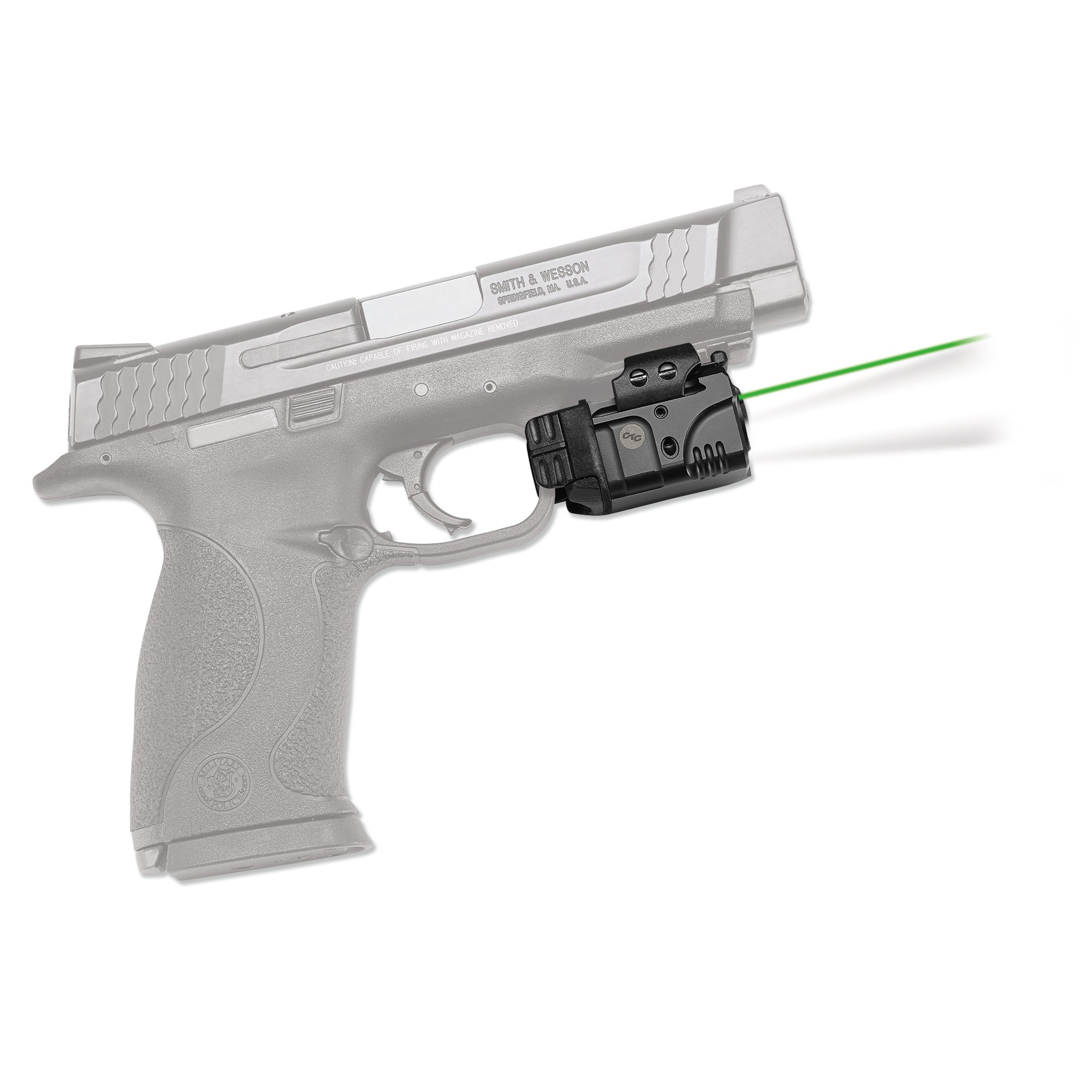
Image 1.1: The CMR-204 Rail Master Pro mounted on a firearm, demonstrating its laser and light capabilities.
2. Setup and Installation
2.1. Package Contents
- Crimson Trace CMR-204 Rail Master Pro Sight Green White
- CR2 Lithium Battery (1)
- Adjustment Tool
2.2. Battery Installation
- Ensure the device is powered off.
- Locate the battery compartment cover.
- Open the compartment and insert one (1) CR2 Lithium battery, observing the correct polarity (+/-).
- Securely close the battery compartment cover.
2.3. Mounting the Device
The CMR-204 is designed for user installation without gunsmithing. It fits most pistols, rifles, and shotguns equipped with an M1913 Picatinny or similar accessory rail, provided there is at least 1-1/16" (approximately 27mm) between the recoil lug and the trigger guard.
- Ensure the firearm is unloaded and safe.
- Align the CMR-204's rail clamp with the accessory rail on your firearm.
- Slide the unit onto the rail until it is firmly seated against the recoil lug.
- Tighten the mounting screws using the provided tool until the unit is secure and does not move. Do not overtighten.
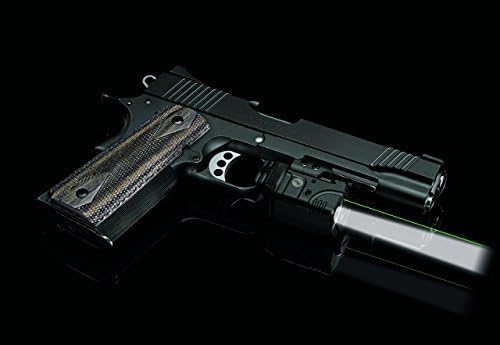
Image 2.1: The CMR-204 mounted on a pistol, illustrating proper rail attachment.
2.4. Initial Sighting
The unit is factory sighted at 50 feet. However, it is fully user adjustable for windage and elevation to match your specific firearm and preferred zeroing distance. Use the provided adjustment tool to make fine adjustments to the laser's point of impact.
3. Operating Instructions
3.1. Activation and Deactivation
The CMR-204 features Instinctive Activation with ambidextrous tap-on/tap-off controls. Simply tap either of the activation pads located on the sides of the unit to turn it on or off.
3.2. Mode Selection
The unit offers multiple operating modes: laser only, light only, and laser/light combination. To cycle through these modes, activate the unit, then press and hold both activation pads simultaneously for approximately three seconds. The unit will cycle to the next available mode. The device will remember the last selected mode when powered off and on again.

Image 3.1: The CMR-204 with its tactical light activated, providing illumination.

Image 3.2: The CMR-204 with its green laser activated, providing a clear aiming point.
4. Maintenance
4.1. Battery Replacement
The CMR-204 provides over 2 hours of continuous use on a single CR2 battery. When the laser or light dims significantly, replace the battery following the steps in Section 2.2.
4.2. Cleaning
To maintain optimal performance, keep the laser and light lenses clean. Use a soft, lint-free cloth and a small amount of lens cleaning solution if necessary. Avoid abrasive materials or harsh chemicals.
4.3. Storage
When storing the device for extended periods, it is recommended to remove the battery to prevent potential leakage and damage to the electronics.
5. Troubleshooting
- Device does not activate:
Check battery installation and ensure the battery is fresh. Reinstall the battery, ensuring correct polarity. If the issue persists, replace the battery with a new one. - Laser or light is dim:
This typically indicates a low battery. Replace the CR2 battery. - Laser does not hold zero:
Ensure the mounting screws are securely tightened to the firearm's rail. Verify that the rail itself is not loose or damaged. If the unit is securely mounted, re-adjust the windage and elevation as needed. - Difficulty changing modes:
Ensure both activation pads are pressed simultaneously and held for the required duration (approximately 3 seconds) to cycle modes.
6. Specifications
| Model | CMR-204 |
| Dimensions (L x W x H) | 2.23” x 1.5” x 1.06” (Product) / 3.25" x 2.25" x 5.25" (Item) |
| Weight | 4.54 g (Item) |
| Laser Type | Green Laser |
| Laser Output | 5 Milliwatts |
| Light Output | 100 Lumens |
| Power Source | 1 x CR2 Lithium Battery (included) |
| Runtime | Over 2 hours (continuous) |
| Activation | Instant Activation, Ambidextrous Tap-On / Tap-Off |
| Mounting Type | M1913 Picatinny or Weaver-style rail |
| Material | Polypropylene |
| Color | Green |
7. Warranty and Support
This product is covered by the Crimson Trace Protect Limited Lifetime Warranty. For detailed information regarding the warranty, including terms, conditions, and how to submit a claim, please visit the official Crimson Trace website at https://www.crimsontrace.com/support/warranty. For any questions or concerns, please refer to the support section of the Crimson Trace website.