
1. Setup Guide
This section provides instructions for the initial setup of your Epson TM-T20II Direct Thermal Printer.
1.1 Unboxing and Contents
Carefully remove all components from the packaging. Ensure the following items are present:
- Epson TM-T20II Receipt Printer
- Power Adapter
- USB Cable (for USB connectivity models)
- Thermal Paper Roll (may be included or sold separately)
1.2 Connecting the Printer
The TM-T20II printer supports multiple connectivity options, including USB and Serial. Ensure the printer is powered off before making connections.
- Power Connection: Connect the power adapter to the printer's power input port and then plug it into a standard electrical outlet.
- Data Connection:
- USB: Connect one end of the USB cable to the printer's USB port and the other end to an available USB port on your computer or POS system.
- Serial: Connect a serial cable (if applicable) to the printer's serial port and your host device.
- Note: Other connectivity options like Bluetooth 2.1 + EDR, Ethernet, and Wireless are available on specific models. Refer to your model's specific documentation for setup.

Figure 1.2.1: Front view of the Epson TM-T20II printer, highlighting the paper output and control panel.
1.3 Loading Thermal Paper
The printer uses standard thermal receipt paper, typically 3 1/8 inches wide. Ensure the paper roll is loaded correctly for proper printing.
- Open the printer's paper cover by lifting the latch.
- Insert the thermal paper roll with the paper feeding from the bottom of the roll, ensuring the thermal side (usually smoother and shinier) faces the print head.
- Pull a small amount of paper out past the cutter.
- Close the paper cover firmly until it clicks into place. The printer will automatically feed the paper to the correct position.
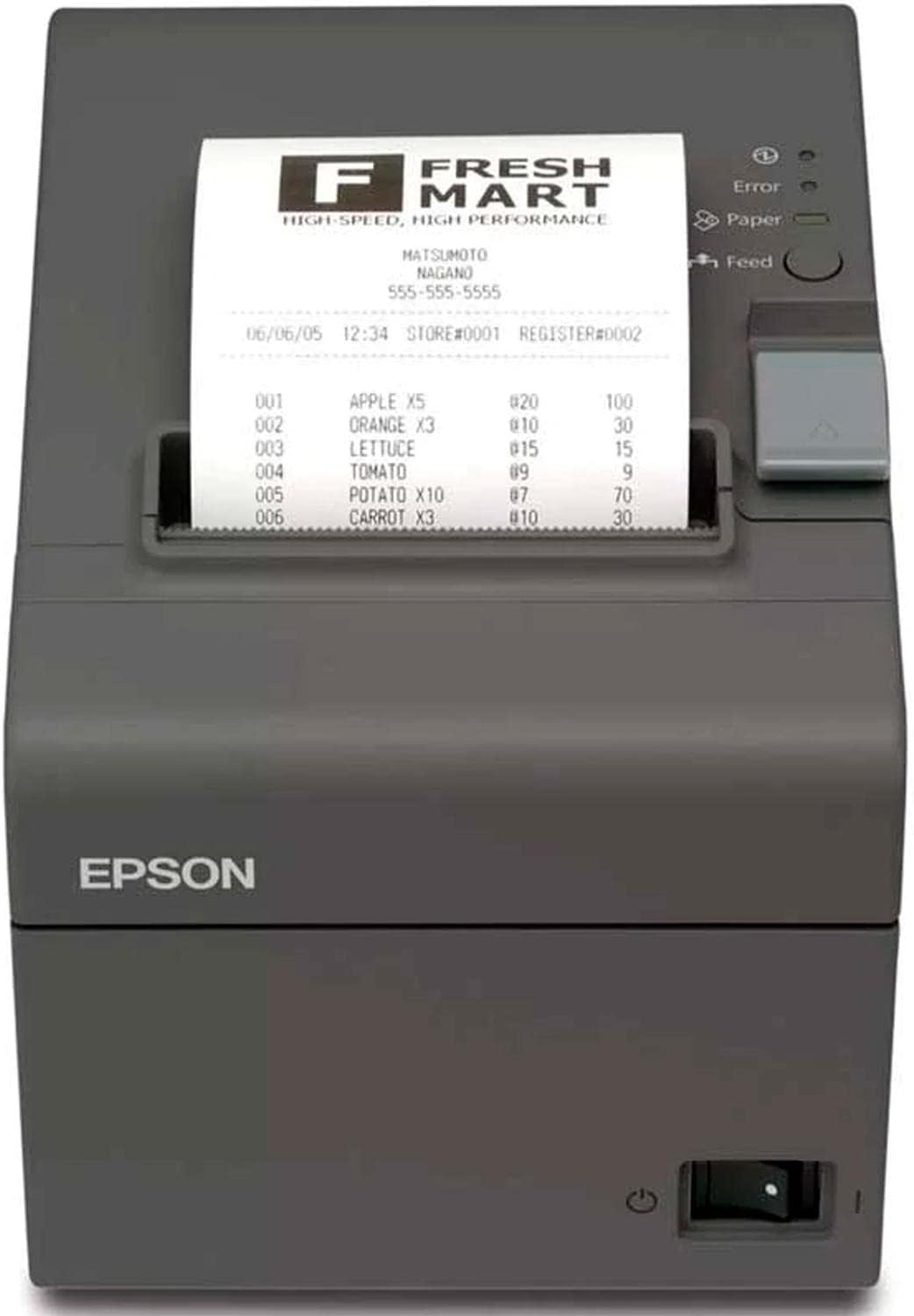
Figure 1.3.1: Epson TM-T20II printer with a sample receipt, demonstrating proper paper loading.
2. Operating Instructions
This section details the basic operation of your Epson TM-T20II printer.
2.1 Powering On/Off
- Power On: Locate the power switch, usually on the front or side of the printer. Flip the switch to the 'On' position. The power indicator light will illuminate.
- Power Off: Flip the power switch to the 'Off' position.
2.2 Printing Receipts
The TM-T20II uses thermal line printing technology to produce monochrome receipts quickly and efficiently. It is compatible with various POS systems and computers.
- Ensure the printer is connected to your host device (PC, POS system, laptop) and powered on.
- Verify that the correct printer drivers are installed on your host device.
- Initiate a print command from your application (e.g., POS software, web-based application). The printer will automatically print the receipt and cut the paper.
- The printer supports flexible coupon printing on receipts and Epson ePOS-Print service for direct printing from mobile devices or web-based applications.

Figure 2.2.1: Angled view of the Epson TM-T20II printer during operation, showing a printed receipt.
2.3 Control Panel Indicators
The printer features indicator lights and a feed button on its control panel:
- Error Light: Illuminates to indicate a printer error (e.g., paper jam, print head issue).
- Paper Light: Illuminates when the paper roll is low or out.
- Feed Button: Press to manually feed paper. Hold to perform a self-test print.
3. Maintenance
Proper maintenance ensures the longevity and optimal performance of your Epson TM-T20II printer.
3.1 Cleaning the Printer
Regular cleaning helps prevent print quality issues and extends the life of the printer.
- Exterior Cleaning: Use a soft, damp cloth to wipe the exterior of the printer. Avoid abrasive cleaners or solvents.
- Print Head Cleaning: If print quality degrades (e.g., faded lines, streaks), the thermal print head may need cleaning. Use a lint-free cloth or a specialized thermal print head cleaning pen with isopropyl alcohol. Ensure the printer is off and cool before cleaning.
- Paper Path Cleaning: Remove any paper dust or debris from the paper path using compressed air or a soft brush.
3.2 Paper Roll Replacement
Replace the paper roll when the paper indicator light illuminates or when the end of the roll is near. Refer to section 1.3 for detailed paper loading instructions.
3.3 Reliability Information
The Epson TM-T20II is designed for high reliability:
- MTBF (Mean Time Between Failures): 360,000 hours
- MCBF (Mean Characters Between Failures): 60,000,000 lines
- Auto Cutter Life: 1.5 million cuts
4. Troubleshooting
This section addresses common issues you might encounter with your Epson TM-T20II printer.
| Problem | Possible Cause | Solution |
|---|---|---|
| Printer not powering on | Power cable disconnected; Power outlet issue; Printer power switch off. | Check power cable connection; Try a different outlet; Ensure power switch is 'On'. |
| No print output | Paper out or incorrectly loaded; Data cable disconnected; Incorrect driver or settings; Printer error. | Load new paper roll correctly; Check USB/Serial cable connection; Verify printer driver installation and settings; Check error indicator light. |
| Error light illuminated | Paper jam; Print head overheating; Internal error. | Open cover and clear any jammed paper; Allow printer to cool down; Power cycle the printer. If error persists, contact support. |
| Paper light illuminated | Paper roll is low or empty. | Replace the thermal paper roll. |
| Poor print quality (faded, streaks) | Dirty print head; Low quality thermal paper; Worn print head. | Clean the print head (see Section 3.1); Use recommended thermal paper; If problem persists, print head may need service. |
5. Technical Specifications
Detailed specifications for the Epson TM-T20II Direct Thermal Printer (Model: C31CD52062).
- Brand: Epson
- Model Name: C31CD52062
- Product Dimensions: 7"D x 5"W x 5"H
- Item Weight: 3.75 pounds
- Printing Technology: Thermal Line Printing
- Printer Output: Monochrome
- Max Print Speed (Monochrome): 2 ppm
- Maximum Black and White Print Resolution: 203 x 203 DPI
- Connectivity Technology: USB + Serial (Standard), Bluetooth 2.1 + EDR, Ethernet, Wireless (on specific models)
- Compatible Devices: Laptops, PC, POS Systems
- Power Consumption: 29.5 Watts
- Maximum Media Size: 3 x 5 inch (for receipt paper)
- Sheet Size: 3 1/8" x 230' (typical thermal paper roll)
- Included Components: Receipt Printer
- Reliability (MTBF): 360,000 hours
- Auto Cutter Life: 1.5 million cuts
- Country of Origin: China
- UPC: 852664497838
6. Warranty and Support
6.1 Warranty Information
The Epson TM-T20II printer comes with a limited warranty. Please refer to the warranty card included with your product or visit the official Epson website for detailed terms and conditions.
Legal Disclaimer: The seller is an Approved Reseller/Agent of Epson Products.
6.2 Customer Support
For technical assistance, driver downloads, or further inquiries, please visit the official Epson support website or contact their customer service. You can also visit the Epson Store on Amazon for product information and resources.


