
Introduction
Thank you for purchasing the HOLMES HTF3222A-STM 32-inch Tower Fan. This manual provides important instructions for the assembly, operation, maintenance, and troubleshooting of your new fan. Please read this manual thoroughly before use and retain it for future reference.
This streamlined tower fan is designed to provide cooling relief in living rooms and bedrooms with quiet operation, featuring three speed settings, oscillation for wide area coverage, and an auto shut-off timer.
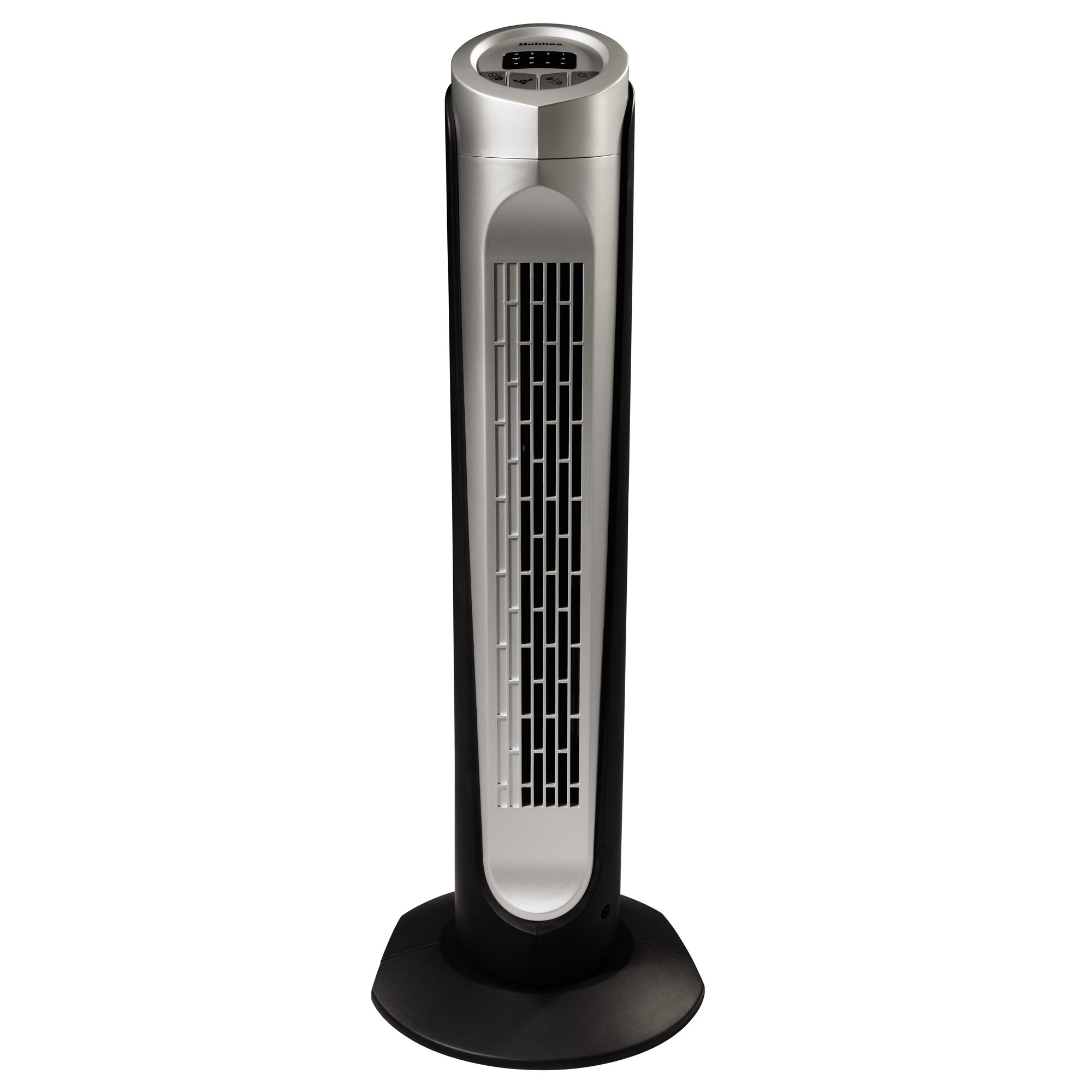
Image: The Holmes HTF3222A-STM 32-inch Tower Fan in black, showcasing its slim profile and top-mounted control panel.
Important Safety Instructions
When using electrical appliances, basic safety precautions should always be followed to reduce the risk of fire, electric shock, and injury to persons, including the following:
- Read all instructions before using this fan.
- Use this fan only as described in this manual. Other uses not recommended may cause fire, electric shock, or injury to persons.
- To protect against electrical shock, do not place fan in window, immerse unit, plug or cord in water or spray with liquids.
- Close supervision is necessary when any appliance is used by or near children.
- Unplug from outlet when not in use, when moving fan from one location to another, and before cleaning.
- Do not operate any appliance with a damaged cord or plug, or after the appliance malfunctions or has been dropped or damaged in any manner.
- Do not let cord hang over edge of table or counter, or touch hot surfaces.
- Do not operate in the presence of explosive and/or flammable fumes.
- Do not place fan or any parts near an open flame, cooking or other heating appliance.
- Do not operate fan with a damaged guard or any rotating part.
- Avoid contact with moving parts.
- To disconnect, grip plug and pull from wall outlet. Never yank on cord.
- Always use on a dry, level surface.
- Do not use this fan outdoors.
Setup and Assembly
The HOLMES HTF3222A-STM Tower Fan typically requires minimal assembly. Follow these steps to prepare your fan for use:
- Unpack the Fan: Carefully remove the fan and all packaging materials from the box. Ensure all components are present, including the fan body, base parts, and remote control.
- Assemble the Base: If the base is not pre-assembled, connect the two halves of the base together. Align the slots and press firmly until they click into place.
- Attach Base to Fan Body: Place the fan body onto the assembled base. Align the screw holes on the bottom of the fan body with the holes on the base. Secure the base to the fan body using the provided screws. Use a screwdriver to tighten them securely.
- Position the Fan: Place the fan on a firm, level surface. Ensure there is adequate space around the fan for proper airflow and oscillation.
- Plug In: Insert the power cord into a standard electrical outlet.
Note: The fan comes with an integrated carry handle for easy portability once assembled.
Operating Instructions
The HOLMES HTF3222A-STM Tower Fan features a top-mounted control panel with LED lights and can also be operated via the included remote control.
Control Panel Functions:
- Power Button (⏻): Press to turn the fan ON or OFF.
- Speed Button (▲): Press repeatedly to cycle through the three digital speed settings: Low, Medium, High. The corresponding LED indicator will illuminate.
- Oscillation Button (↻): Press to activate or deactivate the oscillation function, which allows the fan to rotate from side to side for wide area coverage.
- Timer Button (⏱): Press to set the automatic shut-off timer. Each press will increase the timer setting (e.g., 1 hour, 2 hours, up to a maximum). The fan will automatically turn off after the set time.
- Mode Button (M): Press to cycle through different modes, such as Normal, Sleep, and Breeze settings.
- Normal Mode: Constant airflow at the selected speed.
- Sleep Mode: Gradually decreases fan speed over time for quiet operation during sleep.
- Breeze Mode: Simulates natural breeze by varying fan speed.
Remote Control:
The remote control duplicates all functions of the control panel for convenient operation from a distance. Ensure batteries are correctly inserted (not included, typically 2x AAA).
Care and Maintenance
Regular cleaning and proper maintenance will ensure the longevity and efficient operation of your HOLMES HTF3222A-STM Tower Fan.
- Before Cleaning: Always unplug the fan from the electrical outlet before cleaning.
- Exterior Cleaning: Use a soft, damp cloth to wipe the exterior surfaces of the fan. Do not use abrasive cleaners or solvents as they may damage the finish.
- Dust Removal: Use a vacuum cleaner with a brush attachment or compressed air to remove dust from the air intake and exhaust grilles. Do not attempt to open the fan housing to clean internal components.
- Storage: When not in use for extended periods, store the fan in its original packaging or cover it to protect it from dust. Store in a cool, dry place.
- No Lubrication Required: The fan motor is permanently lubricated and requires no additional oiling.
WARNING: Do not immerse the fan in water or allow water to drip into the motor housing.
Troubleshooting
If your HOLMES HTF3222A-STM Tower Fan experiences issues, consult the following common problems and solutions:
| Problem | Possible Cause | Solution |
|---|---|---|
| Fan does not turn on. |
|
|
| Fan makes unusual noise or rattling. |
|
|
| Oscillation not working. |
|
|
| Remote control not working. |
|
|
If the problem persists after trying these solutions, please contact customer support.
Product Specifications
| Feature | Detail |
|---|---|
| Model Number | HTF3222A-STM |
| Brand | Holmes |
| Type | Tower Fan (Floor Fan) |
| Color | Black |
| Power Source | Corded Electric |
| Number of Speeds | 3 (Low, Medium, High) |
| Control Method | Touch (Control Panel), Remote |
| Features | Oscillation, Auto Shut-off Timer, Sleep Mode, Breeze Mode, LED Lights, Integrated Carry Handle |
| Material | Plastic |
| Item Weight | 3.48 kg |
| Recommended Room Type | Bedroom, Living Room |
| UPC | 048894044694 |
Warranty and Customer Support
For warranty information or customer support inquiries regarding your HOLMES HTF3222A-STM Tower Fan, please refer to the warranty card included with your purchase or visit the official Holmes website. Keep your proof of purchase for warranty claims.
Manufacturer: HOLMES
For assistance, please contact Holmes customer service through their official channels. Contact details are typically found on the product packaging or the manufacturer's website.

