
Introduction
Thank you for choosing the BoomToneDJ ST-1 Adjustable Keyboard Bench. This manual provides essential information for the safe and efficient setup, operation, and maintenance of your new keyboard bench. Please read these instructions carefully before use and retain them for future reference.
Safety Instructions
- Ensure all parts are securely fastened before use.
- Do not exceed the maximum load capacity of 80 kg (176 lbs).
- Avoid placing the bench on uneven or unstable surfaces.
- Keep fingers clear of moving parts during height adjustment.
- This bench is designed for sitting only. Do not stand on it.
Setup
The BoomToneDJ ST-1 keyboard bench features a foldable X-frame design for easy setup and storage.
Unfolding the Bench
- Carefully remove the bench from its packaging.
- Place the folded bench on a flat, stable surface.
- Gently pull the two sides of the X-frame apart until the bench is fully extended and stable.

Figure 1: The keyboard bench in its unfolded, ready-to-use position.
Adjusting Height
The bench offers 4 adjustable height positions to suit various users and instruments.
- Locate the adjustment knob on the center of the X-frame.
- Unscrew the knob counter-clockwise to loosen it.
- Adjust the height by aligning the holes on the X-frame to your desired position. There are four distinct height settings.
- Once the desired height is selected, tighten the knob clockwise until it is secure. Ensure the knob is fully tightened to prevent accidental height changes during use.

Figure 2: Side view illustrating the height adjustment mechanism on the X-frame.
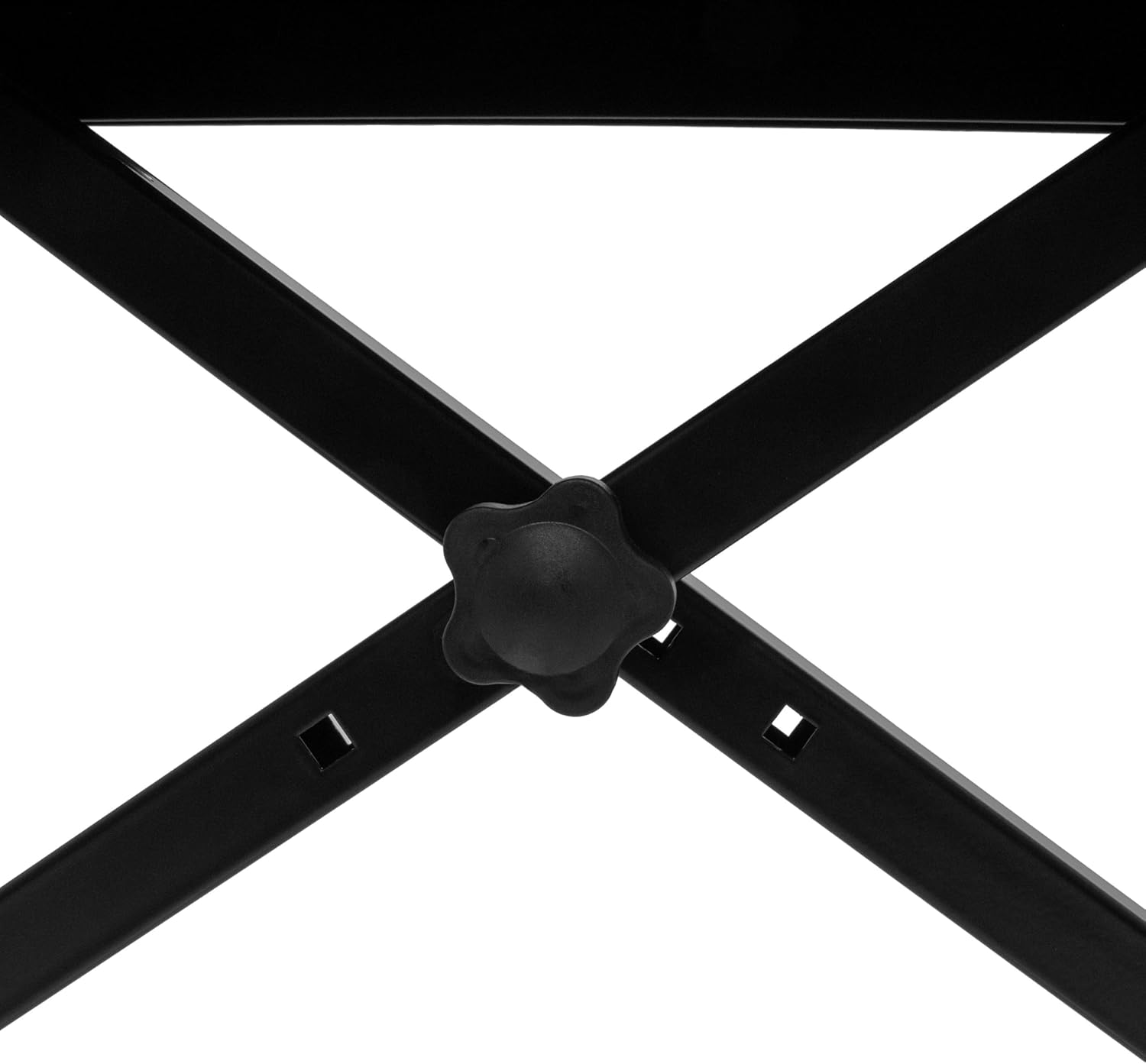
Figure 3: Detail of the adjustment knob used to secure the bench at the desired height.
Operating the Bench
The BoomToneDJ ST-1 bench is designed for comfortable seating while playing musical instruments such as pianos, keyboards, or synthesizers.
- Ensure the bench is fully unfolded and the height adjustment knob is securely tightened before sitting.
- The padded seat (51 x 25 cm) provides comfort for extended playing sessions.
- The anti-slip plastic caps on the feet ensure stability and protect your floor from scratches.

Figure 4: The comfortable faux leather seat surface.

Figure 5: Detail of the anti-slip foot cap for stability and floor protection.
Maintenance
Proper care will extend the life of your keyboard bench.
- Cleaning the Seat: Wipe the faux leather seat with a soft, damp cloth. For stubborn stains, use a mild soap solution and then wipe dry. Avoid harsh chemicals or abrasive cleaners.
- Cleaning the Frame: The robust steel frame can be wiped clean with a damp cloth. Ensure it is dried thoroughly to prevent rust.
- Regular Checks: Periodically check all screws and the adjustment knob to ensure they are tight. Retighten if necessary.
- Storage: When not in use, the bench can be folded for compact storage. Store in a dry environment.
Troubleshooting
| Problem | Possible Cause | Solution |
|---|---|---|
| Bench feels unstable or wobbly. |
|
|
| Difficulty adjusting height. |
|
|
Specifications
- Model: BoomToneDJ ST-1
- Material: Steel frame, Faux leather seat, Plastic feet caps
- Color: Black
- Seat Dimensions (L x W): 510 x 250 mm (approximately 20.1 x 9.8 inches)
- Adjustable Height: 4 positions, from 480 mm to 600 mm (approximately 18.9 to 23.6 inches)
- Maximum Load Capacity: 80 kg (176 lbs)
- Product Weight: 3.5 kg (7.7 lbs)
- Folded Dimensions (approx.): 75 x 56.2 x 16.8 cm (29.5 x 22.1 x 6.6 inches)
Warranty and Support
BoomToneDJ products are designed and manufactured with quality in mind. While specific warranty details are not provided in this document, BoomToneDJ is a French brand with a dedicated research and development office, stock, and after-sales service in France.
For any questions, technical assistance, or support inquiries, please do not hesitate to contact BoomToneDJ customer service. They will be pleased to provide detailed information.
Contact information is typically found on the product packaging or the official BoomToneDJ website.