
1. Introduction
The BoomtoneDJ LT-Stand is a robust and versatile metal lifting stand designed for professional lighting equipment and loudspeakers. It offers stable support and adjustable height, making it suitable for various stage, studio, or event setups. This manual provides essential information for the safe and effective use of your LT-Stand.
2. Safety Information
Please read and understand all safety instructions before operating the LT-Stand. Failure to follow these guidelines may result in injury or damage to equipment.
- Always ensure the stand is placed on a stable, level, and non-slip surface.
- Do not exceed the maximum load capacity of 30 kg (66 lbs). Distribute weight evenly.
- Ensure all locking mechanisms and safety pins are securely engaged before mounting equipment or leaving the stand unattended.
- Keep hands and fingers clear of moving parts during height adjustment to prevent pinching.
- Do not attempt to move the stand with equipment mounted on it unless specifically designed for such movement.
- Regularly inspect the stand for any signs of wear, damage, or loose components. Do not use if damaged.
- Keep children and unauthorized personnel away from the stand during setup and operation.
3. Product Overview
The BoomtoneDJ LT-Stand features a durable metal construction and a foldable tripod base for stability and portability. Key components include:
- Central Pole: Main support for equipment, with a 35mm diameter for universal compatibility.
- Height Adjustment Knob: Secures the central pole at the desired height.
- Safety Pin: Provides an additional layer of security for height adjustment.
- Telescopic Tripod Base: Provides a wide, stable footprint when deployed.
- Spring-Loaded Locks: Secure the tripod legs in open or folded positions.
- Anti-Slip Rubber Feet: Enhance stability and protect floor surfaces.
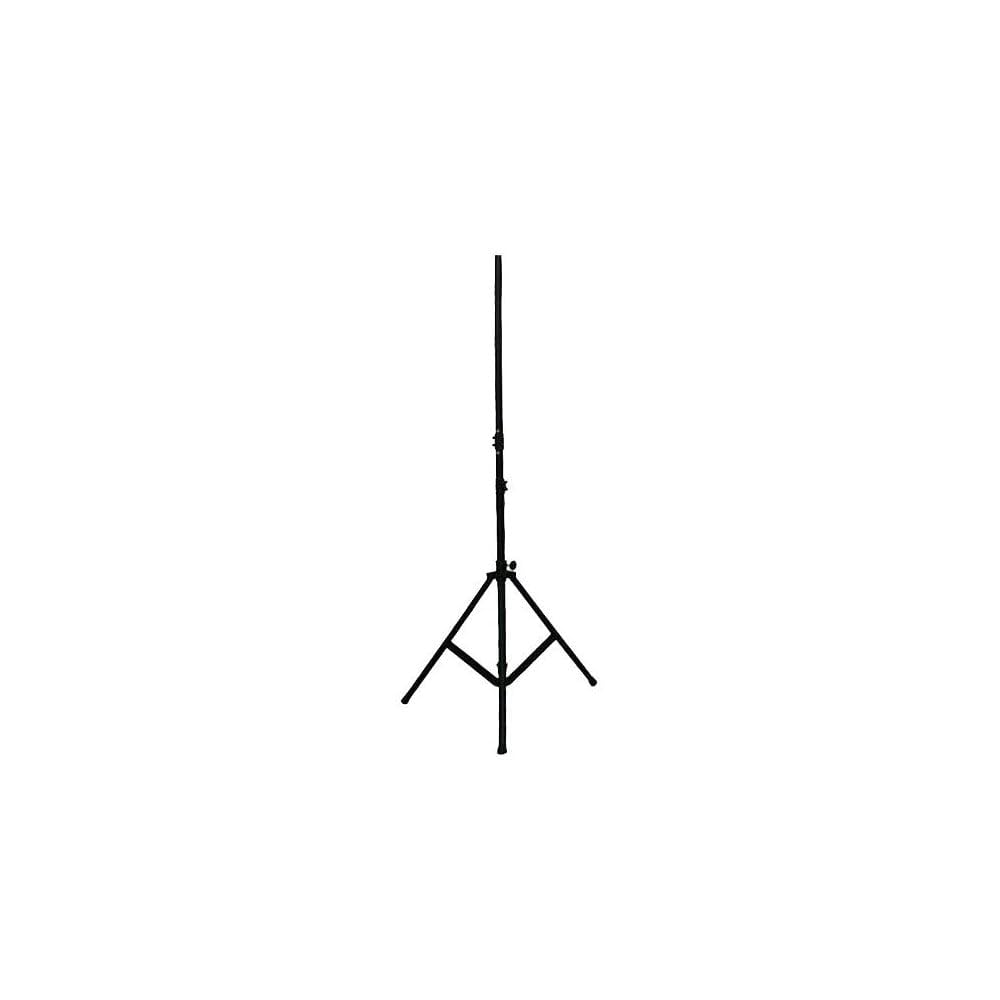
Image of the BoomtoneDJ LT-Stand in its fully assembled state, showcasing its tripod base and adjustable pole.
4. Setup and Assembly
Follow these steps to set up your LT-Stand:
- Unfold the Tripod Base: Place the stand on the ground. Gently pull the legs outwards until the spring-loaded locks engage, securing the tripod in its fully open position. Ensure all three legs are fully extended and locked.
- Position the Stand: Place the stand on a stable, level surface where it will be used.
- Adjust Height: Loosen the height adjustment knob on the central pole. Carefully extend the inner pole to the desired height.
- Insert Safety Pin: Once the desired height is reached, align the hole in the inner pole with the nearest hole in the outer pole. Insert the safety pin completely through both holes.
- Secure Height: Tighten the height adjustment knob firmly to prevent any movement of the pole. The safety pin acts as a secondary lock.
- Mount Equipment: Carefully mount your lighting fixture or speaker onto the 35mm diameter top pole. Ensure the equipment is securely attached and balanced.
5. Operating Instructions
Once set up, the LT-Stand provides a stable platform for your equipment. Observe the following during operation:
- Always verify the stability of the stand and mounted equipment before and during use.
- To adjust the height while equipment is mounted, it is recommended to first remove the equipment for safety. If this is not feasible, ensure at least two people are present to support the equipment while one person adjusts the stand.
- When lowering the stand, loosen the knob, remove the safety pin, and slowly guide the pole down to prevent sudden drops. Re-insert the safety pin and tighten the knob at the new height.
6. Maintenance
Proper maintenance ensures the longevity and safe operation of your LT-Stand.
- Cleaning: Wipe down the stand with a soft, dry cloth to remove dust and dirt. Avoid abrasive cleaners or solvents.
- Inspection: Regularly inspect all components, including the tripod legs, central pole, adjustment knob, and safety pin, for any signs of wear, bending, cracks, or corrosion.
- Lubrication: Lightly lubricate moving parts (e.g., inner pole) with a silicone-based spray if movement becomes stiff. Avoid excessive lubrication, which can attract dirt.
- Storage: When not in use, fold the stand for compact storage. Ensure it is stored in a dry, clean environment away from extreme temperatures and moisture.
7. Troubleshooting
Here are solutions to common issues you might encounter:
- Issue: Stand feels unstable.
Solution: Ensure the tripod legs are fully extended and locked. Verify the stand is on a completely level surface. Check that the mounted equipment's weight does not exceed 30 kg and is evenly distributed. - Issue: Height adjustment is difficult or stiff.
Solution: Ensure the height adjustment knob is fully loosened and the safety pin is removed. Check for any obstructions or debris on the inner pole. A light application of silicone lubricant may help. - Issue: Safety pin does not insert easily.
Solution: Ensure the holes on the inner and outer poles are perfectly aligned. Slightly rotate the inner pole if necessary to achieve alignment. Do not force the pin.
8. Specifications
| Feature | Specification |
|---|---|
| Model Number | LT Stand |
| Material | Metal |
| Maximum Load Capacity | 30 kg (66 lbs) |
| Maximum Height | 3 meters (9.8 feet) |
| Pole Diameter | 35 mm |
| Item Weight | 4.5 kg (9.9 lbs) |
| Folded Dimensions (L x W x H) | 127.5 x 15.8 x 15.8 cm (50.2 x 6.2 x 6.2 inches) |
9. Warranty and Support
BoomToneDJ products are designed for professional quality and durability. For specific warranty information, technical support, or service inquiries, please refer to the official BoomToneDJ website or contact their customer service directly. BoomToneDJ maintains a research and development office, stock, and after-sales service in France.
For contact information, please visit the official BoomToneDJ website or consult your purchase documentation.