
1. Introduction
This manual provides detailed instructions for the proper use and maintenance of your Sungale SBK002 Camera Lens Design Stereo Bluetooth Speaker. Please read this manual thoroughly before operating the device to ensure optimal performance and longevity.
The Sungale SBK002 is a compact, portable Bluetooth speaker designed to deliver stereo sound. It features a built-in microphone for hands-free calling and multiple connectivity options, including Bluetooth and auxiliary input.
2. Package Contents
Carefully unpack your Sungale SBK002 speaker and verify that all items listed below are present and in good condition.
- Sungale SBK002 Bluetooth Speaker
- Micro USB & Audio Combined Cable
- User Manual

Image: The package contents include the Sungale SBK002 Bluetooth speaker, a combined micro USB and audio cable, and the user manual.
3. Product Overview
The Sungale SBK002 speaker features a compact, cylindrical design resembling a camera lens. It incorporates a speaker grille on the top surface and control buttons and ports on its side.

Image: Top view of the Sungale SBK002 speaker, showing the speaker grille and the 'Super Bass Portable Bluetooth Speaker' inscription around the edge.
Controls and Ports

Image: Side view of the Sungale SBK002 speaker, highlighting the control buttons and input ports. These include a Micro USB charging port, an audio input port, a TF card slot, and buttons for mode, volume, and playback control.
- Micro USB Port: For charging the speaker.
- Audio Input Port: For connecting external audio devices via the included auxiliary cable.
- TF Card Slot: For playing audio files directly from a TF (MicroSD) card.
- 'M' Button (Mode): To switch between Bluetooth, Auxiliary, and TF Card modes.
- '-' Button: Short press for previous track, long press to decrease volume.
- '+' Button: Short press for next track, long press to increase volume.
- Play/Pause Button: To play or pause audio. Also used for answering/ending calls.
- Power Switch: Located on the side, typically a sliding switch for ON/OFF.
4. Setup
4.1 Charging the Speaker
- Connect the micro USB end of the combined cable to the Micro USB port on the speaker.
- Connect the standard USB end of the cable to a USB power adapter (not included) or a computer's USB port.
- The LED indicator will illuminate during charging and turn off once fully charged.
Ensure the speaker is fully charged before first use for optimal battery performance. A full charge typically takes 2-3 hours.
4.2 Power On/Off
- To power on, slide the power switch to the 'ON' position. An audible tone or voice prompt will indicate the speaker is on.
- To power off, slide the power switch to the 'OFF' position.
5. Operating Instructions
5.1 Bluetooth Pairing
- Ensure the speaker is powered on and in Bluetooth mode. If not, press the 'M' button to switch to Bluetooth mode. The LED indicator will flash, indicating it is ready for pairing.
- Enable Bluetooth on your mobile device (smartphone, tablet, laptop).
- Search for available Bluetooth devices. You should see 'SBK002' or 'Sungale SBK002' in the list.
- Select 'SBK002' to connect. Once paired, the speaker will emit a confirmation tone, and the LED indicator will stop flashing and remain solid.
- You can now play audio from your device through the speaker.
5.2 Auxiliary (AUX) Connection
- Connect one end of the combined audio cable (3.5mm jack) to the Audio Input port on the speaker.
- Connect the other end of the 3.5mm jack to the audio output port of your external device (e.g., MP3 player, computer).
- Press the 'M' button on the speaker to switch to AUX mode.
- Play audio from your connected device. Volume can be controlled via both the speaker and the connected device.
5.3 TF Card Playback
- Insert a TF (MicroSD) card with audio files (MP3 format recommended) into the TF Card slot on the speaker.
- The speaker will automatically switch to TF Card mode and begin playing audio. If not, press the 'M' button to select TF Card mode.
5.4 Hands-Free Calling
When connected via Bluetooth to a smartphone, the speaker's built-in microphone allows for hands-free calls.
- Answering a Call: When an incoming call rings, press the Play/Pause button to answer.
- Ending a Call: During a call, press the Play/Pause button to end the call.
- Redialing: Double-press the Play/Pause button to redial the last number.
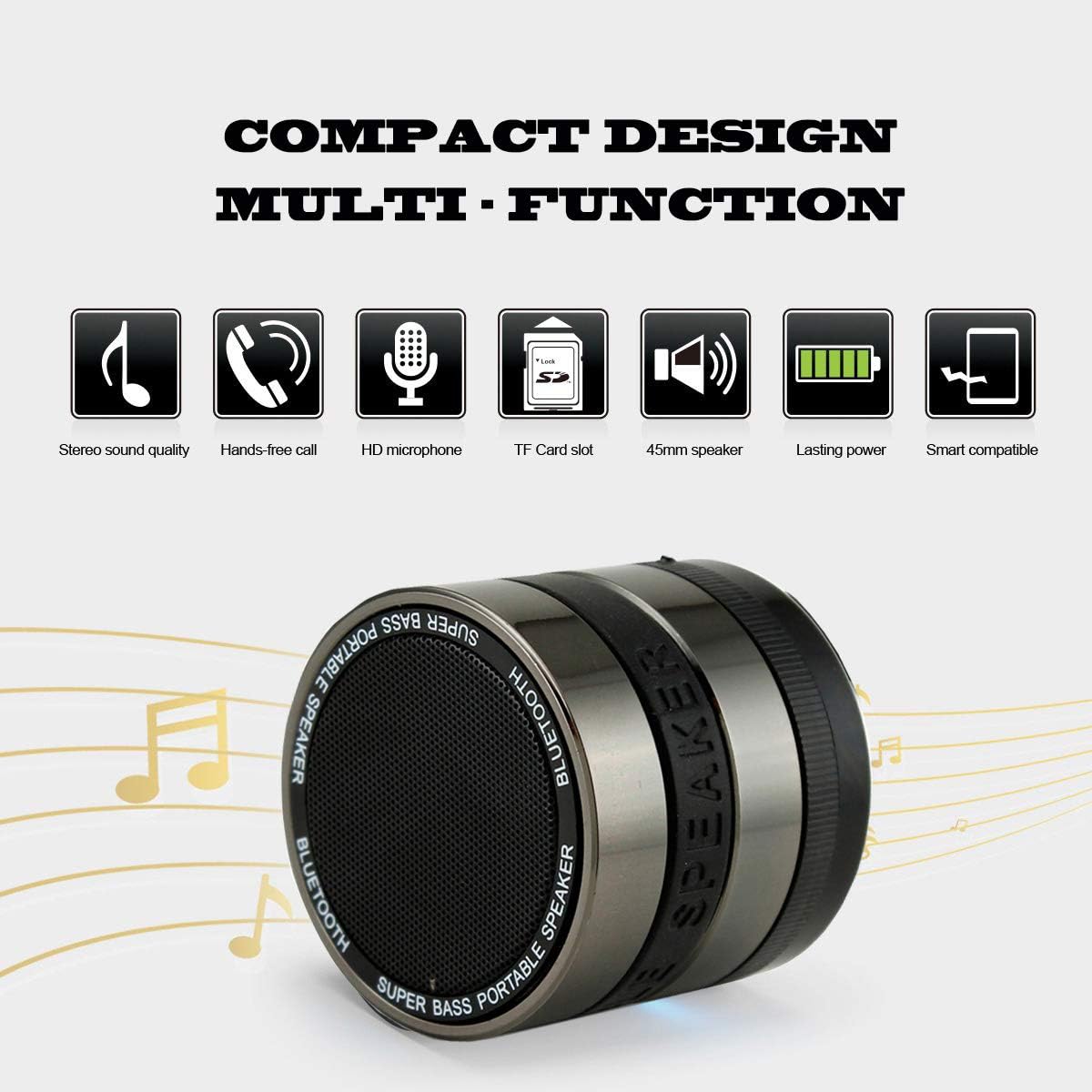
Image: A diagram illustrating the multi-function capabilities of the Sungale SBK002, including stereo sound quality, hands-free call, HD microphone, TF card slot, 45mm speaker, lasting power, and smart compatibility.
5.5 Volume and Track Control
- Volume Up: Long press the '+' button.
- Volume Down: Long press the '-' button.
- Next Track: Short press the '+' button.
- Previous Track: Short press the '-' button.
6. Maintenance
- Clean the speaker with a soft, dry cloth. Do not use abrasive cleaners or solvents.
- Avoid exposing the speaker to extreme temperatures, direct sunlight, or moisture. This product is not waterproof.
- Store the speaker in a cool, dry place when not in use.
- To preserve battery life, fully charge the speaker at least once every three months if it is not used regularly.
7. Troubleshooting
| Problem | Possible Cause | Solution |
|---|---|---|
| Speaker does not power on. | Battery is depleted. | Charge the speaker using the provided USB cable. |
| No sound from speaker. | Volume is too low or muted. Incorrect mode selected. Device not connected properly. | Increase volume on both speaker and connected device. Press 'M' button to select correct mode (Bluetooth, AUX, TF Card). Re-establish connection. |
| Cannot pair via Bluetooth. | Speaker not in pairing mode. Bluetooth disabled on device. Speaker too far from device. | Ensure speaker is in Bluetooth pairing mode (flashing LED). Enable Bluetooth on your device. Move speaker closer to your device (within 10 meters). |
| Poor sound quality. | Low battery. Interference. | Charge the speaker. Move speaker away from other electronic devices that may cause interference. |
8. Specifications
| Feature | Detail |
|---|---|
| Model | SBK002 |
| Brand | Sungale |
| Connectivity Technology | Bluetooth, Auxiliary |
| Wireless Communication | Bluetooth |
| Audio Output Mode | Stereo |
| Maximum Speaker Power Output | 3 Watts |
| Power Source | Battery Powered (1 Lithium Ion battery included) |
| Control Method | Touch buttons |
| Special Features | Built-in Microphone, Portable |
| Compatible Devices | Laptop, MP3 Player, Smartphone, Tablet |
| Material | Plastic |
| Product Dimensions | 6.1 x 6.1 x 4.83 cm |
| Item Weight | 204.12 g |
| Color | Black/Purple |
| Waterproof | No |
9. Warranty and Support
For warranty information or technical support, please refer to the documentation provided at the time of purchase or contact Sungale customer service. Keep your proof of purchase for warranty claims.