
1. Introduction
The Linksys LGS124 is a 24-Port Gigabit Ethernet Switch designed to expand your network capacity with high-speed connectivity. This unmanaged switch offers plug-and-play convenience, making it suitable for small office and home office environments. It facilitates efficient data transfer and supports Quality of Service (QoS) for traffic prioritization. This manual provides essential information for the proper setup, operation, maintenance, and troubleshooting of your Linksys LGS124 switch.
2. Package Contents
Verify that your package contains the following items:
- Linksys LGS124 24-Port Gigabit Ethernet Switch
- Power Cord
- Quick Start Guide
3. Product Overview
This section provides a visual and descriptive overview of the Linksys LGS124 switch's components and indicators.
3.1 Front Panel

Front view of the Linksys LGS124 24-Port Gigabit Ethernet Switch, showing the Linksys logo, model number, and 24 Gigabit Ethernet ports with corresponding LED indicators.
The front panel features 24 Gigabit Ethernet ports (RJ45) for connecting network devices. Each port has two LED indicators:
- Left LED (Green): Indicates a 1000 Mbps (Gigabit) link.
- Right LED (Green/Amber): Green indicates a 100 Mbps link, Amber indicates a 10 Mbps link. Blinking indicates activity.
3.2 Rear Panel

Rear view of the Linksys LGS124 24-Port Gigabit Ethernet Switch, displaying the power input and regulatory information.
The rear panel contains the AC power input connector, where the included power cord is connected to supply power to the device.
3.3 Side Panels
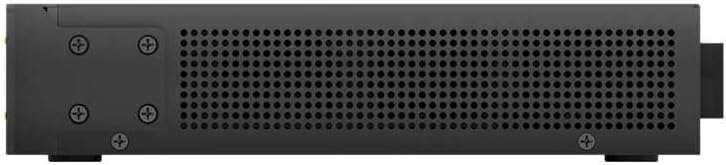
Side view of the Linksys LGS124 24-Port Gigabit Ethernet Switch, highlighting the ventilation grilles for heat dissipation.
Both side panels feature ventilation grilles to ensure proper airflow and prevent overheating of the device during operation.
3.4 Top and Bottom Panels

Top view of the Linksys LGS124 24-Port Gigabit Ethernet Switch, showing the sleek, unadorned surface.

Bottom view of the Linksys LGS124 24-Port Gigabit Ethernet Switch, showing mounting points and product labels.
The top and bottom panels are designed for passive cooling and provide mounting options for rack installation or desktop placement.
4. Setup
Follow these steps to set up your Linksys LGS124 Gigabit Ethernet Switch.
4.1 Physical Installation
- Placement: Place the switch on a flat, stable surface or mount it in a standard 19-inch equipment rack. Ensure adequate ventilation around the device to prevent overheating. Avoid placing it near heat sources or in enclosed spaces.
- Power: Connect the included power cord to the AC power input on the rear panel of the switch and then to a standard electrical outlet.
4.2 Connecting Devices
The LGS124 switch offers plug-and-play convenience, requiring no software configuration for basic operation.
- Network Cables: Use standard Ethernet cables (Cat5e or higher recommended for Gigabit speeds) to connect your network devices (e.g., computers, servers, network printers, other switches) to any of the 24 Gigabit Ethernet ports on the front panel of the LGS124 switch.
- Power On: Once all desired devices are connected, ensure the switch is powered on. The power LED on the front panel should illuminate.
- Verify Connection: Check the Link/Activity LEDs for each connected port. A solid green LED indicates a successful link, and a blinking LED indicates network activity.
5. Operating
The Linksys LGS124 is an unmanaged switch, meaning it operates automatically without requiring user configuration for basic network functions.
5.1 Basic Operation
- Automatic Speed Optimization: The switch automatically detects the speed of connected devices (10/100/1000 Mbps) and adjusts its port speed accordingly for optimal performance.
- Full-Duplex Support: All ports support full-duplex operation, allowing data to be sent and received simultaneously, maximizing throughput.
- Auto MDI/MDI-X: The switch automatically detects the type of Ethernet cable (straight-through or crossover) and adjusts accordingly, eliminating the need for specific cable types.
5.2 Quality of Service (QoS)
The Linksys LGS124 incorporates Quality of Service (QoS) traffic prioritization. This feature helps to ensure that time-sensitive data, such as voice or video traffic, receives priority over less critical data. This maintains consistent performance for critical applications even during periods of high network traffic, without requiring manual configuration.
6. Maintenance
Proper maintenance ensures the longevity and optimal performance of your switch.
- Cleaning: Periodically clean the exterior of the switch with a soft, dry cloth. Do not use liquid or aerosol cleaners. Ensure ventilation grilles are free from dust and obstructions.
- Environment: Operate the switch within its specified temperature and humidity ranges. Avoid exposing it to direct sunlight, excessive moisture, or extreme temperatures.
- Cable Management: Ensure network cables are neatly organized and not excessively bent or strained to prevent damage and maintain reliable connections.
7. Troubleshooting
If you encounter issues with your Linksys LGS124 switch, refer to the following troubleshooting steps:
- No Power: If the power LED is off, ensure the power cord is securely connected to both the switch and a working electrical outlet. Try a different outlet if necessary.
- No Link on a Port: If a port's Link/Activity LED is off, check the Ethernet cable connection between the switch and the connected device. Ensure the cable is not damaged and is securely plugged in at both ends. Verify that the connected device is powered on and functioning correctly. Try a different port or cable.
- Slow Network Connection: Ensure all connected devices are capable of Gigabit speeds if you expect 1000 Mbps performance. Check for excessive network traffic or faulty cables. The switch automatically optimizes speed, but cable quality and device capabilities are crucial.
- Intermittent Connectivity: Check for loose cable connections. Ensure the switch is placed in an area with good ventilation to prevent overheating, which can cause performance issues.
- Rebooting the Switch: As a first step for many issues, try disconnecting the power cord from the switch, waiting 10 seconds, and then reconnecting it. This can resolve temporary glitches.
If problems persist after attempting these steps, consult the Linksys support website for further assistance.
8. Specifications
The following table details the technical specifications of the Linksys LGS124 24-Port Gigabit Ethernet Switch.
| Feature | Specification |
|---|---|
| Model Number | LNKLGS124 |
| Brand | Linksys |
| Number of Ports | 24 |
| Interface Type | RJ45 |
| Data Transfer Rate | 1000 Megabytes Per Second (Gigabit Ethernet) |
| Voltage | 240 Volts |
| Product Dimensions | 21 x 16 x 0.1 inches |
| Item Weight | 6.38 pounds (2.9 Kilograms) |
| Case Material | Plastic |
| Included Components | Switch, Power Cord, Quick Start Guide |
| Compatible Devices | Desktop |
| Manufacturer | Linksys |
9. Warranty and Support
For information regarding product warranty, technical support, and additional resources, please visit the official Linksys website. You can typically find support documentation, FAQs, and contact information for customer service there.
Linksys Support: www.linksys.com/support