
Brady 130756
Brady 130756 BBP85 ANSI Notice Labels User Manual
Model: 130756
1. Product Overview
The Brady 130756 ANSI Notice Labels are designed for use with the Brady BBP85 Sign and Label Printer. These labels feature a white background with a pre-printed blue "NOTICE" header, adhering to ASME/ANSI Z535 standards. They enable users to create custom, high-visibility notice signs using a black ribbon. Constructed from B-595 indoor/outdoor grade vinyl material, these labels offer an ultra-aggressive adhesive for strong adherence to various surfaces, including rough or highly textured ones. Their low-shrink vinyl composition ensures 8-10 year outdoor durability.
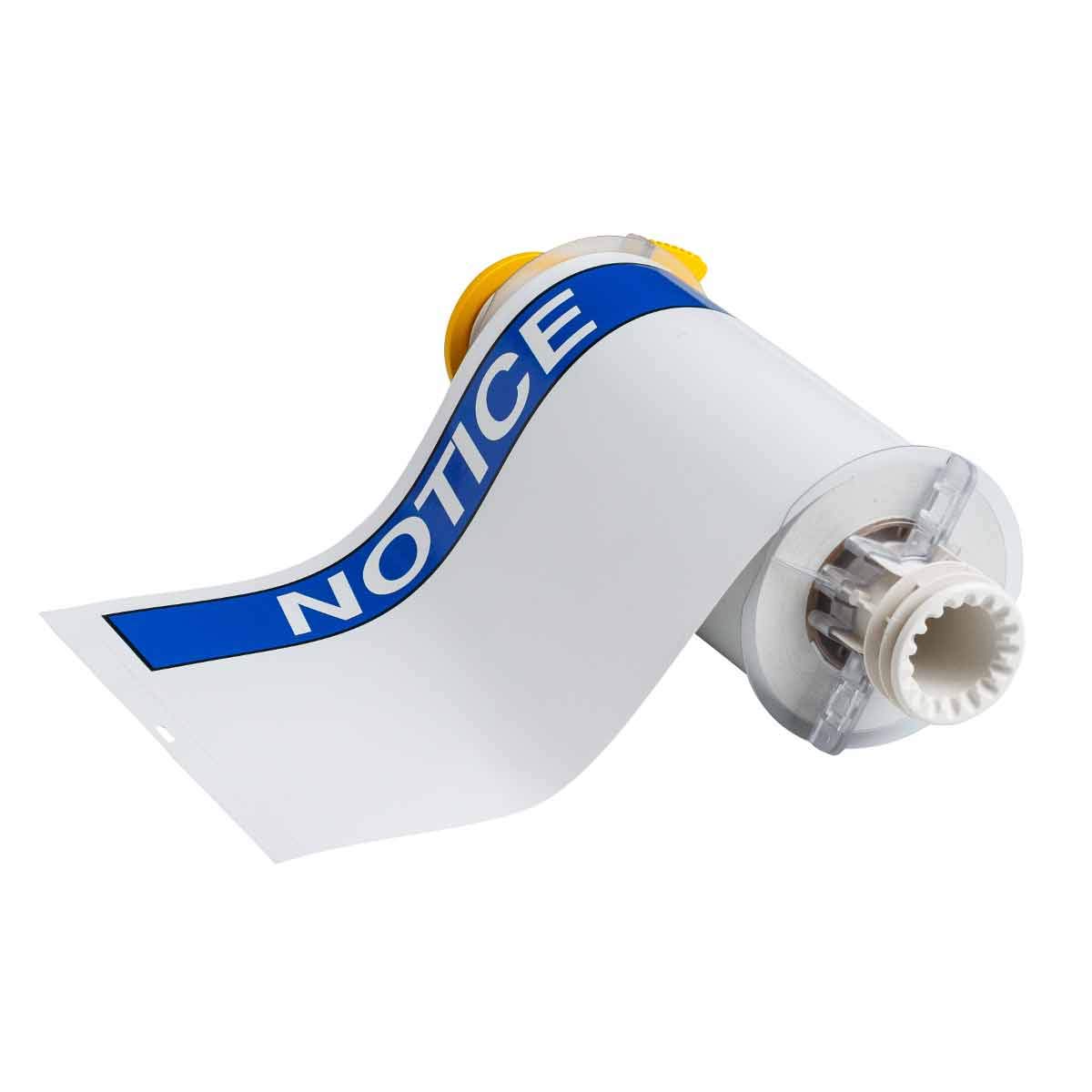
Figure 1: A roll of Brady 130756 ANSI Notice Labels. The labels are white with a prominent blue header displaying the word "NOTICE". The roll is shown partially unrolled, revealing the adhesive backing and the core designed for a label printer.
2. Setup and Installation
These labels are specifically designed for the Brady BBP85 Sign and Label Printer. Follow the instructions provided with your BBP85 printer for proper label roll installation.
- Prepare the Printer: Ensure your Brady BBP85 printer is powered off and open the media compartment according to its user manual.
- Load the Label Roll: Carefully place the Brady 130756 label roll onto the printer's media spindle, ensuring the labels feed correctly into the print path. The blue "NOTICE" header should be oriented as required for printing.
- Install Ribbon: Install a compatible black ribbon into the printer, as these labels are designed to be used with a black ribbon to create custom signs.
- Close Compartment: Close the printer's media compartment securely.
- Power On: Power on the BBP85 printer and allow it to calibrate the new media.
3. Operating Instructions
Once the Brady 130756 labels are loaded into your BBP85 printer, you can begin designing and printing your custom ANSI Notice signs.
- Design Your Sign: Use the BBP85 printer's software or interface to design the specific message you wish to print below the pre-printed "NOTICE" header. Ensure your design adheres to relevant safety standards and best practices for clear communication.
- Print Settings: Select the appropriate label type and size settings within the printer software to match the 7" x 10" dimensions of the 130756 labels.
- Print: Initiate the printing process. The printer will apply your custom text using the black ribbon onto the white label stock, below the blue "NOTICE" header.
- Apply Label: Once printed, carefully peel the label from its backing and apply it to a clean, dry, and smooth surface. The B-595 material's aggressive adhesive ensures strong adherence.
4. Maintenance and Storage
Proper maintenance and storage will ensure the longevity and performance of your Brady 130756 ANSI Notice Labels.
- Storage: Store unused label rolls in their original packaging in a cool, dry place, away from direct sunlight and extreme temperatures. This helps preserve the adhesive quality and material integrity.
- Handling: Handle label rolls by the edges to avoid transferring oils or dirt to the adhesive or printable surface.
- Printer Cleaning: Regularly clean your Brady BBP85 printer's print head and rollers as per the printer's manual to ensure optimal print quality and prevent label jams.
5. Troubleshooting
If you encounter issues while using your Brady 130756 labels, consider the following common troubleshooting steps:
- Poor Adhesion:
- Ensure the application surface is clean, dry, and free of dust, grease, or other contaminants.
- Apply firm, even pressure across the entire label surface during application.
- Verify that the label material (B-595) is suitable for the specific surface texture and environment.
- Print Quality Issues (Fading, Streaks):
- Check if the black ribbon is correctly installed and has sufficient material remaining.
- Clean the print head of your BBP85 printer according to its maintenance instructions.
- Ensure the printer settings match the label type and size.
- Labels Not Feeding Correctly:
- Verify the label roll is properly seated on the spindle and aligned within the printer.
- Check for any obstructions in the label path.
- Refer to your BBP85 printer's manual for specific media loading instructions.
6. Specifications
| Attribute | Detail |
|---|---|
| Model Number | 130756 |
| Brand | Brady |
| Label Color | Blue on White |
| Label Size | 7" x 10" |
| Material | Vinyl Film with Permanent Adhesive (B-595) |
| Finish Type | Matte |
| Outdoor Durability | 8-10 years |
| Adhesive Type | Ultra-aggressive permanent adhesive |
| Compatibility | Brady BBP85 Sign and Label Printer |
| Standards Met | ASME/ANSI Z535 |
7. Warranty and Support
For information regarding product warranty, returns, or technical support, please contact Brady customer service directly. You can find contact details on the official Brady website or through your product supplier.
Brady Official Website: www.bradyid.com
Related documents130756


Ask a question about this manual
Ask about setup, troubleshooting, compatibility, parts, safety, or missing instructions. Manuals+ will review the question and use this page’s manual context to help answer it.