
Introduction
Thank you for purchasing the Edifier R1280T Active Bookshelf Speakers. This 2.0 speaker system is designed to deliver high-quality audio for your PC, studio monitoring, or general listening needs. This manual provides comprehensive instructions to help you set up, operate, and maintain your speakers for optimal performance and longevity.
Package Contents
Please check the contents of your package. If any items are missing or damaged, please contact your retailer.
- 1x Active Speaker (Right)
- 1x Passive Speaker (Left)
- 1x Remote Control
- 1x Speaker Connection Cable (for connecting active to passive speaker)
- 1x Dual RCA to Dual RCA Audio Cable
- 1x 3.5mm to Dual RCA Audio Cable
- 1x Power Cable
- 1x User Manual (this document)

Image: All components included in the Edifier R1280T package. This includes the active and passive speakers, a remote control, speaker connection cable, RCA to RCA cable, 3.5mm to RCA cable, and the power cable.
Product Overview
Active Speaker (Right) Rear Panel

Image: Rear view of the active (right) speaker. It features the power switch, power input, L speaker output terminals, and two sets of RCA input jacks labeled PC and AUX.
- L Speaker Out: Connects to the passive (left) speaker.
- Power Switch: Turns the speaker system on or off.
- Power Input: Connects to the AC power cable.
- Input (PC/AUX): Two sets of RCA input jacks for connecting audio sources.
Active Speaker (Right) Side Panel Controls
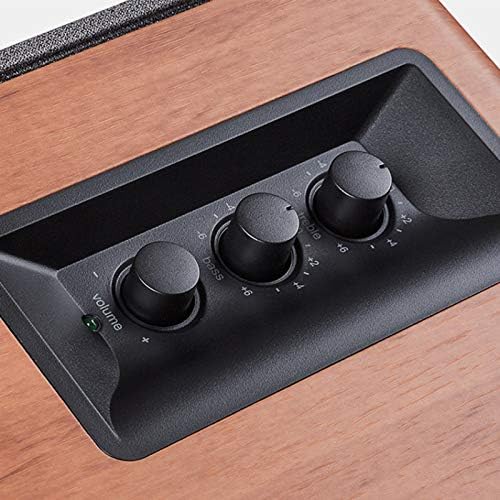
Image: Close-up of the control knobs located on the side panel of the active speaker. From top to bottom, these are Volume, Bass, and Treble controls.
- Volume Control: Adjusts the overall sound level.
- Bass Control: Adjusts the low-frequency output.
- Treble Control: Adjusts the high-frequency output.
Speaker Components
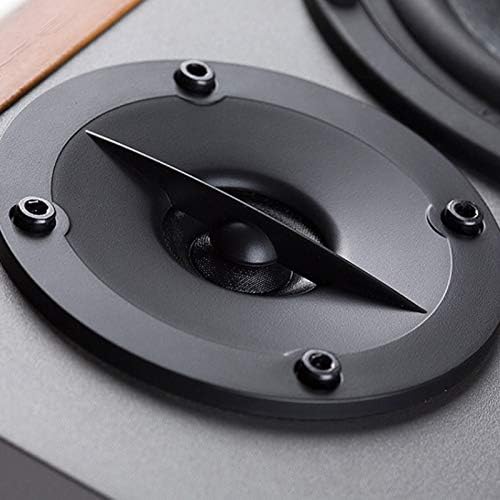
Image: A detailed view of the 13mm silk dome tweeter, responsible for clear high-frequency sound reproduction.
Each speaker features a 4-inch bass driver for robust low-end and a 13mm silk dome tweeter for crisp highs, ensuring a balanced audio experience.
Setup
1. Speaker Placement
Place the active (right) speaker on your right side and the passive (left) speaker on your left side, ideally at ear level and equidistant from your listening position. Ensure there is enough space behind the speakers for proper airflow and cable management.

Image: Edifier R1280T speakers positioned on a clean desk surface, demonstrating typical placement for a desktop audio setup.
2. Connecting the Speakers
Connect the passive (left) speaker to the "L Speaker Out" terminals on the active (right) speaker using the provided speaker connection cable. Ensure the polarity is correct (red to red, black to black).
3. Connecting Audio Sources
You can connect up to two audio sources simultaneously using the RCA inputs:
- PC Input: Use the provided dual RCA to dual RCA cable to connect your computer's audio output to the "PC" input on the active speaker.
- AUX Input: Use the provided 3.5mm to dual RCA cable to connect devices like smartphones, tablets, or MP3 players to the "AUX" input on the active speaker. Alternatively, use an RCA to RCA cable for other audio equipment.
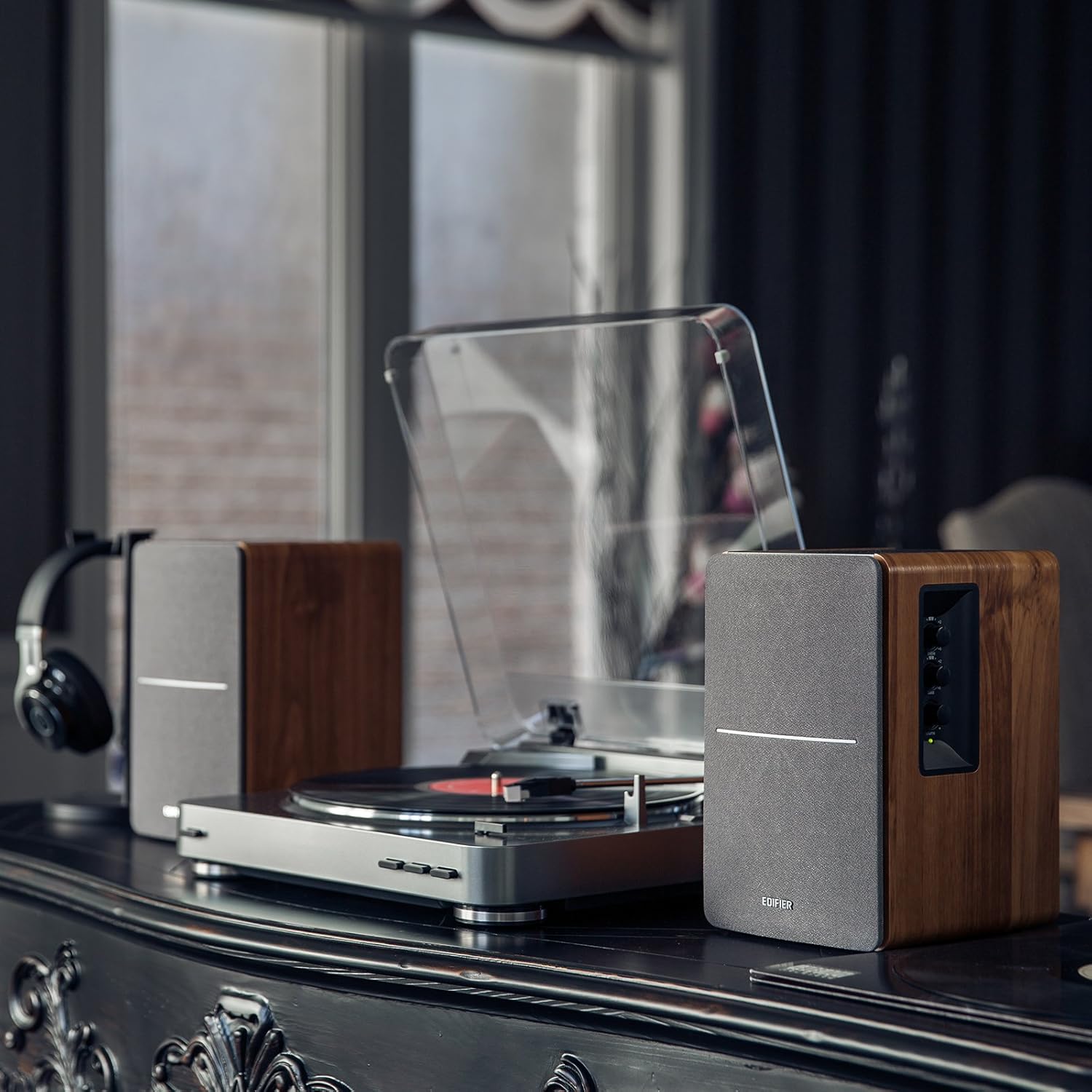
Image: The Edifier R1280T speakers integrated into a home audio setup with a turntable, demonstrating a common audio source connection.
4. Connecting Power
Connect the power cable to the "Power Input" on the active speaker and then plug it into a wall outlet.
Operating Instructions
Power On/Off
Flip the power switch on the rear panel of the active speaker to the "ON" position to power on the system. Flip it to "OFF" to power down.
Adjusting Volume, Bass, and Treble
Use the knobs on the side panel of the active speaker to adjust the overall volume, bass level, and treble level to your preference.
Switching Inputs
The R1280T automatically detects which input is active. If both inputs are connected, you may need to pause playback on one device to hear the other, or simply disconnect the unused source. The remote control also allows for input selection.
Using the Remote Control
The included remote control allows you to:
- Volume Up/Down: Increase or decrease the volume.
- Mute: Silence the audio output.
- Input Selection: Switch between PC and AUX inputs.
Ensure the remote control is pointed towards the active speaker for proper operation. The remote requires 1x CR2025 Lithium button cell battery (usually pre-installed or included).
Maintenance
- Cleaning: Use a soft, dry cloth to clean the speaker cabinets. Do not use abrasive cleaners, waxes, or solvents.
- Dust: Regularly dust the speaker grilles and surfaces to prevent accumulation.
- Environment: Avoid placing speakers in direct sunlight, near heat sources, or in areas with high humidity.
- Ventilation: Ensure adequate ventilation around the speakers to prevent overheating.
Troubleshooting
| Problem | Possible Cause | Solution |
|---|---|---|
| No sound |
|
|
| Distorted sound |
|
|
| Remote control not working |
|
|
General Tip: If you encounter any issues, ensure the power supply is plugged in and the power outlet is on. Try turning the system off and on, and reconnecting it to your audio source.
Specifications
| Total Power Output: | 42W RMS (2 x 21W) |
| Frequency Response: | 75Hz - 18KHz (+/-9dB) |
| Signal-to-Noise Ratio: | ≥85dBA |
| Input Sensitivity: | PC: 750mV ± 50mV, AUX: 550mV ± 50mV |
| Input Type: | RCA (PC, AUX) |
| Bass Unit: | 4 inch (116mm) |
| Treble Unit: | Φ13mm silk dome tweeter |
| Dimensions (each speaker): | 146mm x 234mm x 196mm (W x H x D) |
| Weight: | Approx. 4.9 kg (total) |
| Power Input: | 100-240V ~50/60Hz |
Note: Specifications are subject to change without notice.
Warranty and Support
Warranty Information
The Edifier R1280T speakers come with a Limited Warranty. The duration of the warranty period may vary by region and retailer. In the EU, spare parts availability is guaranteed for 2 years from the date of purchase.
Please retain your proof of purchase for warranty claims. The warranty typically covers manufacturing defects and workmanship under normal use.
Customer Support
For technical support, service, or further inquiries, please visit the official Edifier website or contact your local Edifier distributor. You can find more information and support resources at the Edifier Brand Store.