
1. Introduction
This manual provides detailed instructions for the installation, operation, maintenance, and troubleshooting of the LEFOO LF16 Water Pump Pressure Switch. This device is designed to automatically control water pump systems by sensing pressure changes in the water line, ensuring consistent water pressure and preventing issues related to low or high pressure.
2. Safety Information
WARNING: Electrical shock hazard. Always disconnect power to the pump system at the main circuit breaker or fuse box before installing, servicing, or adjusting the pressure switch. Failure to do so can result in serious injury or death.
- Ensure all electrical connections are made by a qualified electrician and comply with local electrical codes.
- Do not operate the pump system if the pressure switch cover is removed.
- Verify the voltage and current ratings of the switch are compatible with your pump system.
- Protect the switch from moisture and extreme temperatures.
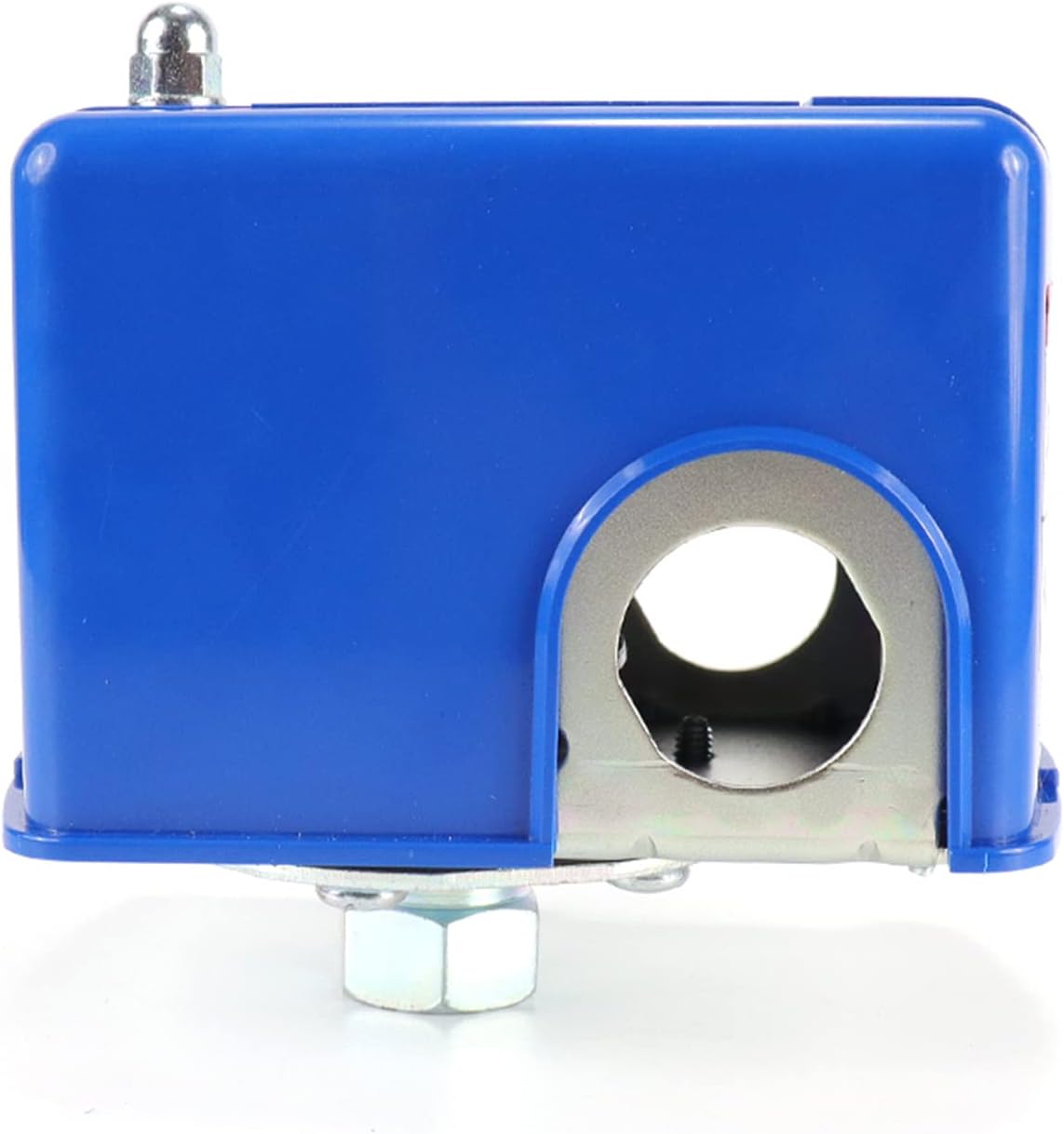
Image: The LEFOO LF16 pressure switch showing the warning label indicating hazardous voltage and excessive pressure. Always disconnect power before removing the cover.
3. Product Overview
The LEFOO LF16 is a robust pressure switch designed for reliable control of water pumps. It features a precision pressure sensing diaphragm and a snap-action switch mechanism. The standard 1/4" NPT female threads allow for easy integration into most water systems.

Image: Top-down view of the LEFOO LF16 Water Pump Pressure Switch, highlighting its blue casing and compact design.

Image: View of the internal components of the LEFOO LF16 pressure switch, showing the electrical contacts, springs, and adjustment screws.

Image: Bottom view of the LEFOO LF16 pressure switch, illustrating the 1/4" NPT female threaded connection for water line integration.
4. Specifications
| Feature | Detail |
|---|---|
| Model Number | LF16 |
| Pressure Range | 40-60 PSI |
| Operation Mode | ON-OFF |
| Contact Type | Normally Open |
| Connector Type | 1/4" NPT Female |
| Voltage | 120.00V (Compatible with 12V, 120V, 240V systems) |
| Item Dimensions (L x W x H) | 3.9 x 3.9 x 4.49 inches |
| Item Weight | 13.7 ounces |
| Mounting Type | Surface Mount |
| Contact Material | Stainless Steel |
| Color | Blue |

Image: Technical drawing illustrating the dimensions of the LEFOO LF16 pressure switch in millimeters.
5. Setup and Installation
Proper installation is crucial for the safe and efficient operation of your water pump system. Refer to the wiring diagram and follow these steps carefully.
5.1 Mounting the Switch
- Ensure the pump system is completely depressurized and power is disconnected.
- Locate a suitable mounting point near the pump or pressure tank, ensuring it is protected from environmental elements.
- Thread the 1/4" NPT female connection of the pressure switch onto the corresponding male fitting on your water line or pressure tank. Use thread sealant tape for a watertight seal.
- Secure the switch firmly in place.
5.2 Electrical Wiring
The LF16 pressure switch acts like a simple ON/OFF switch. The four terminals are used for hot wires, while neutrals and grounds are typically connected separately with wire nuts inside the switch cover or junction box.

Image: Wiring diagram for the LEFOO LF16 pressure switch, showing L1, M, and L2 terminals for various voltage configurations.
- For 12V or 120V Systems:
- Connect the incoming hot wire (L1) from the power source to the L1 terminal.
- Connect the outgoing hot wire (M) to the water pump to the M terminal (adjacent to L1).
- The M and L2 terminals on the right side are not used for single-phase 12V or 120V systems.
- Connect neutral wires together with a wire nut and ground wires together with a wire nut, then safely tuck them inside the switch cover.
- For 240V Systems:
- Connect the first incoming hot wire (L1) to the L1 terminal.
- Connect the first outgoing hot wire to the pump to the M terminal (adjacent to L1).
- Connect the second incoming hot wire (L2) to the L2 terminal.
- Connect the second outgoing hot wire to the pump to the M terminal (adjacent to L2).
- Connect ground wires together with a wire nut and safely tuck them inside the switch cover.
After wiring, ensure all connections are secure and replace the switch cover.
5.3 Pressure Adjustment
The LF16 switch is factory set to 40-60 PSI. Adjustments can be made to the cut-in and cut-off pressures if necessary. There are two adjustment screws:
- Main Adjustment (Center Screw): This screw adjusts the overall pressure range (both cut-in and cut-off simultaneously). Turning it clockwise increases both pressures; counter-clockwise decreases both. One full turn typically changes the PSI by approximately 2.5.
- Differential Adjustment (Smaller Screw, Upper Left): This screw adjusts the cut-off pressure relative to the cut-in pressure. Use this to fine-tune the upper limit after setting the desired cut-in pressure with the main adjustment. Turning it clockwise increases the cut-off pressure; counter-clockwise decreases it.
Always make small adjustments and test the system to achieve the desired pressure settings. Ensure the pump operates within its safe limits.
Video: A short demonstration of the LEFOO LF16 pressure switch, showing its components and basic functionality. This video is provided by the manufacturer, ZheJiang Lefoo Controls Co., Ltd.
6. Operating Instructions
Once installed and adjusted, the LEFOO LF16 pressure switch operates automatically:
- When the water pressure in the system drops below the set cut-in pressure (e.g., 40 PSI), the switch contacts close, activating the water pump.
- The pump will run, increasing the water pressure in the system.
- When the water pressure reaches the set cut-off pressure (e.g., 60 PSI), the switch contacts open, deactivating the water pump.
- This cycle repeats as water is used and pressure fluctuates, maintaining a consistent water supply.
7. Maintenance
Regular maintenance helps ensure the longevity and reliable operation of your pressure switch:
- Periodic Inspection: Annually inspect the switch for any signs of corrosion, loose wiring, or physical damage.
- Cleanliness: Keep the switch free from dirt, dust, and moisture.
- Pressure Verification: Periodically check the system pressure with a separate gauge to ensure the switch is operating within its set parameters.
- Contact Points: If the switch frequently cycles or fails to engage/disengage, the internal contacts may be worn or dirty. Always disconnect power before inspecting internal components.
8. Troubleshooting
| Problem | Possible Cause | Solution |
|---|---|---|
| Pump does not start | No power to switch; faulty wiring; low system pressure (below cut-in) but switch not engaging; faulty switch. | Check power supply and circuit breaker. Verify wiring connections. Manually check system pressure. Inspect switch contacts. Replace switch if faulty. |
| Pump does not stop | High system pressure (above cut-off) but switch not disengaging; faulty switch; pressure tank issue. | Check system pressure with a gauge. Inspect switch contacts. Check pressure tank air charge. Replace switch if faulty. |
| Pump cycles too frequently | Water leak in system; pressure tank air charge too low; switch differential set too narrow. | Check for leaks. Recharge pressure tank. Adjust switch differential to a wider range. |
| Inconsistent pressure | Improperly adjusted switch; pressure tank issues; pump performance issues. | Re-adjust pressure switch settings. Check pressure tank. Consult pump manual or professional. |
9. Warranty and Support
The LEFOO LF16 Water Pump Pressure Switch comes with a one-year warranty from the date of purchase. This warranty covers defects in materials and workmanship under normal use. For warranty claims or technical support, please contact LEFOO customer service through the retailer where the product was purchased or visit the official LEFOO website.
For additional information and resources, you may visit the LEFOO Store on Amazon.

