
1. Important Safety Instructions
Always observe basic safety precautions when using electrical tools to reduce the risk of fire, electric shock, and personal injury. Read all instructions before operating this product.
- Work Area Safety: Keep your work area clean and well-lit. Cluttered or dark areas invite accidents. Do not operate power tools in explosive atmospheres, such as in the presence of flammable liquids, gases, or dust.
- Electrical Safety: Avoid body contact with earthed or grounded surfaces. Do not expose power tools to rain or wet conditions. Water entering a power tool will increase the risk of electric shock.
- Personal Safety: Always wear eye protection. Use hearing protection when operating hammer drills. Dress properly; avoid loose clothing or jewelry. Secure long hair.
- Tool Use and Care: Do not force the power tool. Use the correct power tool for your application. Disconnect the battery pack from the power tool before making any adjustments, changing accessories, or storing power tools.
- Battery Pack Use and Care: Recharge only with the charger specified by the manufacturer. Do not use battery packs with any other power tools. Do not incinerate the battery pack even if it is severely damaged.
2. Product Overview
The DEWALT DCD795M2-QW is an 18V XR Brushless Hammer Drill/Driver designed for various drilling and fastening applications. It features a compact design, a powerful brushless motor, and two speed settings for optimal performance.

Image 2.1: The DEWALT DCD795M2-QW Hammer Drill/Driver kit, including the drill, two 4.0 Ah batteries, a charger, and a TSTAK case.
Key Features:
- Brushless Motor: Provides increased runtime, durability, and power.
- Compact Design: Lightweight and ergonomic for comfortable use in tight spaces.
- Two Speed Settings: Allows for optimized speed and torque control for various applications.
- Hammer Function: For efficient drilling into masonry and concrete.
- LED Work Light: Illuminates the work area for improved visibility.
3. Setup
3.1 Charging the Battery
The DEWALT DCD795M2-QW uses 18V XR Li-Ion batteries. Ensure the battery is fully charged before first use.
- Connect the charger to a suitable power outlet.
- Slide the battery pack into the charger until it clicks into place. The charging indicator light will show the charging status.
- Once fully charged, remove the battery pack from the charger.

Image 3.1: The DEWALT battery charger, used for recharging the 18V Li-Ion battery packs.
3.2 Installing/Removing the Battery Pack
- To Install: Align the battery pack with the receptacle on the tool and slide it in until it locks securely.
- To Remove: Press the battery release button and pull the battery pack out of the tool.
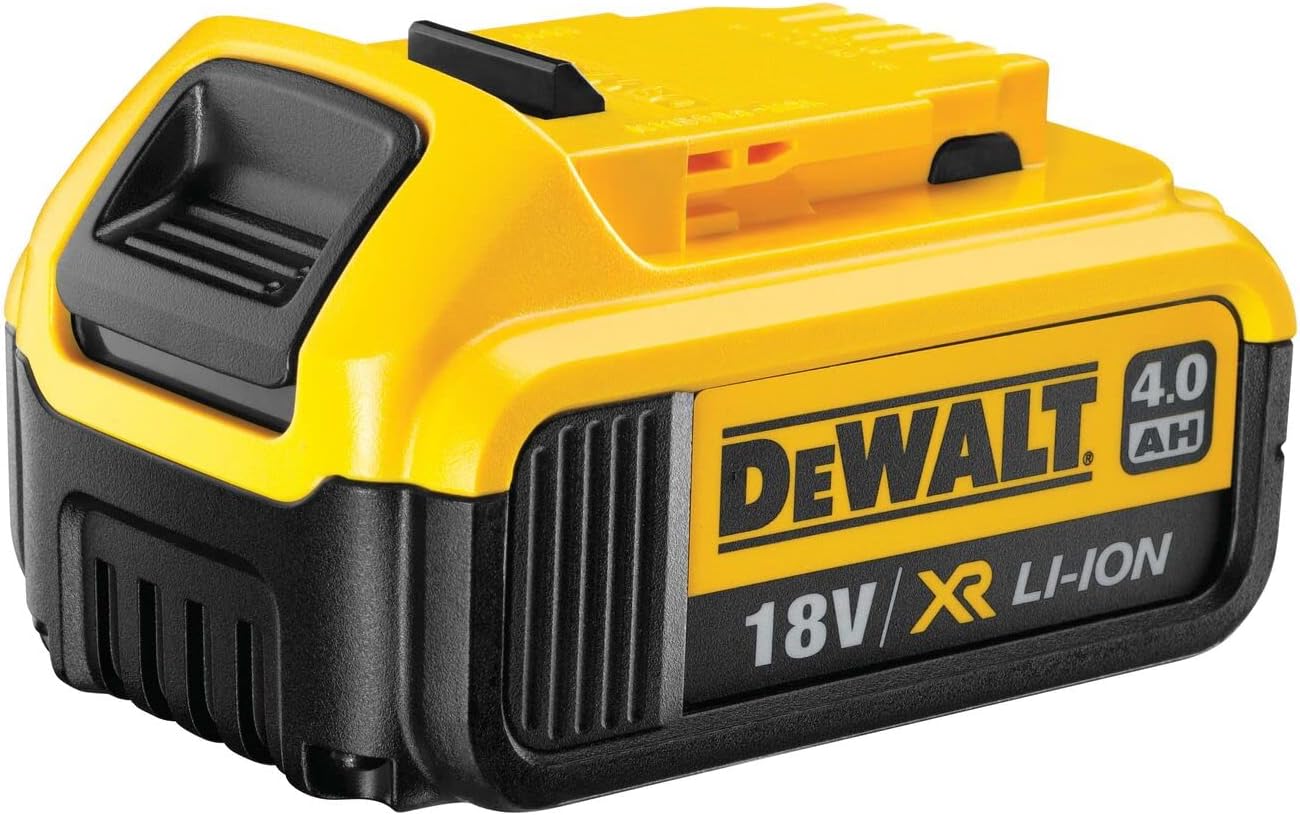
Image 3.2: A DEWALT 18V 4.0 Ah Li-Ion battery pack, ready for installation into the tool or charger.
3.3 Installing Drill Bits or Accessories
- Ensure the tool is switched off and the battery pack is removed.
- Grip the rear half of the chuck and rotate the front half counter-clockwise until the chuck jaws are open wide enough to accept the accessory.
- Insert the drill bit or accessory fully into the chuck.
- Rotate the front half of the chuck clockwise until the accessory is firmly clamped.

Image 3.3: Close-up view of the DEWALT DCD795M2-QW drill chuck, showing the mechanism for inserting and securing drill bits.
4. Operating Instructions
4.1 Selecting Operating Mode
The DCD795M2-QW offers three operating modes: Screwdriving, Drilling, and Hammer Drilling.
- Screwdriving Mode: Rotate the collar to the screwdriving icon. Adjust the torque setting ring to the desired torque level (1-15) for driving screws.
- Drilling Mode: Rotate the collar to the drill icon. This mode provides maximum torque for drilling into wood, metal, and plastics.
- Hammer Drilling Mode: Rotate the collar to the hammer drill icon. This mode combines rotation with a hammering action for drilling into masonry and concrete.
4.2 Adjusting Speed
The tool has a two-speed gearbox. Use the speed selector switch located on top of the tool.
- Speed 1 (Low Speed): For high torque applications, such as driving large screws or drilling large diameter holes.
- Speed 2 (High Speed): For faster drilling and smaller diameter holes.
4.3 Using the LED Work Light
The integrated LED work light automatically activates when the trigger is pressed, illuminating the work surface. This feature is particularly useful in dimly lit environments.

Image 4.1: The LED work light located at the base of the drill, providing illumination for the work area.
4.4 Ergonomic Grip
The tool features an ergonomic grip designed for comfort during extended use and to reduce user fatigue.

Image 4.2: A close-up of the ergonomic handle of the DEWALT DCD795M2-QW, highlighting its comfortable design.
5. Maintenance
Regular maintenance ensures optimal performance and extends the life of your tool.
- Cleaning: Keep the ventilation slots clear and clean. Use a soft brush or dry cloth to remove dust and debris. Do not use water or chemical cleaners.
- Battery Care: Store batteries in a cool, dry place away from direct sunlight. Do not store fully discharged batteries for extended periods.
- Chuck Maintenance: Periodically clean the chuck jaws to ensure proper gripping of accessories.
- Inspection: Regularly inspect the tool, battery, and charger for any signs of damage. Do not use damaged components.
6. Troubleshooting
If you encounter issues with your DEWALT DCD795M2-QW, refer to the following common problems and solutions:
| Problem | Possible Cause | Solution |
|---|---|---|
| Tool does not start | Battery not charged or improperly installed; tool malfunction. | Ensure battery is fully charged and correctly inserted. If problem persists, contact DEWALT service. |
| Battery not charging | Charger not connected; faulty battery or charger. | Check power connection. Try a different battery or charger if available. Contact DEWALT service if issue continues. |
| Chuck loses grip on bit | Bit not tightened sufficiently; chuck jaws are dirty or worn. | Ensure bit is fully inserted and chuck is tightened firmly. Clean chuck jaws. If wear is evident, consider professional service. |
| Reduced power/performance | Low battery charge; incorrect mode/speed setting. | Recharge battery. Verify correct mode and speed are selected for the task. |
7. Specifications
Detailed technical specifications for the DEWALT DCD795M2-QW Hammer Drill/Driver.
- Model Number: DCD795M2-QW
- Voltage: 18 Volts
- Battery Type: Li-Ion
- Battery Capacity: 4.0 Ah (2 batteries included)
- Motor Type: Brushless
- Max Torque: 60 Newton Meters
- No Load Speed: 0-600 / 0-2000 RPM
- Max Drilling Capacity (Wood): 38 mm
- Max Drilling Capacity (Metal): 13 mm
- Max Drilling Capacity (Masonry): 13 mm
- Weight (with battery): 1.88 kg
- Dimensions (L x W x H): 6.7 x 20.2 x 21.8 cm
- Included Components: DCD795 Hammer Drill, 2x 4.0Ah Li-Ion Batteries, Charger, Magnetic Bit Holder, Belt Hook, TSTAK Case.
8. Warranty and Support
DEWALT offers a comprehensive warranty for its products. For detailed warranty information and to register your product for an extended warranty (up to 3 years), please visit the official DEWALT website.
For technical support, service, or to locate an authorized service center, please refer to the contact information provided on the DEWALT official website or your local dealer.
Online Support: Visit DEWALT Support
Product Registration: Register Your DEWALT Product


