
1. Introduction
The X-Rite CTP30 is a precision instrument designed for measuring dot percentage on both paper and computer-to-plate (CTP) materials. This device provides accurate readings essential for quality control in printing and graphic arts workflows. This manual provides comprehensive instructions for the proper setup, operation, and maintenance of your CTP30 unit to ensure optimal performance and longevity.

Figure 1: The X-Rite CTP30 Paper & Plate Reader.
2. What's Included
Upon unpacking your X-Rite CTP30, verify that all components are present:
- X-Rite CTP30 Unit
- X-Rite CTP30 Manual on CD
- X-Rite CTP30 Utility Software
- X-RiteDot ccDot Test Chart
- X-Rite CTP30 Interface Cable
- X-Rite CTP30 Power Supply
- Hard-sided Plastic Case
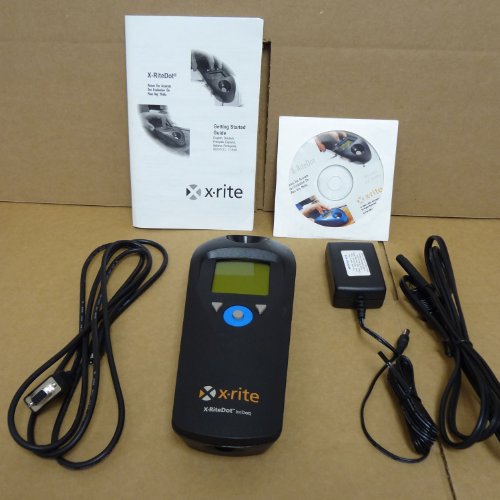
Figure 2: X-Rite CTP30 unit with included accessories.
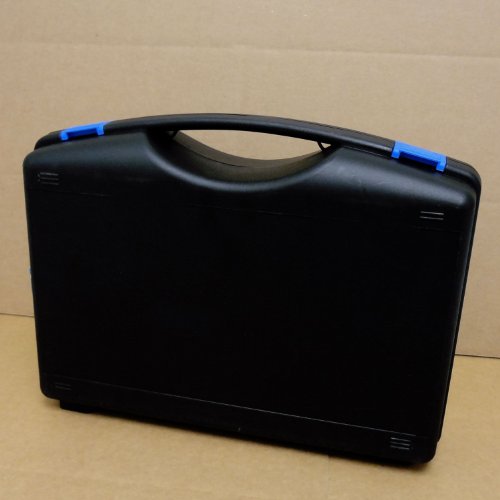
Figure 3: Hard-sided plastic case for storage and transport.
3. Setup
3.1 Initial Power-Up
- Connect the X-Rite CTP30 Power Supply to the unit's power input port.
- Plug the power supply into a standard electrical outlet.
- Press the power button on the CTP30 unit. The display should illuminate, indicating the device is ready for operation.
3.2 Software Installation (Optional)
For advanced functionality and data logging, install the X-Rite CTP30 Utility Software on your computer:
- Insert the X-Rite CTP30 Manual CD into your computer's CD/DVD drive.
- Locate and run the installer for the CTP30 Utility Software.
- Follow the on-screen prompts to complete the installation.
- Connect the CTP30 unit to your computer using the provided X-Rite CTP30 Interface Cable (typically USB or serial, refer to the CD manual for specific port details).
4. Operating Instructions
4.1 Basic Measurement
- Ensure the CTP30 unit is powered on and calibrated if necessary (refer to the CD manual for calibration procedures).
- Place the paper or CTP plate with the desired dot pattern on a flat, stable surface.
- Position the measurement aperture of the CTP30 directly over the area to be measured.
- Press the measurement button (location may vary, consult the CD manual for exact button layout).
- The dot percentage reading will be displayed on the unit's screen.
4.2 Using the ccDot Test Chart
The X-RiteDot ccDot Test Chart is used for verifying the accuracy and performance of your CTP30 unit. Follow the instructions provided with the test chart and in the CD manual for proper usage and interpretation of results.
5. Maintenance
5.1 Cleaning
- Keep the measurement aperture clean and free of dust or debris. Use a soft, lint-free cloth.
- Wipe the exterior of the unit with a slightly damp cloth. Avoid abrasive cleaners or solvents.
- Ensure no liquids enter the unit.
5.2 Storage
When not in use, store the X-Rite CTP30 unit and its accessories in the provided hard-sided plastic case to protect it from dust, moisture, and physical damage. Store in a cool, dry environment.
6. Troubleshooting
| Problem | Possible Cause | Solution |
|---|---|---|
| Unit does not power on. | No power, faulty power supply, or unit malfunction. |
|
| Inaccurate readings. | Dirty aperture, uncalibrated unit, or incorrect measurement technique. |
|
| Software not detecting unit. | Incorrect cable, driver issue, or software not running. |
|
7. Specifications
| Feature | Detail |
|---|---|
| Model Number | X-riteDot CTP30 |
| Manufacturer | X-Rite |
| Product Type | Paper & Plate Reader / Dot Meter |
| Measurement Capability | Dot percentage on paper and CTP plates |
| Connectivity | Interface Cable (for PC connection) |
| Power Source | External Power Supply |
8. Warranty and Support
8.1 Warranty Information
For detailed warranty information, please refer to the documentation provided on the X-Rite CTP30 Manual CD or visit the official X-Rite website. Keep your proof of purchase for warranty claims.
8.2 Technical Support
If you encounter issues not covered in this manual or require further assistance, please contact X-Rite Technical Support. Contact information can typically be found on the X-Rite website or in the documentation included with your product.
X-Rite Official Website: www.xrite.com