
Introduction
This manual provides instructions for the safe and effective use of your Glovii GS02 Battery Heated Ski Gloves. Please read this manual thoroughly before using the product and retain it for future reference.
Product Features
- Heating Element: Efficient 7.4V lithium-ion battery (2200 mAh) with microprocessor mode control. Carbon fiber heating element placed on the outside of the hand.
- Material Construction: Hypora waterproof and breathable outer membrane, Thinsulate fabric insulation, Polartec tricot lining, eco-leather gussets for reinforced grip.
- Adjustable Heating Modes: Four heating levels (25%, 50%, 75%, 100%) for customizable warmth.
- Battery Life: Up to 8 hours of warmth on the lowest setting (25%).
- Control Panel: Integrated control panel on the glove for easy heat adjustment.
- Touchscreen Compatibility: Special fabric on the thumb and index finger allows for operating touchscreen devices without removing gloves.
- Indicators: Built-in mode indicator and 4-way battery level indicator.
- Design: Battery compartment closed with a zipper, adjustable wrist band.

Image: Reinforced palm area of the glove for enhanced grip and durability.
Package Contents
Please check the package contents to ensure all items are present:
- Heated Gloves (1 pair)
- Rechargeable Batteries (2 pieces)
- Battery Charger with EU and US plugs (1 piece)
Setup Instructions
1. Charging the Batteries
Before initial use, fully charge both batteries.
- Connect the batteries to the provided charger.
- Plug the charger into a suitable power outlet. Ensure you use the correct plug adapter for your region (EU or US). If you are in a region not covered by the provided plugs, a separate adapter may be required.
- The charging time is approximately 4-6 hours. The battery level indicator will show charging progress.
- Once fully charged, disconnect the batteries from the charger.
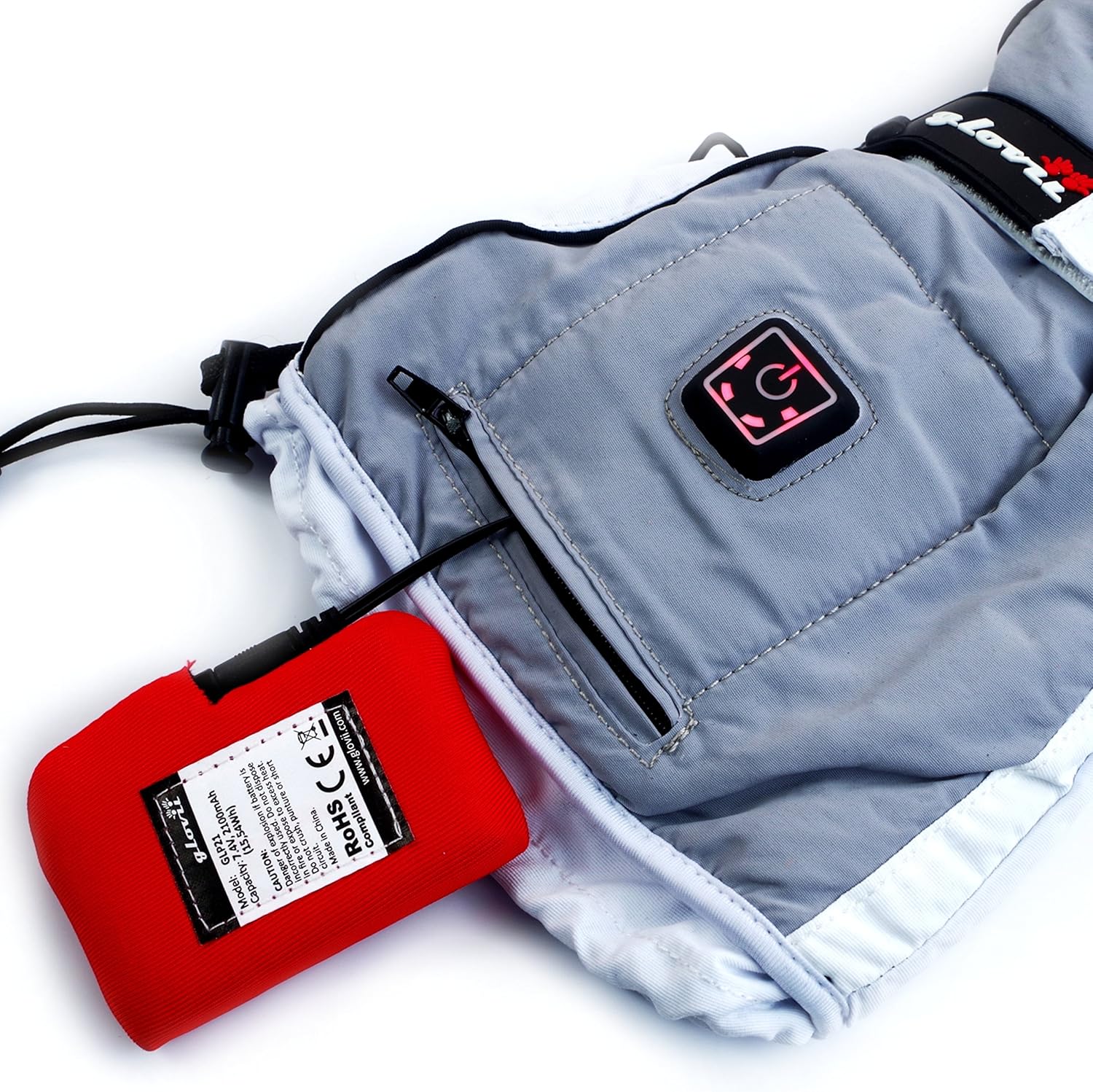
Image: Battery connected to the glove for charging.
2. Inserting Batteries into Gloves
Each glove has a dedicated zippered pocket for its battery.
- Locate the zippered battery compartment on the cuff of each glove.
- Carefully insert a charged battery into the compartment.
- Connect the glove's internal power cable to the battery.
- Zip the compartment closed securely.
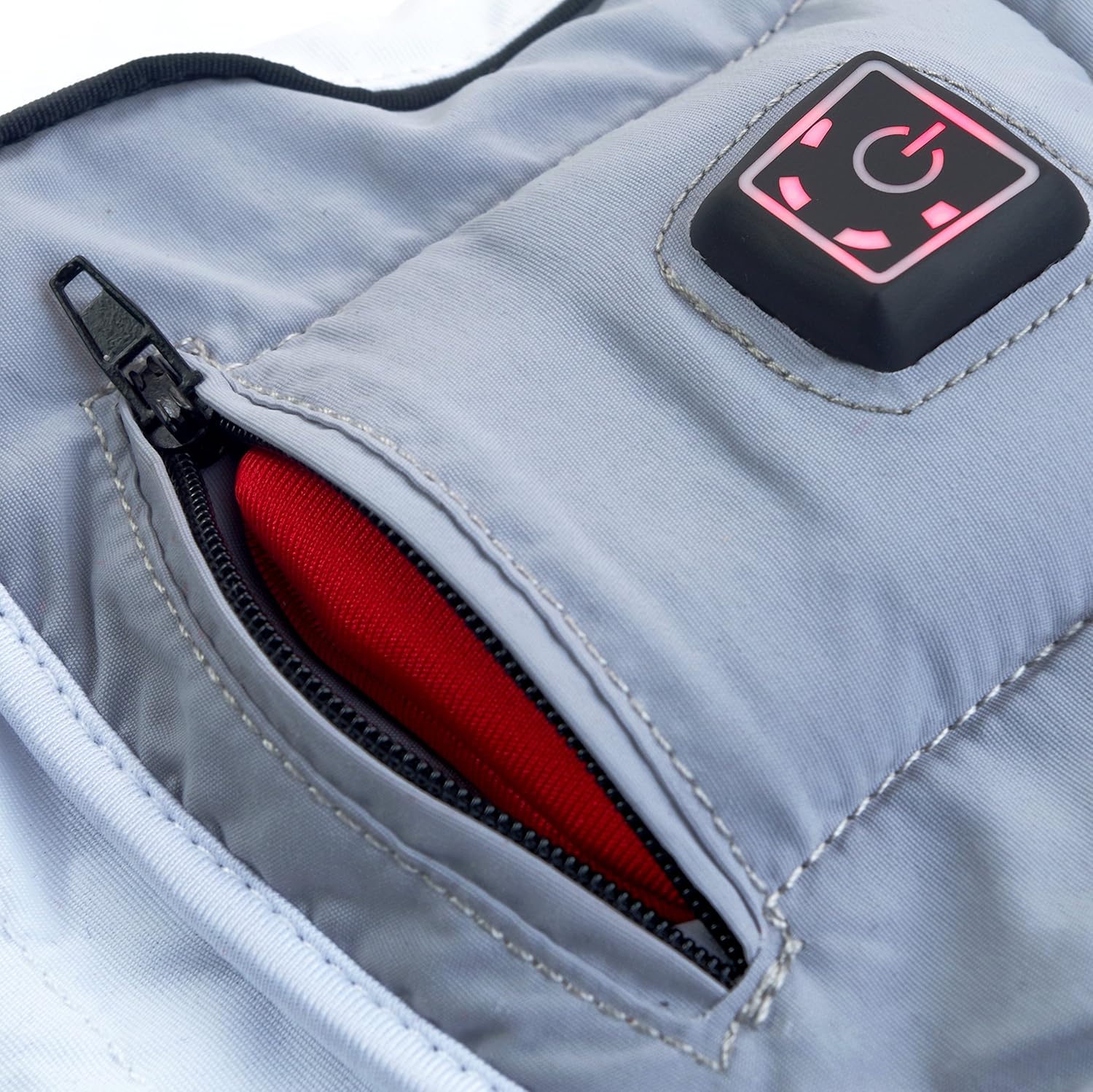
Image: Battery being inserted into the glove's zippered pocket.
Operating Instructions
1. Powering On/Off
The power button is located on the top of each glove.
- To turn on: Press and hold the power button for a few seconds until the indicator light illuminates. The gloves will typically start at the highest heat setting.
- To turn off: Press and hold the power button again for a few seconds until the indicator light turns off.

Image: Illuminated power button on the glove.
2. Adjusting Heat Levels
Once powered on, short presses of the power button will cycle through the heat settings. The indicator light will change to reflect the current mode.
- 100% Heat: Up to 2 hours of work.
- 75% Heat: Up to 3 hours of work.
- 50% Heat: Up to 5 hours of work.
- 25% Heat: Up to 8 hours of work.
3. Touchscreen Compatibility
The thumb and index finger of the gloves are designed with special fabric to allow interaction with touchscreen devices. This feature enables you to use smartphones or other touch-enabled gadgets without removing your gloves.
Maintenance
1. Cleaning
To clean your Glovii heated gloves, follow these instructions:
- Hand Wash Only: Remove batteries before washing. Use mild soap and cold water. Do not machine wash, tumble dry, iron, or dry clean.
- Allow gloves to air dry completely before reinserting batteries or storing.
2. Storage
When not in use, store the gloves and batteries in a cool, dry place. It is recommended to store batteries partially charged (around 50%) if storing for extended periods to prolong battery life.
Troubleshooting
- Gloves not heating:
- Ensure batteries are fully charged and correctly inserted into the glove compartments.
- Verify that the power cable inside the glove is securely connected to the battery.
- Check if the power button on the glove is pressed and held until the indicator light turns on.
- Battery not charging:
- Ensure the charger is properly plugged into a working power outlet.
- Verify that the batteries are correctly connected to the charger.
- Confirm that you are using the appropriate plug adapter for your region. If you are in the US and received an EU plug, a separate US adapter is required.
- Short battery life:
- Battery life varies significantly with the selected heat level. Higher heat settings consume battery power more quickly.
- Ensure batteries are fully charged before each use.
- Battery performance can be affected by extremely cold temperatures.
Technical Specifications
| Feature | Specification |
|---|---|
| Model Number | GS02 |
| Battery Type | 7.4V Lithium-ion, 2200 mAh |
| Heating Element | Carbon Fibers |
| Charging Time | 4-6 hours |
| Max Battery Life (25% heat) | Up to 8 hours |
| Weight (with battery) | 450g (approx. 1.0 lbs) |
| Dimensions | 12.6 x 2.36 x 7.09 inches |
| Care Instructions | Hand Wash Only |
| Manufacturer | Glovii |
Sizing Guide
To ensure the best fit, measure the circumference of your hand around the knuckles, excluding the thumb. Refer to the chart below to find your appropriate glove size.

Image: Glovii glove sizing chart.
Warranty Information
The Glovii GS02 Battery Heated Ski Gloves come with a 1-year warranty from the date of purchase. This warranty covers manufacturing defects under normal use. Please retain your proof of purchase for warranty claims.
Support
For further assistance, troubleshooting not covered in this manual, or warranty inquiries, please contact Glovii customer support through their official website or the retailer where the product was purchased.


