
1. Introduction
Thank you for choosing the HON Pillow-Soft Mid-Back Chair. This manual provides essential information for the proper use, adjustment, and maintenance of your new office chair. Please read these instructions carefully to ensure optimal comfort and longevity of your product.
The HON Pillow-Soft Mid-Back Chair is designed to provide whole-body support with a resilient foam seat cushion, a memory foam top layer, and a lumbar-cradling recess in the back. It features genuine leather seating surfaces for a premium feel and durability.
2. Setup and Initial Placement
Your HON Pillow-Soft Mid-Back Chair, model H2092.H.SR11.T, arrives fully assembled, simplifying the setup process. No tools or complex assembly steps are required.
Unboxing and Placement:
- Carefully remove the chair from its packaging. Ensure all packing materials are removed from around the chair and its base.
- Place the chair on a flat, stable surface in your desired office or workspace.
- Ensure there is adequate space around the chair for movement and adjustments.

Image: The HON Pillow-Soft Mid-Back Chair positioned at an office desk, ready for use.
3. Operating and Adjustments
The HON Pillow-Soft Mid-Back Chair offers several adjustments to customize your seating experience for optimal comfort and ergonomic support.
A. Seat Height Adjustment:
To adjust the seat height, locate the lever typically found on the right side, beneath the seat. While seated, lift the lever to lower the seat. To raise the seat, lift the lever while taking your weight off the seat. Release the lever at your desired height.
B. Center-Tilt with Tension Control:
The chair features a center-tilt mechanism, allowing the seat and back to recline together. The tilt tension can be adjusted to match your body weight and preference.
- Tilt Activation: Locate the lever on the left side, beneath the seat. Pull the lever outwards to enable the tilt function. Push it inwards to lock the chair in an upright position.
- Tilt Tension: The round knob located at the front, beneath the seat, controls the tilt tension. Turn the knob clockwise to increase tension (making it harder to recline) or counter-clockwise to decrease tension (making it easier to recline). Adjust until you can recline comfortably without feeling like you're falling backward or having to push too hard.

Image: Side view of the chair, highlighting the tilt mechanism and fixed armrests.
C. Fixed Armrests:
The chair is equipped with fixed armrests designed to provide consistent support. While not adjustable, their ergonomic placement contributes to overall comfort.
D. Lumbar Support and Cushioning:
The back cushion combines foam and a layer of polyester fiberfill, along with a lumbar-cradling recess, to support the natural curve of your spine. The seat cushion features a memory foam top layer to distribute pressure evenly and enhance comfort.
4. Maintenance and Care
Proper care and maintenance will extend the life and appearance of your HON Pillow-Soft Mid-Back Chair.
A. Cleaning Instructions:
- Leather Surfaces: For general cleaning, wipe leather surfaces with a soft, damp cloth. For spills or stains, use a mild soap solution and a clean cloth, then wipe dry immediately. Avoid harsh chemicals, abrasive cleaners, or excessive moisture, as these can damage the leather.
- Base and Casters: Wipe the chair base and casters with a damp cloth to remove dust and debris. Periodically check casters for hair or lint buildup and clean as necessary to ensure smooth movement.
B. General Care:
- Regularly inspect all bolts and screws to ensure they are tight. Retighten if necessary.
- Avoid exposing the chair to direct sunlight for prolonged periods, as this can cause the leather to fade or dry out.
- Do not exceed the maximum recommended weight of 250 pounds to prevent damage to the chair and ensure user safety.
5. Troubleshooting
If you encounter any issues with your chair, please refer to the following common troubleshooting tips:
- Chair Squeaks: Check all visible bolts and screws and tighten them. A small amount of silicone spray lubricant can be applied to moving parts if the squeaking persists, avoiding contact with upholstery.
- Difficulty Adjusting Height: Ensure the height adjustment lever is fully engaged or disengaged. If the cylinder is not responding, check for obstructions or contact customer support.
- Chair Tilts Unevenly: Verify that the tilt tension knob is not overtightened or too loose. Adjust it gradually to find a balanced recline.
- Casters Not Rolling Smoothly: Inspect casters for accumulated hair, dust, or debris. Clean them thoroughly. If a caster is damaged, it may need replacement.
For issues not resolved by these steps, please contact HON customer support.
6. Specifications
Below are the key specifications for the HON Pillow-Soft Mid-Back Chair, Model H2092.H.SR11.T:
| Feature | Detail |
|---|---|
| Model Number | H2092.H.SR11.T |
| Brand | HON |
| Color | Black |
| Material | Genuine Leather (seating surfaces), Memory Foam, Polyester Fiberfill |
| Product Dimensions (D x W x H) | 23.25"D x 29"W x 41"H |
| Item Weight | 57 pounds |
| Maximum Weight Recommendation | 250 Pounds |
| Back Style | Solid Back with Lumbar-Cradling Recess |
| Special Features | Arm Rest, Cushion Availability, Center-Tilt with Tension and Upright Lock |
| Assembly Required | No (Arrives assembled) |
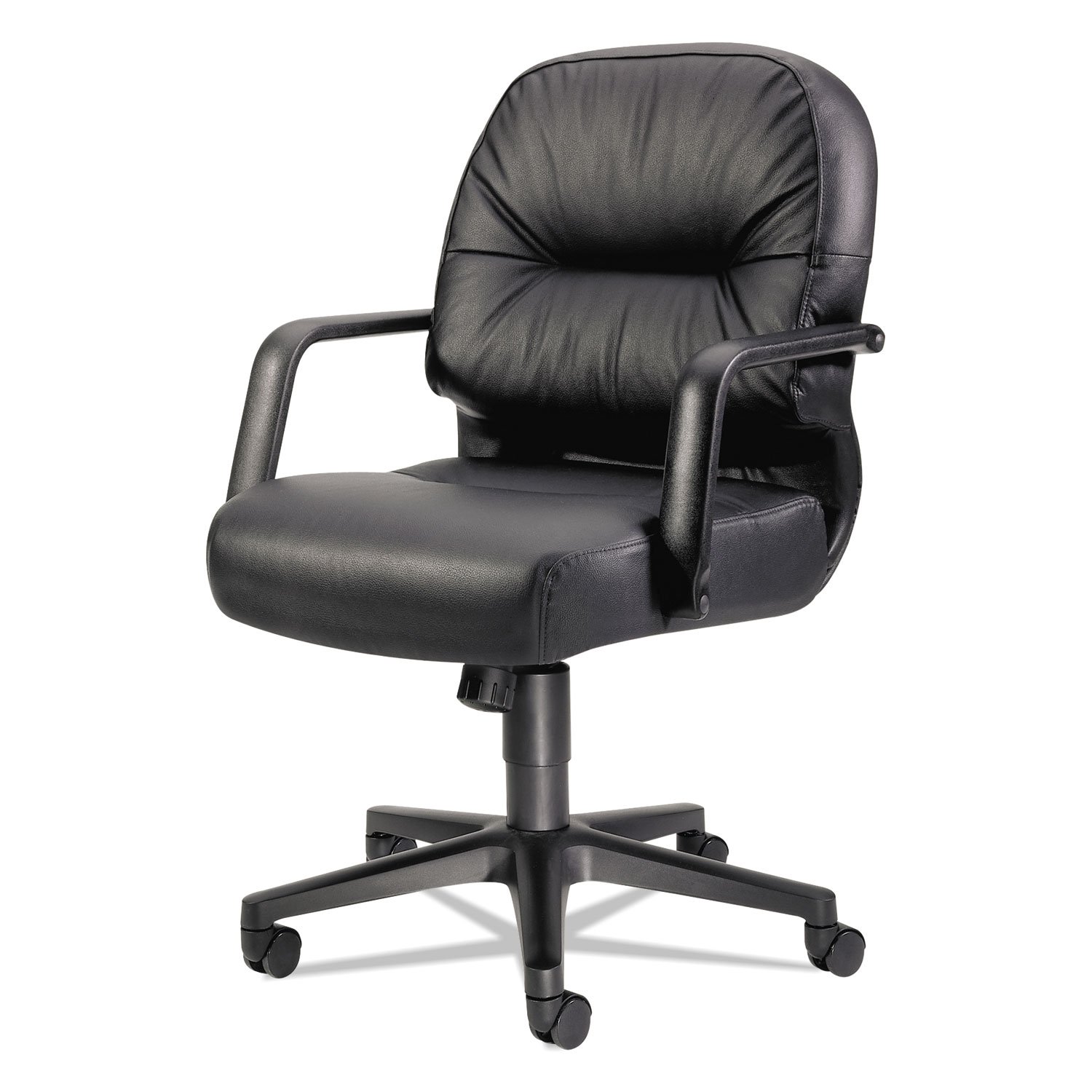

Images: Front and side profile views of the HON Pillow-Soft Mid-Back Chair.
7. Warranty and Support
The HON Pillow-Soft Mid-Back Chair is warranted for users up to 250 lbs. For specific warranty details, terms, and conditions, please refer to the official HON warranty documentation or contact HON customer service directly.
Customer Support:
For any questions, technical assistance, or warranty claims, please contact HON customer support through their official website or the contact information provided at the point of purchase. When contacting support, please have your model number (H2092.H.SR11.T) and purchase details readily available.


