
1. Introduction
This manual provides essential information for the safe and efficient use of your TCP LED17BR40D41K BR40 LED Bulb. This 17-watt LED bulb is designed to replace traditional 120-watt incandescent BR40 lamps, offering significant energy savings. It features a 4100K cool white color temperature, 1300 lumens brightness, and is fully dimmable. The bulb is suitable for various lighting applications, including recessed, display, and track lighting, and is UL listed for use in damp environments, both indoors and outdoors.
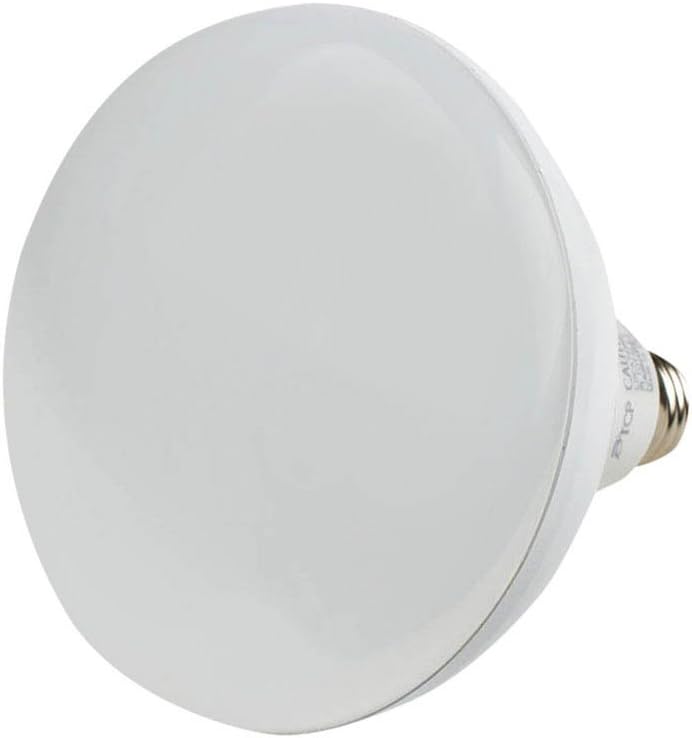
Figure 1: Front-side view of the TCP LED17BR40D41K BR40 LED Bulb, showcasing its frosted dome and reflector shape.
2. Safety Information
Please read and understand all safety instructions before installing or using this product. Failure to follow these instructions may result in electric shock, fire, or other hazards.
- Turn Off Power: Always disconnect power to the fixture at the circuit breaker or fuse box before installation, removal, or inspection.
- Proper Installation: Ensure the bulb is securely screwed into a compatible E26 base socket.
- Dimmable Use: This bulb is dimmable. Use only with dimmers specifically designed for LED lamps to avoid flickering or damage. Consult your dimmer manufacturer for compatibility.
- Environmental Suitability: This bulb is UL listed for damp locations, making it suitable for use in humid indoor and outdoor environments. Do not expose to direct water spray.
- Fixture Compatibility: The lightweight design of this lamp is intended to prevent damage to fixtures. Ensure your fixture is rated for the bulb's weight and dimensions.
- Heat Dissipation: While LED bulbs generate less heat than incandescent bulbs, ensure adequate ventilation around the bulb. Avoid use in totally enclosed fixtures unless specifically rated for such use, as excessive heat can shorten bulb life.
- Disposal: Dispose of LED bulbs according to local regulations. Do not dispose of with general household waste.
3. Product Features
The TCP LED17BR40D41K BR40 LED Bulb offers advanced lighting technology with several key features:
- Energy Efficiency: Consumes only 17 watts while providing light output equivalent to a 120-watt incandescent bulb, resulting in up to 85% energy savings.
- Dimmable Performance: Provides smooth, uniform dimming from 100% down to 0.5% of full brightness, allowing for adjustable lighting moods.
- Color Temperature: Emits a 4100K cool white light, ideal for task lighting and environments where a crisp, clear illumination is desired.
- High Brightness: Delivers 1300 lumens of light output.
- Extended Lifespan: Engineered for a long operational life of 25,000 hours, reducing the frequency of bulb replacements.
- Damp Location Rated: UL approved for use in damp locations, suitable for both indoor and outdoor applications where moisture may be present.
- Standard Base: Features a standard E26 screw-in base for easy installation in most common fixtures.
- Consistent Color: Maintains consistent color within 3 MacAdam ellipse tolerance throughout its lifespan.

Figure 2: Side view of the TCP LED17BR40D41K BR40 LED Bulb, highlighting the standard E26 screw base and product labeling.
4. Setup and Installation
Follow these steps to properly install your TCP LED17BR40D41K BR40 LED Bulb:
- Verify Power Off: Before beginning installation, ensure the power to the light fixture is turned off at the circuit breaker or wall switch.
- Remove Old Bulb: Carefully unscrew the existing bulb from the fixture. Allow it to cool if it has been recently in use.
- Inspect Fixture: Check the fixture for any damage or wear. Ensure the socket is clean and free of debris.
- Install New Bulb: Gently screw the TCP LED17BR40D41K LED bulb into the E26 base socket. Turn clockwise until it is finger-tight. Do not overtighten.
- Restore Power: Once the bulb is securely installed, restore power to the fixture at the circuit breaker or wall switch.
- Test Operation: Turn on the light switch to confirm the bulb is functioning correctly.

Figure 3: Angled front view of the TCP LED17BR40D41K BR40 LED Bulb, illustrating its overall form factor.
5. Operation
Operating your TCP LED17BR40D41K BR40 LED Bulb is straightforward:
- Standard On/Off: Use your existing wall switch to turn the light on and off.
- Dimming Function: If connected to a compatible LED dimmer switch, adjust the dimmer control to achieve your desired brightness level. The bulb supports smooth dimming from 100% to 0.5%.
- Light Output: The bulb provides a consistent 4100K cool white light, suitable for various environments requiring bright, clear illumination.
6. Maintenance
The TCP LED17BR40D41K BR40 LED Bulb requires minimal maintenance due to its long lifespan and durable design.
- Cleaning: Ensure the power is off and the bulb is cool before cleaning. Wipe the bulb with a soft, dry, lint-free cloth. Do not use liquid cleaners or abrasive materials, as these can damage the bulb's surface or internal components.
- No User Serviceable Parts: This LED bulb contains no user-serviceable parts. Do not attempt to open or repair the bulb.
- Replacement: With an average life of 25,000 hours, frequent replacement is not anticipated. Replace the bulb when its light output significantly diminishes or it ceases to function.
7. Troubleshooting
If you encounter issues with your TCP LED17BR40D41K BR40 LED Bulb, refer to the following troubleshooting guide:
- Bulb Does Not Light:
- Ensure the power switch is in the 'ON' position.
- Check if the circuit breaker has tripped.
- Verify the bulb is securely screwed into the socket.
- Test the bulb in another working fixture to rule out a fixture issue.
- Bulb Flickers or Buzzes:
- Ensure you are using an LED-compatible dimmer switch. Incompatible dimmers can cause flickering or buzzing.
- Check for loose connections in the fixture or wiring.
- Ensure the power supply is stable.
- Light Output is Too Low or High:
- If using a dimmer, adjust the dimmer control to your desired brightness.
- Confirm the bulb's specifications (1300 lumens) match your lighting requirements.
8. Specifications
Detailed technical specifications for the TCP LED17BR40D41K BR40 LED Bulb:
| Brand | TCP |
| Model Number | LED17BR40D41K |
| Light Type | LED |
| Wattage | 17 Watts |
| Incandescent Equivalent | 120 Watts |
| Brightness | 1300 Lumens |
| Color Temperature | 4100K (Cool White) |
| Bulb Shape Size | BR40 |
| Bulb Base | E26 |
| Dimmable | Yes (100% - 0.5%) |
| Average Life | 25,000 Hours |
| Voltage | 120 Volts (100 to 120 Volts and 60 Hertz) |
| Indoor/Outdoor Usage | Outdoor (UL Approved for Damp Locations) |
| Special Features | Damp Location, Dimmable |
| Certifications | Energy Star, UL Listed |
| Item Weight | 8 ounces (0.5 Pounds) |
| Package Dimensions | 6.9 x 5.6 x 5.1 inches |
9. Warranty and Support
For warranty information or technical support regarding your TCP LED17BR40D41K BR40 LED Bulb, please contact TCP customer service directly. Refer to the product packaging or the official TCP website for the most current contact details and warranty terms.
Manufacturer: TCP
Website: Visit the TCP Store on Amazon


