
Sony SEL2470Z/T
Contents
Sony FE 24-70mm f/4 Vario-Tessar T* OSS Zoom Lens Instruction Manual
Model: SEL2470Z/T
1. Introduction
This manual provides essential information for the safe and effective use of your Sony FE 24-70mm f/4 Vario-Tessar T* OSS Zoom Lens. This compact full-frame Carl Zeiss mid-range zoom lens offers a versatile 24mm to 70mm focal length range with a constant maximum aperture of F4, ensuring consistent exposure. It is designed for use with full-frame and APS-C E-mount cameras and features dust and moisture resistance for reliable performance.
2. Safety Information
- Do not expose the lens to direct sunlight for extended periods, as this may damage the camera's image sensor.
- Avoid dropping or subjecting the lens to strong impacts.
- Keep the lens away from water and moisture to prevent malfunction.
- Do not attempt to disassemble or modify the lens. Repairs should only be performed by authorized service personnel.
- Store the lens in a cool, dry place away from extreme temperatures.
3. Package Contents
- Lens
- Lens hood (ALC-SH130: petal shape, bayonet type)
- Lens front cap
- Lens rear cap
- Case
4. Parts Identification
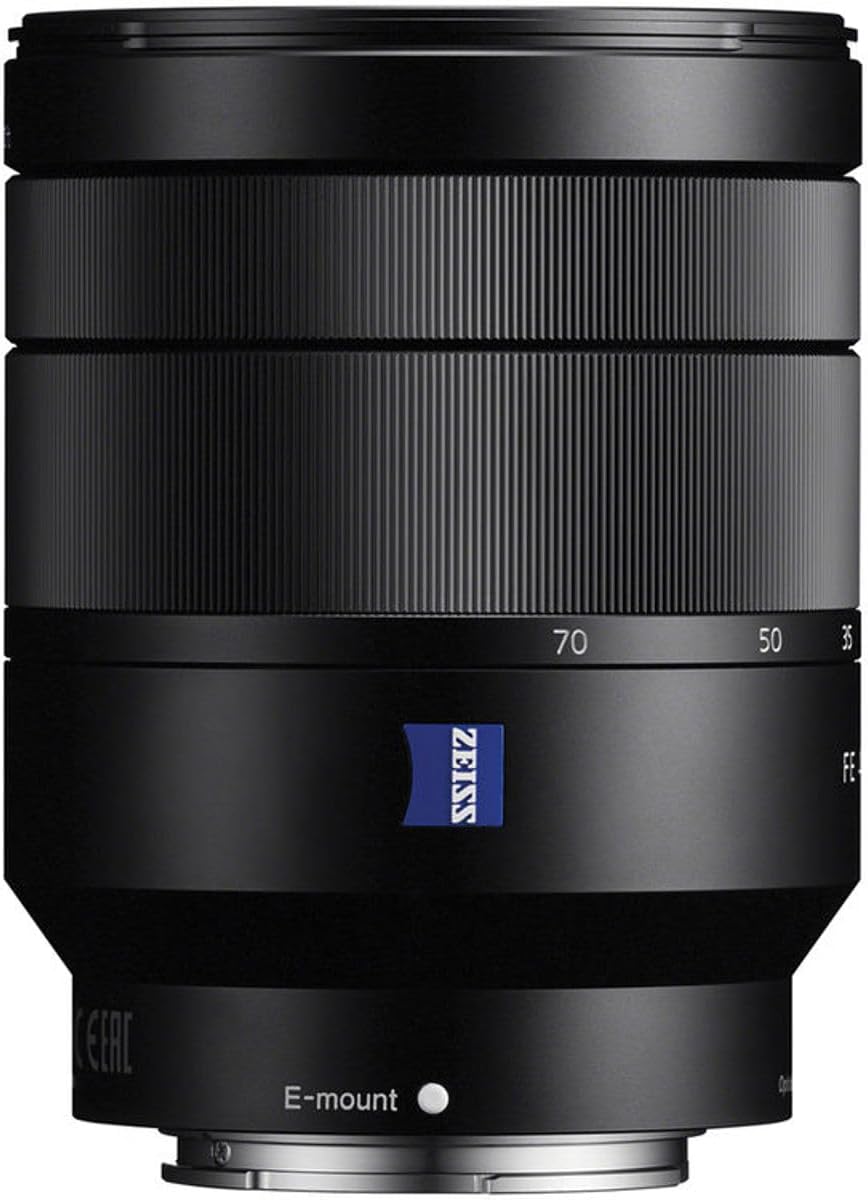
Familiarize yourself with the key components of your lens.

- Focus Ring: Used for manual focusing.
- Zoom Ring: Adjusts the focal length between 24mm and 70mm.
- E-mount Index: Align with the camera's mount index for attachment.
- Lens Hood Attachment Mark: For attaching the lens hood.
- Optical SteadyShot Switch: Activates or deactivates image stabilization.
- Filter Thread: For attaching filters (67mm diameter).
5. Setup
Attaching the Lens
- Remove the rear lens cap and the camera body cap.
- Align the white index mark on the lens with the white index mark on your camera body.
- Mount the lens by turning it clockwise until it clicks into place.
- Attach the lens hood by aligning its mark with the lens hood attachment mark on the lens, then turn it clockwise until it locks.
Removing the Lens
- While pressing the lens release button on the camera body, turn the lens counter-clockwise until it stops.
- Remove the lens.
- Attach the lens caps to protect the lens and camera sensor.
6. Operating the Lens
Zooming
Rotate the zoom ring to adjust the focal length from 24mm (wide-angle) to 70mm (telephoto).
Focusing
- Autofocus (AF): Set your camera to AF mode. The lens will automatically focus on your subject.
- Manual Focus (MF): Set your camera to MF mode. Rotate the focus ring to achieve desired focus.
Optical SteadyShot (Image Stabilization)
This lens features built-in Optical SteadyShot image stabilization. Activate it via the switch on the lens or through your camera's menu for sharper images, especially in low light or when shooting handheld.
Aperture Control
The lens maintains a constant maximum aperture of f/4 across the entire zoom range. Adjust the aperture through your camera's settings to control depth of field and exposure.
Video Usage
The lens's quiet linear motors and image stabilization are beneficial for video recording, minimizing operational noise and camera shake.
7. Maintenance and Care
- Cleaning the Lens Surface: Use a lens blower to remove dust, then gently wipe with a soft, clean lens cloth. Do not use organic solvents.
- Cleaning the Lens Body: Wipe with a soft, dry cloth.
- Storage: When not in use, attach both front and rear lens caps. Store in a dry, well-ventilated area, away from direct sunlight and chemicals.
- Dust and Moisture Resistance: While resistant, avoid exposing the lens to heavy rain or dust storms.
8. Troubleshooting
Lens not attaching properly
- Ensure the index marks on the lens and camera body are aligned.
- Check for any obstructions on the lens mount or camera mount.
Autofocus is slow or inaccurate
- Check camera's focus mode settings.
- Ensure there is sufficient light on the subject.
- Clean the lens contacts on both the lens and camera body.
Image stabilization not working
- Verify the Optical SteadyShot switch on the lens is set to ON.
- Check camera menu settings for image stabilization.
9. Specifications
| Feature | Description |
|---|---|
| Focal Length | 24-70mm |
| Maximum Aperture | f/4 |
| Minimum Aperture | F22 |
| Angle of View (35mm) | 84°-34° |
| Minimum Focus Distance | 1.32 ft (0.4 m) |
| Maximum Magnification Ratio | 0.20x |
| Aperture Blades | 7 (circular) |
| Filter Thread Diameter | 67mm |
| Lens Type | Standard Zoom |
| Compatible Mountings | Sony E |
| Dimensions | 3.74 x 2.87 x 2.87 inches |
| Item Weight | 15 ounces |
| Special Features | Carl Zeiss T* coating, ED glass, Aspherical elements, Optical SteadyShot |
10. Warranty and Support
For warranty information and customer support, please refer to the official Sony website or contact your local Sony service center. Keep your proof of purchase for warranty claims.
Online resources and FAQs may also be available on the Sony support portal.
This product is covered by Sony's standard warranty. Additional protection plans may be available for purchase.
Ask a question about this manual
Ask about setup, troubleshooting, compatibility, parts, safety, or missing instructions. Manuals+ will review the question and use this page’s manual context to help answer it.