
One For All SV 9620
One For All Signal Amplifier SV 9620
User Manual
Introduction
This manual provides comprehensive instructions for the installation, operation, and maintenance of your One For All Signal Amplifier SV 9620. Please read this manual thoroughly before using the device to ensure proper functionality and safety. The SV 9620 is designed to amplify TV signals, improving reception quality for multiple televisions in your home.
Safety Information
- Ensure the amplifier is connected to a 220 Volt power supply as specified. Connecting to an incorrect voltage may damage the device and pose a safety risk.
- Do not expose the device to rain, moisture, or extreme temperatures.
- Do not open the casing of the amplifier. There are no user-serviceable parts inside. Refer all servicing to qualified personnel.
- Keep the device away from heat sources and direct sunlight.
- Ensure proper ventilation around the amplifier to prevent overheating.
- Disconnect the power plug from the wall outlet during lightning storms or when unused for long periods.
Package Contents
Please check the box for the following items:
- One For All Signal Amplifier SV 9620 Unit
- Integrated Power Plug
- User Manual (this document)
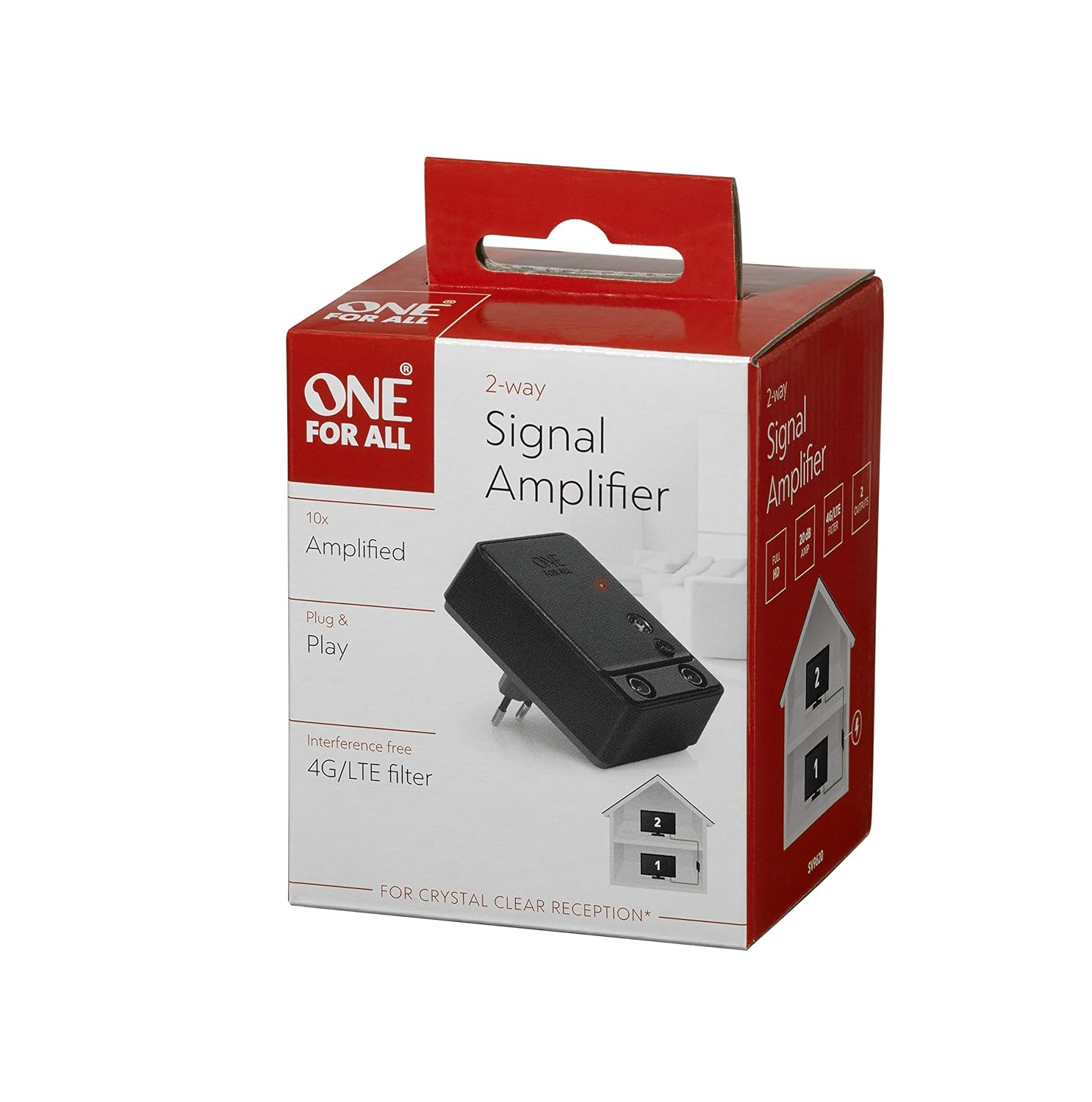
Figure 1: The retail packaging of the One For All Signal Amplifier SV 9620, showing the product name and key features.
Setup
Follow these steps to set up your signal amplifier:
- Identify the Signal Source: Locate the main antenna or cable TV input point in your home. This is typically where the signal enters your house.
- Connect Input: Connect the coaxial cable from your antenna or cable TV wall outlet to the "IN" port on the One For All Signal Amplifier SV 9620.
- Connect Outputs: Connect coaxial cables from the "OUT" ports of the amplifier to the antenna/cable input of your televisions. The SV 9620 is a 2-fold amplifier, meaning it has two output ports for connecting up to two televisions.
- Power On: Plug the integrated power plug of the amplifier into a standard 220 Volt wall outlet. An indicator light on the amplifier should illuminate, confirming it is receiving power.
- Scan for Channels: On each connected television, perform a channel scan or auto-tune function to detect available channels with the amplified signal. Refer to your television's user manual for specific instructions on channel scanning.

Figure 2: An illustrative diagram demonstrating how the signal amplifier connects to the main signal source and distributes the amplified signal to two televisions within a household.

Figure 3: A detailed view of the One For All Signal Amplifier SV 9620, highlighting its compact design and the input/output ports for coaxial cable connections.
Operating
Once properly installed, the One For All Signal Amplifier SV 9620 operates continuously to boost your television signal. There are no user controls or adjustments required during normal operation. The amplifier is designed for "Plug & Play" functionality.
- The amplifier provides a 20dB gain, which helps overcome signal loss due to long cable runs or splitting the signal to multiple TVs.
- It includes an interference-free 4G/LTE filter to minimize disruptions from mobile phone signals, ensuring crystal clear reception.
Maintenance
The One For All Signal Amplifier SV 9620 requires minimal maintenance.
- Cleaning: Disconnect the amplifier from the power outlet before cleaning. Use a soft, dry cloth to wipe the exterior of the unit. Do not use liquid cleaners or abrasive chemicals.
- Storage: If storing the amplifier for an extended period, disconnect it from power and signal cables. Store it in a cool, dry place, away from direct sunlight and extreme temperatures.
Troubleshooting
If you experience issues with your signal amplifier, refer to the following common problems and solutions:
| Problem | Possible Cause | Solution |
|---|---|---|
| No signal or poor picture quality after installation. |
|
|
| Picture is worse than before amplifier. |
|
|
| Only one TV receives a good signal. |
|
|
Specifications
| Feature | Detail |
|---|---|
| Model Number | SV 9620 |
| Brand | One For All |
| Gain | 20dB (2-fold) |
| Voltage | 220 Volts |
| Mounting Type | Surface Mount |
| Product Dimensions (L x W x H) | 3.94 x 3.94 x 3.94 inches |
| Item Weight | 6.7 ounces |
| Manufacturer | One For All |
Warranty and Support
One For All products are manufactured to high quality standards. For information regarding warranty terms and conditions, please refer to the warranty card included with your product or visit the official One For All website. For technical support or further assistance, please contact One For All customer service through their official channels.
You can find more information and support resources on the One For All Store on Amazon.
Ask a question about this manual
Ask about setup, troubleshooting, compatibility, parts, safety, or missing instructions. Manuals+ will review the question and use this page’s manual context to help answer it.