1. Introduction and Safety Information
Thank you for choosing the Tristar KA-5911 Convection Heater. This manual provides important information for the safe and efficient operation of your appliance. Please read it thoroughly before use and keep it for future reference.
Important Safety Instructions:
- Read all instructions before using this heater.
- This product is suitable only for well-insulated rooms or for occasional use.
- Do not use this heater in the immediate vicinity of a bath, shower, or swimming pool.
- Do not cover the heater. Covering the heater can cause overheating and fire.
- Keep flammable materials such as furniture, curtains, and clothing at least 1 meter (3 feet) from the front and sides of the heater.
- Ensure the voltage indicated on the rating label corresponds to your mains voltage.
- Always unplug the heater when not in use.
- Do not operate any heater with a damaged cord or plug, or after the heater malfunctions or has been dropped or damaged in any manner.
- Children should be supervised to ensure that they do not play with the appliance.
- This appliance is not intended for use by persons (including children) with reduced physical, sensory or mental capabilities, or lack of experience and knowledge, unless they have been given supervision or instruction concerning use of the appliance by a person responsible for their safety.
2. Product Overview
The Tristar KA-5911 is a compact convection heater designed for efficient supplementary heating. Familiarize yourself with its components:

Key Components:
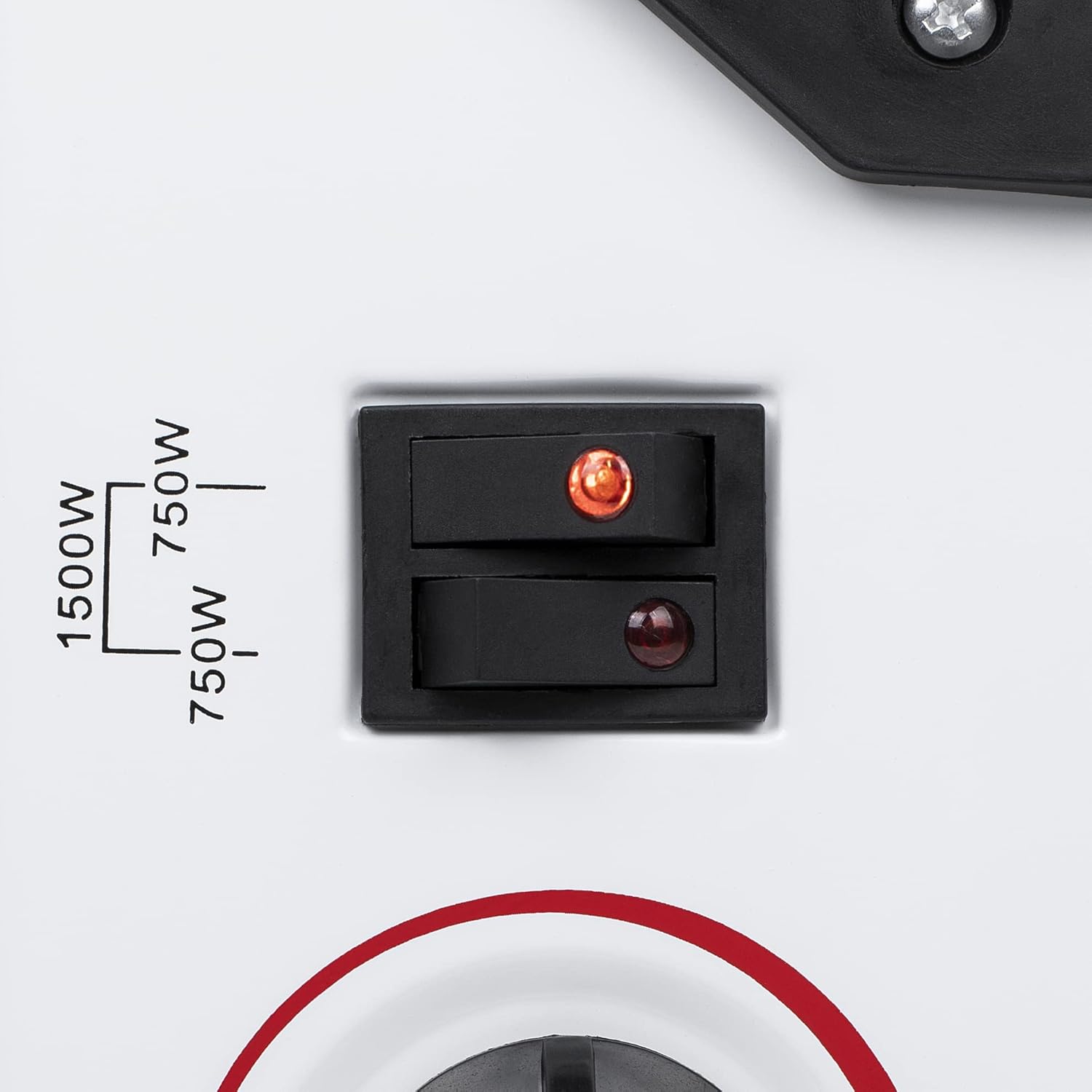
- Power Switches: Two switches to select heating power (750W or 1500W). Each switch has an indicator light.
- Thermostat Dial: Used to set the desired room temperature.
- Integrated Handles: Located on the sides for easy transport.
- Feet: Detachable base for stable placement.
- Air Outlet Grille: Located at the top for heat emission.


3. Setup and Installation
Attaching the Feet:
- Carefully unpack the heater and all components.
- Turn the heater upside down on a soft, non-abrasive surface to prevent scratches.
- Align the feet with the designated slots on the base of the heater.
- Secure each foot using the provided screws. Typically, two screws per foot are used. Ensure they are tightened firmly for stability.
- Return the heater to an upright position.
Placement:
- Place the heater on a firm, level surface.
- Ensure there is at least 1 meter (3 feet) of clear space around the heater to allow for proper air circulation and to prevent fire hazards. Do not place it directly under a power outlet.
- Avoid placing the heater in areas with high humidity or near water sources.
4. Operating Instructions
Initial Use:
- Plug the heater into a suitable electrical outlet.
- Turn the thermostat dial to the maximum setting (MAX).
- Activate the power switches to select your desired heat output.
Power Settings:
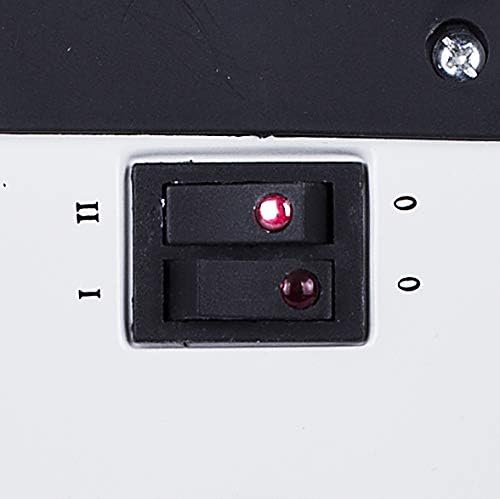
- Switch I (750W): Press the first switch (often marked 'I' or with a single dot) to activate the lower heat setting of 750 watts. The indicator light will illuminate.
- Switch II (1500W): Press the second switch (often marked 'II' or with two dots) in addition to Switch I to activate the higher heat setting of 1500 watts. Both indicator lights will illuminate. If only Switch II is pressed, it may activate 750W or 1500W depending on the model's internal wiring; typically, both are needed for full power. Refer to the markings on your specific unit.
Thermostat Control:
- Once the heater is on, turn the thermostat dial clockwise to increase the desired temperature or counter-clockwise to decrease it.
- The heater will cycle on and off to maintain the set temperature.
- To set a specific temperature, turn the thermostat to MAX, let the room reach your desired comfort level, then slowly turn the thermostat dial counter-clockwise until the heater switches off. The heater will now maintain this temperature.
Overheat Protection:
The Tristar KA-5911 is equipped with an overheat protection system. If the heater becomes too hot, it will automatically switch off. If this occurs, unplug the heater, allow it to cool down for at least 30 minutes, and check for any obstructions to the air inlets or outlets. Once cooled and obstructions removed, you can plug it back in and resume operation.
5. Maintenance and Cleaning
Regular cleaning and maintenance will ensure the longevity and efficient operation of your heater.
- Always unplug the heater from the power outlet and allow it to cool completely before cleaning.
- Wipe the exterior surfaces with a soft, damp cloth. Do not use abrasive cleaners or solvents, as these can damage the finish.
- Do not immerse the heater in water or any other liquid.
- Use a vacuum cleaner with a brush attachment to remove dust from the air inlet and outlet grilles.
- Store the heater in a cool, dry place during off-season periods.
6. Troubleshooting
If you encounter issues with your Tristar KA-5911 heater, refer to the following common problems and solutions:
| Problem | Possible Cause | Solution |
|---|---|---|
| Heater does not turn on. | Not plugged in; power switch off; thermostat set too low; overheat protection activated. | Ensure plug is securely in outlet; turn on power switches; turn thermostat to a higher setting; unplug, cool, and check for obstructions. |
| Heater produces no heat or insufficient heat. | Incorrect power setting; thermostat set too low; room size too large for heater capacity. | Ensure both power switches are engaged for 1500W; increase thermostat setting; note that this heater is designed for rooms up to 20 m² and for occasional use. |
| Heater turns off unexpectedly. | Overheat protection activated. | Unplug, allow to cool for 30 minutes, check for and remove any obstructions from air vents. |
| Unusual smell during first use. | New appliance burning off manufacturing residues. | This is normal for the first few uses. Ensure good ventilation. The smell should dissipate quickly. |
7. Technical Specifications
| Model Number | KA-5911 |
| Brand | Tristar |
| Power Output | 1500 Watts (adjustable to 750W) |
| Voltage | 240 Volts |
| Product Dimensions (L x W x H) | 49.5 x 10.5 x 35.3 cm |
| Item Weight | 2.06 kg |
| Heating Method | Convection |
| Special Features | Overheating protection, Adjustable thermostat, Integrated handles |
| Recommended Room Size | Up to 20 m² |
8. Warranty and Support
For warranty information, product support, or to report any issues not covered in this manual, please contact Tristar customer service. Refer to the contact details provided with your purchase documentation or visit the official Tristar website for assistance.


