
1. Important Safety Instructions
Please read these instructions carefully before using the appliance and keep them for future reference. Incorrect use may lead to injury or damage.
- Overheat Protection: The heater is equipped with an overheat protection system that automatically shuts off the unit if it becomes too hot. If this occurs, unplug the heater, allow it to cool down for 30 minutes, and then plug it back in. Ensure there are no obstructions blocking the air inlets or outlets.
- Tip-over Protection: For your safety, this heater includes a tip-over switch that will automatically turn off the unit if it is accidentally knocked over. Place the heater on a firm, level surface to prevent accidental tipping.
- Always ensure the heater is placed on a stable, flat surface.
- Do not cover the heater. Covering the heater can cause overheating and fire.
- Keep flammable materials (curtains, furniture, bedding) at least 1 meter (3 feet) away from the heater.
- Do not use the heater in bathrooms, laundry areas, or similar indoor locations where it may come into contact with water.
- Unplug the heater when not in use.
- Do not insert any objects into the heater's openings.
- This appliance is for indoor use only.

Image: Front view of the Tristar KA-5038 heater, showing the "DO NOT COVER" warning light above the grille. This indicates a critical safety instruction to prevent overheating.
2. Product Overview
The Tristar KA-5038 is a compact and efficient ceramic electric heater designed for indoor use, particularly suitable for offices or small rooms. It features forced air heating, two speed settings, and safety features like tip-over and overheat protection.
2.1 Key Features
- Ceramic Heating Element: Provides efficient and consistent heat.
- Two Heat Settings: Allows for adjustable heating power.
- Adjustable Thermostat: For precise temperature control.
- Oscillation Function: Distributes heat evenly across a wider area.
- Integrated Handle: For easy portability.
- Safety Features: Includes tip-over protection and overheat protection.
2.2 Components
- Heat Outlet Grille
- Control Dials (Thermostat and Power/Mode)
- Oscillation Button
- Integrated Carry Handle
- Power Cord
- Air Inlet (rear)

Image: Front view of the Tristar KA-5038 heater, showcasing its compact design and front grille.

Image: Side view of the Tristar KA-5038 heater, highlighting its slim profile and integrated handle.

Image: Diagram showing the dimensions of the Tristar KA-5038 heater: 29cm height, 20.6cm width, and 16.1cm depth.
2.3 Product Videos
360 Degree View
Video: A 360-degree view of the Tristar KA-5038 heater, demonstrating its design from all angles.
Product Demonstration Video
Video: A demonstration of the Tristar KA-5038 heater in use, showcasing its features and operation.
3. Setup
- Unpack the Heater: Carefully remove the heater from its packaging. Retain the packaging for storage or future transport.
- Choose a Location: Place the heater on a firm, level, and stable surface. Ensure there is at least 1 meter (3 feet) of clear space around the heater from any walls, furniture, curtains, or other flammable materials. Do not place it directly under a power outlet.
- Power Connection: Ensure the heater is switched off (both dials set to '0' or 'OFF') before plugging it into a suitable 230V electrical outlet. The power cord should be fully uncoiled and not run under carpets or in high-traffic areas where it could be a tripping hazard.
4. Operating Instructions
Familiarize yourself with the control dials on the top of the heater.
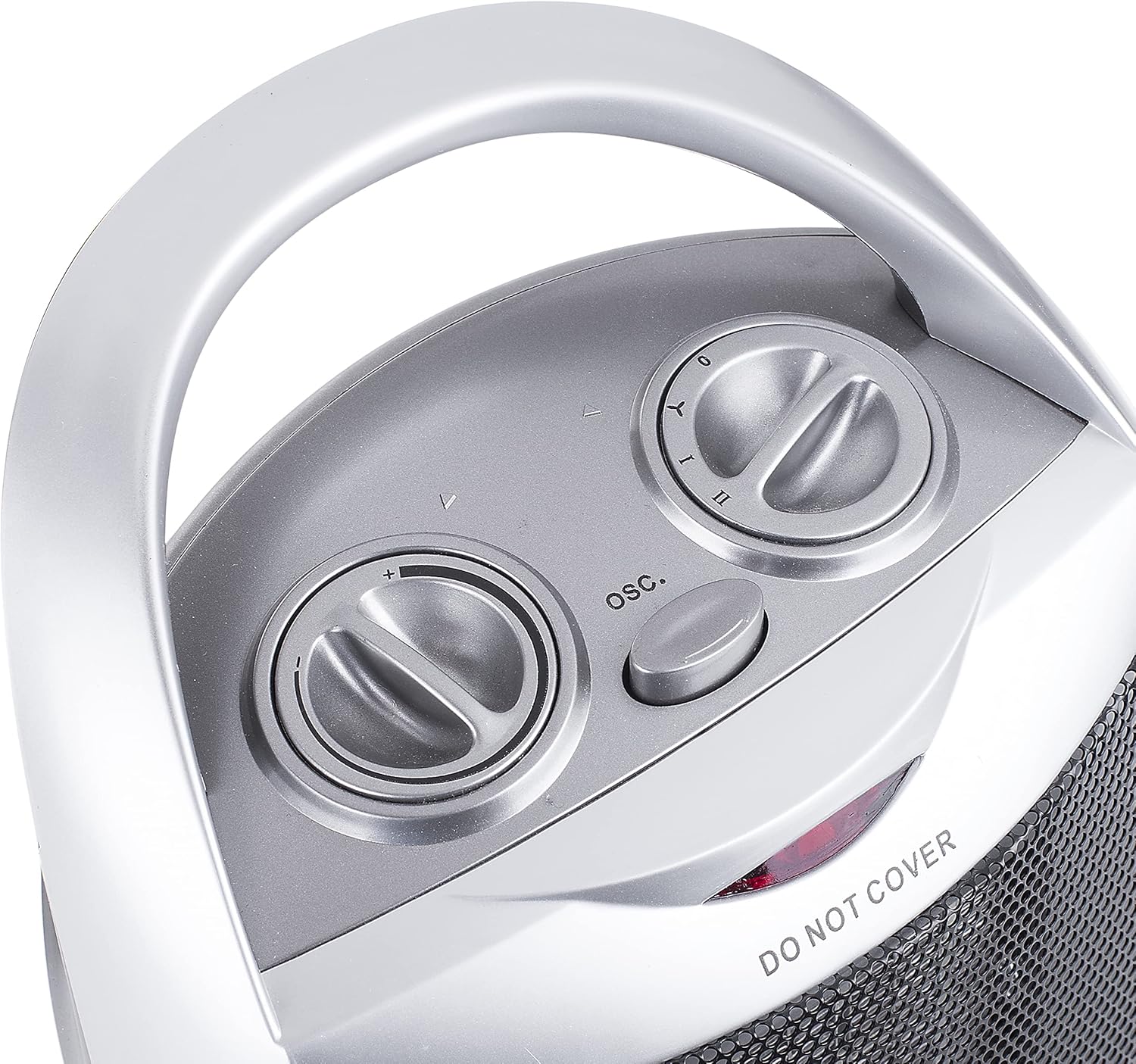
Image: Top view of the Tristar KA-5038 heater, showing the two control dials and the oscillation button.
4.1 Power and Mode Control
The right dial controls the power and operating mode:

Image: Close-up of the right control dial, indicating settings for Off (0), Fan Only (Y), Low Heat (I), and High Heat (II).
- 0 (Off): Turns the heater off.
- Y (Fan Only): Operates the fan without heat, useful for air circulation.
- I (Low Heat): Provides heat at a lower power setting (e.g., 750W).
- II (High Heat): Provides heat at the maximum power setting (e.g., 1500W).
4.2 Thermostat Control
The left dial controls the thermostat, allowing you to set the desired room temperature.
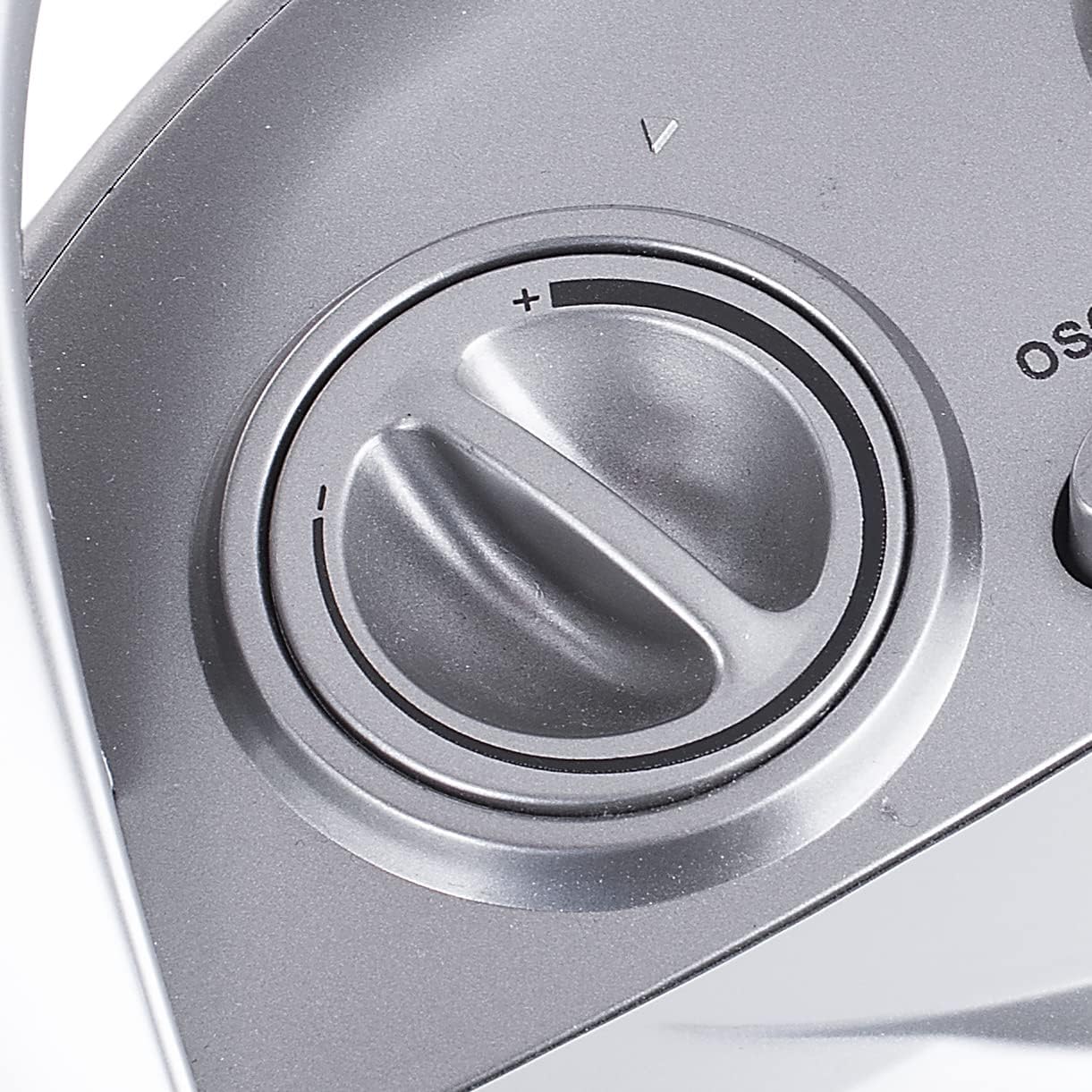
Image: Close-up of the left control dial, used to adjust the thermostat setting from minimum (-) to maximum (+).
- Turn the thermostat dial clockwise to increase the desired temperature, and counter-clockwise to decrease it.
- The heater will cycle on and off to maintain the set temperature.
4.3 Oscillation Function
Press the "OSC." button located between the two dials to activate or deactivate the oscillation function. When active, the heater will rotate from side to side to distribute heat more broadly.
5. Maintenance
Regular cleaning and proper storage will ensure the longevity and efficient operation of your heater.
- Cleaning:
- Always unplug the heater and allow it to cool completely before cleaning.
- Wipe the exterior surfaces with a soft, damp cloth. Do not use abrasive cleaners or solvents.
- Use a vacuum cleaner with a brush attachment to remove dust from the air inlets and outlets.
- Never immerse the heater in water or any other liquid.
- Storage:
- If storing the heater for an extended period, clean it thoroughly.
- Store the heater in its original packaging in a cool, dry place.
6. Troubleshooting
| Problem | Possible Cause | Solution |
|---|---|---|
| Heater does not turn on. |
|
|
| Heater produces no heat in heat mode. |
|
|
| Heater suddenly stops working. |
|
|
7. Technical Specifications
| Feature | Specification |
|---|---|
| Model Number | KA-5038 |
| Brand | Tristar |
| Heating Method | Forced Air, Ceramic Element |
| Heat Output | 1500 Watts (Max) |
| Number of Speeds | 2 (Low Heat, High Heat) + Fan Only |
| Voltage | 230V |
| Special Features | Tip-over Protection, Overheat Protection, Oscillation |
| Color | Silver |
| Product Dimensions (D x W x H) | 16.1D x 20.6W x 29H centimeters |
| Item Weight | 1.56 Kilograms |
| Recommended Use | Indoor, Office |
8. Warranty and Support
For information regarding warranty terms and conditions, please refer to the documentation provided with your purchase or contact Tristar customer support directly. Keep your proof of purchase for any warranty claims.
For technical support or service inquiries, please visit the official Tristar website or contact their customer service department. Contact details can typically be found in the product packaging or on the manufacturer's website.


