
Introduction
Thank you for choosing the Seiko QHR202K Alarm Clock. This manual provides detailed instructions for the proper setup, operation, maintenance, and troubleshooting of your new alarm clock. Please read this manual thoroughly before use and keep it for future reference.
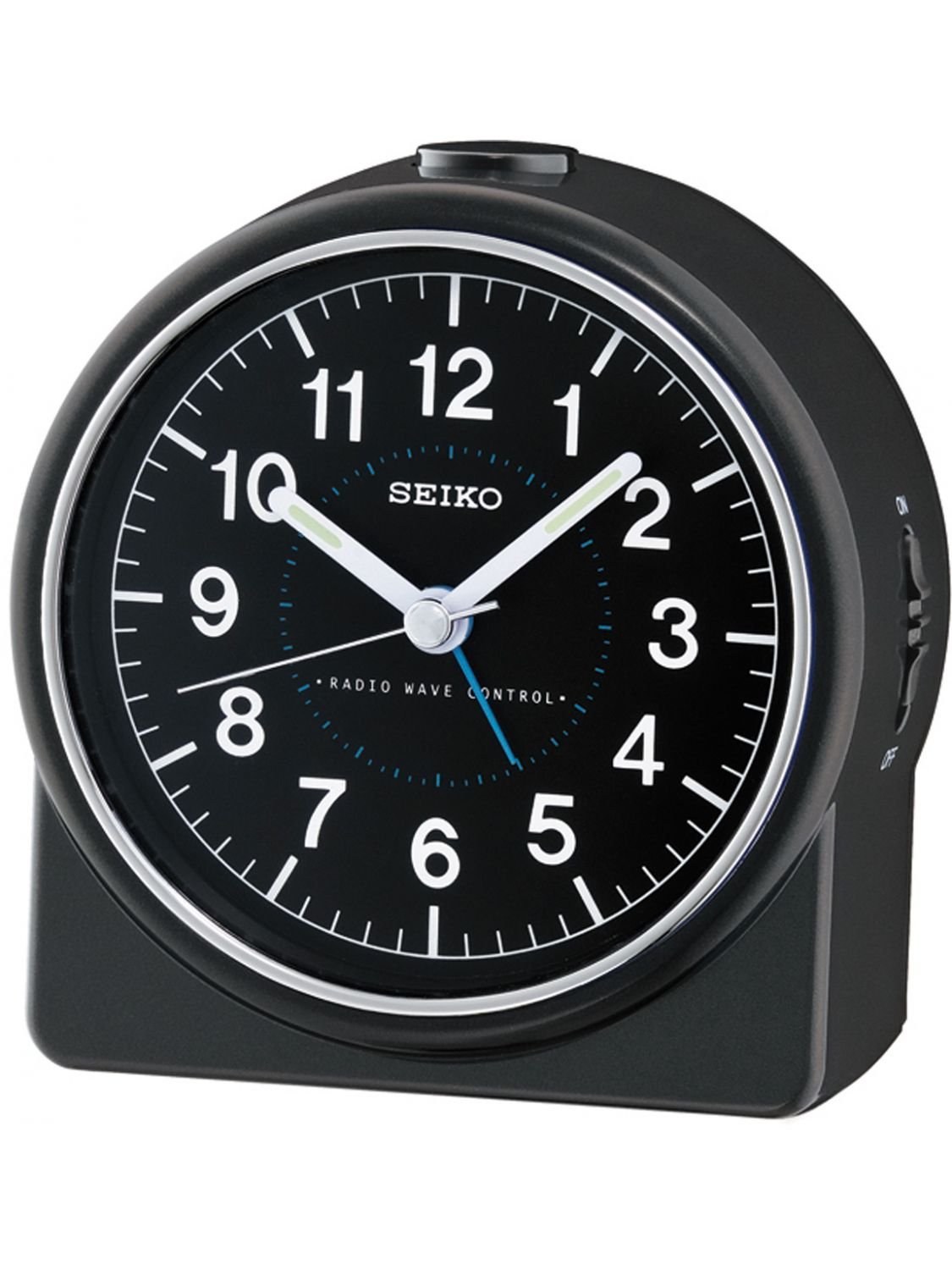
Image: Front view of the Seiko QHR202K Alarm Clock, featuring a black casing, a white dial with clear black numbers, and hands indicating the time.
Setup
1. Battery Installation
- Open the battery compartment cover located on the back of the alarm clock.
- Insert the required batteries (typically 1x AA battery, check compartment for specific type) according to the polarity indicators (+ and -).
- Close the battery compartment cover securely.
2. Setting the Time
- Locate the time setting knob on the back of the clock.
- Rotate the knob clockwise or counter-clockwise to set the current time. Ensure the hour and minute hands are correctly aligned.
3. Setting the Alarm
- Locate the alarm setting knob on the back of the clock.
- Rotate the alarm setting knob to move the alarm hand to your desired alarm time.
- Ensure the alarm ON/OFF switch (if present) is in the 'ON' position.
Operating Instructions
1. Alarm Function
When the alarm time is reached, the alarm will sound. To stop the alarm, slide the alarm ON/OFF switch to the 'OFF' position.
2. Snooze Function
If your model includes a snooze function, pressing the snooze button (usually located on top of the clock) during an active alarm will temporarily silence the alarm for a few minutes. The alarm will sound again after the snooze period.
3. Dial Illumination
Some models feature a light button (often on the top or back). Pressing this button will illuminate the clock dial for a short period, allowing you to read the time in the dark.
Maintenance
1. Cleaning
To clean the clock, wipe it with a soft, dry cloth. Do not use abrasive cleaners, solvents, or chemical sprays, as these can damage the casing or dial.
2. Battery Replacement
When the clock starts to lose time or the alarm becomes weak, it is time to replace the batteries. Follow the battery installation steps in the 'Setup' section to replace the old batteries with new ones. Dispose of used batteries responsibly.
Troubleshooting
- Clock not working: Ensure batteries are inserted correctly with the correct polarity and are not depleted.
- Alarm not sounding: Check that the alarm is set to the desired time and the alarm ON/OFF switch is in the 'ON' position. Ensure batteries are not low.
- Inaccurate time: Replace batteries if they are old. Reset the time carefully.
Specifications
| Model Number: | QHR202K |
| Brand: | Seiko |
| Manufacturer: | SEIFERT |
| Dimensions: | 12.8 x 12.2 x 8.8 cm |
| Weight: | 235.87 grams |
| Dial Color: | Black |
| Batteries: | Included (Type may vary, check compartment) |
Warranty and Support
Warranty Information
This product is covered by a standard manufacturer's warranty. For specific details regarding warranty coverage and duration, please refer to the warranty card included with your purchase or contact your retailer. Please retain your proof of purchase for any warranty claims.
Please note that regardless of your legal right of withdrawal, you may have a 30-day return right for many products. For exceptions and conditions, please consult the retailer's return policy.
Customer Support
If you encounter any issues not covered in this manual or require further assistance, please contact your retailer or the manufacturer's customer support. Contact details can typically be found on the product packaging or the manufacturer's official website.


