Introduction
The Manfrotto MB MP-H-40BB Pro Holster Plus 40 is designed to provide secure and convenient transport for your camera equipment. This holster bag is ideal for carrying a professional DSLR camera with an attached 70-200mm f/2.8 lens, along with an additional lens or flash, and various accessories.
Key features include:
- Designed for a Pro DSLR with attached 70-200 F/2.8 lens, extra lens or flash and accessories.
- CPS - Camera Protection System for enhanced gear safety.
- Exo-tough multi-layered construction for higher protection against impacts.
- Side pockets for personal accessories or small items.
- Includes a removable rain cover for weather protection.
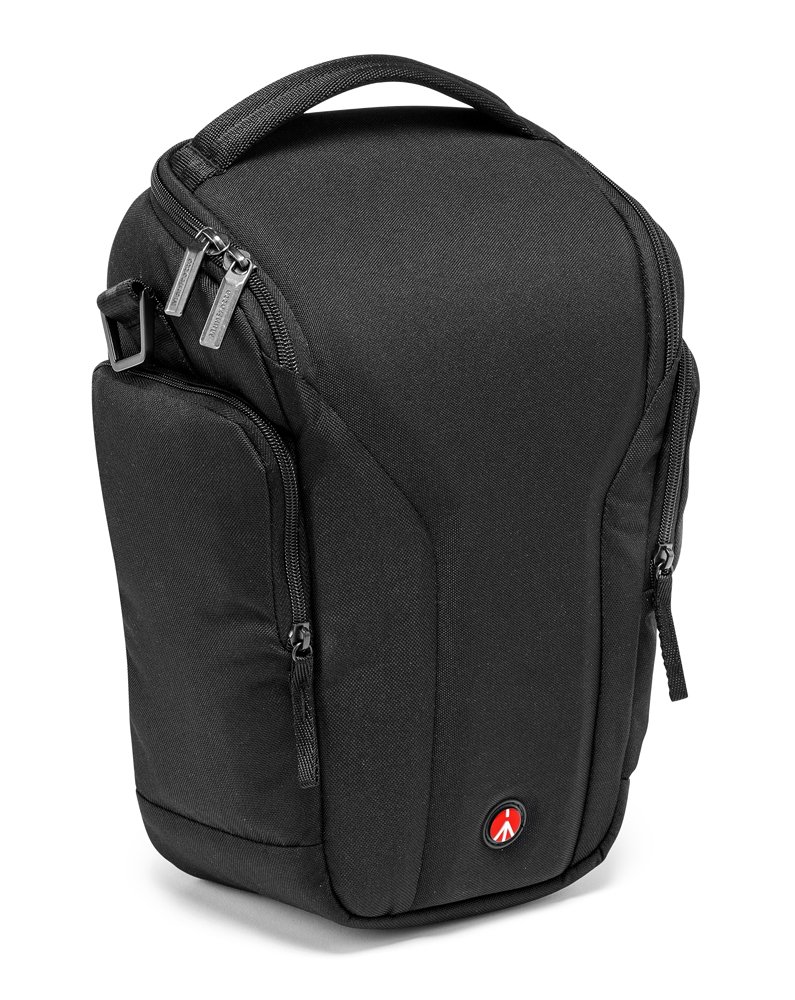
Figure 1: The Manfrotto Pro Holster Plus 40, showcasing its capacity for a DSLR and lens.
Setup
1. Attaching the Shoulder Strap
The bag comes with a detachable, padded shoulder strap. To attach it, locate the D-rings on either side of the bag and the clips on the strap. Securely fasten each clip to a D-ring. Adjust the strap length using the buckle for comfortable carrying, whether over the shoulder or cross-body.

Figure 2: Proper way to wear the bag with the shoulder strap for comfortable transport.
2. Configuring Internal Dividers
The main compartment features adjustable, padded dividers. These dividers use a hook-and-loop (Velcro) system, allowing you to customize the internal layout to securely fit your camera body, attached lens, and any additional accessories. Ensure that your equipment is snug and well-protected by adjusting the dividers to prevent movement during transport.
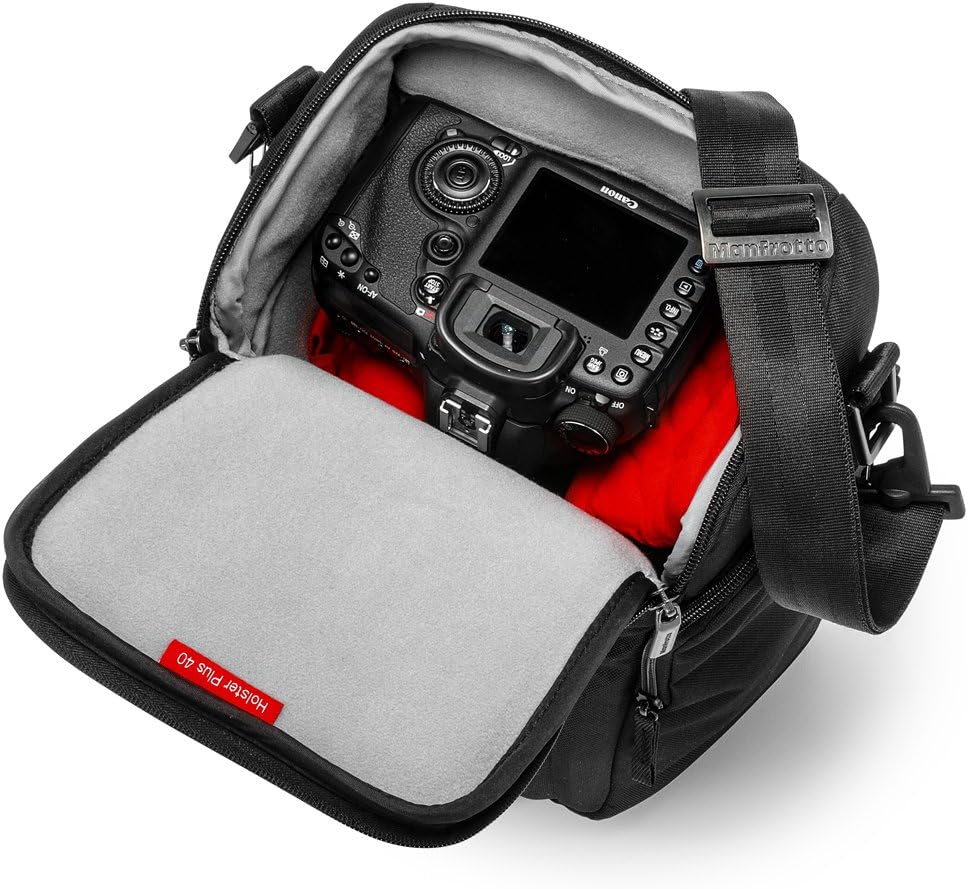
Figure 3: Interior of the bag showing a DSLR camera and the flexible divider system.
Operating
1. Storing Your Camera Gear
Open the main zippered compartment. Carefully place your DSLR camera with the attached 70-200mm f/2.8 lens into the main section. Use the adjustable dividers to create a secure fit around the camera and lens. An additional lens or flash can be placed in the remaining space, also secured by dividers.
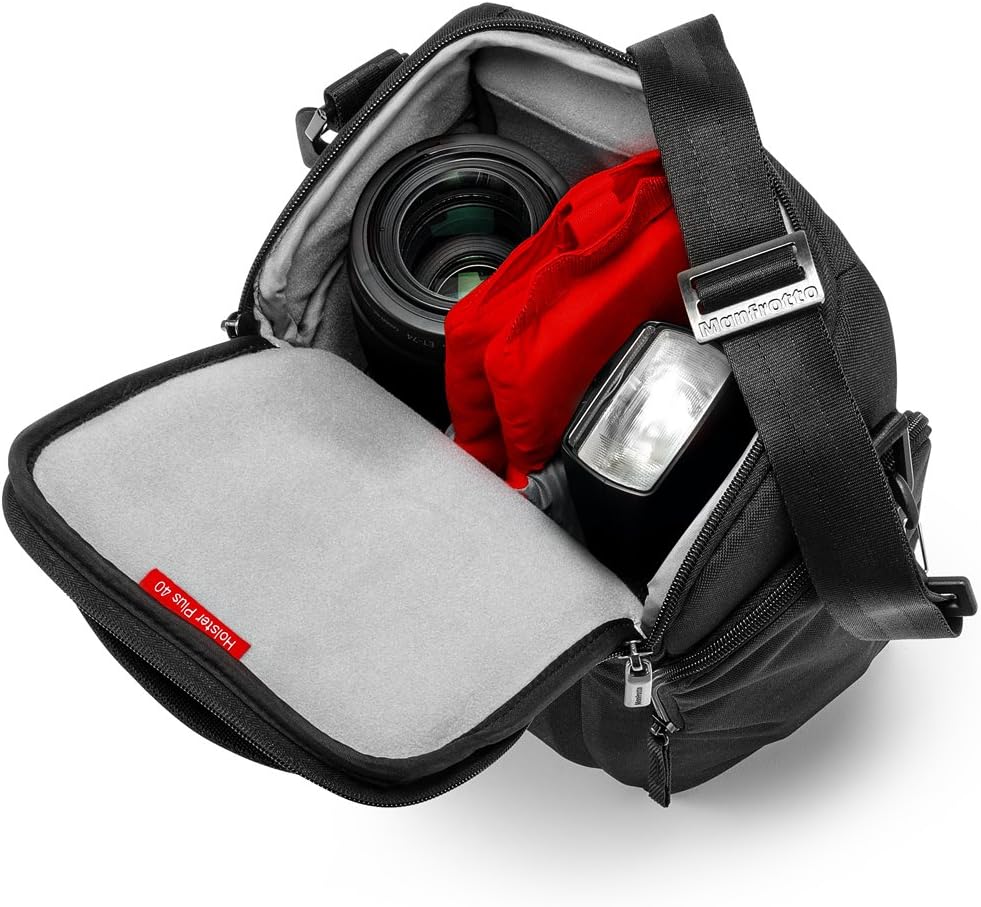
Figure 4: Example of camera, lens, and flash storage within the main compartment.
2. Quick Access to Equipment
The holster design allows for quick and easy access to your camera while wearing the bag. Simply swing the bag to your front, unzip the main compartment, and retrieve your camera. This design is optimized for photographers who need to react quickly to capture moments.
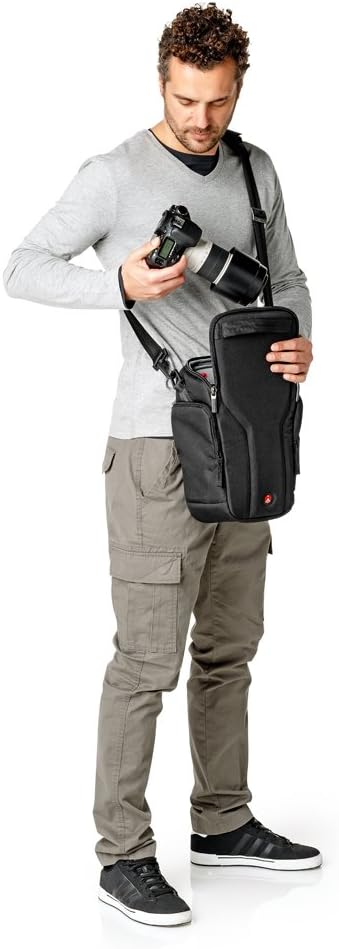
Figure 5: Demonstrating quick access to the camera while wearing the bag.
3. Utilizing Side Pockets
The bag features external side pockets designed for small personal items or camera accessories. These pockets are suitable for storing items such as memory cards, lens caps, cleaning cloths, or a smartphone.

Figure 6: Front pocket storage for personal items.
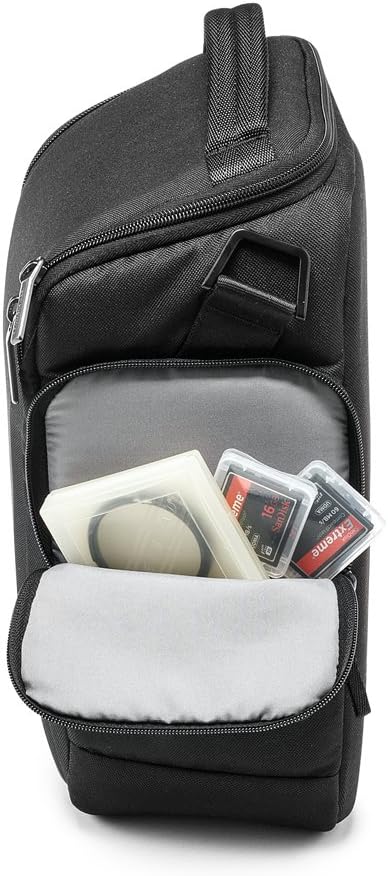
Figure 7: Side pocket storage for memory cards and filters.
4. Deploying the Rain Cover
For protection against rain or heavy moisture, locate the removable rain cover. This cover is typically stored in one of the external pockets. Unfold the cover and place it over the entire bag, ensuring all sides are covered to shield your equipment from the elements.

Figure 8: The bag with its protective rain cover deployed.
Maintenance
Cleaning Instructions
- Exterior: For general cleaning, wipe the exterior fabric with a damp cloth and mild soap. Avoid harsh chemicals or abrasive cleaners. Allow the bag to air dry completely before storing or using.
- Interior: The interior lining and dividers can be spot cleaned with a damp cloth. For dust or debris, use a soft brush or a vacuum cleaner with a brush attachment.
- Rain Cover: The rain cover can be wiped clean with a damp cloth. Ensure it is completely dry before folding and storing to prevent mildew.
Do not machine wash or tumble dry the bag, as this may damage its protective structure and materials.
Troubleshooting
Common Concerns
- Equipment not fitting: Ensure internal dividers are adjusted correctly. The bag is designed for a DSLR with a 70-200mm f/2.8 lens attached, plus one additional item. Overstuffing may prevent proper closure and compromise protection.
- Bag feels unstable: Verify that the shoulder strap is securely attached to both D-rings and adjusted to a comfortable length. Distribute the weight of your gear evenly within the bag.
- Rain cover not providing full protection: Ensure the rain cover is fully deployed and covers all exposed areas of the bag. Check for any tears or damage to the cover.
Specifications
| Feature | Detail |
|---|---|
| Product Dimensions (L x W x H) | 9.1 x 6.69 x 13.4 inches (External) |
| Internal Dimensions (L x W x H) | 7.87 x 5.51 x 11.81 inches |
| Item Weight | 1.35 pounds |
| Model Number | MB MP-H-40BB |
| Brand | Manfrotto |
| Material | Exo-tough multi-layered construction |
| Protection System | CPS - Camera Protection System |
Product Overview Video
Watch this official video for a visual overview of the Manfrotto MB MP-H-40BB Pro Holster Plus 40, demonstrating its features and capacity.
Video 1: Official product overview of the Manfrotto Pro Holster Plus 40 bag.
Warranty and Support
For warranty information, product support, or to inquire about replacement parts, please refer to the official Manfrotto website or contact Manfrotto customer service directly. Keep your purchase receipt as proof of purchase for warranty claims.
Manfrotto Official Website: www.manfrotto.com


