
Introduction
The MXR M288 Bass Octave Deluxe is a dual-voice octave pedal designed to enhance bass guitar tones. It offers analog tones with true bypass, providing a clean signal path when disengaged. The pedal features dedicated controls for mixing your direct bass signal with octave effects and adjusting midrange or low-end characteristics.
Product Overview

Figure 1: Front view of the MXR M288 Bass Octave Deluxe Pedal, showing the Dry, Growl, Girth, and Mid+ controls, along with input/output jacks and footswitch.
The MXR M288 Bass Octave Deluxe is an analog dual-voice octave pedal. It features true bypass circuitry, ensuring your original tone remains unaffected when the pedal is disengaged. The pedal is equipped with an 18-volt Constant Headroom Technology for high headroom and superior tracking. It allows for precise control over your bass signal with independent sub-octave voices and a Mid+ switch for midrange enhancement.
Setup
Connecting the Pedal
- Power Connection: Connect a 9V DC power supply (included) to the power input jack on the pedal. Ensure the power supply meets the pedal's specifications (9V DC, 1000mA).
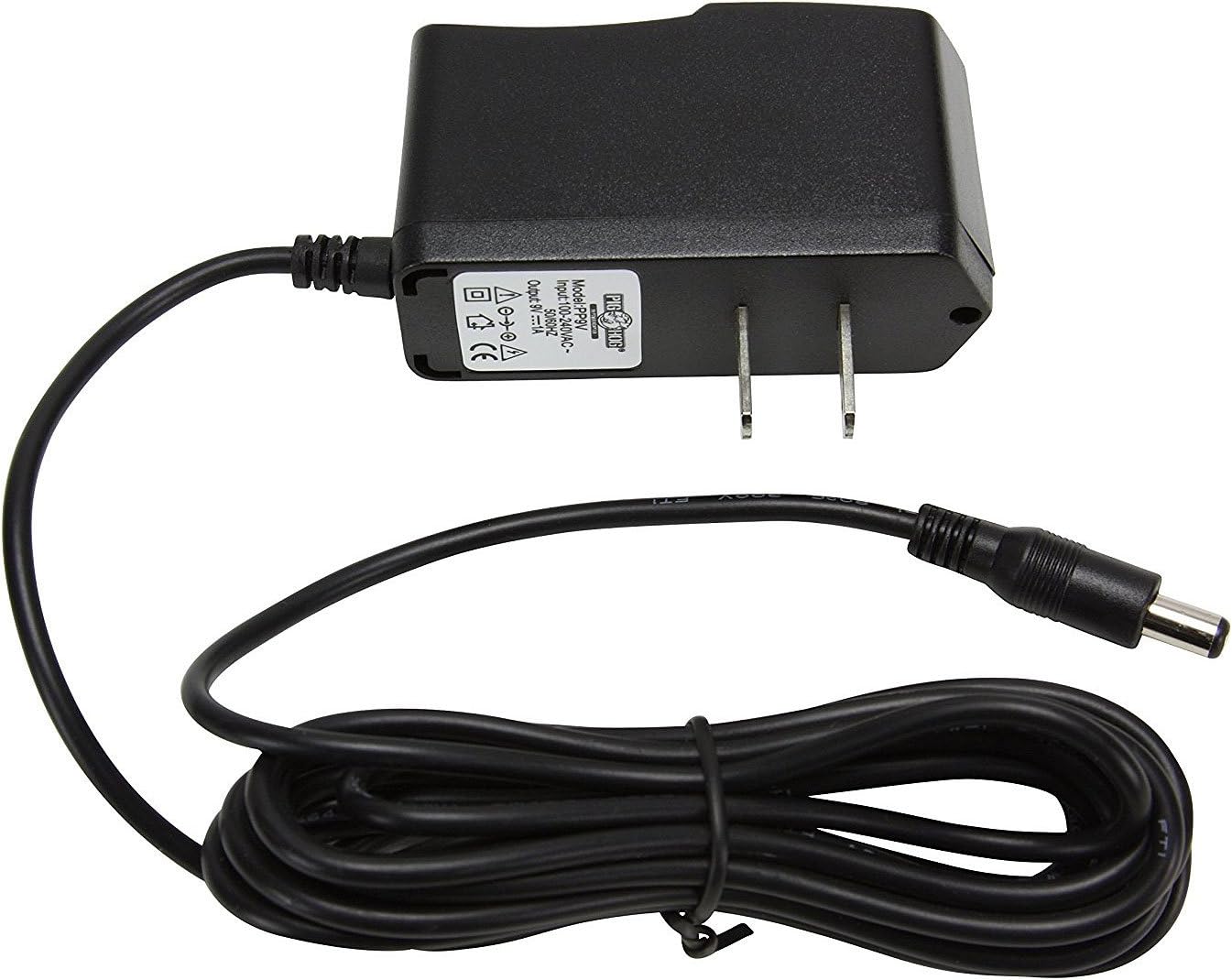
Figure 2: The included 9V power supply for the MXR M288 Bass Octave Deluxe Pedal.
- Input Connection: Connect your bass guitar to the INPUT jack on the right side of the pedal using a standard 1/4-inch instrument cable.

Figure 3: Angled view of the pedal, highlighting the INPUT jack.
- Output Connection: Connect the OUTPUT jack on the left side of the pedal to your amplifier or the next pedal in your signal chain using a standard 1/4-inch instrument cable.

Figure 4: Angled view of the pedal, highlighting the OUTPUT jack.
- Patch Cables: Use the included patch cables to connect the pedal to other effects units on your pedalboard.

Figure 5: A pair of patch cables, useful for connecting multiple pedals.
Operating Instructions
Controls Overview
- DRY Knob: This control mixes your direct bass signal with the octave effect. Adjust to blend the desired amount of your clean signal with the processed sound.
- GROWL Knob: Controls the level of the throaty sub-octave voice. Turning this knob clockwise increases the intensity of this octave effect.
- GIRTH Knob: Controls the level of the deep sub-octave voice. Turning this knob clockwise increases the intensity of this lower octave effect.
- MID+ Switch: Activates a midrange boost for your dry signal. This switch adds up to +14dB of internally adjustable mid frequencies (400Hz or 850Hz), optimizing the sound of your parallel clean signal.
- Footswitch: Engages or disengages the effect. The pedal features true bypass, ensuring no tonal coloration when the effect is off.
Basic Operation
- Ensure all connections are secure and power is supplied.
- Press the footswitch to engage the effect. The LED indicator will illuminate.
- Start with the DRY, GROWL, and GIRTH knobs at the 12 o'clock position.
- Adjust the DRY knob to find the desired balance between your clean bass signal and the octave effects.
- Experiment with the GROWL and GIRTH knobs to dial in the desired character and depth of the sub-octave tones.
- Use the MID+ switch to add punch and presence to your dry signal, especially useful for cutting through a mix.
- Adjust settings to suit your musical style and desired sound.
Key Features
- Dual-voice octave pedal with independent analog sub-octave voices.
- Dry control for mixing direct bass signal with octave effect.
- Mid+ switch to add up to +14dB of internally adjustable mid frequencies (400Hz or 850Hz).
- Growl control for throaty sub-octave tone.
- Girth control for deep sub-octave tone.
- 18-volt Constant Headroom Technology for high headroom and superior tracking.
- True bypass for uncolored tone when disengaged.
Official Product Videos
MXR M288 Bass Octave Deluxe Overview
This video provides an overview of the MXR M288 Bass Octave Deluxe pedal, demonstrating its features and sound capabilities. It highlights the Dry, Growl, and Girth controls, as well as the Mid+ switch.
MXR Poly Blue Octave Full Length Demo
This full-length demo showcases the MXR Poly Blue Octave pedal. While a different model, it demonstrates the brand's approach to octave effects and may offer insights into similar tonal characteristics and functionality.
Maintenance
- Cleaning: Use a soft, dry cloth to clean the pedal. Avoid using abrasive cleaners or solvents.
- Storage: Store the pedal in a dry environment away from extreme temperatures and humidity. When not in use for extended periods, disconnect the power supply.
- Connections: Periodically check all cable connections for wear and tear. Replace damaged cables to ensure optimal performance and prevent signal loss.
Troubleshooting
- No Sound:
- Check all cable connections (input, output, power).
- Ensure the power supply is correctly connected and functioning.
- Verify that your instrument and amplifier are working correctly.
- Test with different cables.
- Unwanted Noise/Hum:
- Ensure you are using the correct power supply.
- Check for ground loops in your setup.
- Try isolating the pedal from other electronic devices.
- Effect Not Engaging:
- Verify the footswitch is functioning.
- Ensure the pedal is receiving power (LED should illuminate when engaged).
Specifications
| Item Weight | 1.5 pounds |
| Product Dimensions | 4 x 7 x 10 inches |
| Item Model Number | M288-withextras |
| Power Source | Battery Powered, Corded Electric |
| Voltage | 9 Volts |
| Amperage | 1000 Milliamps |
| Signal Format | Analog |
| Hardware Interface | 1/4-inch Audio |
| Color | Black, Blue, Silver |
Warranty and Support
For detailed warranty information and technical support, please refer to the official MXR website or contact their customer service directly. Keep your purchase receipt as proof of purchase for any warranty claims.


