
Introduction
The Simran SM250F is a compact step-up voltage converter designed to allow the use of low-wattage 220V/240V electronic devices in regions with 110V power outlets, such as the USA. This converter has a maximum load capacity of 50 watts and is fuse-protected for safety. It is suitable for small personal electronics like mobile phones, iPods, shavers, and portable radios.
Important Note: This converter is specifically designed for low-wattage devices. It is NOT suitable for high-power appliances such as hair dryers, curling irons, or power tools. Exceeding the 50-watt limit can damage the converter and connected devices, and poses a fire hazard.
Safety Instructions
- Always ensure the total wattage of the device(s) connected to the converter does not exceed 50 watts.
- Do not use this converter with high-power appliances like hair dryers, curling irons, coffee makers, or power tools.
- Plug the converter directly into a wall outlet. Avoid using extension cords or power strips with the converter.
- Ensure the converter is placed in a well-ventilated area. Do not cover it or place it near heat sources.
- Monitor the converter for excessive heat during operation. If it becomes unusually hot to the touch, disconnect it immediately and discontinue use.
- Keep the converter away from water or damp environments.
- Do not attempt to open or modify the converter. Refer all servicing to qualified personnel.
- Unplug the converter from the wall outlet when not in use.
Package Contents
- Simran SM250F Voltage Converter (1 unit)
Please inspect the package contents upon receipt. If any items are missing or damaged, contact your retailer.
Setup
- Identify Device Requirements: Before connecting any device, verify that it requires 220V/240V input and that its wattage does not exceed 50 watts. This information is typically found on the device's label or in its instruction manual.
- Connect Device to Converter: Plug your 220V/240V electronic device into the output socket of the Simran SM250F converter. Ensure a secure connection.
- Plug Converter into Wall Outlet: Insert the converter's 110V Type A plug into a standard 110V/120V wall outlet.
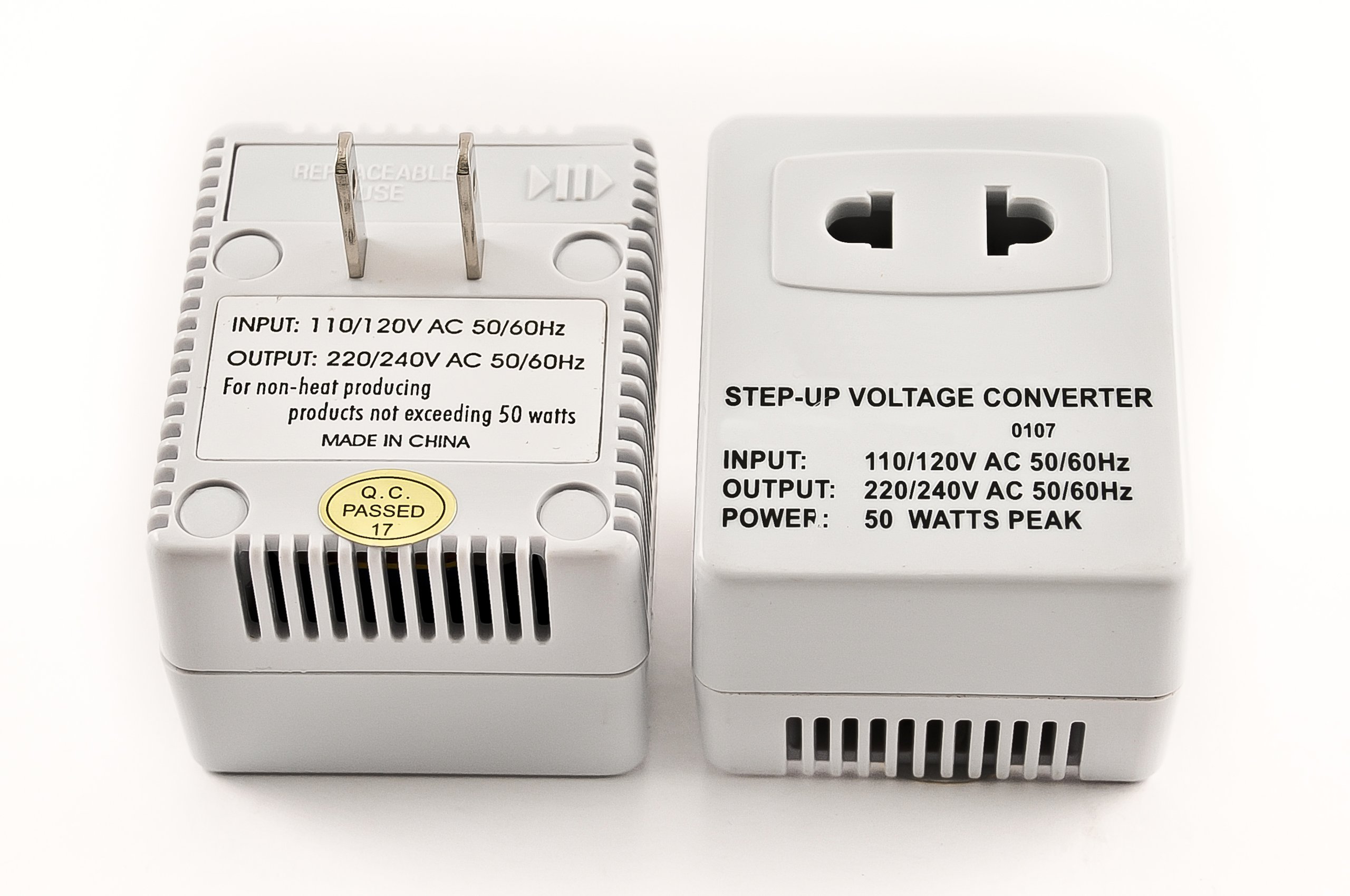
Figure 1: Simran SM250F Voltage Converter. This image shows the compact white converter with its 110V input plug and 220V output socket.
Operating Instructions
Once the converter is properly set up as described in the "Setup" section:
- Ensure your 220V/240V device is switched off before plugging it into the converter.
- Plug the device into the converter, then plug the converter into the 110V wall outlet.
- Switch on your 220V/240V device. The converter will now supply the necessary 220V power.
- When finished, switch off your device, then unplug the converter from the wall outlet.
The converter is designed for continuous use within its specified wattage limit. However, it is recommended to unplug it when not in use for extended periods.
Maintenance
- Cleaning: Disconnect the converter from the power source before cleaning. Use a dry, soft cloth to wipe the exterior. Do not use liquid cleaners or solvents.
- Storage: Store the converter in a cool, dry place away from direct sunlight and moisture when not in use.
- Fuse Replacement: The converter is fuse-protected. If the converter stops working, the fuse may have blown. Consult the manufacturer or a qualified electrician for fuse replacement. Do not attempt to replace the fuse yourself unless you are qualified and have the correct replacement fuse.
Troubleshooting
| Problem | Possible Cause | Solution |
|---|---|---|
| Converter is not working / No power to device |
|
|
| Converter gets warm during use |
|
|
| Humming noise from converter |
|
|
Specifications
- Model: SM250F
- Input Voltage: 110V AC
- Output Voltage: 220V AC
- Maximum Wattage: 50 Watts
- Dimensions (L x W x H): 4.5 x 4.5 x 2 inches
- Weight: Approximately 8 ounces (0.5 lbs)
- Plug Format (Input): Type A (US standard)
- Protection: Fuse protected
- Included Components: Voltage converter
Warranty and Support
Specific warranty information for the Simran SM250F Voltage Converter is not provided in this manual. For details regarding warranty coverage, technical support, or service inquiries, please contact the manufacturer, Simran, or your original point of purchase. Keep your purchase receipt as proof of purchase.
Manufacturer: A & J Distributors
