
Introduction
Thank you for choosing the Disney Princess Ariel's Musical Jewelry Box. This manual provides essential information for the safe and proper use, setup, and maintenance of your product. Please read these instructions carefully before use and retain them for future reference.
Safety Information
Observe the following safety guidelines to ensure safe operation:
- Choking Hazard: This product contains small parts and is not suitable for children under 3 years of age. Adult supervision is recommended during use.
- Do not immerse the product in water or other liquids.
- Keep batteries away from small children. If swallowed, seek immediate medical attention.
- Dispose of used batteries responsibly according to local regulations.

Image: The product in its retail packaging, displaying important safety warnings including a choking hazard notice for small parts.
Package Contents
Verify that all items are present in the package:
- 1 x Ariel's Musical Jewelry Box
- 1 x Removable Ariel Figure
- 1 x Key Pendant Necklace
- 3 x AA Batteries (pre-installed for 'Try Me' function)

Image: The Ariel's Musical Jewelry Box in its closed state, featuring the Ariel figure on top.

Image: The included key pendant necklace, designed to unlock the jewelry box.
Initial Setup
Battery Installation
The jewelry box requires 3 AA batteries for its musical function. Batteries are typically pre-installed for the 'Try Me' feature. For continued use, or if the music stops playing, replace the batteries:
- Locate the battery compartment on the underside of the jewelry box.
- Using a Phillips head screwdriver (not included), loosen the screw and remove the battery compartment cover.
- Insert 3 new AA batteries, ensuring correct polarity (+/-) as indicated inside the compartment.
- Replace the cover and tighten the screw securely.
Ariel Figure Placement
The Ariel figure is removable. To place it on the jewelry box, align the base of the figure with the designated slot on the top of the box and gently press down until it is secure.
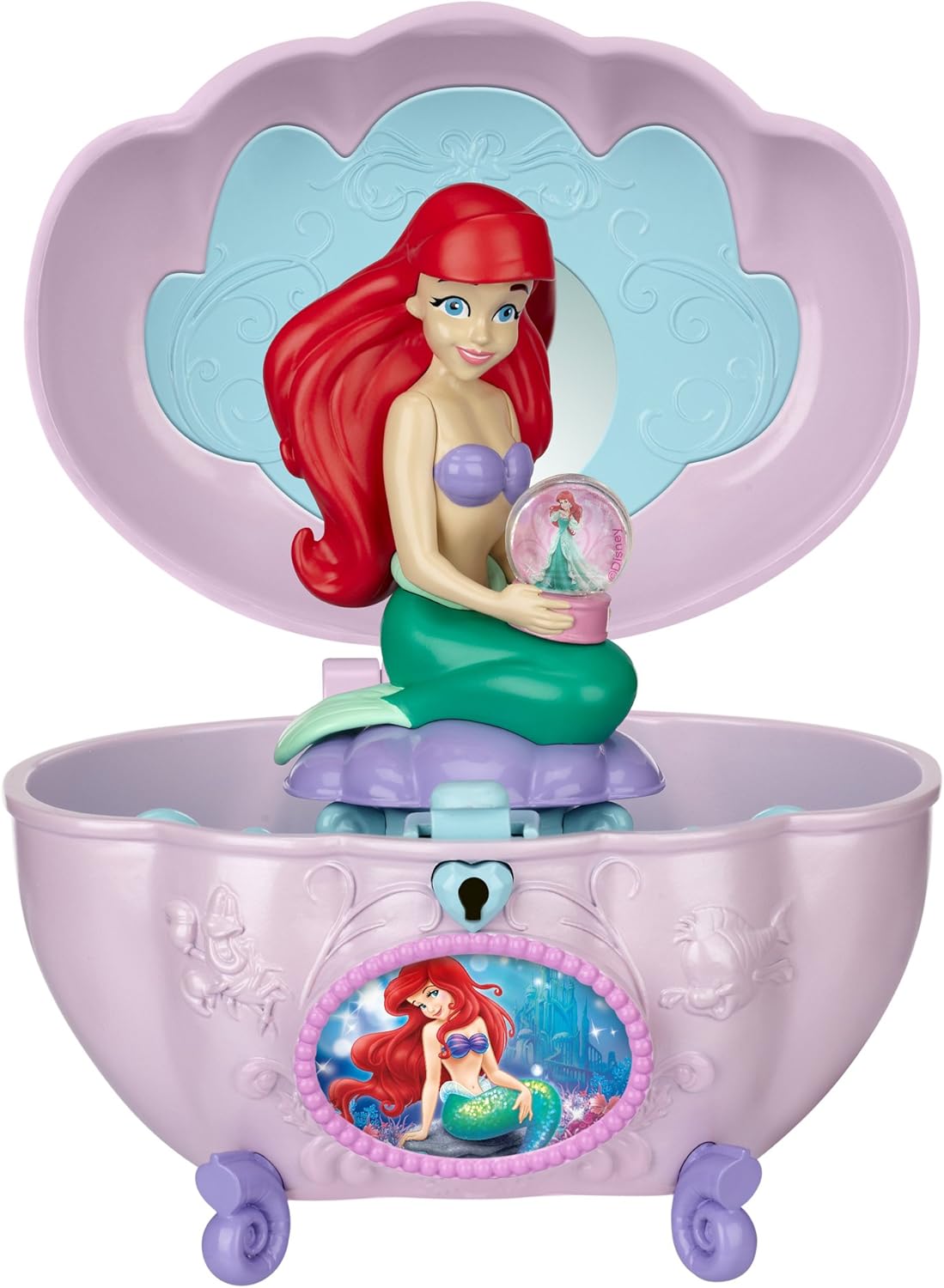
Image: The jewelry box with its lid open, revealing the interior storage and the Ariel figure positioned on top.
Operating Instructions
Opening the Jewelry Box
To open the jewelry box, use the included key pendant:
- Insert the key into the keyhole located on the front of the box.
- Gently turn the key clockwise to unlock the lid.
- Lift the lid to access the storage compartment.

Image: The jewelry box in an open position, showcasing the internal mirror and compartments for storing small items.
Musical Feature
The jewelry box plays a musical tune. To activate the music, press the 'Try Me' button located on the front of the box, or simply open the lid after unlocking it with the key.
Storing Items
The interior of the jewelry box provides space for small trinkets and jewelry. Please note that the storage capacity is designed for small items.

Image: A child engaging with the open musical jewelry box, demonstrating typical use.
Care and Maintenance
To maintain the condition of your Ariel's Musical Jewelry Box:
- Wipe the exterior with a soft, dry cloth. Do not use abrasive cleaners or solvents.
- Avoid exposing the product to direct sunlight or extreme temperatures.
- Ensure the battery compartment is securely closed to prevent dust and moisture ingress.
Troubleshooting
If you encounter issues with your jewelry box, refer to the following:
- Music not playing: Check if the batteries are correctly installed and not depleted. Replace batteries if necessary.
- Key not turning: Ensure the key is fully inserted into the keyhole. Apply gentle pressure; avoid forcing the key to prevent damage.
- Lid not closing properly: Check for any obstructions in the hinge area or around the locking mechanism.
Product Specifications
| Brand | Disney |
| Model Number | 71785-I |
| Material | Aluminum (Note: Product is primarily plastic, 'Aluminum' may refer to internal components or a general category) |
| Color | Multicolor |
| Dimensions (L x W x H) | 6.5 x 4.5 x 9.5 inches |
| Item Weight | 12.6 ounces (0.79 Pounds) |
| Power Source | 3 x AA Batteries (included) |
| Special Feature | Musical |
| Target Audience | Girls |
Warranty and Customer Support
For information regarding warranty coverage or to contact customer support, please refer to the packaging or visit the official Disney Princess website. Keep your purchase receipt as proof of purchase.


